
⚠️ Este paquete fue renombrado a
nifipilot. Por favor instalapip install nifipiloten su lugar. Este paquete no recibirá más actualizaciones.
NiFiPilot — AI Copilot for Apache NiFi
MCP (Model Context Protocol) server for Apache NiFi 2.2.0. Lets AI agents inspect, build, and control NiFi flows safely and auditably via 17 ready-to-use tools.




What it does
NiFiPilot exposes Apache NiFi's REST API as MCP tools so any compatible AI agent can:
- Inspect running flows, processor states, queue depths, and system health
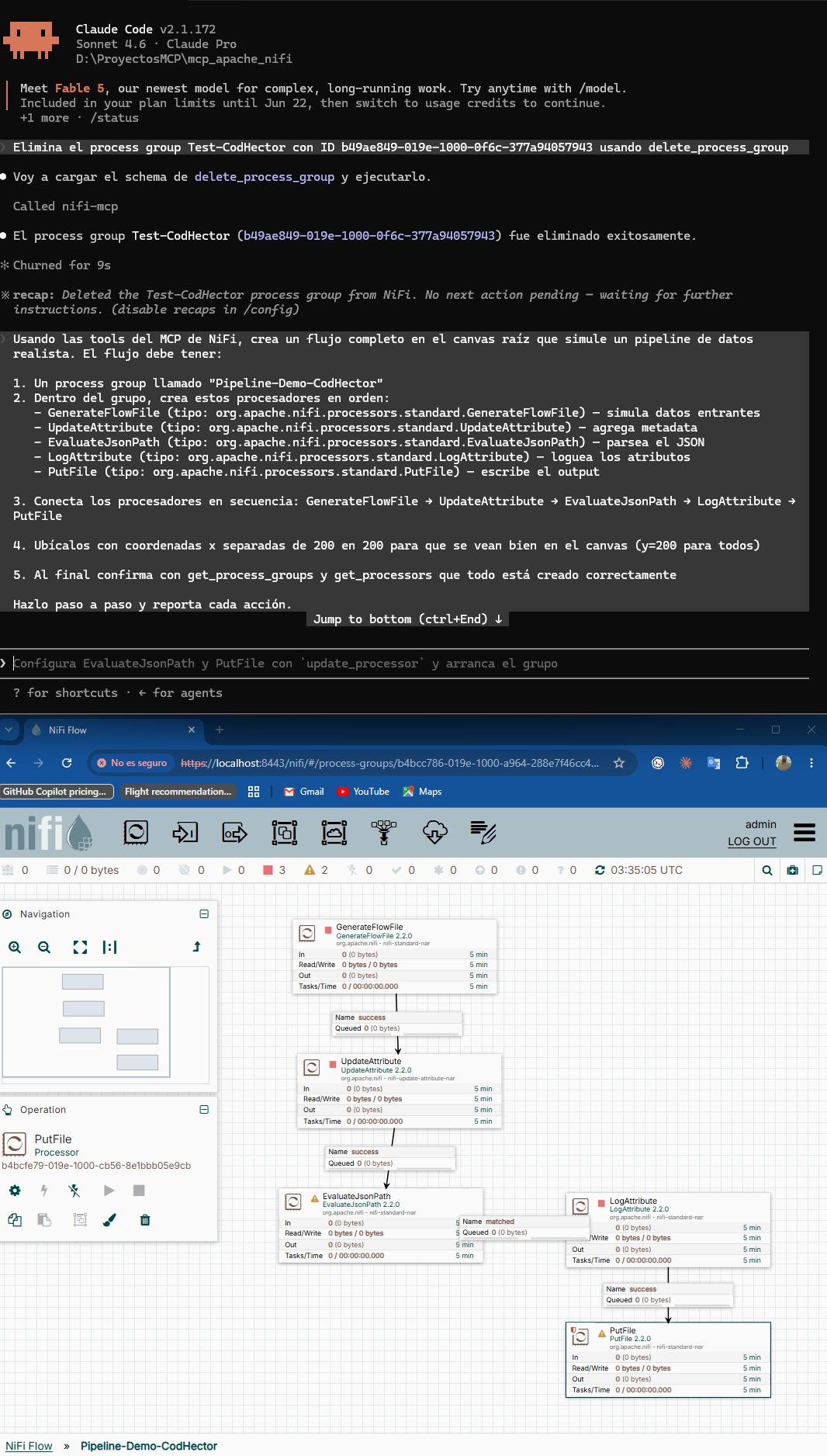
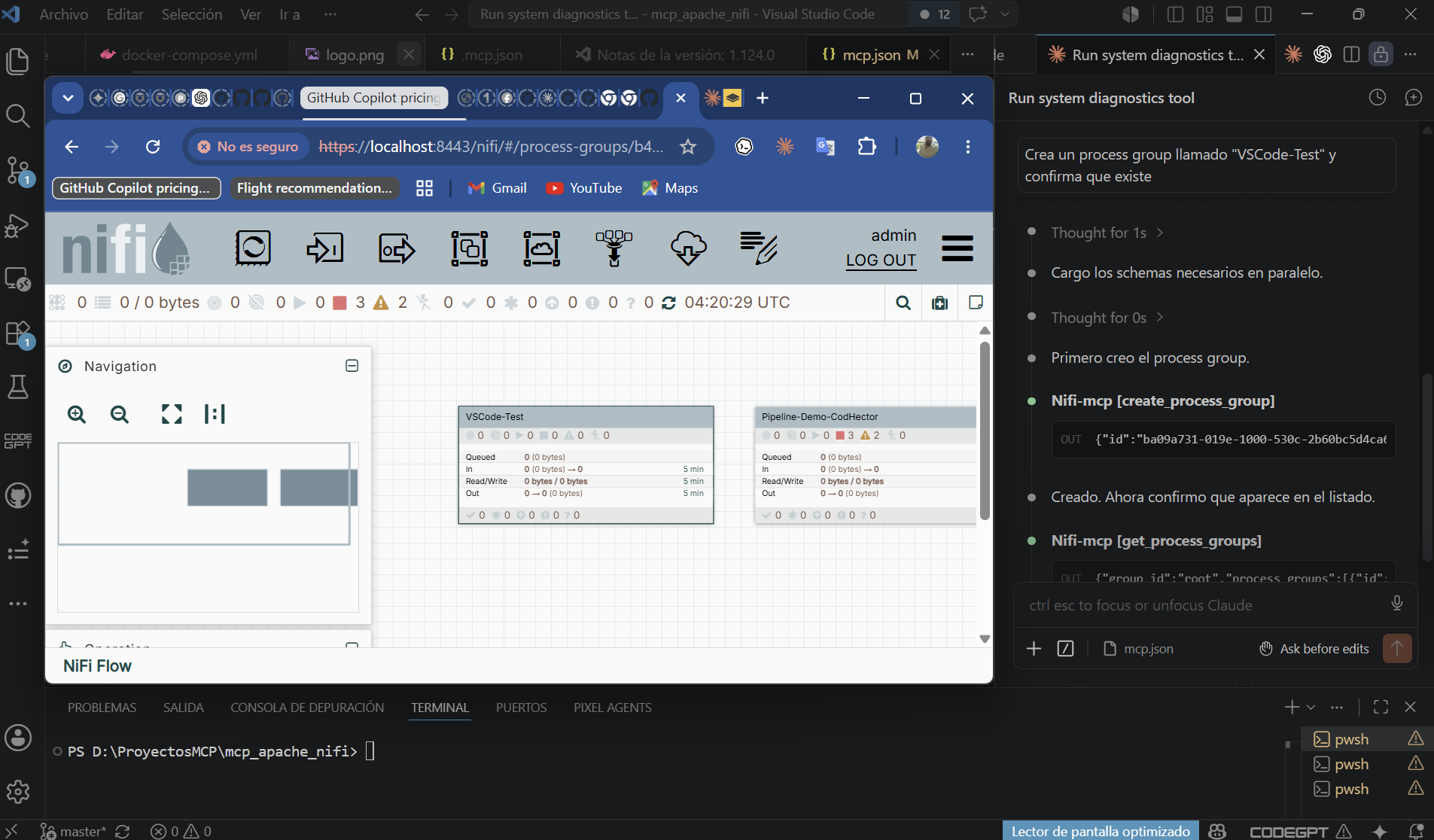
- Build process groups, processors, and connections from natural language
- Control start/stop individual processors or entire process groups
- Audit every action — every tool call is written to a structured JSON log
Features
- 17 tools across three categories: read (5), write (6), control (6)
- Readonly mode — write and control tools are blocked; safe for production monitoring
- Dry-run mode — preview write/control actions without executing them
- Structured audit log — every tool call logged with params, result, and timestamp
- Lazy authentication — JWT token acquired on first call, refreshed automatically on 401
- Transports — stdio (local clients) and SSE (Docker/remote)
- 37 unit tests — no live NiFi required
Quick start with Docker Compose
The bundled compose file starts NiFi 2.2.0 and the MCP server together.
# 1. Copy and edit the env file
cp .env.example .env
# Edit NIFI_PASSWORD (min 12 chars) and set MCP_MODE=full to allow write/control

# 2. Start both services
docker compose up --build

# 3. NiFi UI:  https://localhost:8443  (first start takes ~2 min)
#    MCP SSE:  http://localhost:8000/sse
Connect any MCP-compatible client to the SSE endpoint:
{
  "mcpServers": {
    "nifi-mcp": { "url": "http://localhost:8000/sse" }
  }
}
Manual installation
Requirements: Python 3.11+
# From source
git clone https://github.com/Giojacke/mcp-nifipilot
cd mcp-nifipilot
pip install .
Run in stdio mode (used by Claude Code, VS Code, Cursor):
NIFI_URL=https://localhost:8443 \
NIFI_USERNAME=admin \
NIFI_PASSWORD=your-password \
NIFI_VERIFY_SSL=false \
MCP_MODE=readonly \
nifi-mcp
Configuration
All settings come from environment variables (or a .env file in the working directory).
| Variable | Default | Description |
|---|---|---|
NIFI_URL |
https://localhost:8443 |
NiFi base URL |
NIFI_USERNAME |
admin |
NiFi username |
NIFI_PASSWORD |
(required) | NiFi password (min 12 chars for single-user auth) |
NIFI_VERIFY_SSL |
false |
Verify TLS certificate (true in production) |
MCP_MODE |
readonly |
readonly — read tools only; full — all tools |
MCP_AUDIT_LOG |
true |
Write JSON audit log |
MCP_AUDIT_LOG_PATH |
./logs/audit.log |
Path for the audit log file |
MCP_RATE_LIMIT |
60 |
Max tool calls per minute |
MCP_DRY_RUN |
false |
Describe write/control actions without executing |
MCP_TRANSPORT |
stdio |
stdio for local clients; sse for Docker |
MCP_HOST |
0.0.0.0 |
Bind host when MCP_TRANSPORT=sse |
MCP_PORT |
8000 |
Port when MCP_TRANSPORT=sse |
Tool reference
Read tools (always available)
| Tool | Description |
|---|---|
get_process_groups(group_id) |
List direct child process groups |
get_processors(group_id) |
List processors in a group with run status |
get_connections(group_id) |
List connections with queue depth |
get_flow_status(group_id) |
Running/stopped/invalid counts and throughput |
get_system_diagnostics() |
NiFi version, heap, CPU, uptime |
Write tools (require MCP_MODE=full)
| Tool | Description |
|---|---|
create_process_group(name, parent_group_id, x, y) |
Create a new process group |
create_processor(name, processor_type, group_id, x, y) |
Add a processor (full Java class name) |
update_processor(processor_id, name?, properties?, scheduling_period?) |
Update processor config |
create_connection(source_id, destination_id, group_id, relationships?, ...) |
Connect two components |
delete_processor(processor_id) |
Delete a stopped processor |
delete_process_group(group_id) |
Delete a stopped process group |
Control tools (require MCP_MODE=full)
| Tool | Description |
|---|---|
start_processor(processor_id) |
Start a processor |
stop_processor(processor_id) |
Stop a processor |
start_process_group(group_id) |
Start all processors in a group |
stop_process_group(group_id) |
Stop all processors in a group |
get_queue_status(connection_id) |
Queue depth and throughput |
purge_queue(connection_id) |
Drop all flowfiles from a queue |
Client setup
Claude Code (stdio)
The .mcp.json at the project root is pre-configured. Fill in your password:
{
  "mcpServers": {
    "nifi-mcp": {
      "command": "nifi-mcp",
      "env": {
        "NIFI_URL": "https://localhost:8443",
        "NIFI_USERNAME": "admin",
        "NIFI_PASSWORD": "YOUR_PASSWORD",
        "NIFI_VERIFY_SSL": "false",
        "MCP_MODE": "readonly"
      }
    }
  }
}
Claude Code (SSE — Docker stack running)
{
  "mcpServers": {
    "nifi-mcp": { "url": "http://localhost:8000/sse" }
  }
}
VS Code
Install from VS Code Marketplace: NiFiPilot — AI Copilot for Apache NiFi
Copy .vscode/mcp.json (included) and fill in your password.
Cursor / Windsurf
Place the stdio config at ~/.cursor/mcp.json (global) or .cursor/mcp.json (project).
Security model
| Concern | Mitigation |
|---|---|
| Credential exposure | All secrets via env vars — never hardcoded |
| Accidental writes | MCP_MODE=readonly blocks all write and control tools |
| Runaway changes | MCP_DRY_RUN=true describes actions without executing |
| Auditability | Every tool call writes a JSON entry to the audit log |
| Token expiry | ensure_authenticated() re-logins on 401 automatically |
| SSL in production | Set NIFI_VERIFY_SSL=true with a valid certificate |
Development
# Install with dev dependencies
pip install -e ".[dev]"

# Run tests (no live NiFi needed)
pytest

# Lint and format
ruff check src tests
ruff format src tests
Tests mock nipyapi at the API class level — 37 tests, no live NiFi required. Integration tests can be added in tests/integration/ (excluded from the default test run).
Architecture
See ARCHITECTURE.md for design decisions and the C4 diagrams.
Roadmap
- Rate limiting enforcement (config exists, middleware pending)
-
NiFiClientas real façade (tools currently call nipyapi directly) - Integration tests against live NiFi
- Azure DevOps MCP bridge for CI/CD of NiFi flows
License
MIT
1 maintainer

Release files for nifi-mcp 0.2.0
For a detailed explanation of source distributions (sdists) and built distributions (wheels), please see the package formats documentation.
Source distribution (sdist)
| File | Size | Uploaded | |
|---|---|---|---|
| nifi_mcp-0.2.0.tar.gz | 2.9 MB | Details |
Built distribution (wheel)
| File | Interpreter | ABI | Platform | Reset |
|---|---|---|---|---|
| nifi_mcp-0.2.0-py3-none-any.whl | Python 3 | none | any | Details |
Total release size: 2.9 MB
Release files / nifi_mcp-0.2.0.tar.gz
| Download URL | nifi_mcp-0.2.0.tar.gz |
|---|---|
| Size | 2.9 MB |
| Tags | Source |
|
SHA-256 checksum How to use checksums |
f60b41b51ae61634e449a84c9900c816443b8e8495c319eab4c921e44e9c837f
|
|
BLAKE2b-256 checksum How to use checksums |
d76c413e3e3c68380615cdd6f520df8d5392c73ff8ac3cac4d2eeca1f81b3ed6
|
| Upload date | |
|
Uploaded using Trusted Publishing? What is trusted publishing? |
No |
| Uploaded via |
twine/6.2.0 CPython/3.11.9
|
Release files / nifi_mcp-0.2.0-py3-none-any.whl
| Download URL | nifi_mcp-0.2.0-py3-none-any.whl |
|---|---|
| Size | 15.2 kB |
| Tags | Python 3 |
|
SHA-256 checksum How to use checksums |
0c05e14e116562ec51a53c2cde1db15eccf6f2054483439b3b5beda09e1ae1af
|
|
BLAKE2b-256 checksum How to use checksums |
a312ce848a2bdd9363a5053db77bc0a29892355c2cbf61f27b64c12d73b9ec92
|
| Upload date | |
|
Uploaded using Trusted Publishing? What is trusted publishing? |
No |
| Uploaded via |
twine/6.2.0 CPython/3.11.9
|














