
This release is a pre-release and may not be stable for production use.

NiFiMCP
Give AI the context to understand your NiFi flows, investigate failures with cited evidence, and draft what comes next.
Explore NiFiMCP · How it works · Bring us one critical NiFi workflow
NiFiMCP is an open-source Model Context Protocol server for evidence-backed Apache NiFi investigation. It reads; it does not change your NiFi.
Public preview 0.1.0rc1. Tested on Linux x86_64 with Python 3.12 against stock Apache NiFi 2.12.0 (single node, certificate authentication) and Claude Code. Live NiFi access is read-only; a flow draft is a local file that an authorized person imports separately. Anything outside that boundary is listed as untested or unsupported in the capability matrix. Expect rough edges and report them.
NiFiMCP is an independent project for Apache NiFi, founded and maintained by Lloyd Clark. It is not affiliated with, sponsored by or endorsed by the Apache Software Foundation or Cloudera. Apache NiFi and NiFi are trademarks of the Apache Software Foundation. Website: nifimcp.com.
1. Try NiFiMCP in one minute
The demo needs no NiFi, no model and no account. It replays evidence captured from a real NiFi 2.12.0 instance running a synthetic flow. With uv installed:
uvx --from nifimcp-server==0.1.0rc1 nifimcp demo --output ./nifimcp-demo
Open nifimcp-demo/report.html. Every statement in it links to the exact source bytes it came from.

2. Install
NiFiMCP needs Python 3.12. The package on PyPI is nifimcp-server and it installs the nifimcp command
(nifi-mcp is an unrelated project, and PyPI treats nifimcp as the same name). 0.1.0rc1 is a pre-release,
so pin the version:
uv tool install nifimcp-server==0.1.0rc1   # installs the nifimcp command
nifimcp --version
or, with pip in a Python 3.12 virtual environment, pip install nifimcp-server==0.1.0rc1.
From source, for development or to run the test suites:
git clone https://github.com/nifimcp/nifimcp.git
cd nifimcp
uv sync --frozen
uv run nifimcp demo --output ./nifimcp-demo
For machines without internet access, use the offline kit (hash-locked wheels, SBOM and licenses) from the GitHub release and follow docs/OFFLINE_INSTALL.md.
3. How it works
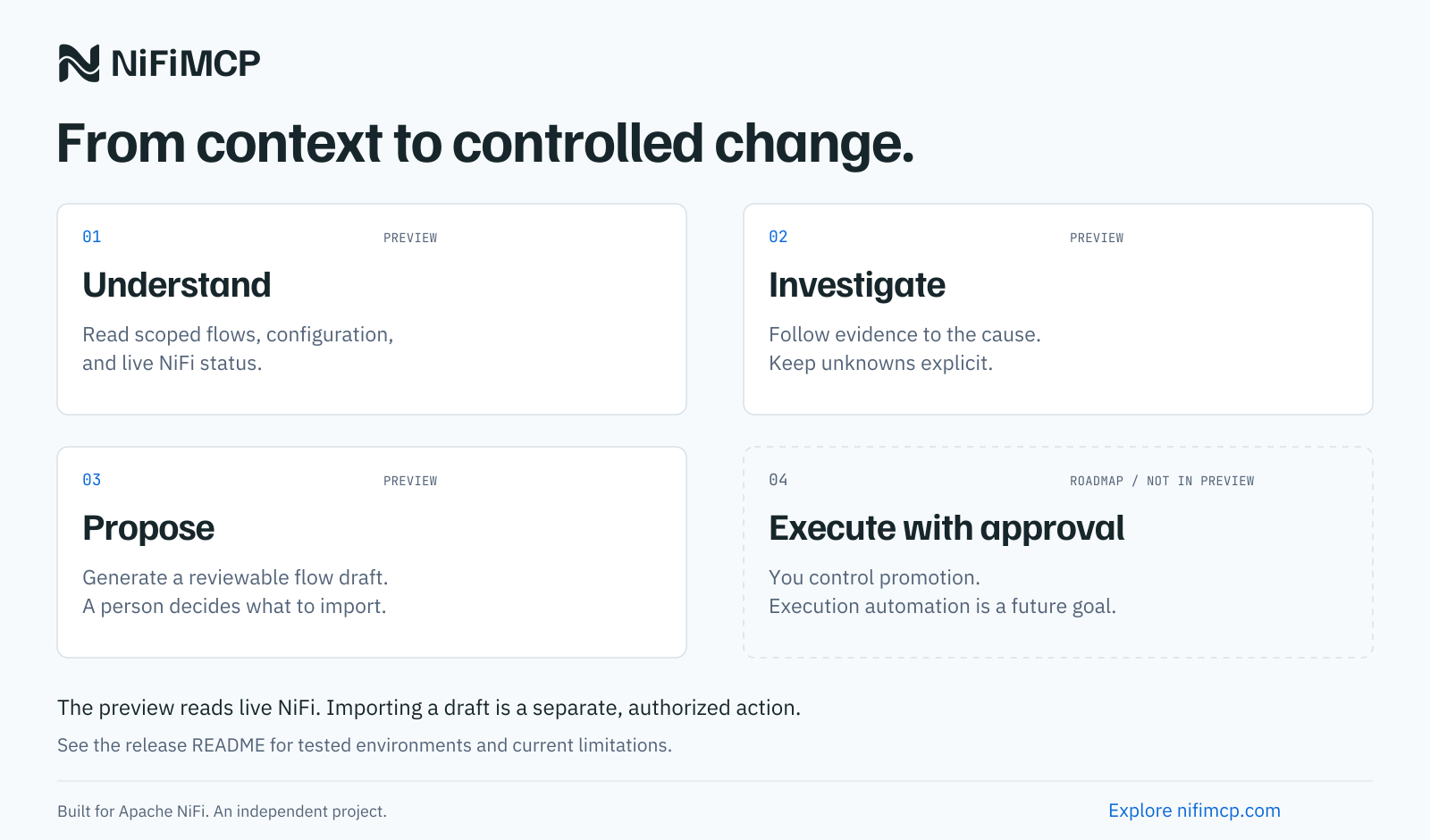
- Understand (preview): read scoped flows, configuration and live status through a read-only identity.
- Investigate (preview): follow evidence to a finding; unknowns stay explicit and every statement cites its source bytes.
- Propose (preview, experimental): generate a reviewable flow draft as local files; a person decides what to import, and the separate lab CLI can test it in a disposable NiFi first.
- Execute with approval (roadmap, not in this preview): no tool in this release changes NiFi.
4. Connect a scoped NiFi identity
NiFiMCP works in three modes:
| Mode | Reads from | Use it for |
|---|---|---|
demo |
the bundled synthetic capture | trying it out |
bundle |
flow definitions and evidence bundles you register | air-gapped review, sharing a case |
live |
one NiFi 2.12.0 origin over HTTPS with mutual TLS | investigating a running system |
For live mode, create a dedicated NiFi identity (a client certificate) and give it read-only access to the process groups you want the assistant to see, nothing more:
| NiFi policy | Needed for |
|---|---|
view the user interface (/flow) |
every live call |
| view the component, on each scoped process group | describe and health |
query provenance (/provenance) and view provenance, on each scoped group |
trace_feed, unmatched history |
| view the data, on each scoped group | provenance queries and queue metadata sampling (NiFi 2.12.0 requires it for both) |
NiFi's "view the data" policy would also let this identity open FlowFile content in the NiFi UI. NiFiMCP has no route to content, attribute dumps or replay, and only allowlisted attribute values leave the server. Without that policy, describe and health still work, and provenance and sampling return a permission error that names the missing policy.
Never grant write policies. NiFiMCP has no tool that modifies NiFi, and the scoped identity is your second line of defense. Then write an operator config (docs/CONFIGURATION.md) and check it:
nifimcp doctor --config operator.json
Add the server to your MCP host:
{
  "mcpServers": {
    "nifimcp": {
      "command": "uvx",
      "args": ["--from", "nifimcp-server==0.1.0rc1", "nifimcp", "serve", "--config", "/path/to/operator.json"]
    }
  }
}
The recorded Claude Code sessions in evidence/host/ used the source-checkout form of the same command
(uv run --frozen --project /path/to/nifimcp nifimcp serve --config ...). Other MCP hosts that launch
stdio servers should work with the same command but have not been tested.
5. Five useful prompts
- "Explain the flow in scope
orders-intakefor an on-call operator who did not build it. Cite evidence and list unknowns." - "Events are piling up on connection
<id>. Investigate the last hour and separate observed facts, plausible explanations and missing evidence." - "Trace FlowFile
<uuid>through scopeorders-intakebetween 09:00 and 10:00 UTC. Where did it go and what can't you see?" - "Compare the flow definitions I registered as
beforeandafter. What changed in routing and queue settings?" - "Draft an attribute router that sends
status=criticaltoout_critical,standardtoout_standardand everything else toout_unmatched. Validate it and give me labeled test cases."
The server also ships three MCP prompts: explain_this_flow, investigate_this_feed and draft_bounded_routing_flow.
6. What it actually does
| Tool | What it returns |
|---|---|
get_capabilities |
mode, scopes, limits, NiFi version and which features are available |
describe_flow |
bounded graph, parameters, services and fixed-rule configuration findings |
get_flow_health |
timestamped status, queues, bulletins and labeled hypotheses |
trace_feed |
provenance timeline for one exact FlowFile UUID, filename or approved indexed attribute (max 24 h) |
inspect_unmatched |
what feeds an unmatched route, its recent events and an optional metadata sample |
compare_flow_snapshots |
value-safe structural diff of two registered snapshots |
export_investigation |
the investigation as JSON or a self-contained HTML report |
get_processor_catalog |
the pinned NiFi 2.12.0 processor catalog used for drafts |
validate_flow_plan |
static checks of a proposed subflow |
draft_flow |
a stopped, local NiFi flow definition plus a review page and receipt |
Every result uses one envelope: status, scope, source version, collection time, evidence records (source hash plus JSON pointer), findings labeled as observed, static rule, hypothesis or operator note, explicit gaps, and the limits that were applied.
A non-AI command line covers the same ground: nifimcp describe, investigate, report, draft,
register, unregister and catalog. Run nifimcp --help. For a sample subflow plan, run
nifimcp draft --example attribute_router > plan.json, then nifimcp draft --plan plan.json --output ./draft.
7. Three separate things: investigate, draft, execute
| Step | Who writes to NiFi | Identity | Where |
|---|---|---|---|
Investigate (describe_flow, get_flow_health, trace_feed, inspect_unmatched, export_investigation) |
nobody | your read-only observer certificate | your NiFi, over 14 allowlisted read endpoints |
Draft (validate_flow_plan, draft_flow) |
nobody | none; no NiFi connection is used | local files in the artifact directory |
Verify a draft (scripts/lab_verify_draft.py, optional) |
the separate lab CLI | the lab's own admin certificate, which exists only inside the disposable container the lab created | a throwaway NiFi container on 127.0.0.1, deleted afterward |
In the recorded Claude Code session the assistant drafted a router with draft_flow, which wrote files and
touched no NiFi. The import you see in evidence/host/*/lab-verification/ was done afterward by the lab
CLI with the lab admin certificate (CN=nifimcp-lab-admin) through NiFi's upload endpoint, into a scratch
group of a container that was then destroyed. The MCP server has no upload, start or deploy route, and the
observer identity holds no write policy. Execution against a real NiFi is not part of this release.
It is planned as a separate, approval-controlled component.
8. Boundaries
- Read-only. No start, stop, delete, upload or deploy tool exists. Drafts are local files and never touch NiFi.
- Scoped. Only configured process groups are visible; out-of-scope IDs are refused without revealing whether they exist. Clusters are refused.
- Bounded. Hard limits on time windows, events, components, depth, sample size, result size and run time.
- No content. FlowFile content is never read. Attribute values appear only when allowlisted. Sensitive values, secret-like literals and common credential shapes are masked (best-effort pattern matching).
- No hidden calls. No telemetry, no update checks, no embedded model. Only allowlisted NiFi REST endpoints.
- Honest about evidence. Current settings are never presented as the cause of a past event. Empty provenance results are not proof that data never existed. A SEND event is not proof of downstream receipt.
- Drafts are experimental. A draft passes static checks only. Runtime behavior is unknown until the separate lab CLI imports it into a disposable NiFi and runs labeled cases.
- Your model is yours. NiFiMCP itself runs without network access, but it embeds no model: the MCP host supplies the model and may send tool results to its provider. A fully offline AI setup has not been tested here.
NiFi names, messages and attributes are treated as untrusted text. Your MCP host's model still decides what to say; check its claims against the cited evidence.
9. Known limits of this preview
Three acceptance gates are BLOCKED, not passed, and they matter in practice:
| Gate | What it means for you |
|---|---|
| Clusters | A clustered NiFi is detected and refused in live mode (UNSUPPORTED_TOPOLOGY). Bundle mode still reviews exported flow definitions from any NiFi. Safe read-only cluster support is the first roadmap item. |
| Other platforms | Only Linux x86_64 has run the test suites. macOS, Windows and ARM are untested; the code is pure Python and may well run, but nobody has checked file permissions, Docker labs or the offline kit there. |
| Model accuracy | No measurement of how accurately any AI model uses these tools exists. The deterministic findings are tested; the assistant's prose is not. Treat its narrative as a draft and follow the evidence links. |
Also untested: NiFi versions other than 2.12.0 (refused at preflight), bearer-token login against a real NiFi (unit tests only), MCP hosts other than Claude Code, and provenance searches by custom indexed attribute.
10. The evidence report
export_investigation (or nifimcp report) writes one HTML file with no scripts or external resources:
collections and intervals, a flow map, findings with their kind and limitations, the provenance timeline,
gaps, every evidence record and integrity hashes.

11. How it was qualified
Tests run against a real, disposable NiFi 2.12.0 container (the official image, pinned by digest) with real TLS identities and policies. Mocks never count as an integration pass.
| Suite | Command |
|---|---|
| Offline unit, security, protocol and evaluation tests | uv run pytest |
| Live adapter against secure NiFi | uv run python scripts/lab_bootstrap.py --create-owned-lab then uv run pytest -m integration |
| Draft import and labeled runtime cases | uv run pytest -m lab |
| Offline install with networking disabled | scripts/offline_acceptance_docker.sh |
The acceptance ledger with commands, versions and results is in docs/ACCEPTANCE.md, and the release validation summary with checksums in docs/VALIDATION.md. The incident corpus measures the fixed rules, not any language model.
12. Contributing and roadmap
Bug reports, compatibility reports for other NiFi versions and new labeled incident cases are the most useful contributions. Start with the starter issues, CONTRIBUTING.md and SECURITY.md. The roadmap leads with safe read-only cluster support and external validation.
13. Engineering help
Working through a difficult NiFi deployment, investigation or integration? Bring us one critical NiFi workflow. The maintainer scopes engineering engagements separately from the free open-source project: deploy NiFiMCP, investigate one pipeline with evidence, and hand the result to your operators. Remote and on-site by engagement.
Licensed under the Apache License 2.0. Third-party notices: NOTICE, ATTRIBUTION.md.
1 maintainer

Metadata
1 maintainer
Release files for nifimcp-server 0.1.0rc1
For a detailed explanation of source distributions (sdists) and built distributions (wheels), please see the package formats documentation.
Source distribution (sdist)
| File | Size | Uploaded | Provenance | Actions |
|---|---|---|---|---|
| nifimcp_server-0.1.0rc1.tar.gz | 156.6 kB | With provenance | Details for nifimcp_server-0.1.0rc1.tar.gz |
Built distribution (wheel)
| File | Interpreter | ABI | Platform | Actions Reset |
|---|---|---|---|---|
| nifimcp_server-0.1.0rc1-py3-none-any.whl | Python 3 | none | any | Details for nifimcp_server-0.1.0rc1-py3-none-any.whl |
Total release size: 334.2 kB
Release files / nifimcp_server-0.1.0rc1.tar.gz
| Download URL | nifimcp_server-0.1.0rc1.tar.gz |
|---|---|
| Size | 156.6 kB |
| Tags | Source |
|
SHA-256 checksum How to use checksums |
2e189e1d9c7792c42f40aad358f8dc366e4d303b1502d90f80f4f9103510e510
|
|
BLAKE2b-256 checksum How to use checksums |
e4edcf012b9311c6e6cf260efc496859cbcb245cfd0a616b3f93290cb276564a
|
| Upload date | |
|
Uploaded using Trusted Publishing? What is trusted publishing? |
Yes |
| Uploaded via |
twine/7.0.0 CPython/3.13.16
|
Provenance
Provenance describes where a file came from. On PyPI, provenance is shared via attestations, which provide a verifiable record of the build or publishing details. View details, limitations and caveats.


PyPI Publish Attestation
PyPI verified that this artifact, at this checksum, originated from the publisher listed below.
Signed by GitHub Actions, verified by PyPI on Oct 30, 2026.
Transparency logRelease files / nifimcp_server-0.1.0rc1-py3-none-any.whl
| Download URL | nifimcp_server-0.1.0rc1-py3-none-any.whl |
|---|---|
| Size | 177.6 kB |
| Tags | Python 3 |
|
SHA-256 checksum How to use checksums |
d6e49a8f83d9115dc9b2828c2fe4f75623c42e349ddd71cb6a5b42a52d9f8451
|
|
BLAKE2b-256 checksum How to use checksums |
073acfcc2159d376450a29c948e7aa847db36700ae834f8c99958af34969d6c2
|
| Upload date | |
|
Uploaded using Trusted Publishing? What is trusted publishing? |
Yes |
| Uploaded via |
twine/7.0.0 CPython/3.13.16
|
Provenance
Provenance describes where a file came from. On PyPI, provenance is shared via attestations, which provide a verifiable record of the build or publishing details. View details, limitations and caveats.
PyPI Publish Attestation
PyPI verified that this artifact, at this checksum, originated from the publisher listed below.
Signed by GitHub Actions, verified by PyPI on Oct 30, 2026.
Transparency logSecurity for nifimcp-server 0.1.0rc1
Provenance
Provenance describes where a file came from. On PyPI, provenance is shared via attestations, which provide a verifiable record of the build or publishing details. View details, limitations and caveats.
Full provenance
All 2 files in this release have been uploaded with provenance metadata.
Attestation for nifimcp_server-0.1.0rc1.tar.gz
PyPI Publish Attestation
PyPI verified that this artifact, at this checksum, originated from the publisher listed below.
Signed by GitHub Actions, verified by PyPI on Oct 30, 2026.
Transparency logA note on package security
PyPI is a repository for distributing packages, not a service for auditing them. While third-party security researchers and our staff do their best to detect and remove malicious packages, PyPI cannot guarantee the quality, security or suitability of any given package.
To learn more about protecting yourself from malicious actors, visit our package security documentation.













