

The easiest way to view volumetric images in Python 👩💻 Install it via pip install niftiview!
If pip install niftiview results in an error, try fixing it via
apt install libcairo2-dev pkg-config python3-dev(on Linux)brew install cairo pkg-config tcl-tk python-tk(on macOS)
niftiview stands behind
- NiftiView, the viewer app with the cutest desktop icon 🧠 Download it here!
- NiftiWidget, a widget for interactive viewing in Jupyter 👩💻🧠 Install it via
pip install niftiwidget!
Usage 💡
Single images can be shown via NiftiImage
from niftiview import TEMPLATES, NiftiImage

nii = NiftiImage(TEMPLATES['ch2'])
# nii = NiftiImage('/path/to/your/nifti.nii.gz')
im = nii.get_image()
im.show()
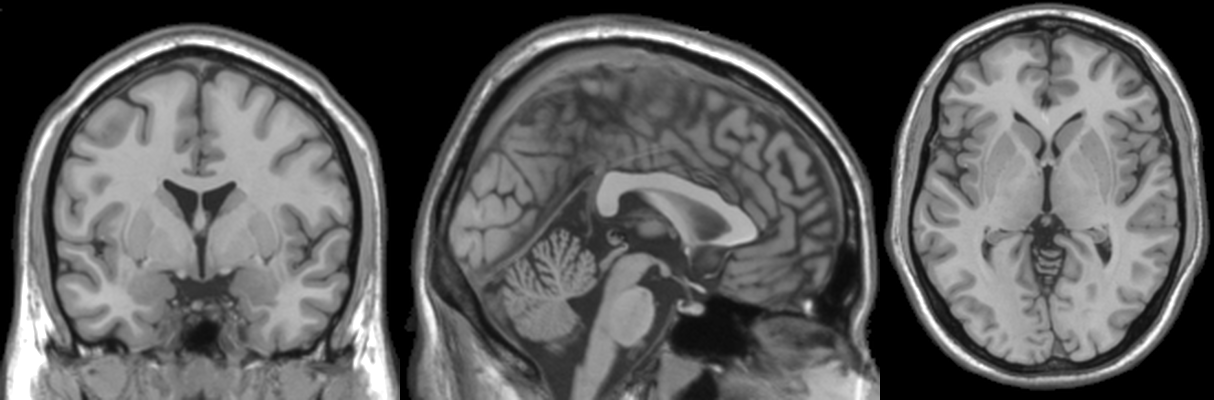
NiftiImageGrid can display multiple images in a nice grid layout
from niftiview import TEMPLATES, NiftiImageGrid

niigrid = NiftiImageGrid([TEMPLATES['ch2'], TEMPLATES['T1']])
# niigrid = NiftiImageGrid(['/path/to/your/nifti1.nii.gz',
#                           '/path/to/your/nifti2.nii.gz'])
im = niigrid.get_image(layout='sagittal++', nrows=1)
im.show()
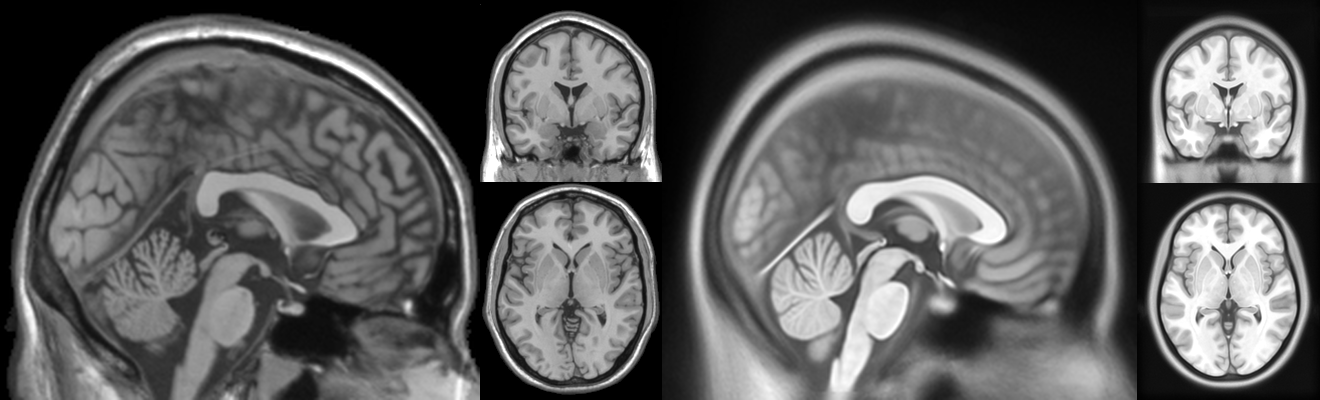
Behind the scenes, niftiview uses three main classes that build on each other
NiftiCore: Puts image slices of the 3D image in a 2Dnumpy.ndarray...NiftiImage: ...applies a colormap to the array, converts it to aPIL.Imageand adds overlays...NiftiImageGrid: ...puts the images in a grid
Study the examples 🧑🏫 to fully understand niftiview and create an image like this
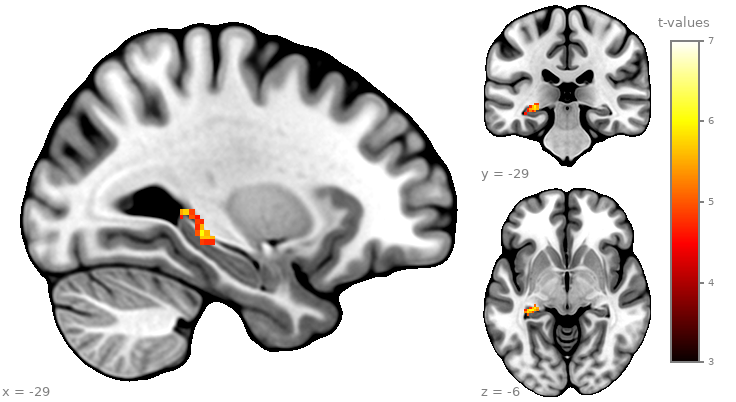
as a vector graphic─PDF, SVG, EPS or PS format─with high image quality (e.g. for scientific publication 👨🔬)
niftiview-cli 🖥️
pip install niftiview also installs the command line utility that given filepath(s) or a filepattern...
niftiview-cli -i /path/to/niftis/*.nii.gz -o /path/to/output/folder --gif
...saves PNGs or GIFs. To showcase its versatility, here is a compilation of created GIFs
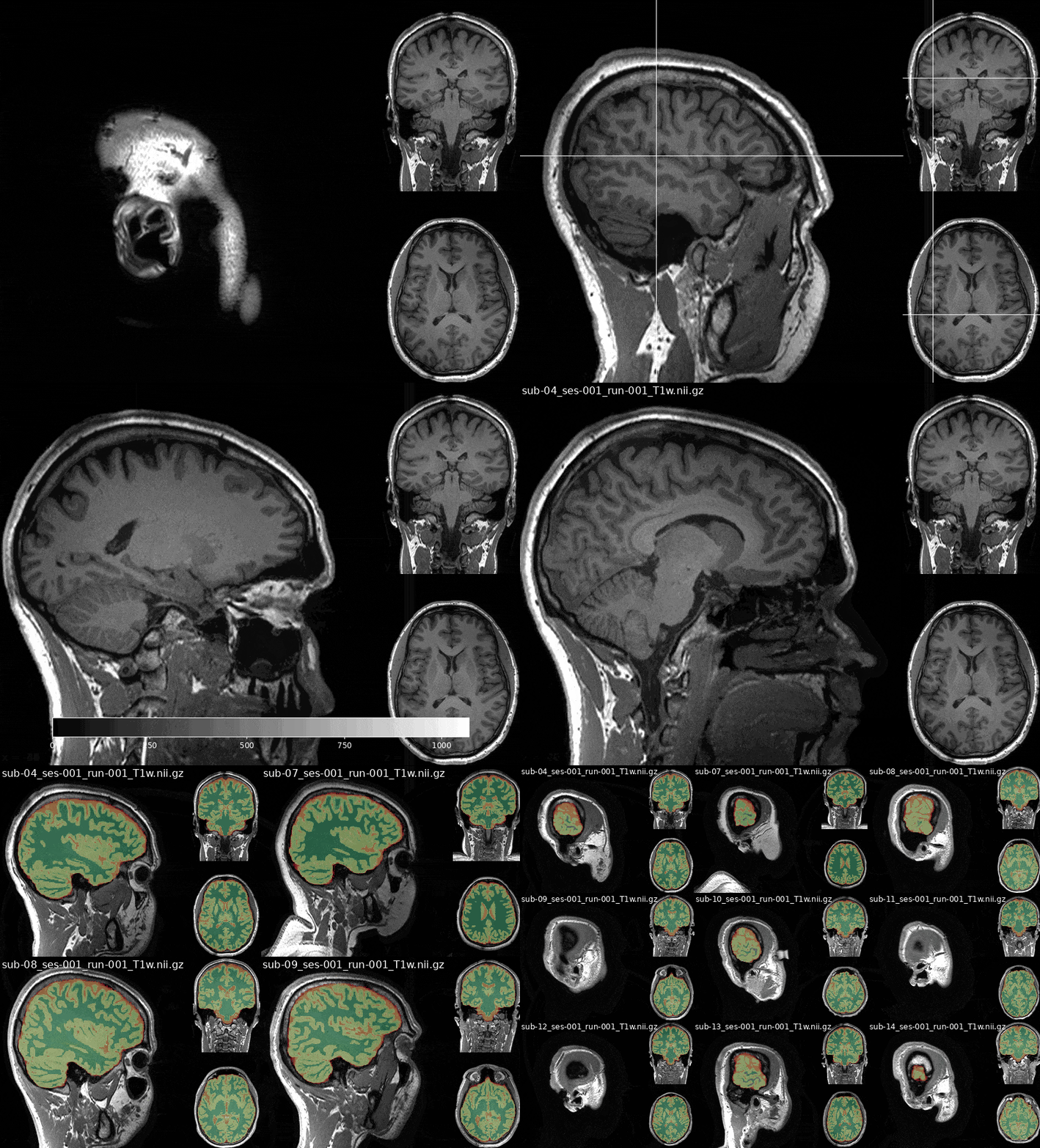
Explore all the available options by running niftiview-cli --help
P.S. If you're interested in creating 🧠 tissue maps like the ones shown at the end of the GIF, check out deepmriprep!
1 maintainer

Release files for niftiview 1.1.2
For a detailed explanation of source distributions (sdists) and built distributions (wheels), please see the package formats documentation.
Source distribution (sdist)
| File | Size | Uploaded | |
|---|---|---|---|
| niftiview-1.1.2.tar.gz | 16.3 MB | Details |
Built distribution (wheel)
| File | Interpreter | ABI | Platform | Reset |
|---|---|---|---|---|
| niftiview-1.1.2-py3-none-any.whl | Python 3 | none | any | Details |
Total release size: 32.6 MB
Release files / niftiview-1.1.2.tar.gz
| Download URL | niftiview-1.1.2.tar.gz |
|---|---|
| Size | 16.3 MB |
| Tags | Source |
|
SHA-256 checksum How to use checksums |
e992efd91a4309f2d53374481b1b0b39faf8aa032e706a70bed2502582807fe7
|
|
BLAKE2b-256 checksum How to use checksums |
b82bd30d6cae4ba693ec2c2ea1ec3032d23669b26e134a51df8167fd8d0d592f
|
| Upload date | |
|
Uploaded using Trusted Publishing? What is trusted publishing? |
No |
| Uploaded via |
poetry/2.1.3 CPython/3.12.3 Linux/6.14.0-27-generic
|
Release files / niftiview-1.1.2-py3-none-any.whl
| Download URL | niftiview-1.1.2-py3-none-any.whl |
|---|---|
| Size | 16.3 MB |
| Tags | Python 3 |
|
SHA-256 checksum How to use checksums |
2be22b57137401f361c6310b6451dd5f270b91886e9e072b73d625163a0b33b5
|
|
BLAKE2b-256 checksum How to use checksums |
1afee4aa742d4b86d6cdb805de68fedcc6240ab7c1477d4a9ae4728f5aa62307
|
| Upload date | |
|
Uploaded using Trusted Publishing? What is trusted publishing? |
No |
| Uploaded via |
poetry/2.1.3 CPython/3.12.3 Linux/6.14.0-27-generic
|














