
NLP Text Preprocessing Utility Package
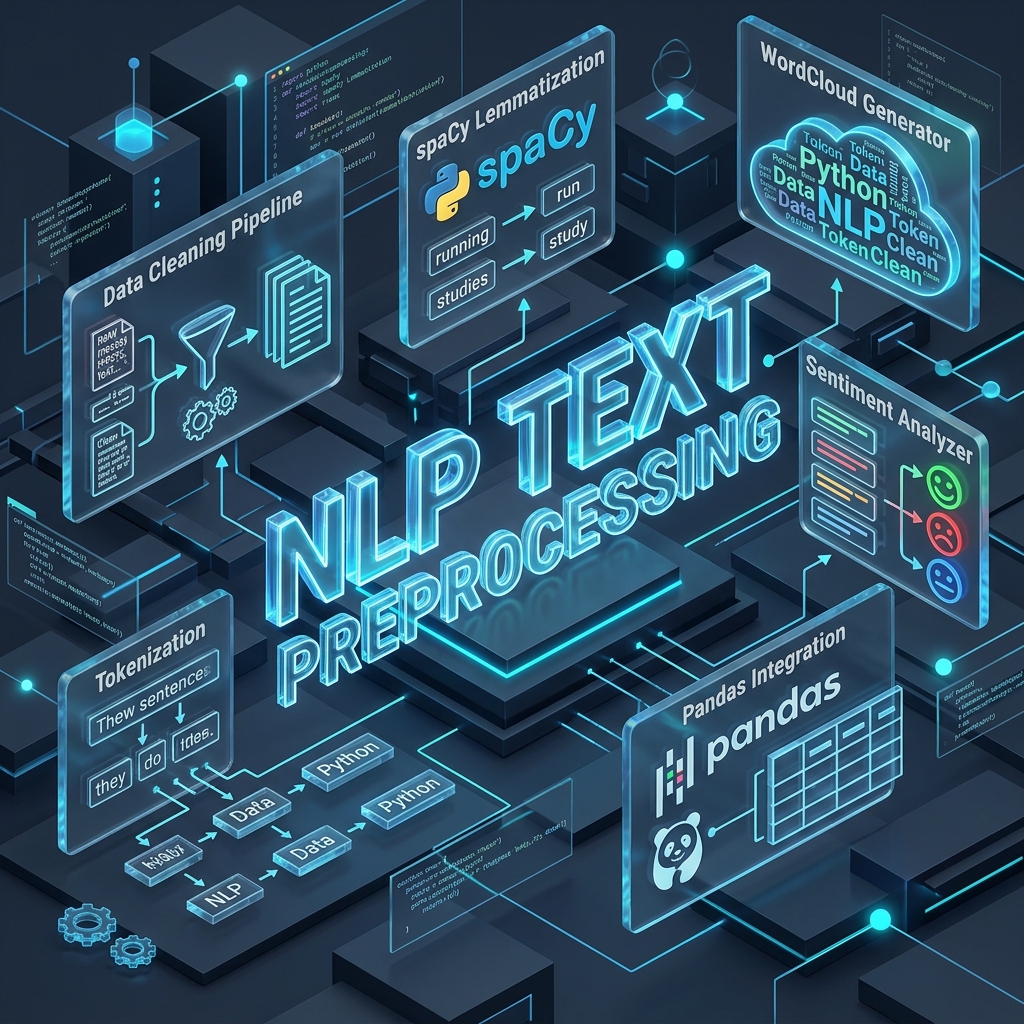





Table of Contents
- Package Overview
- Key Features
- Architecture Diagram
- Quickstart and Setup
- Complete API Reference
- Code Examples
- Troubleshooting and Resource Setup
- License and Author
Package Overview
nlp_text_preprocessing is a production-grade, modular Python library designed to streamline text cleaning, feature extraction, linguistic analysis, and visualization for Natural Language Processing (NLP) pipelines and Machine Learning workflows.
It provides 34 single-purpose functions with built-in defensive guards for None, NaN, and missing values, making it 100% crash-proof when running over Pandas DataFrames or large raw text datasets.
Key Features
- Crash-Proof Pipeline: Automatic
None/NaNinput sanitation across all functions. - Lazy and Fast Model Caching: Efficient lazy-loading for spaCy (
en_core_web_sm) and cached NaiveBayes sentiment analyzers. - Comprehensive Cleaning: Strip emails, URLs, HTML, retweets, special symbols, and expand contractions.
- Feature Extraction: Extract word counts, character counts, uppercase counts, numerics, hashtags, mentions, and full feature matrices in one call.
- Linguistic Utilities: Perform lemmatization, noun phrase extraction, spelling correction, n-grams, singularization, and pluralization.
- Flexible Visualizations: Generate and save custom WordClouds to disk or display interactively.
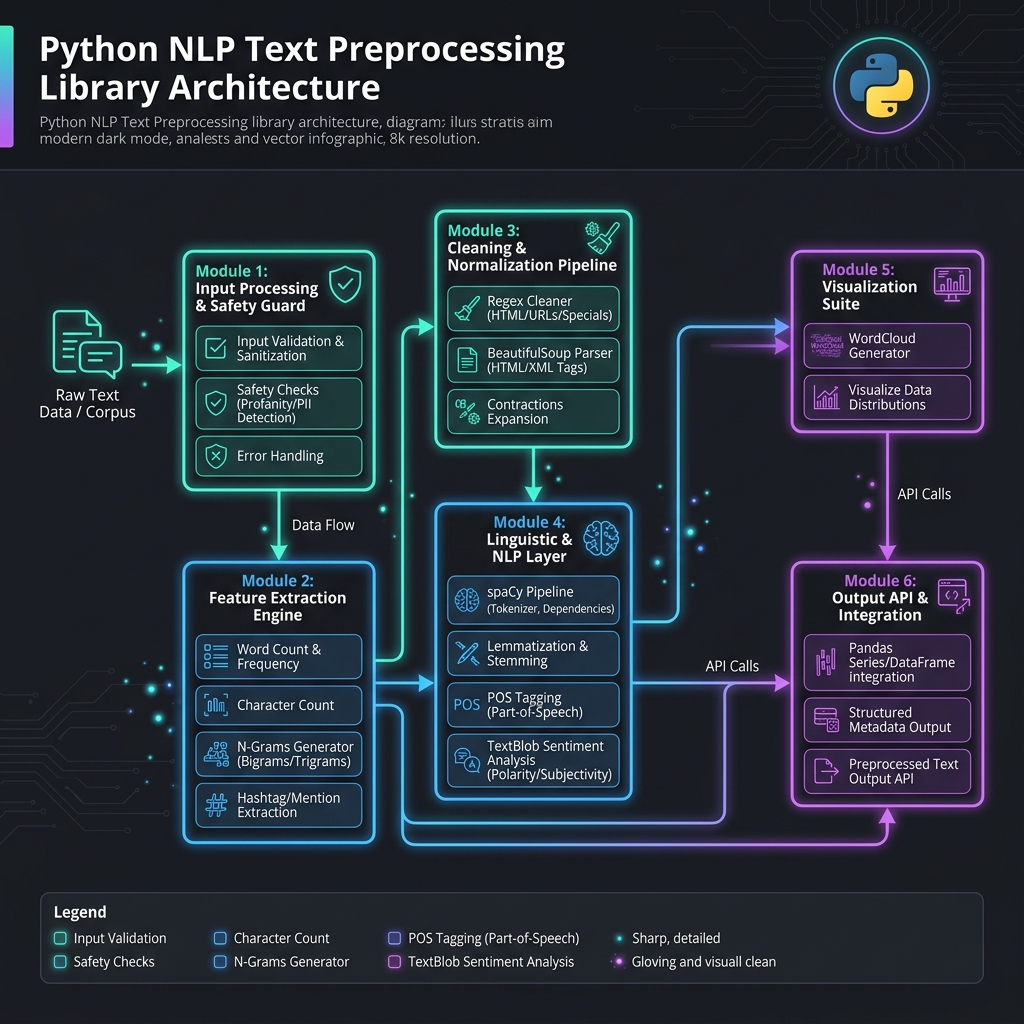
Architecture Diagram
The package integrates spaCy, NLTK, TextBlob, BeautifulSoup4, and WordCloud through a unified API surface:
Quickstart and Setup
1. Installation
pip install nlp-text-preprocessing
2. Downloading Required Corpora and Models
To automatically download all required NLTK corpora (stopwords, movie_reviews, brown) and spaCy models (en_core_web_sm), run:
import nlp_text_preprocessing as tp

# One-time automated setup for NLTK and spaCy resources
tp.download_nltk_packages()
Complete API Reference
Below is the complete reference guide for all 34 functions available in the library:
1. General Feature Extraction
| Function | Parameters | Return Type | Description |
|---|---|---|---|
word_count(x) |
x: str |
int |
Returns total whitespace-separated word count. |
char_count(x) |
x: str |
int |
Returns total characters excluding spaces. |
avg_word_len(x) |
x: str |
float |
Returns average word length (0.0 for empty inputs). |
stop_words_count(x) |
x: str |
int |
Returns count of stop words (case-insensitive). |
hashtags_count(x) |
x: str |
int |
Returns count of hashtag tokens (#tag). |
mentions_count(x) |
x: str |
int |
Returns count of user handle mentions (@user). |
numerics_count(x) |
x: str |
int |
Returns count of numeric tokens. |
upper_case_count(x) |
x: str |
int |
Returns count of uppercase words. |
extract_features(x) |
x: str |
dict |
Returns a dictionary containing all extracted feature counts at once. |
2. Text Cleaning and Normalization
| Function | Parameters | Return Type | Description |
|---|---|---|---|
to_lower_case(x) |
x: str |
str |
Converts input text to lowercase. |
contraction_to_expansion(x) |
x: str |
str |
Expands contractions using contractions dictionary. |
remove_emails(x) |
x: str |
str |
Removes email addresses from text. |
count_emails(x) |
x: str |
int |
Counts email addresses present in text. |
remove_urls(x) |
x: str |
str |
Removes HTTP/HTTPS links and www URLs. |
count_urls(x) |
x: str |
int |
Counts URLs present in text. |
remove_rt(x) |
x: str |
str |
Removes retweet headers (RT @user). |
count_rt(x) |
x: str |
int |
Counts retweet occurrences in text. |
remove_html_tag(x) |
x: str |
str |
Strips HTML/XML tags using BeautifulSoup. |
remove_accented_chars(x) |
x: str |
str |
Normalizes accented characters (NFKD -> ASCII). |
remove_mentions(x) |
x: str |
str |
Removes user handle mentions (@username). |
remove_special_chars(x) |
x: str |
str |
Strips punctuation and special symbols. |
remove_repeated_chars(x) |
x: str |
str |
Truncates repeated characters beyond 2 consecutive occurrences. |
remove_stop_words(x) |
x: str |
str |
Case-insensitive removal of stop words while preserving word case. |
clean_text(text) |
text: str |
str |
Runs end-to-end cleaning pipeline (lowercasing, contractions, emails, URLs, HTML, special chars, lemmatization). |
3. Linguistic and Morphological Processing
| Function | Parameters | Return Type | Description |
|---|---|---|---|
convert_to_base(x) |
x: str |
str |
Lemmatizes nouns and verbs via spaCy while keeping other POS tags. |
lemmatize(x) |
x: str |
str |
Performs full lemmatization across all tokens via spaCy. |
correct_spelling(x) |
x: str |
str |
Corrects word spelling using TextBlob model. |
get_noun_phrase(x) |
x: str |
list[str] |
Extracts noun phrases from text. |
n_grams(x, n=2) |
x: str, n: int |
list |
Generates word-level n-grams. |
singularize_words(x) |
x: str |
str |
Converts plural nouns (NNS) into singular forms. |
pluralize_words(x) |
x: str |
str |
Converts singular nouns (NN) into plural forms. |
sentiment_analysis(x) |
x: str |
str |
Returns sentiment classification ('pos' / 'neg') using cached NaiveBayes model. |
4. Visualization Suite
| Function | Parameters | Return Type | Description |
|---|---|---|---|
get_wordcloud(x, save_path=None, show=True) |
x: str, save_path: str, show: bool |
WordCloud |
Generates a WordCloud object, with optional file saving and GUI toggle options. |
Code Examples
1. Basic Text Cleaning
import nlp_text_preprocessing as tp

raw_text = "Check out https://example.com! Contact support@company.org or RT @user 'I'm loving #NLP'."
cleaned = tp.clean_text(raw_text)

print(cleaned)
# Output: check out contact support company org or i am love nlp
2. Pandas DataFrame Integration
All functions seamlessly support Pandas .apply() and handle missing values (NaN/None):
import pandas as pd
import nlp_text_preprocessing as tp

df = pd.DataFrame({
    'text': [
        "I'm loving this NLP package! #awesome",
        "Contact me at info@test.com or visit https://test.com",
        None
    ]
})

# Apply end-to-end text cleaning
df['clean_text'] = df['text'].apply(tp.clean_text)

# Extract word counts safely
df['word_count'] = df['text'].apply(tp.word_count)
3. Batch Feature Extraction
Extract full feature matrices directly into Pandas columns:
import pandas as pd
import nlp_text_preprocessing as tp

df = pd.DataFrame({'text': ["Hello #world! Visit https://example.com", "Contact user@test.com"]})

# Extract all features into a new DataFrame
features_df = df['text'].apply(tp.extract_features).apply(pd.Series)
print(features_df)
4. WordCloud Generation
import nlp_text_preprocessing as tp

text = "python natural language processing machine learning text mining data science spaCy nltk textblob"

# Save directly to disk without opening interactive GUI window
tp.get_wordcloud(text, save_path="wordcloud.png", show=False)
Troubleshooting and Resource Setup
If any NLTK corpus or spaCy model throws a missing resource error during runtime, simply run:
import nlp_text_preprocessing as tp
tp.download_nltk_packages()
Or manually download spaCy model via terminal:
python -m spacy download en_core_web_sm
License and Author
- Author: Uditya Narayan Tiwari
- License: MIT License (LICENSE)
1 maintainer

Download files
Download the file for your platform. If you're not sure which to choose, learn more about installing packages.
Source Distribution
Built Distribution
Filter files by name, interpreter, ABI, and platform.
If you're not sure about the file name format, learn more about wheel file names.
Copy a direct link to the current filters
File details
Details for the file nlp_text_preprocessing-0.1.2.tar.gz.
File metadata
- Download URL: nlp_text_preprocessing-0.1.2.tar.gz
- Upload date:
- Size: 1.5 MB
- Tags: Source
- Uploaded using Trusted Publishing? No
- Uploaded via:
twine/6.2.0 CPython/3.11.4
File hashes
| Algorithm | Hash digest | |
|---|---|---|
| SHA256 |
d63328f7f7219431eb9dc4d5aab120140790ba2d70c408baaed40ab2a19578dd
|
|
| MD5 |
318a0cda72a788e5e5abd18c62ef4572
|
|
| BLAKE2b-256 |
690779f03a85432e224b5581a0644f36c37cb00d4910f6be5044755e3d75d639
|
File details
Details for the file nlp_text_preprocessing-0.1.2-py3-none-any.whl.
File metadata
- Download URL: nlp_text_preprocessing-0.1.2-py3-none-any.whl
- Upload date:
- Size: 12.6 kB
- Tags: Python 3
- Uploaded using Trusted Publishing? No
- Uploaded via:
twine/6.2.0 CPython/3.11.4
File hashes
| Algorithm | Hash digest | |
|---|---|---|
| SHA256 |
f75d022494f8acb1ff814788af1483260d7bbc0c92b4570ee9024e7a6034c795
|
|
| MD5 |
47d2c065f1403c65003f1b72626b3d4d
|
|
| BLAKE2b-256 |
4068725728cf818519c82b3fe12388863e125a04398707c9f39c082109978431
|














