
nmfspalettepy
nmfspalettepy is a Python library designed to facilitate the use of National Marine Fisheries Service (NMFS) color palettes for data visualization. It provides easy access to a series of NMFS color schemes.
Source Code:
Features
- Provides a set of predefined color palettes using the NMFS color palettes.
- Functions to display and utilize these palettes in visualizations.
- Easy integration with matplotlib for creating custom color maps.
Installation
To Install via pip
To install nmfspalettepy, you can use pip. Simply run the following command:
pip install nmfspalettepy
Usage
Listing Available Color Palettes
To see a list of all available color palettes you can use with nmfspalettepy, simply call the list_nmfs_palettes function:
import nmfspalettepy
print(nmfspalettepy.list_nmfs_palettes())
output
['oceans', 'waves', 'seagrass', 'urchin', 'crustacean', 'coral']
Display a Color Gradient
To display a color gradient using one of the available NMFS color palettes, you can use the display_color_gradient function. Here's an example using the "oceans" palette:
from nmfspalettepy import display_color_gradient, get_palette_colors

# Display the 'oceans' palette gradient
display_color_gradient(get_palette_colors("oceans"))

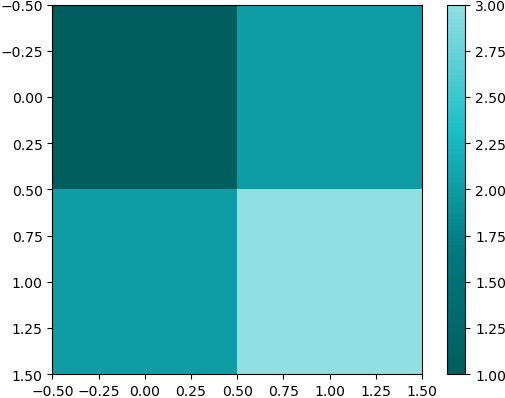
Creating a Custom Color Map
import matplotlib.pyplot as plt
from nmfspalettepy import create_nmfs_colormap

# Create a custom colormap
cmap = create_nmfs_colormap("coral")

# Use the colormap in a plot
plt.imshow([[1,2],[2,3]], cmap=cmap)
plt.colorbar()
plt.show()
Getting Hex Codes for a Palette
from nmfspalettepy import get_palette_colors

# Get hex codes for the 'waves' palette
colors_hex = get_palette_colors("waves")
print("Hex codes for 'waves':", colors_hex)
output
Hex codes for 'waves': ['#005E5E', '#00797F', '#1EBEC7', '#90DFE3']
Examples
Plot
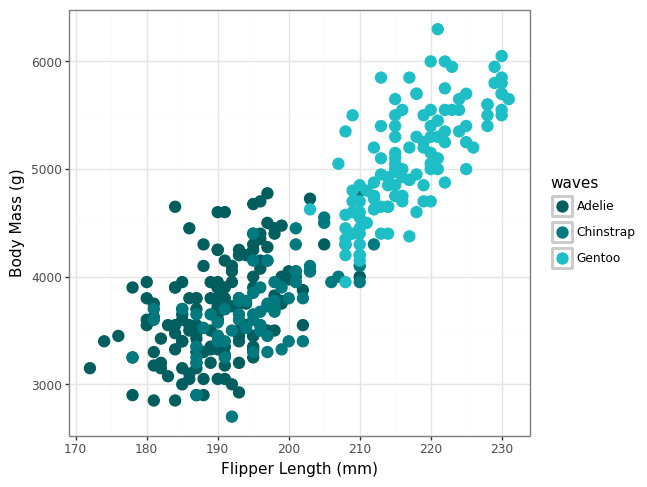
# example data| import seaborn as sns
from plotnine.data import penguins
p = (
    ggplot(penguins_clean, aes(x='flipper_length_mm', y='body_mass_g', color='species')) +
    geom_point(size=4) +
    labs(y="Body Mass (g)", x="Flipper Length (mm)") +
    theme_bw() +
    scale_color_manual(values=nmfs_palettes["urchin"])  # Use 'urchin' palette
)

# Show the plot
p.show()
Boxplot
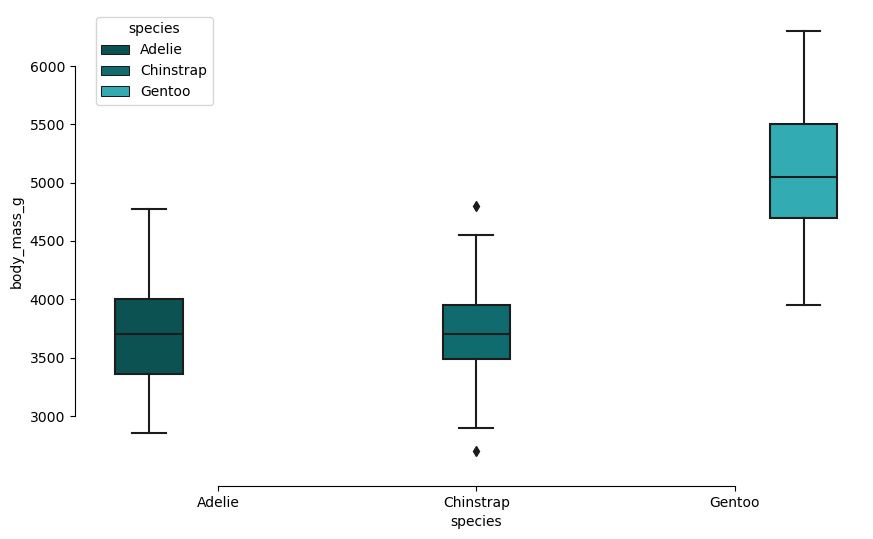
def show_boxplot(data, x_var, y_var, hue_var, palette_name):
    palette = nmfs_palettes.get(palette_name, ["#555555"])  # Default grey if not found
    plt.figure(figsize=(10, 6))
    sns.boxplot(x=x_var, y=y_var, hue=hue_var, palette=palette, data=data)
    sns.despine(offset=10, trim=True)
    plt.show()
LinePlot
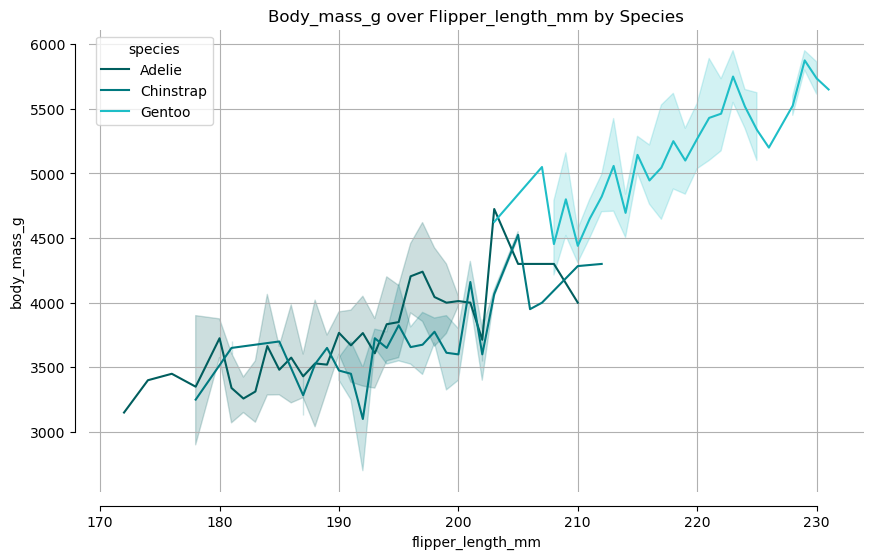
def show_lineplot(data, x_var, y_var, hue_var, palette_name):
    palette = nmfs_palettes.get(palette_name, ["#555555"])  # Default grey if not found
    plt.figure(figsize=(10, 6))
    sns.lineplot(x=x_var, y=y_var, hue=hue_var, palette=palette, data=data)
    plt.title(f"{y_var.capitalize()} over {x_var.capitalize()} by {hue_var.capitalize()}")
    plt.grid(True)
    sns.despine(offset=10, trim=True)
    plt.show()
Disclaimer
This repository is a scientific product and is not official communication of the National Oceanic and Atmospheric Administration, or the United States Department of Commerce. All NOAA GitHub project content is provided on an ‘as is’ basis and the user assumes responsibility for its use. Any claims against the Department of Commerce or Department of Commerce bureaus stemming from the use of this GitHub project will be governed by all applicable Federal law. Any reference to specific commercial products, processes, or services by service mark, trademark, manufacturer, or otherwise, does not constitute or imply their endorsement, recommendation or favoring by the Department of Commerce. The Department of Commerce seal and logo, or the seal and logo of a DOC bureau, shall not be used in any manner to imply endorsement of any commercial product or activity by DOC or the United States Government.
License
See the LICENSE.md for details
Credits
- Inspired by the work of (https://github.com/ChristineStawitz-NOAA) and other devs of:
- R Package: https://github.com/nmfs-fish-tools/nmfspalette/
- R App/plot Tutorial: https://connect.fisheries.noaa.gov/colors/
1 maintainer

Metadata
1 maintainer
Release files for nmfspalettepy 0.1.21
For a detailed explanation of source distributions (sdists) and built distributions (wheels), please see the package formats documentation.
Source distribution (sdist)
| File | Size | Uploaded | Provenance | Actions |
|---|---|---|---|---|
| nmfspalettepy-0.1.21.tar.gz | 4.7 kB | Without provenance | Details for nmfspalettepy-0.1.21.tar.gz |
Built distribution (wheel)
| File | Interpreter | ABI | Platform | Actions Reset |
|---|---|---|---|---|
| nmfspalettepy-0.1.21-py3-none-any.whl | Python 3 | none | any | Details for nmfspalettepy-0.1.21-py3-none-any.whl |
Total release size: 9.6 kB
Release files / nmfspalettepy-0.1.21.tar.gz
| Download URL | nmfspalettepy-0.1.21.tar.gz |
|---|---|
| Size | 4.7 kB |
| Tags | Source |
|
SHA-256 checksum How to use checksums |
a685a2959a6f2500362d43124c24f17d8004091092851bf6b52dd68efa08bfdc
|
|
BLAKE2b-256 checksum How to use checksums |
ad00fb9fbc757adca24a22a5be5c1cb59b8e1479bb25bf43fb265ddad784ece2
|
| Upload date | |
|
Uploaded using Trusted Publishing? What is trusted publishing? |
No |
| Uploaded via |
twine/5.0.0 CPython/3.9.19
|
Release files / nmfspalettepy-0.1.21-py3-none-any.whl
| Download URL | nmfspalettepy-0.1.21-py3-none-any.whl |
|---|---|
| Size | 4.9 kB |
| Tags | Python 3 |
|
SHA-256 checksum How to use checksums |
1cc206e5a3f208cc68acce1ab3723887a808dee90d488d420baab33e504512f7
|
|
BLAKE2b-256 checksum How to use checksums |
3a5a04a2150fe34970e510a3bbee64d0bc672355357e8eef891296090c0375d6
|
| Upload date | |
|
Uploaded using Trusted Publishing? What is trusted publishing? |
No |
| Uploaded via |
twine/5.0.0 CPython/3.9.19
|
Security for nmfspalettepy 0.1.21
Provenance
Provenance describes where a file came from. On PyPI, provenance is shared via attestations, which provide a verifiable record of the build or publishing details. View details, limitations and caveats.
No provenance found
None of the files in this release were uploaded with provenance metadata.
A note on package security
PyPI is a repository for distributing packages, not a service for auditing them. While third-party security researchers and our staff do their best to detect and remove malicious packages, PyPI cannot guarantee the quality, security or suitability of any given package.
To learn more about protecting yourself from malicious actors, visit our package security documentation.














