
网心云多账号在线状态监控 NoneBot2 插件,支持多账号多设备多种登录方式

Project description
nonebot-plugin-onething-monitor
网心云多账号在线状态监控 NoneBot2 插件。支持短信登录、Cookie 登录、多账号多设备聚合查询、基础信息查询、网络状态图生成和定时批量检测。
主要是为了防止设备莫名其妙死机(网心centos定制版系统在某些设备上不兼容的恶性bug,3-40小时必宕机一次,平均为20小时,表现为设备硬件看起来运行正常,风扇转速无明显变化,但输入无反应,屏幕不动,输入输出彻底死机,且不自动重启。app端显示掉线,且不发送任何通知。通知似乎只有某条线路异常才发。设备掉线居然不发。)
此插件每半小时查一次设备网络状态,确保异常能及时通知到管理员。
安装
pip install nonebot-plugin-onething-monitor
或使用nb:
nb plugin install nonebot-plugin-onething-monitor
然后在 NoneBot 项目中加载插件:
nonebot.load_plugin("nonebot_plugin_onething_monitor")
配置
在 NoneBot 项目的 .env 或对应环境配置文件中填写:
ONETHING_TARGET_QQ=123456789
ONETHING_TARGET_GROUP=123456789
ONETHING_BOT_ID=123456789
ONETHING_DEFAULT_PHONE=13800000000
| 配置项 | 必填 | 说明 |
|---|---|---|
ONETHING_TARGET_QQ |
是 | 管理员 QQ,用于接收验证码请求和重要设备掉线提醒 |
ONETHING_TARGET_GROUP |
是 | 默认通知群,定时任务会发送到该群 |
ONETHING_BOT_ID |
是 | 发送通知消息的 Bot QQ |
ONETHING_DEFAULT_PHONE |
是 | 不带参数执行“登录”时使用的默认手机号 |
插件运行数据默认保存在 NoneBot 运行目录下的 onething/ 文件夹中,包括登录 session 和生成的状态图片(循环覆盖)。
命令
| 命令(注意加上命令头如/) | 说明 |
|---|---|
登录 |
使用默认手机号登录 |
登录 138xxxx |
使用指定手机号短信登录 |
登录 userid=xxx; sessionid=xxx |
使用 Cookie 登录 |
列表 |
聚合查看所有账号设备并获取全局编号 |
基础 1 |
查看指定编号设备的基础信息,也支持直接传 SN |
网络 |
批量查看所有设备网络状态 |
网络 1 |
查看指定编号设备网络状态,也支持直接传 SN |
重置设备信息 |
清空设备列表、归属和失败次数缓存,保留登录态 |
命令权限为超级用户、群管理员或群主。
文件结构
nonebot_plugin_onething_monitor/
├─ nonebot_plugin_onething_monitor/
│  ├─ __init__.py          # 插件入口:PluginMetadata、导入命令/定时任务
│  ├─ config.py            # 读取 .env 配置,定义 Config
│  ├─ state.py             # 运行态缓存:会话、验证码、设备映射、失败统计
│  ├─ session.py           # 会话文件读写、启动加载、清理 session
│  ├─ api.py               # 网心云登录、设备列表、基础信息、网络状态请求
│  ├─ render.py            # 图片生成、网络表格图、设备信息图、图片合并
│  ├─ commands.py          # /登录 /列表 /基础 /网络 /重置设备信息
│  └─ scheduler.py         # 定时批量检测任务
├─ pyproject.toml          # 商店发布需要的包元数据、依赖、构建配置
├─ README.md               # 插件说明、安装、配置、命令、截图
├─ LICENSE
├─ .gitignore
└─ .env.example            # 配置示例
功能展示
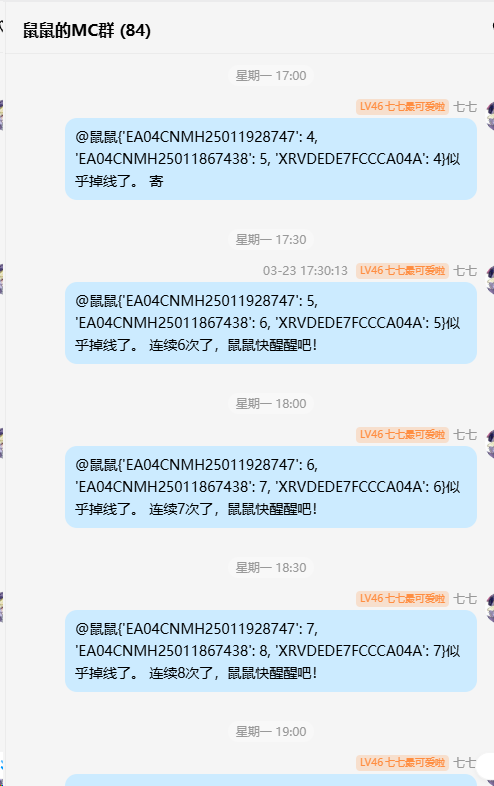
每半小时监测一次。如果全部正常,只发送设备网络状态总结图;如果有设备异常,会反馈异常信息。
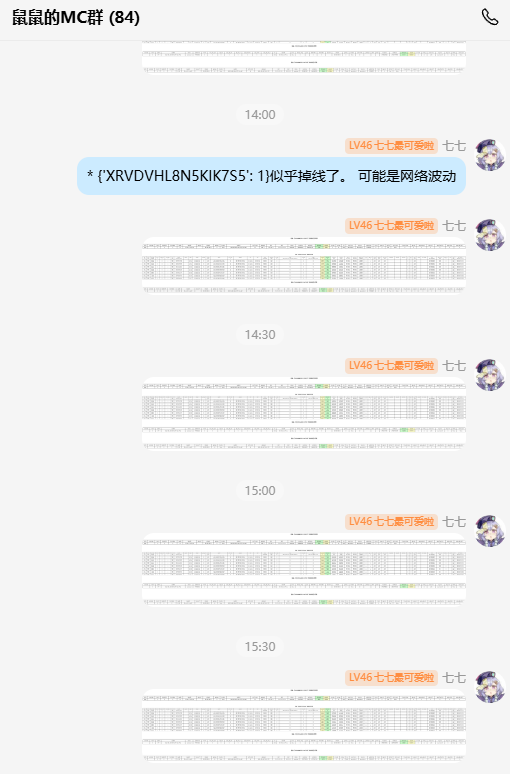
设备网络状态图示例:

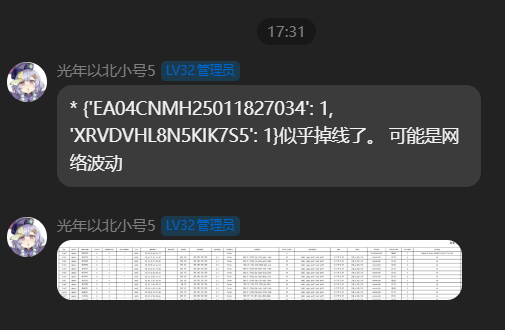
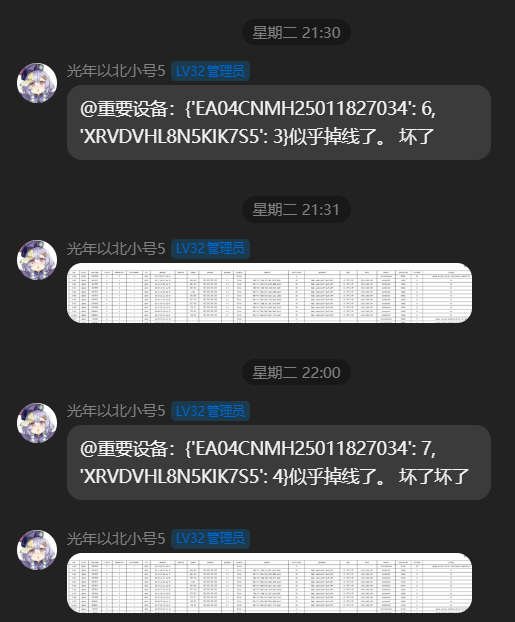
连续多次掉线时的提醒:
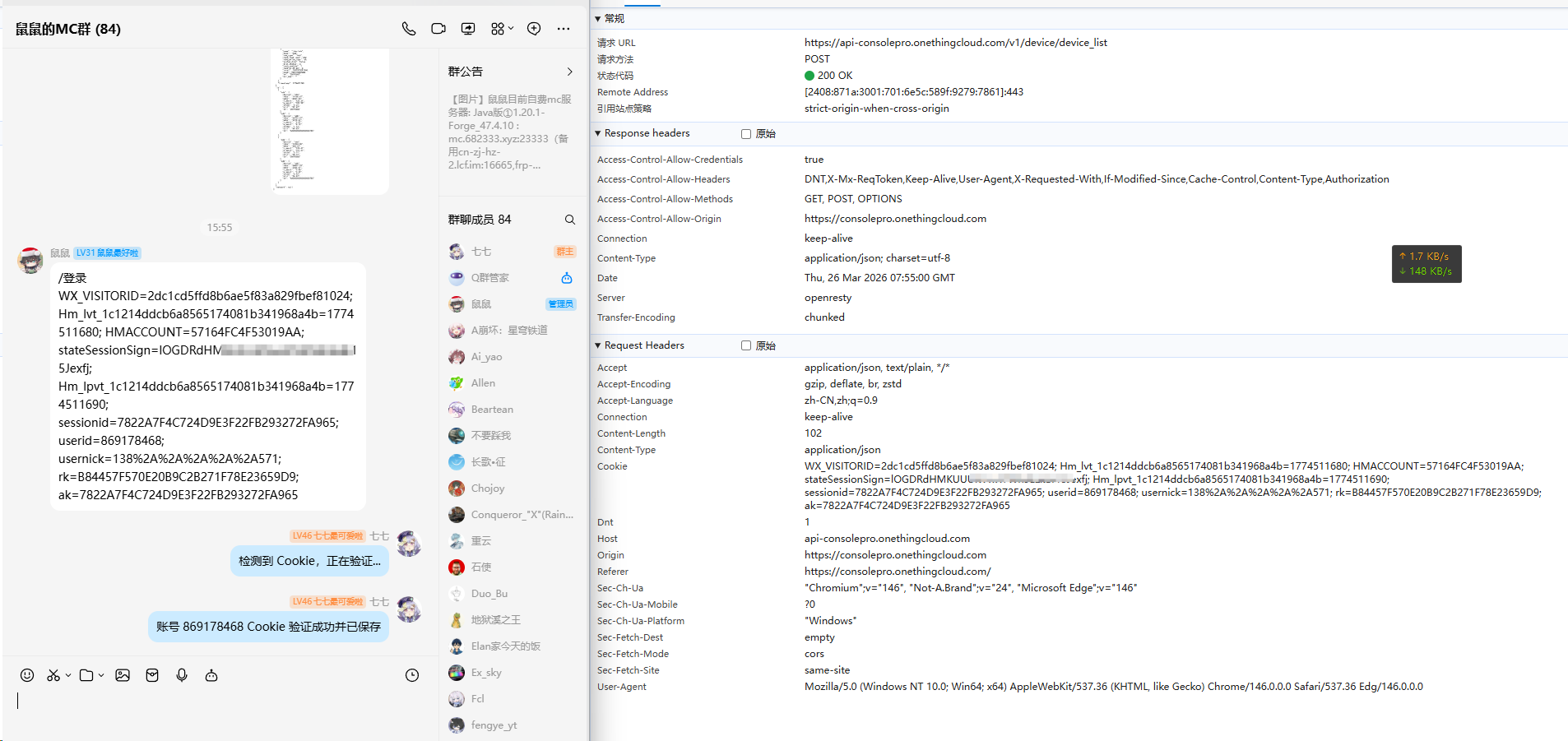
手机号验证码登录:

网页抓取 Cookie 登录:(只有微信,不能收验证码时此方法很方便。登录consolepro控制台后查看json获取请求找到类似键值即可)
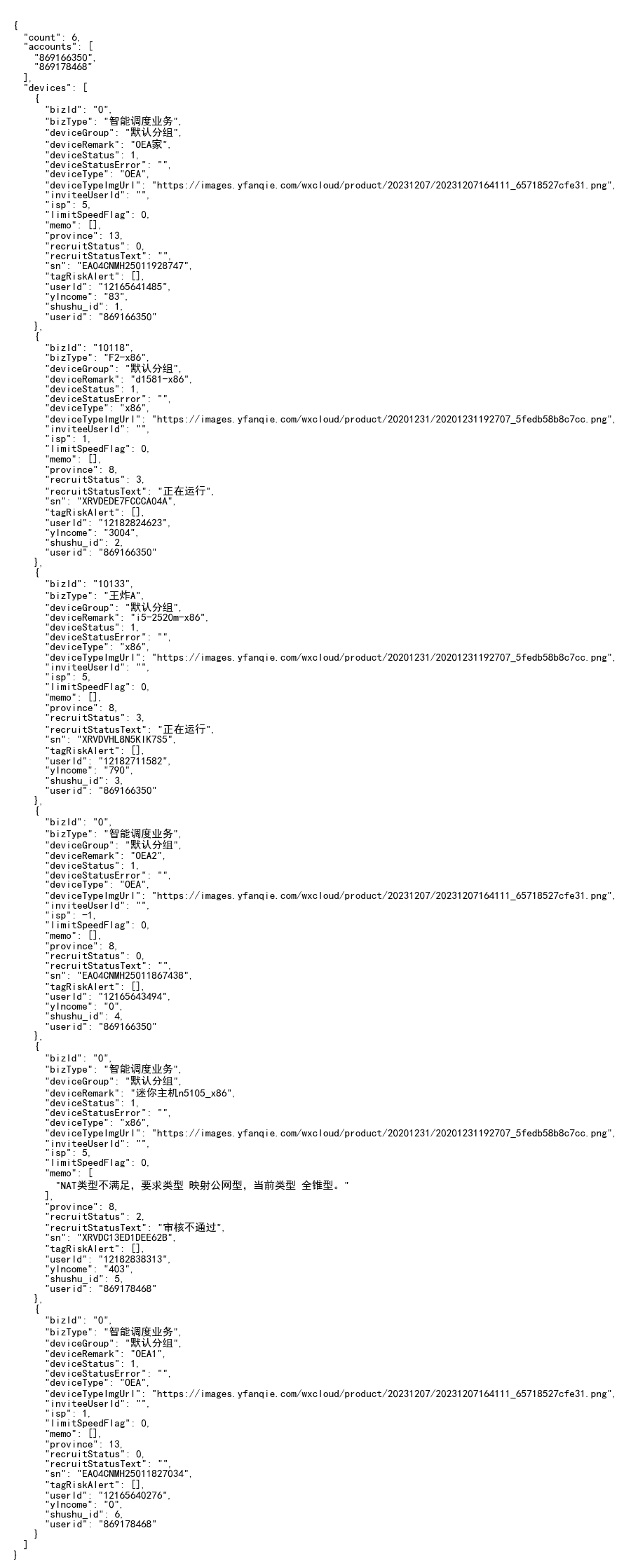
设备列表反馈:

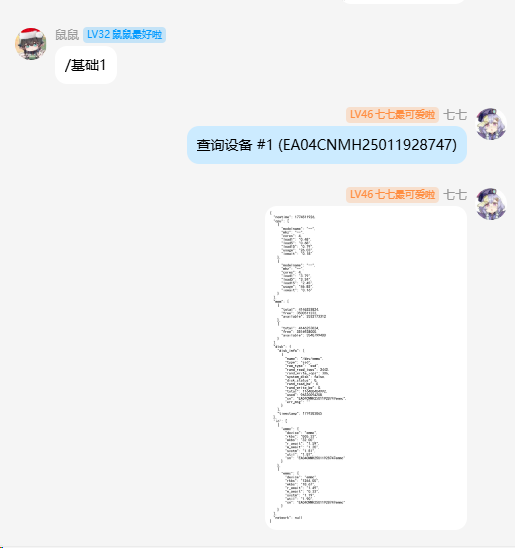
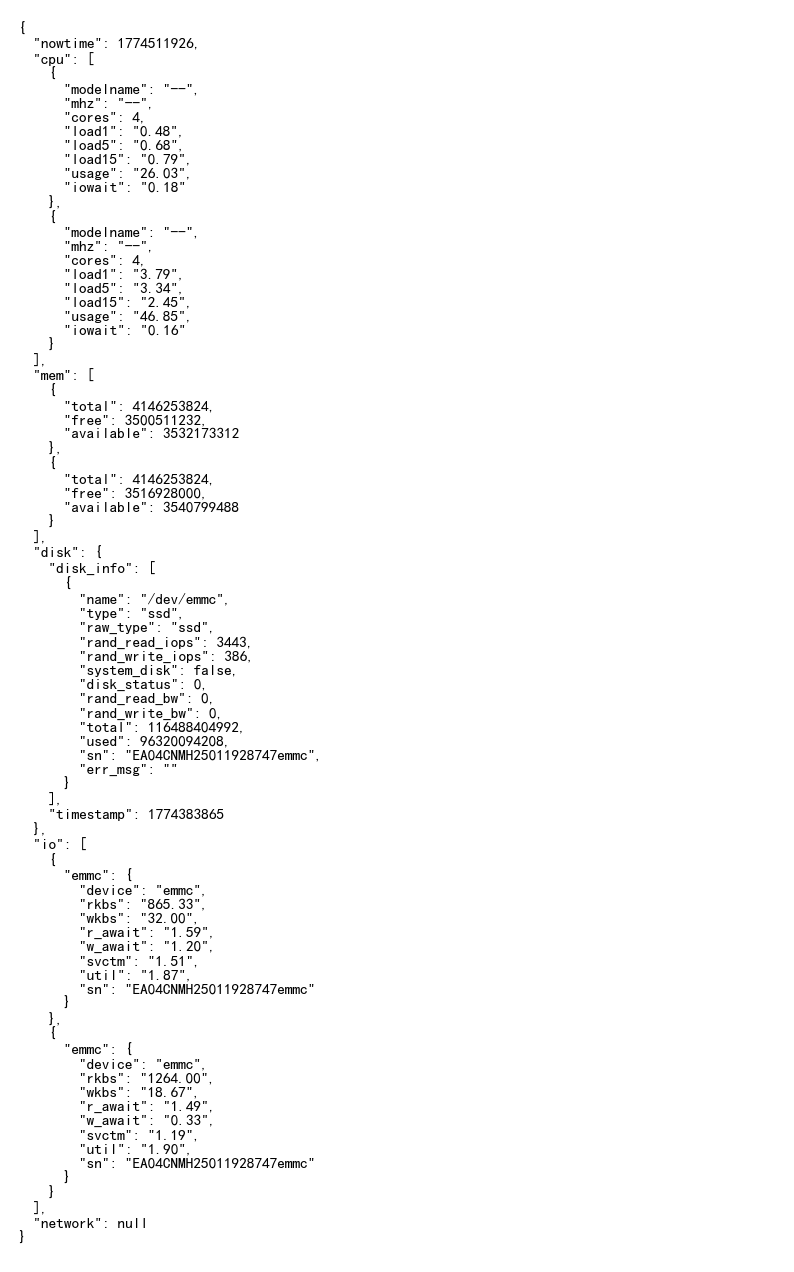
设备 CPU、内存、硬盘等基础信息查询:
设备异常告警:
Release history Release notifications | RSS feed


Download files
Download the file for your platform. If you're not sure which to choose, learn more about installing packages.
Source Distribution
Built Distribution
Filter files by name, interpreter, ABI, and platform.
If you're not sure about the file name format, learn more about wheel file names.
Copy a direct link to the current filters
File details
Details for the file nonebot_plugin_onething_monitor-0.6.0.tar.gz.
File metadata
- Download URL: nonebot_plugin_onething_monitor-0.6.0.tar.gz
- Upload date:
- Size: 32.2 kB
- Tags: Source
- Uploaded using Trusted Publishing? No
- Uploaded via: twine/6.2.0 CPython/3.10.11
File hashes
| Algorithm | Hash digest | |
|---|---|---|
| SHA256 |
f284db2569faf13ce766f6ddc61e85127bb03d31a22410fc0c553267c93c48fb
|
|
| MD5 |
587486d0152c3624bcd30936d75dbd49
|
|
| BLAKE2b-256 |
05f274daa5152da6f3302e29996507d47de75859d4a5c02722c4b2a1165e1d41
|
File details
Details for the file nonebot_plugin_onething_monitor-0.6.0-py3-none-any.whl.
File metadata
- Download URL: nonebot_plugin_onething_monitor-0.6.0-py3-none-any.whl
- Upload date:
- Size: 33.1 kB
- Tags: Python 3
- Uploaded using Trusted Publishing? No
- Uploaded via: twine/6.2.0 CPython/3.10.11
File hashes
| Algorithm | Hash digest | |
|---|---|---|
| SHA256 |
2cf9086d68798e6ef93993e1f0693d2ae19bd2b17c302214709312e560e8b712
|
|
| MD5 |
563865bb40c4087af1fa8580a54a44f0
|
|
| BLAKE2b-256 |
c9377ef81ad02c7184db0dd012b566b9fca45de79240ebcadfa47409ac03a0d3
|






