



📖 介绍
需要一位糕手优化一下
提供帮助图自动生成和插件权限管理
功能:全自动生成帮助图和插件禁用,限流控制
虽然LittlePaimon基本处于半死亡状态了,但是 @CMHopeSunshine 的插件管理器真好用,所以把LittlePaimon帮助插件独立出来用于非原神bot的使用
(因为直接照搬,有问题请pr)
💿 安装
使用镜像站可能需要等待镜像站同步
使用 nb-cli 安装
在 nonebot2 项目的根目录下打开命令行, 输入以下指令即可安装nb plugin install nonebot-plugin-pmhelp
使用包管理器安装
在 nonebot2 项目的插件目录下, 打开命令行, 根据你使用的包管理器, 输入相应的安装命令pip
pip install nonebot-plugin-pmhelp
pdm
pdm add nonebot-plugin-pmhelp
poetry
poetry add nonebot-plugin-pmhelp
conda
conda install nonebot-plugin-pmhelp
打开 nonebot2 项目根目录下的 pyproject.toml 文件, 在 [tool.nonebot] 部分追加写入
plugins = ["nonebot_plugin_pmhelp"]
📋 效果
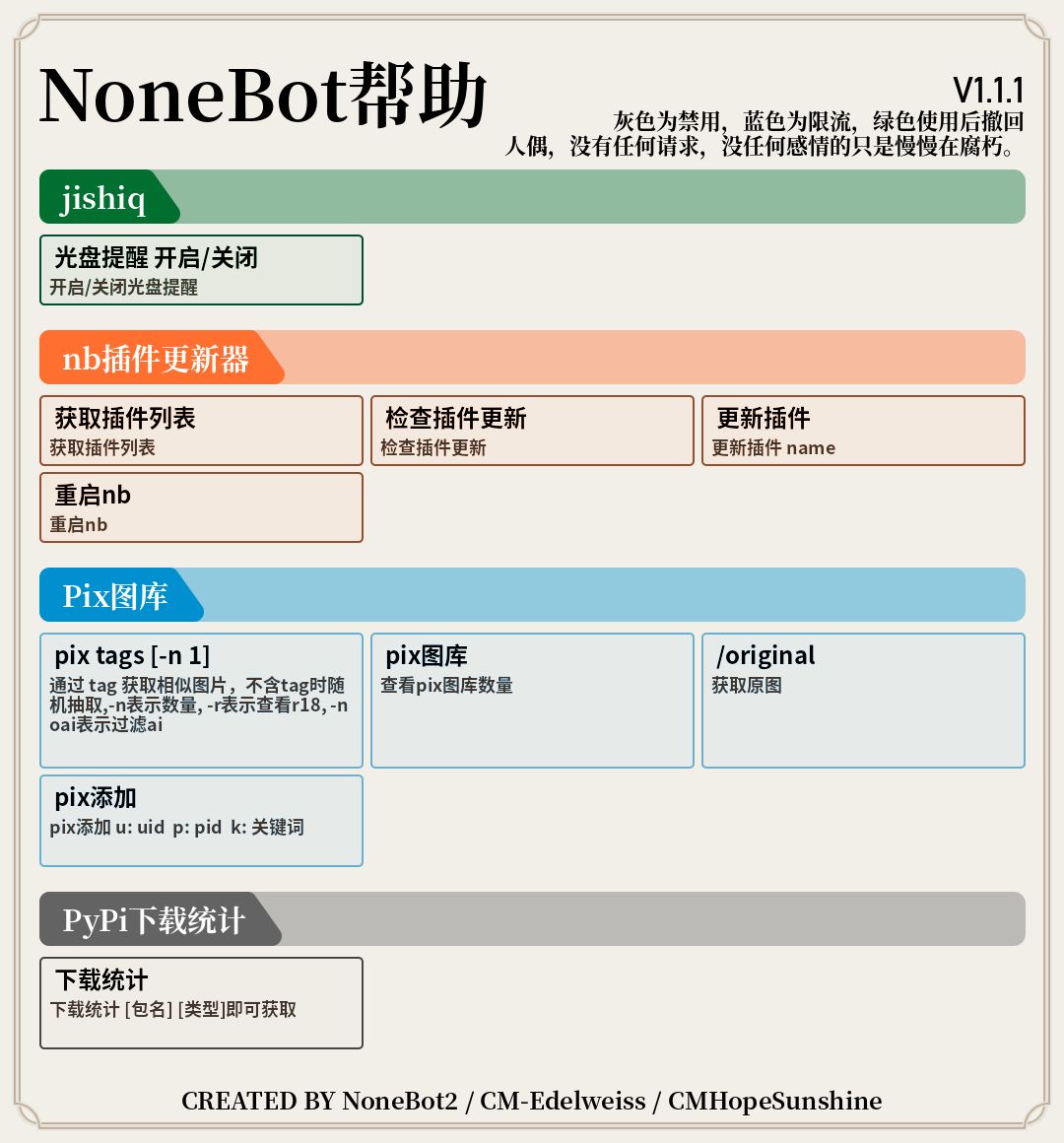
帮助图(举例)
橙色正常,灰色禁用,绿色使用后撤回,蓝色限流
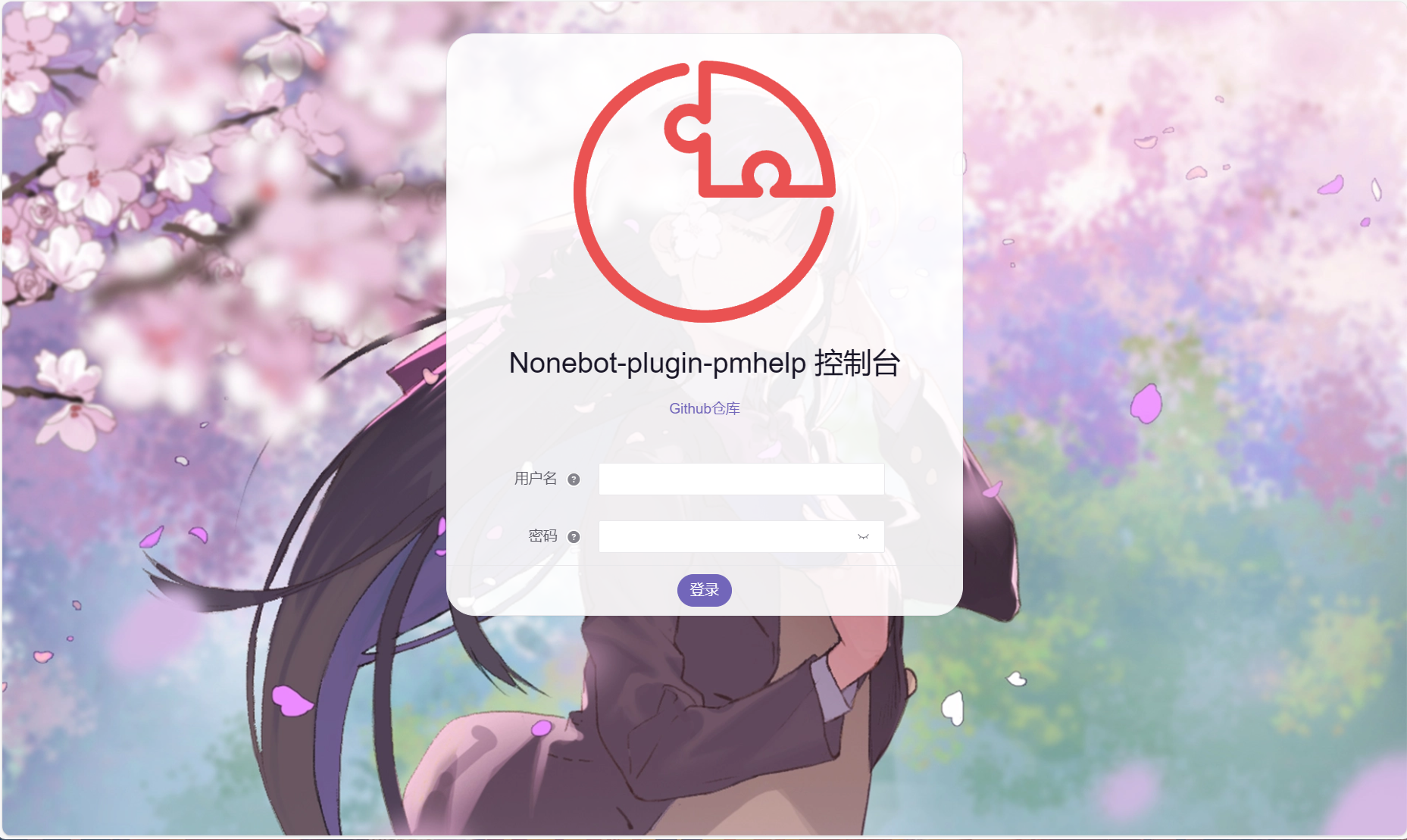
webui(单独运行)

⚙️ 配置
在 nonebot2 项目的.env文件中添加下表中的必填配置
| 配置项 | 必填 | 默认值 | 说明 |
|---|---|---|---|
| img_cache | 否 | True | 图片资源缓存开关 |
| sharding_mode | 否 | False | 是否位分片模式 |
| pm_name | 否 | NoneBot帮助 | 帮助大标题 |
| pm_version | 否 | 11.45.14 | 帮助显示的版本号 |
| pm_text | 否 | 自定义文本 | 自定义文本 |
| m_message | 否 | True | 被限流是否提醒 |
| pm_plugin | 否 | 1 | 管理插件文件的位置(1为统一目录,2为机器人目录,3为自定义目录) |
| pm_path | 否 | 无 | pm_plugin为3时的目录(无需引号) |
| pm_enable_web | 否 | True | 后台管理开关 |
| pm_username | 否 | pmhelp | 后台管理用户名 |
| pm_password | 否 | admin | 后台管理密码 |
| pm_secret_key | 否 | ... | 后台管理token密钥 |
nonebot2插件生成帮助图位于{帮助文件目录}/pm_config下
推荐使用webui进行修改
webui支持接入onebot_plugin_manageweb的webui
无onebot_plugin_manageweb时webui地址ip:端口/pmhelp/login
自定义修改
举例(xxx.yml):
description: 根据加载的nonebot2...   #插件介绍
manage: false,                      #是否管理插件(对非管理隐藏)
matchers:                           #帮助图展示的指令卡片(可能需要自行配置)
- {pm_description: 禁用|取消...,     #介绍
    pm_manage: false,               #是否管理指令(对非管理隐藏)
    pm_name: pm-ban|unban,          #此帮助名
    pm_priority: 1,                 #优先级
    pm_sharding: true,              #不用管
    pm_show: true,                  #是否展示
    pm_usage: pm ban|unba...,       #触发命令
  }
-{....}
module_name: nonebot_plugin_pmhelp  #插件包名
name: PM帮助                         #插件名字
priority: 1                          #优先级
sharding: false                      #不用管
show: true                           #是否展示在帮助图中
usage: help                          #默认读取插件命令
🎨 插件开发
插件编写时:快捷生成卡片(无state时默认读取PluginMetadata生成)
编写命令时实例
xxx = on_command(
    ....,
    state={
        "pm_name": #此帮助名,
        "pm_description": #介绍,
        "pm_usage": #触发命令,
        "pm_priority": #优先级,
        "pm_manage":#是否管理指令(对非管理隐藏),
    },
)
🎉 使用
指令表
| 指令 | 权限 | 需要@ | 范围 | 说明 |
|---|---|---|---|---|
| help | 所有 | 否 | 全部 | 打开所有帮助 |
| pm ban/unban <插件名> | 管理/群主/超级用户 | 否 | 全部 | 群/用户权限管理 |
命令:pm ban|unban <插件名> -g <群号> -u <用户号> -x t|f <时间/次数> -w <时间>

权限:群主和群管可以管理本群的用户,超级用户可以管理所有用户,并且超级用户不收本插件任何权限限制
参数:
    ban|unban:禁用/启用使用或者禁用/启用限流

    <插件名>:可以是中/英文或者all,all表示所有插件,多个插件用空格分隔

    -g <群号>:不填时为命令当前群, 可以是群号或者all,all表示所有群,多个群号用空格分隔

    -u <用户号>:不填时或者填all则为本群所有用户,all私聊使用为所有好友,多个用户用空格分隔

    -x 限流:
        t:多少秒后可以再次使用
        f:一分钟使用次数
        <时间/次数>默认值:10 秒/次

    -w 延迟撤回
        <时间> 发送后多少s后撤回

额外说明:
    ·如果要全局禁用/启用某一个用户,需要超级用户私聊Bot来使用命令
    ·关闭的话也需要带数字,方便匹
    ·全局禁用下,单个群/好友的权限限制将失效
示例
- pm ban all
群聊:禁用当前群所有插件
超级用户私聊:全局禁用所有插件
- pm ban all -g all
禁用所有群的所有插件
- pm ban all -x t 10
群聊:所有插件使用后10s才可以再次使用
超级用户私聊:全局所有插件使用后10s才可以再次使用
- pm unban all -x t 10
群聊:解除当前群所有插件的限流
超级用户私聊:解除所有插件的限流
- pm ban all -w 10
当前群所有插件使用后10s后撤回
丨❤鸣谢
- 来自LittlePaimon帮助插件代码
1 maintainer

Metadata
1 maintainer
Release files for nonebot-plugin-pmhelp 1.4.4
For a detailed explanation of source distributions (sdists) and built distributions (wheels), please see the package formats documentation.
Source distribution (sdist)
| File | Size | Uploaded | |
|---|---|---|---|
| nonebot_plugin_pmhelp-1.4.4.tar.gz | 17.9 MB | Details |
Built distribution (wheel)
| File | Interpreter | ABI | Platform | Reset |
|---|---|---|---|---|
| nonebot_plugin_pmhelp-1.4.4-py3-none-any.whl | Python 3 | none | any | Details |
Total release size: 35.8 MB
Release files / nonebot_plugin_pmhelp-1.4.4.tar.gz
| Download URL | nonebot_plugin_pmhelp-1.4.4.tar.gz |
|---|---|
| Size | 17.9 MB |
| Tags | Source |
|
SHA-256 checksum How to use checksums |
c6699b5bd4fe5b1781bb170ff61e7c9e5d4fc1b09933d62ff67c039d8d64dfef
|
|
BLAKE2b-256 checksum How to use checksums |
4bb03af001891c8a8e2f9430ee0a5f33cf538967114d68da9db4edd65c06cff3
|
| Upload date | |
|
Uploaded using Trusted Publishing? What is trusted publishing? |
No |
| Uploaded via |
twine/6.1.0 CPython/3.12.9
|
Release files / nonebot_plugin_pmhelp-1.4.4-py3-none-any.whl
| Download URL | nonebot_plugin_pmhelp-1.4.4-py3-none-any.whl |
|---|---|
| Size | 17.9 MB |
| Tags | Python 3 |
|
SHA-256 checksum How to use checksums |
813ad5d6efb8ac66b2068b9978869dd37dfcec1592bcc781be0303c4e1b05c7b
|
|
BLAKE2b-256 checksum How to use checksums |
5da023b2aa1699d9813ad0fbc5ba925200fd8c7268de1223799d4d2dd670c28a
|
| Upload date | |
|
Uploaded using Trusted Publishing? What is trusted publishing? |
No |
| Uploaded via |
twine/6.1.0 CPython/3.12.9
|














