
Nonebot-plugin-reboot


用命令重启 bot
⚠️注意事项
必须要有 bot.py
新版 nb-cli 默认不生成 bot.py,需要在 nb 菜单里选择 生成机器人的入口文件 / Generate entry file of your bot. 生成一个,不需要修改。 不要再去群里问bot.py在哪了
不兼容 fastapi_reload,见 #1、#2。
不推荐使用 nb-cli 的 --reload 参数,这个插件是 --reload 在生产环境中的替代品。
重启时直接对子进程使用 process.terminate(),如果你的其他插件启动了子进程,请确保它们能在设定的等待时间内正确关闭子进程,否则子进程会变成孤立进程。
⚠️ Windows 下因系统 API 的限制进程会直接被杀死, 没有 等待时间。
插件依赖于 multiprocessing spawn 生成子进程方式工作,支持由 nb-cli 生成的 bot.py,以及其他在加载插件后调用 nonebot.run() 的启动方式。
安装
通过 nb-cli 安装:
nb plugin install nonebot-plugin-reboot
新版 nb-cli 默认不生成 bot.py,需要在 nb 菜单里选择 生成机器人的入口文件 / Generate entry file of your bot. 生成一个,不需要修改。
使用
超级用户向机器人私聊发送命令 重启, reboot 或 restart
⚠️ 注意命令的
COMMAND_START.
例如 /重启 、 /reboot 、 /restart
配置项
reboot_load_command: bool
- 加载内置的
onebot v11重启命令 - 可以通过命令
重启rebootrestart触发重启 - 默认值:
True
reboot_grace_time_limit: int
- 收到重启命令后等待进程退出的最长时间,超时会强制杀进程
- 在 Windows 下没有等待时间,会直接杀进程
真寻从ctrl+c到彻底退出居然要六秒- 默认值:
20
bot.py
因为使用了 spawn 方式启动子进程,默认情况下会加载两次插件,如果你觉得这不是问题可以忽略这段,也不建议你在不懂的情况下修改 bot.py。
推荐的写法是将 插件加载部分 和 启动部分 分开,以避免插件在主进程和子进程都加载一遍
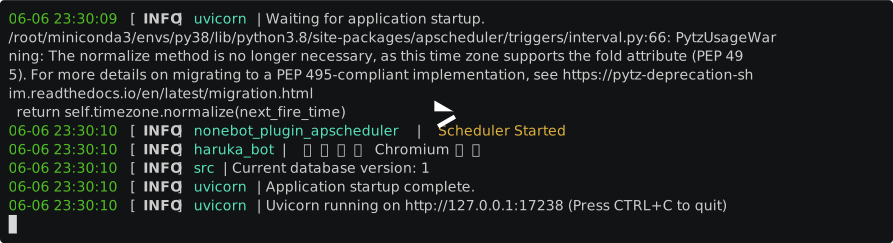
真寻启动居然要20秒
#
# 上面省略
#

if __name__ == "__mp_main__": # 仅在子进程运行的代码
    # Please DO NOT modify this file unless you know what you are doing!
    # As an alternative, you should use command `nb` or modify `pyproject.toml` to load plugins
    # 加载插件
    nonebot.load_from_toml("pyproject.toml")
    # ...

if __name__ == "__main__": # 仅在主进程运行的代码
    # nonebot.logger.warning("Always use `nb run` to start the bot instead of manually running!")
    # 运行 nonebot
    nonebot.load_plugin("nonebot_plugin_reboot") # 加载重启插件
    nonebot.run(app="__mp_main__:app")
API
require("nonebot_plugin_reboot")
from nonebot_plugin_reboot import Reloader
Reloader.reload(delay=5) # 可选参数 5秒后触发重启
依赖
nonebot2 >= 2.0.0beta.2
启用 reboot_load_command 时需要以下依赖
nonebot-adapter-onebot
1 maintainer

Metadata
1 maintainer
Release files for nonebot-plugin-reboot 0.1.4
For a detailed explanation of source distributions (sdists) and built distributions (wheels), please see the package formats documentation.
Source distribution (sdist)
| File | Size | Uploaded | |
|---|---|---|---|
| nonebot_plugin_reboot-0.1.4.tar.gz | 4.9 kB | Details |
Built distribution (wheel)
| File | Interpreter | ABI | Platform | Reset |
|---|---|---|---|---|
| nonebot_plugin_reboot-0.1.4-py3-none-any.whl | Python 3 | none | any | Details |
Total release size: 10.9 kB
Release files / nonebot_plugin_reboot-0.1.4.tar.gz
| Download URL | nonebot_plugin_reboot-0.1.4.tar.gz |
|---|---|
| Size | 4.9 kB |
| Tags | Source |
|
SHA-256 checksum How to use checksums |
d1864f31d0360a0e7271d7411c34e80ccac41008aa6082d7470175b6cb8721dc
|
|
BLAKE2b-256 checksum How to use checksums |
8b5cb13132cbe6c12fe81a08bd1402a0ef20eb195358fe77edd08d0f9dbe7eeb
|
| Upload date | |
|
Uploaded using Trusted Publishing? What is trusted publishing? |
No |
| Uploaded via |
poetry/1.5.1 CPython/3.10.4 Windows/10
|
Release files / nonebot_plugin_reboot-0.1.4-py3-none-any.whl
| Download URL | nonebot_plugin_reboot-0.1.4-py3-none-any.whl |
|---|---|
| Size | 6.0 kB |
| Tags | Python 3 |
|
SHA-256 checksum How to use checksums |
93ff1cdc7397e361cd8f16008f74d8f015bf35adfe96d44a4156c2e135cf6a77
|
|
BLAKE2b-256 checksum How to use checksums |
b49a3c4c7df895e2863539898e2ac0304c35338f1acc24ddbc8534d3672fbe91
|
| Upload date | |
|
Uploaded using Trusted Publishing? What is trusted publishing? |
No |
| Uploaded via |
poetry/1.5.1 CPython/3.10.4 Windows/10
|














