
有web的漂流瓶

Project description

nonebot_plugin_web_bottle


✨一个基于nonebot2与onebotv11 使用fastapi驱动的漂流瓶插件,有一个简单的web用于审核用户提交的漂流瓶✨
如何安装?
(建议使用pip下载后手动在github页面下载源代码并将插件放入插件目录中以使用最新的更改) Pypi
pip install nonebot-plugin-web-bottle
Nonebot
nb plugin install nonebot-plugin-web-bottle
目前实现了什么?
- 在QQ内
- 丢瓶子
- 捡瓶子
- 评论漂流瓶 [编号] [评论内容]
- 点赞漂流瓶 [编号]
- 在网页端
- 审核漂流瓶
- 审核评论
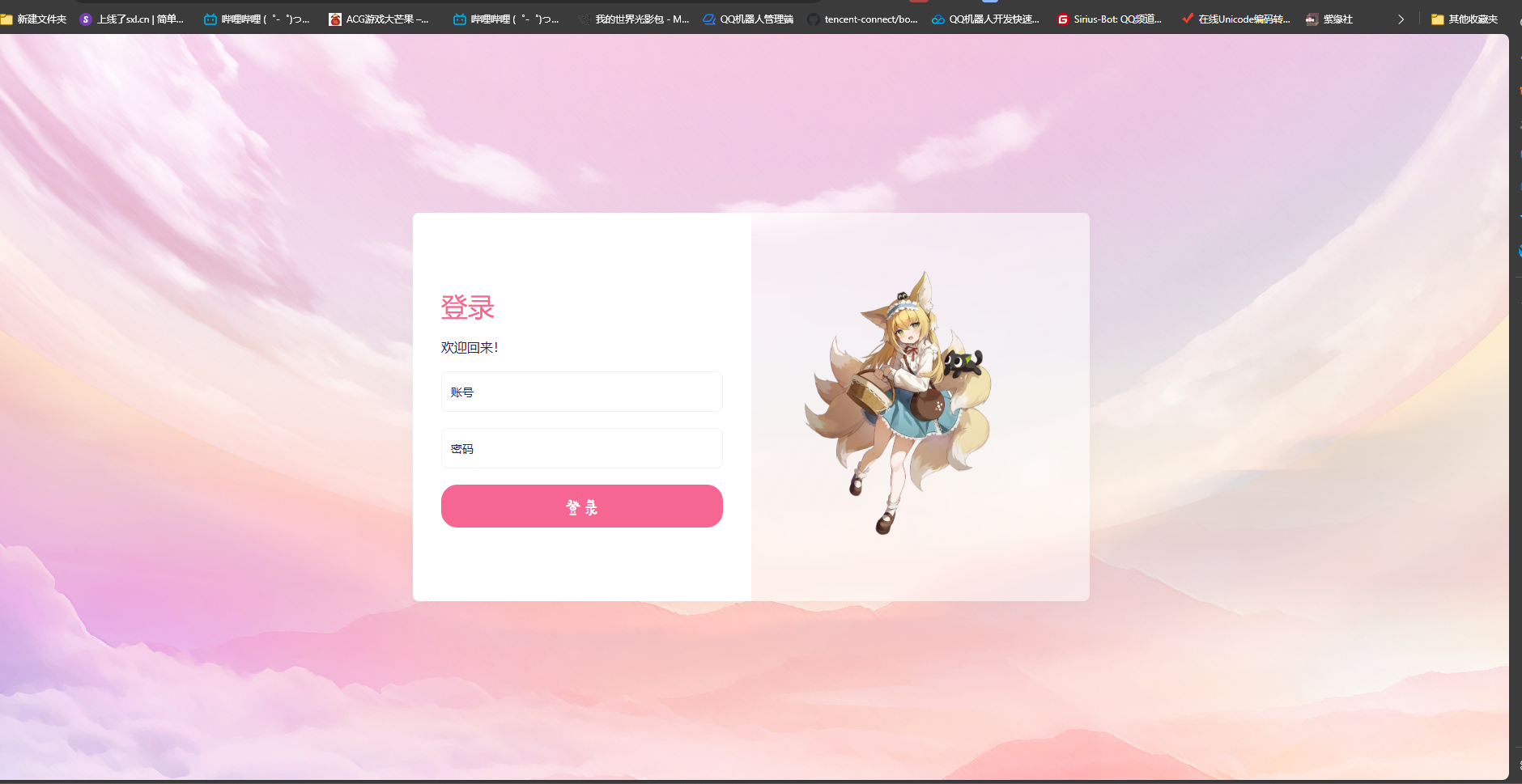
- 登录验证
效果图:


关于插件的其他注意事项
存储位置
本插件使用商店的 plugin-localstore(https://github.com/nonebot/plugin-localstore) 默认存储地址请前往其文档查看。 可以自己配置到机器人主目录,挡板后续随时查看
localstore_cache_dir=
localstore_config_dir=
localstore_data_dir=
在这个插件里,你通常只需要配置修改 localstore_data_dir= 即可
建议nonebot配置
如果想要在其他机器上访问到审核web,请修改nonebot运行的IP,在配置文件中修改如下:
HOST=0.0.0.0
web页面地址:
http://location:nonebot端口/login 登录页面
http://location:nonebot端口/check 漂流瓶审核
http://location:nonebot端口/comments 评论审核

或者将location替换为nonebot所在机器的IPv4地址
背景图片
位于:
插件目录\templates\static\images
可自行修改
关于漂流瓶配置选项:
为防止过多读取时内存占用过高,一个瓶子内最多允许有两张图片,如果需要更多,请在nonebot配置项写入
以下配置为插件默认值,如果您认为不需要修改,可以不添加
# 登录密钥
默认
bottle_account = 'admin'
bottle_password = 'password'
请务必修改

# 丢瓶子规则配置
max_bottle_pic=2    # 丢瓶子允许最多图片数量
max_bottle_liens=9  # 丢瓶子允许最多文字行数
max_bottle_word=1200    # 丢瓶子允许最多字符数量
embedded_help=True  # 开启后,丢瓶子时未添加任何内容,则返回指令帮助

# 瓶子评论区规则配置
default_nickname="未知昵称" # 定义获取昵称失败时对评论区用户默认称呼
bottle_msg_split=True   # 分离瓶子和评论区为两条独立消息
max_bottle_comments=3   # 捡瓶子最多展示评论条数

# 适配官方Bot或提升响应速度
bottle_msg_uname=True   # 为False时关闭发送者昵称获取展示 适用于官方Bot或想要提高响应速度时
bottle_msg_gname=True   # 为False时关闭群聊昵称获取展示 同上
qq_markdown=False   # QQMD适配,请自行申请并修改to_msg.py中的模板
官方bot仅试过使用 Gensokyo 正常运行,野生机器人推荐使用NapCat,LLOneBot ,Lagrange 等
以下是适合本项目的markdown模板和实际效果展示,你需要在QQ开放平台>bot>开发>高阶能力下进行申请,过审后将平台分配的模板ID填写在本项目的tomsg.py模块中(此外,涉及模板图片和头像获取转换,您还需要参考Gensokyo接口文档,在本模块内填写所需IP和端口):

瓶子本体 |
 |

评论区 |
未来计划
- 提交至nonebot商店
- 修改漂流瓶投掷者输出方式为 QQ昵称 与 群昵称(已经编写 具体适配情况取决于你的协议端)
- 针对使用QQ开放平台BOT的场景进行调整(支持Gensokyo项目的适配)
- 新增一个网页填入id查看漂流瓶详情
- 美化页面 (等几百年后我学会css再说吧)
- 优化性能
Release history Release notifications | RSS feed


Download files
Download the file for your platform. If you're not sure which to choose, learn more about installing packages.
Source Distribution
Built Distribution
Filter files by name, interpreter, ABI, and platform.
If you're not sure about the file name format, learn more about wheel file names.
Copy a direct link to the current filters
File details
Details for the file nonebot_plugin_web_bottle-1.0.0.tar.gz.
File metadata
- Download URL: nonebot_plugin_web_bottle-1.0.0.tar.gz
- Upload date:
- Size: 13.4 MB
- Tags: Source
- Uploaded using Trusted Publishing? No
- Uploaded via: pdm/2.21.0 CPython/3.11.7 Windows/10
File hashes
| Algorithm | Hash digest | |
|---|---|---|
| SHA256 |
9e967b75bf8d71f9eb42c805a2726d81984f63ae64860c9dab6944ca868fbd67
|
|
| MD5 |
23ad2f375e4f5b88eff3fc19ebb5c3ea
|
|
| BLAKE2b-256 |
08ee2f93d9bba53ebb150ba5535280c7b4912b79315efc6fa079f3e28ef80381
|
File details
Details for the file nonebot_plugin_web_bottle-1.0.0-py3-none-any.whl.
File metadata
- Download URL: nonebot_plugin_web_bottle-1.0.0-py3-none-any.whl
- Upload date:
- Size: 13.4 MB
- Tags: Python 3
- Uploaded using Trusted Publishing? No
- Uploaded via: pdm/2.21.0 CPython/3.11.7 Windows/10
File hashes
| Algorithm | Hash digest | |
|---|---|---|
| SHA256 |
920b5ae6212ce9d99eaa34f82ebf1be9266556e7ab0cb9e65099776f7eee3e1a
|
|
| MD5 |
c1e250492bd6ad51d3c9cb3044c1fadc
|
|
| BLAKE2b-256 |
40092ae7743312ae7b7d27a69a282d59b825ab71982994da6fc537364470ba4f
|






