
notebook-environments


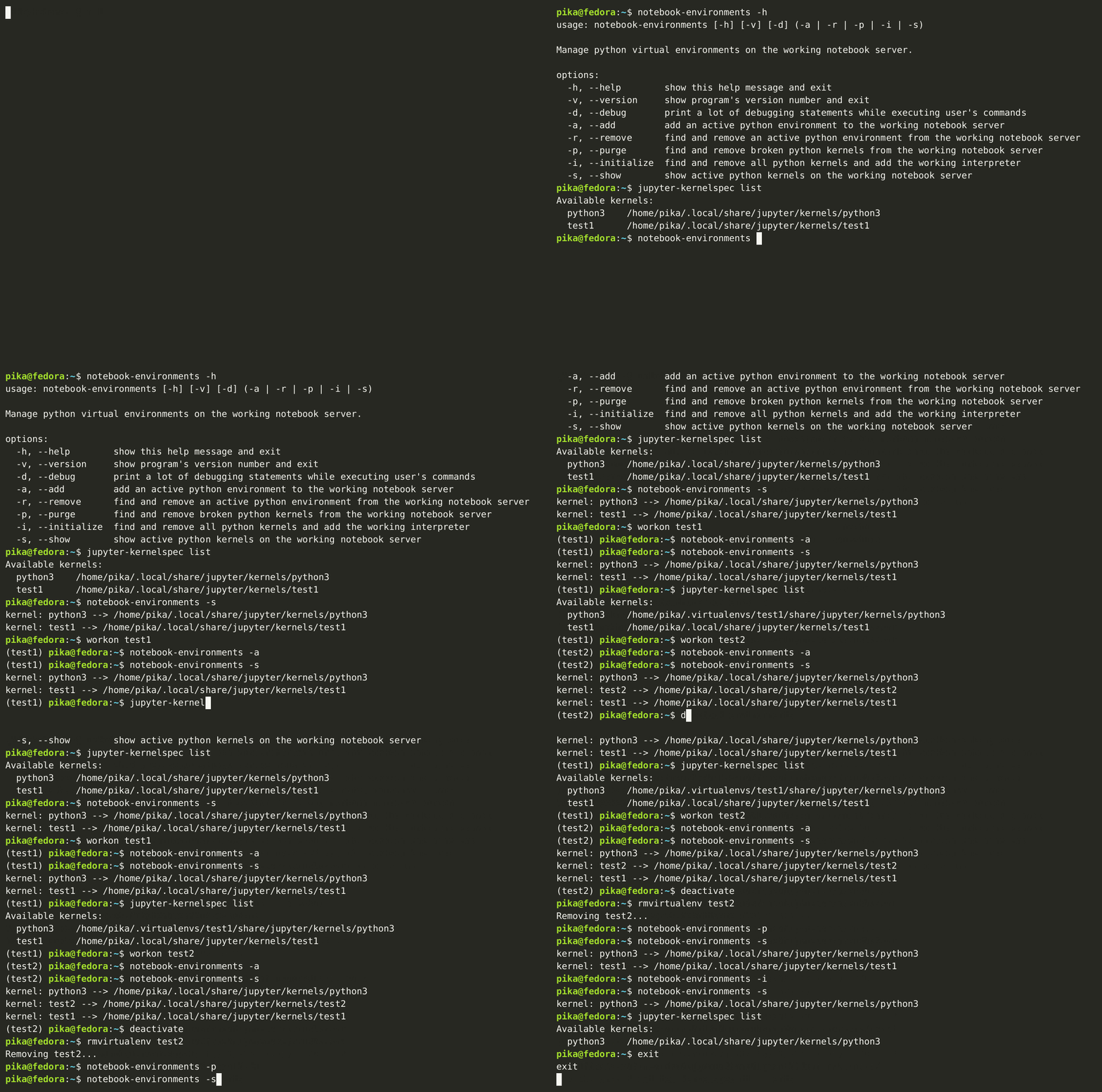
Manage python virtual environments on the working notebook server.
Installation
It is recommended to use this package together with virtualenv and virtualenvwrapper to work with python virtual environments more suitable. Make sure the installed python interpreters work without errors on the current operating system. To install this package as a standalone application with the command-line interface you are to run the following command:
sudo sh -c "$(curl https://raw.githubusercontent.com/vladpunko/notebook-environments/master/install.sh)"
Use the package manager pip to install notebook-environments without the command-line interface:
python3 -m pip install notebook-environments
You can also install this python package on your working machine (works for unix-like operating systems) from source code to /usr/local/bin as the standard system location for user's programs (this location can be changed at the user's discretion):
# Step -- 1.
git clone --depth=1 --branch=master https://github.com/vladpunko/notebook-environments.git

# Step -- 2.
cd ./notebook-environments/

# Step -- 3.
sudo install -m 755 n.sh /usr/local/bin/n

# Step -- 4.
sudo install -m 755 notebook_environments.py /usr/local/bin/notebook-environments
Basic usage
Using this program allows you to run one instance of notebook server on your working machine and add different python virtual environments as needed. It protects you from the trouble of installing notebook packages in a new environment and running multiple servers.
# Step -- 1.
nohup jupyter notebook > /tmp/notebook.log 2>&1 &

# Step -- 2.
python3 -m venv .venv && source ./.venv/bin/activate && notebook-environments --add

# Step -- 3.
notebook-environments --show
Contributing
Pull requests are welcome. Please open an issue first to discuss what should be changed.
Please make sure to update tests as appropriate.
# Step -- 1.
python3 -m venv .venv && source ./.venv/bin/activate && pip install pre-commit tox

# Step -- 2.
pre-commit install --config .githooks.yml

# Step -- 3.
tox && tox -e lint
License
2 maintainers


Metadata
2 maintainers
Release files for notebook-environments 0.8.14
For a detailed explanation of source distributions (sdists) and built distributions (wheels), please see the package formats documentation.
Source distribution (sdist)
| File | Size | Uploaded | |
|---|---|---|---|
| notebook-environments-0.8.14.tar.gz | 10.8 kB | Details |
Built distribution (wheel)
| File | Interpreter | ABI | Platform | Reset |
|---|---|---|---|---|
| notebook_environments-0.8.14-py2.py3-none-any.whl | Python 2, Python 3 | none | any | Details |
Total release size: 21.4 kB
Release files / notebook-environments-0.8.14.tar.gz
| Download URL | notebook-environments-0.8.14.tar.gz |
|---|---|
| Size | 10.8 kB |
| Tags | Source |
|
SHA-256 checksum How to use checksums |
ffadb65da2204970482f9bae6db6d2362bb8a192818c245e21752ac69f2498da
|
|
BLAKE2b-256 checksum How to use checksums |
c8f0e82b1e5bc728323ced6d6fdfe72fdfd02ef5bd33dc4f3111a0af8728b8f8
|
| Upload date | |
|
Uploaded using Trusted Publishing? What is trusted publishing? |
No |
| Uploaded via |
twine/5.0.0 CPython/3.12.2
|
Release files / notebook_environments-0.8.14-py2.py3-none-any.whl
| Download URL | notebook_environments-0.8.14-py2.py3-none-any.whl |
|---|---|
| Size | 10.6 kB |
| Tags | Python 2 Python 3 |
|
SHA-256 checksum How to use checksums |
aed6c30632cfb482bc1f87780deab66fffc46c067d9dc9b3bbef7011385af590
|
|
BLAKE2b-256 checksum How to use checksums |
b0eba7a48255e8bc3c83120bbcb11551a88b8a296259d5c85ddf54ecd6ac7b17
|
| Upload date | |
|
Uploaded using Trusted Publishing? What is trusted publishing? |
No |
| Uploaded via |
twine/5.0.0 CPython/3.12.2
|














