
notebookJS: seamless JavaScript integration in Python Notebooks




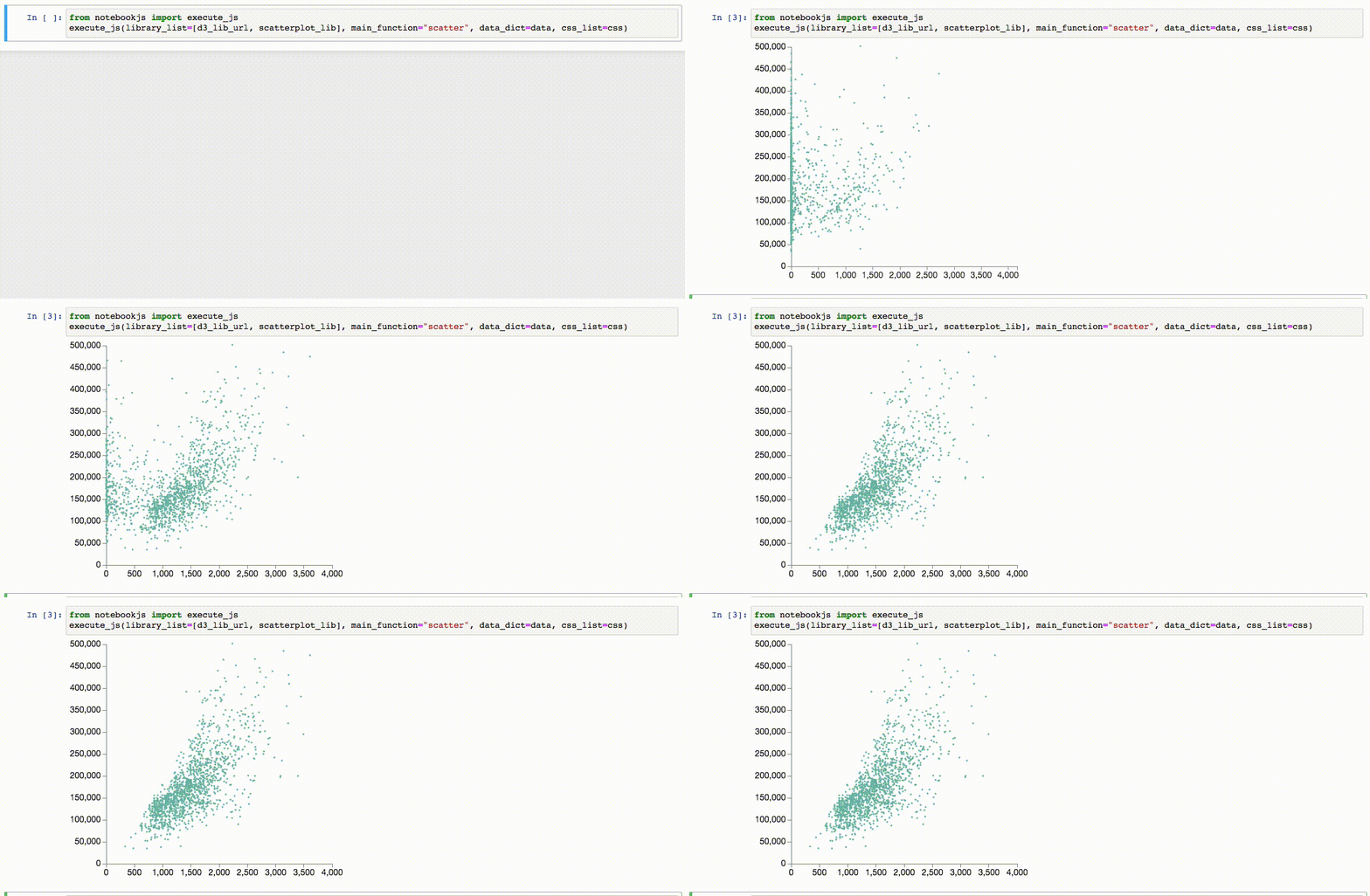
notebookJS enables the execution of custom JavaScript code in Python Notebooks (Jupyter Notebook and Google Colab). This Python library can be useful for implementing and reusing interactive Data Visualizations in the Notebook environment.
notebookJS takes care of downloading and handling Javascript libraries and CSS stylesheets from the web. Furthermore, it supports bidirectional communication between Python and JavaScript. User interactions in HTML/JavaScript can trigger Python callbacks that process data on demand and send the results back to the front-end code.
Implementation details in our paper.
See our blog post.
Install
To install, run:
pip install notebookjs
Or clone this repository and run:
python setup.py install
API
The notebookJS API consists of a single method: execute_js. This method executes a javascript function and sets up the infrastructure for bidirectional communication between Python and Javascript using callbacks.
execute_js(
    library_list,
    main_function,
    data_dict={},
    callbacks={},
    css_list=[],
)
Parameters
- library_list : list of str. List of strings containing either 1) URL to a javascript library, 2) javascript code, 3) javascript bundle (Plain JS only - No support for ES6 Modules)
- main_function : str. Name of the main function to be called. The function will be called with two parameters: <div_id>, for example "#my_div", and <data_dict>.
- data_dict : dict. Dictionary containing the data to be passed to <main_function>
- callbacks : dict. Dictionary of the form {<callback_str_id> : <python_function>}. The javascript library can use callbacks to talk to python.
- css_list : list of str. List of strings containing either 1) URL to a CSS stylesheet or 2) CSS styles
Main Function
main_function is the javascript function that will be run when execute_js is called. It has the following signature:
function main_function(div_id, data_dict)
Example of Main Function
As a simple example, we can use D3 to add a circular div to the output cell:
function draw_circle(div_id, data){
  // Function that draws a circle of color <data.color> inside the div <div_id> using D3
  d3.select(div_id)
    .append("div")
    .style("width", "50px")
    .style("height", "50px")
    .style("background-color", data.color)
    .style("border-radius", "50px")
}
Callbacks
callbacks contains a dictionary that maps an identifier string to a Python function. Data is passed to/from callbacks using json/dicts.
For example, the following callback computes the number to the power of 2.
def compute_power_2(data){
    n = data.n
    n2 = n**2
    return {"power2": n2}
}

callbacks = {
    "compute_power_2": compute_power_2
}

execute_js(..., callbacks=callbacks)
In Javascript, we can call this callback with the class CommAPI. CommAPI is automatically injected in the Javascript by notebookJS.
let comm = new CommAPI("compute_power_2", (ret)=>{alert("The returned value is " + ret.power2)})

comm.call({n: 3})
// An alert will be shown with the message: "The returned value is 9"
Jupyter Notebook and Google Colab have different APIs for sending data to/from Javascript/Python. CommAPI abstracts the different APIs in a single convenient class.
Examples
Hello World - Python Callbacks
In this example, we show how to display "hello world" in multiple languages using Javascript and Python. The Javascript is responsible for updating the front end and requesting a new message from Python. Python returns a random message every time the callback is invoked.

Javascript to update the div with a hello world message
helloworld_js = """
function helloworld(div_id, data){
    comm = new CommAPI("get_hello", (ret) => {
      document.querySelector(div_id).textContent = ret.text;
    });
    setInterval(() => {comm.call({})}, 1000);
    comm.call({});
}
"""
Defining the Python Callback
import random
def hello_world_random(data):
  hello_world_languages = [
      "Ola Mundo", # Portuguese
      "Hello World", # English
      "Hola Mundo", # Spanish
      "Geiá sou Kósme", # Greek
      "Kon'nichiwa sekai", # Japanese
      "Hallo Welt", # German
      "Namaste duniya", # Hindi
      "Ni hao, shijiè" # Chinese
  ]
  i = random.randint(0, len(hello_world_languages)-1)
  return {'text': hello_world_languages[i]}
Invoking the function helloworld in notebook
from notebookjs import execute_js
execute_js(helloworld_js, "helloworld", callbacks={"get_hello": hello_world_random})
See this colab notebook for a live demo.
Radial Bar Chart - Running D3 code in the Notebook
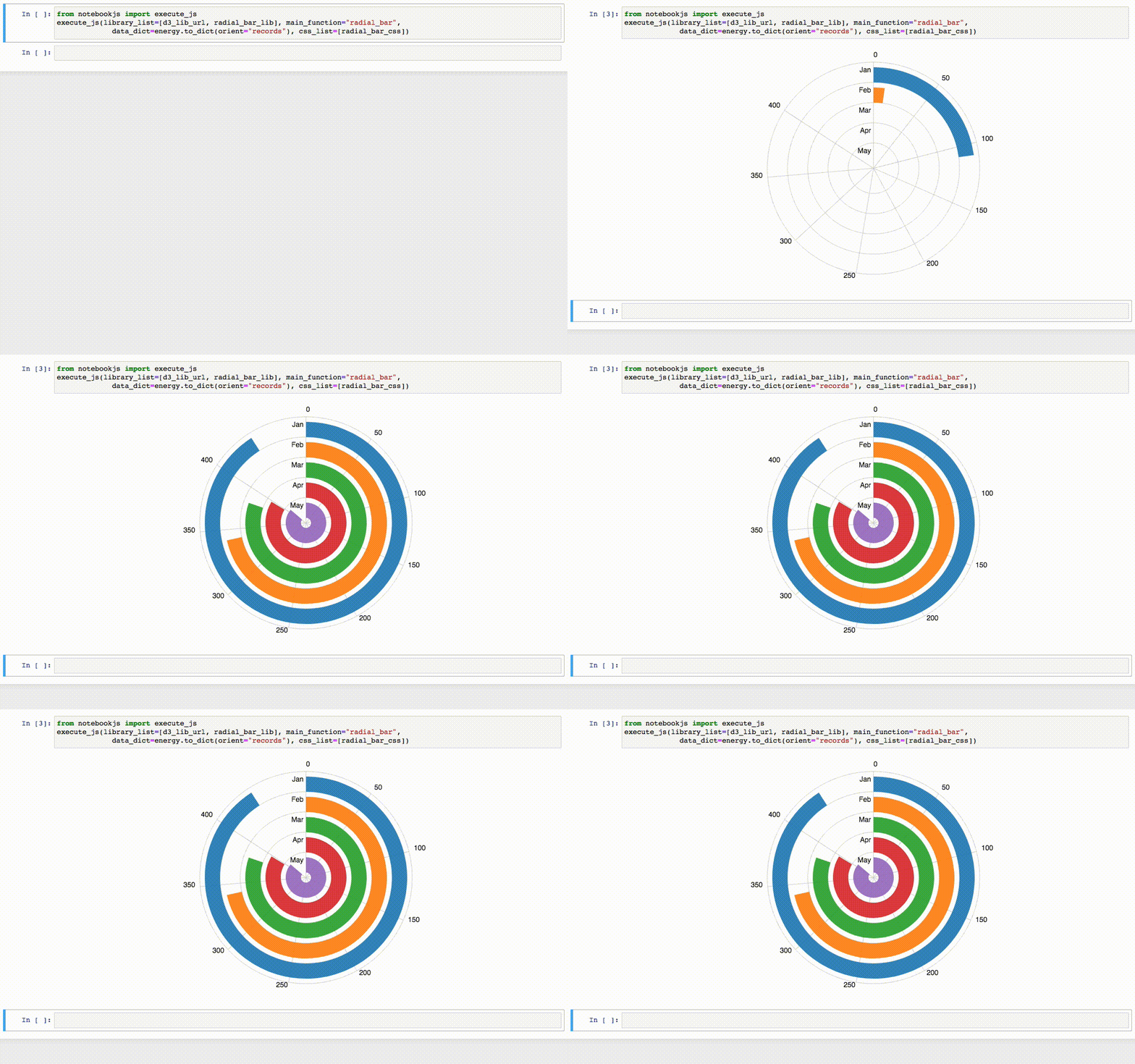
Plotting a Radial Bar Chart with data loaded from Python. Adapted from this bl.ock. See Examples/3_RadialBarChart.
# Loading libraries
d3_lib_url = "https://d3js.org/d3.v3.min.js"

with open("radial_bar.css", "r") as f:
    radial_bar_css = f.read()

with open ("radial_bar_lib.js", "r") as f:
    radial_bar_lib = f.read()

# Loading data
import pandas as pd
energy = pd.read_csv("energy.csv")

# Plotting the Radial Bar Chart
from notebookjs import execute_js
execute_js(library_list=[d3_lib_url, radial_bar_lib], main_function="radial_bar",
             data_dict=energy.to_dict(orient="records"), css_list=[radial_bar_css])
More examples
Please see the Examples/ folder for more examples.
Reference
If you use notebookJS, please reference the following work:
"Interactive Data Visualization in Jupyter Notebooks. JP Ono, J Freire, CT Silva - Computing in Science & Engineering, 2021"
Bibtex:
@article{ono2021interactive,
  title={Interactive Data Visualization in Jupyter Notebooks},
  author={Ono, Jorge Piazentin and Freire, Juliana and Silva, Claudio T},
  journal={Computing in Science \& Engineering},
  volume={23},
  number={2},
  pages={99--106},
  year={2021},
  publisher={IEEE}
}
1 maintainer

Metadata
1 maintainer
Release files for notebookjs 0.1.4
For a detailed explanation of source distributions (sdists) and built distributions (wheels), please see the package formats documentation.
Source distribution (sdist)
| File | Size | Uploaded | Provenance | |
|---|---|---|---|---|
| notebookjs-0.1.4.tar.gz | 10.0 kB | Without provenance | Details |
Built distributions (wheels)
| File | Interpreter | ABI | Platform | Reset |
|---|---|---|---|---|
| notebookjs-0.1.4-py3.8.egg | Legacy Egg format | - | - | Details |
| notebookjs-0.1.4-py3-none-any.whl | Python 3 | none | any | Details |
Total release size: 30.8 kB
Release files / notebookjs-0.1.4.tar.gz
| Download URL | notebookjs-0.1.4.tar.gz |
|---|---|
| Size | 10.0 kB |
| Tags | Source |
|
SHA-256 checksum How to use checksums |
a91a64768848f4001c0411f25e3d37a844a0a40accb368657250ffcbe54c56b5
|
|
BLAKE2b-256 checksum How to use checksums |
b0b27badc2b06433fc0413c8f41de5d3f15cc96dc0c23e5134cddf8542721b7b
|
| Upload date | |
|
Uploaded using Trusted Publishing? What is trusted publishing? |
No |
| Uploaded via |
twine/3.4.1 importlib_metadata/3.10.0 pkginfo/1.6.1 requests/2.24.0 requests-toolbelt/0.9.1 tqdm/4.50.2 CPython/3.8.5
|
Release files / notebookjs-0.1.4-py3.8.egg
| Download URL | notebookjs-0.1.4-py3.8.egg |
|---|---|
| Size | 11.9 kB |
| Tags | Egg |
|
SHA-256 checksum How to use checksums |
4927b4d1559222b055ce11dc173a2e3dd03adc068cc5453ad83b34126e8dd9ee
|
|
BLAKE2b-256 checksum How to use checksums |
ba964c2ec7e9e2c6d99e9ee7160f3d5529a7ae1477c18e3e01bb5db086f7a91e
|
| Upload date | |
|
Uploaded using Trusted Publishing? What is trusted publishing? |
No |
| Uploaded via |
twine/3.4.1 importlib_metadata/3.10.0 pkginfo/1.6.1 requests/2.24.0 requests-toolbelt/0.9.1 tqdm/4.50.2 CPython/3.8.5
|
Release files / notebookjs-0.1.4-py3-none-any.whl
| Download URL | notebookjs-0.1.4-py3-none-any.whl |
|---|---|
| Size | 9.0 kB |
| Tags | Python 3 |
|
SHA-256 checksum How to use checksums |
8454e8f9a5d690fab4d94c4a8f5d92a139c8db237ca777474fc8da4e094a2c52
|
|
BLAKE2b-256 checksum How to use checksums |
4aa25c0e870c304c12f099dd48939f04c114971794bcaf8bbe0bd516648f346f
|
| Upload date | |
|
Uploaded using Trusted Publishing? What is trusted publishing? |
No |
| Uploaded via |
twine/3.4.1 importlib_metadata/3.10.0 pkginfo/1.6.1 requests/2.24.0 requests-toolbelt/0.9.1 tqdm/4.50.2 CPython/3.8.5
|
Security for notebookjs 0.1.4
Provenance
Provenance describes where a file came from. On PyPI, provenance is shared via attestations, which provide a verifiable record of the build or publishing details. View details, limitations and caveats.
No provenance found
None of the files in this release were uploaded with provenance metadata.
A note on package security
PyPI is a repository for distributing packages, not a service for auditing them. While third-party security researchers and our staff do their best to detect and remove malicious packages, PyPI cannot guarantee the quality, security or suitability of any given package.
To learn more about protecting yourself from malicious actors, visit our package security documentation.














