
Document Color Palette Compression

Project description
noteshrunk - Document Color Palette Compression
This Python script compresses images by reducing the number of colors and optimizing the image representation. The idea of the program is to optimize scanned documents. It uses KMeans clustering to reduce the number of colors (higher contrast, smaller file size) and offers various options to customize the compression process. All supplied images are then saved either as images or as a multi-page PDF.
The color space of the input image (black-and-white / grayscale / color) is preserved as long as you use a local (per page) color palette. Otherwise, images with smaller color spaces will be adapted (black-and-white -> grayscale / color or grayscale -> color) to the color space of the image with the largest color space. For saving black-and-white images, I recommend having libtiff installed, otherwise it will fall back to using embedded jpeg.
This is a complete and improved rewrite of mzucker's noteshrink.
Features
- Color Quantization: Reduces the number of colors in the document using KMeans clustering, leading to smaller file sizes and higher contrast.
- Background Detection and Removal: Identifies and removes the background color (replace with white), enhancing visual clarity.
- Autoremove empty pages: Identifies and removes blank pages.
- Customizable Palette: Allows you to specify the number of colors in the output palette, provide a custom hex color palette, maximize saturation, normalize contrast, and choose between a global palette for all pages or individual palettes for each page.
- Binarization: Trivial binarization by thresholding.
- Denoising Options: Provides median filtering, morphological opening, morphological closing and unsharp masking to reduce noise and improve image quality.
- Parallel processing: Multi-threading for faster processing of multiple images.
- Low memory profile: Trys to keep memory usage as small as possible. This is done by:
- Each page is converted separately
- The intermediate files are stored in the current working directory (so that you can choose between disk and RAM [e.g.
/tmp]) - The library functions and programs used are specifically chosen to have the smallest overhead
- The input color space is preserved, if possible.
Examples
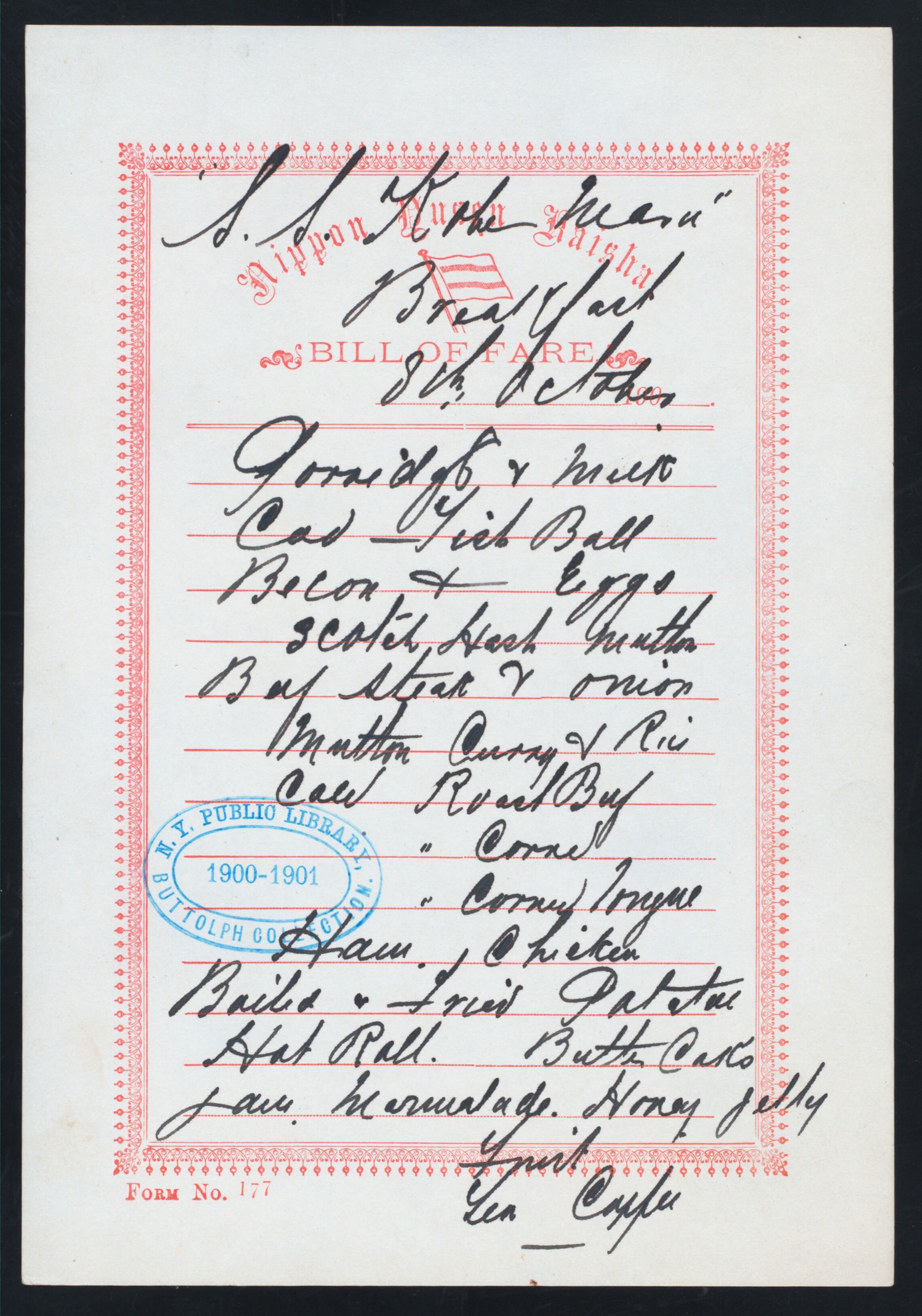
Generic Example
 |
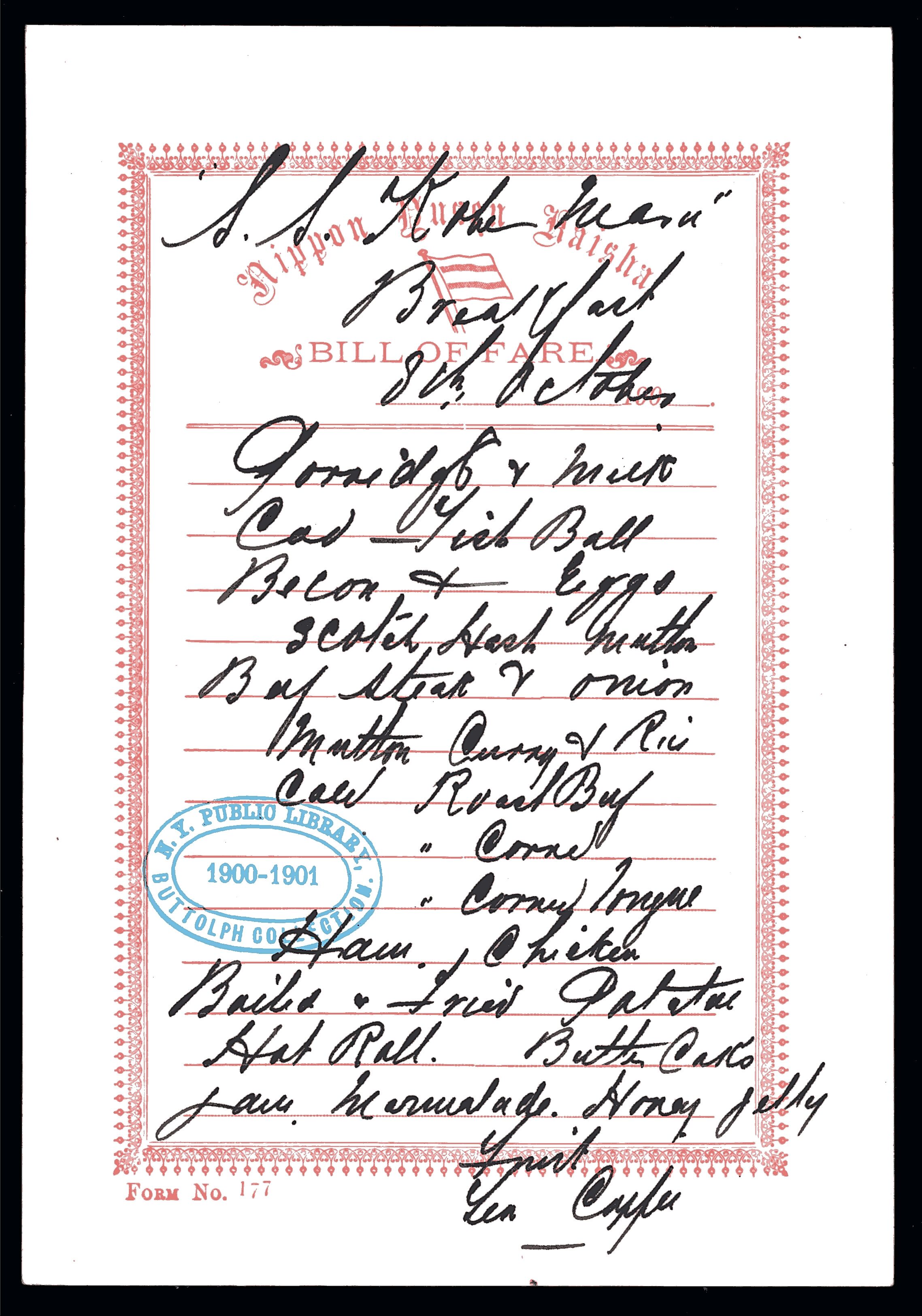 |
| Original Image | noteshrunk -w -s --unsharp_mask -ur 2 -ua 1 |
Fine / Low Resolution Text
Morphological Opening swallows fine structures, but unsharp masking helps preserve them.
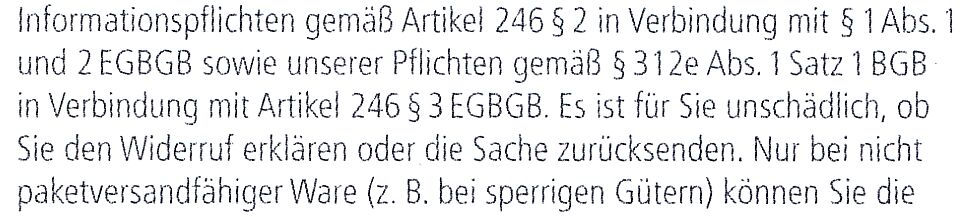 |
Original Image (own) |
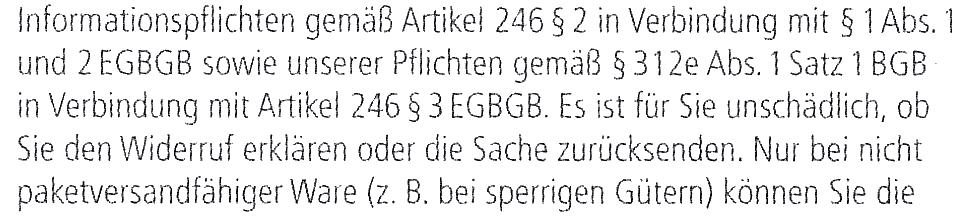 |
noteshrunk -w --denoise_closing -cs 1.5 |
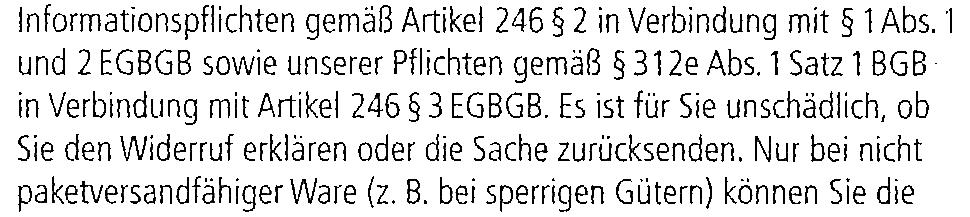 |
noteshrunk -w --unsharp_mask -ua 5 --denoise_closing -cs 1.5 |
Empty Pages
This page has a coverage of about 0.1 ‰ within the blue rectangle and will be removed, if --skip_empty is used.This is useful for duplex scanning. The margin width is 6% of the page width. |
 |
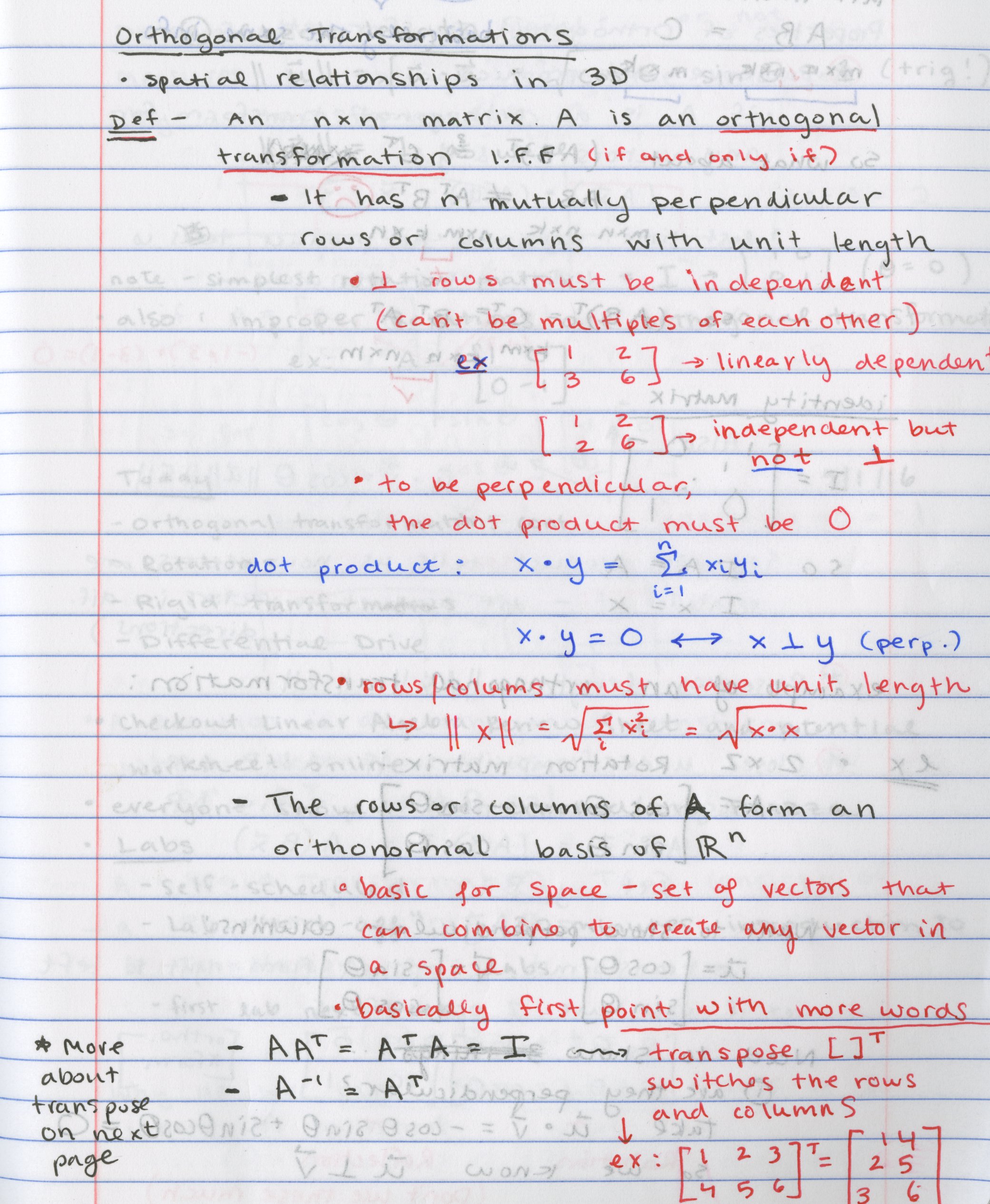
Advanced Example
 |
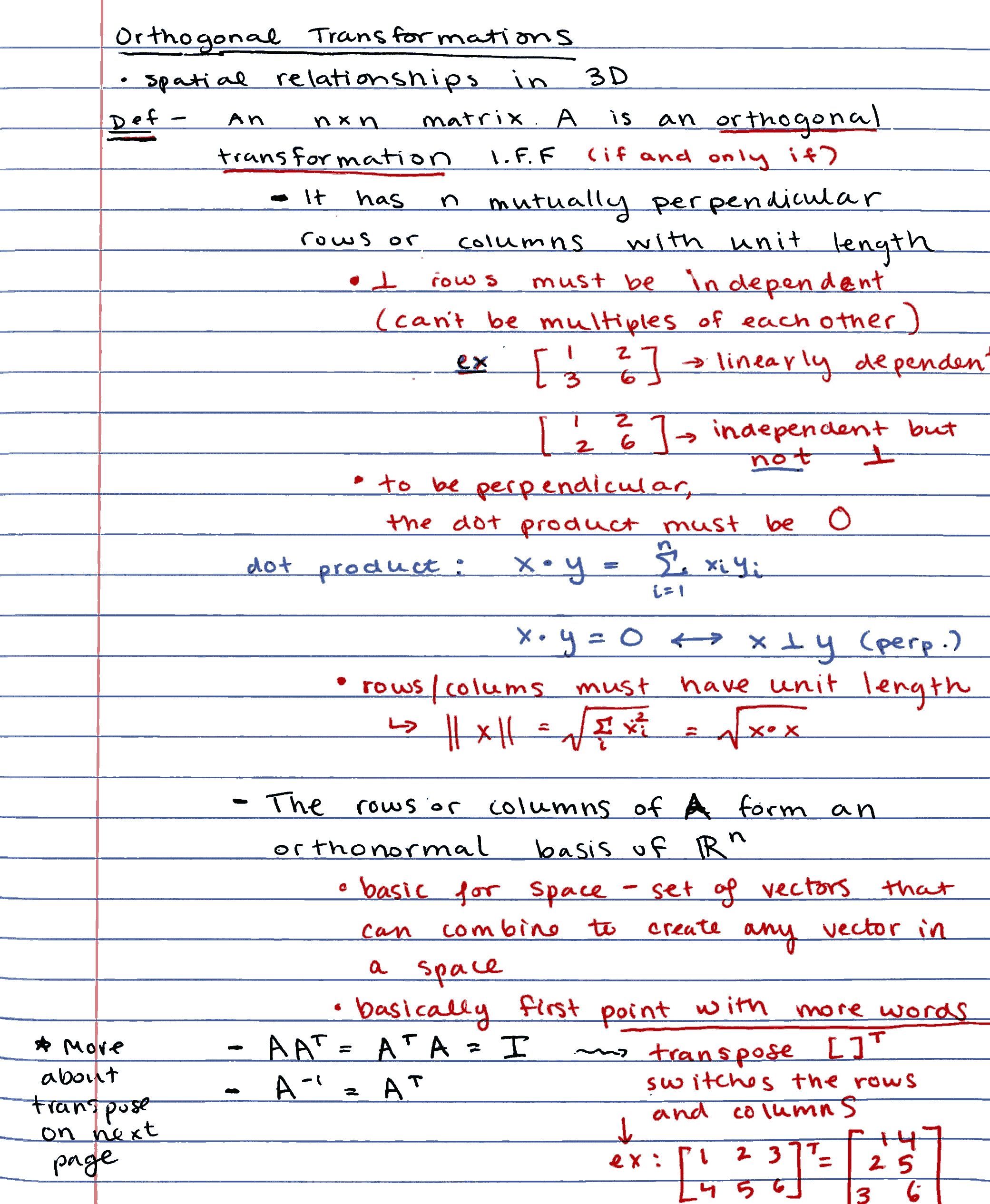 |
| Original Image | noteshrunk -w -s -tv 30 --denoise_opening -os 1.6 -c 6 --percentage 100 example_3-orig.jpg |
Image Source: https://github.com/mzucker/noteshrink/blob/master/https://github.com/suuuehgi/noteshrunk/blob/main/examples/notesA1.jpg
Further Examples
-
Compress a single image with default settings:
noteshrunk input.png -
Compress multiple images with a white background and 16 colors:
noteshrunk -w -c 16 image1.jpg image2.png
-
Compress images using a local color palette and keep intermediate files while disabling multi-threading:
noteshrunk -l -j 1 -k *.jpg
-
You can even use it for videos:
mkdir frames out && ffmpeg -i <input_video> [-vf fps=10] frames/out%04d.png
noteshrunk -w -n -o out/out.png frames/*
ffmpeg -framerate <fps> -i out/out_%04d.png <output_video>
Requirements
Python Packages
- argcomplete
- NumPy
- Pillow (PIL Fork)
- Python 3
- scikit-image
- scikit-learn
- SciPy
Other
- Ghostscript (executable
gsin PATH - for PDF merging)
Optional Dependencies
libtifffor much smaller file sizes on black-and-white images.
Installation
pipx install noteshrunk
Usage
noteshrunk [-h] [-o OUTPUT] [-b] [-w] [-n] [-s] [-c N_COLORS] [-d DPI]
[-q [1-100]] [-l] [-p PALETTE] [--percentage PERCENTAGE] [-e]
[--binarize] [-te THRESHOLD_EMPTY] [-j JOBS] [-y] [-tb [1-100]]
[-ts [1-100]] [-tv [1-100]] [--denoise_median] [--denoise_opening]
[--denoise_closing] [--unsharp_mask] [-ms MEDIAN_STRENGTH]
[-cs CLOSING_STRENGTH] [-os OPENING_STRENGTH] [-ua UNSHARP_AMOUNT]
[-ur UNSHARP_RADIUS] [-k] [-v] [--version] files [files ...]
Arguments
files: A list of paths to the input image files.-o,--output: Path to the output file (default:output.pdf).-b,--black: Replace the color closest to black with black.-w,--white_background: Use white background instead of dominant color.-n,--normalize: Normalize the output image / perform a global contrast stretch.-s,--saturate: Maximize saturation in the output image.-c,--n_colors: Number of colors in the palette (default: 8).-d,--dpi: DPI value of the input image/-s (default: 300).-q,--quality: JPEG quality of the output images (or images embedded in the PDF) (1-100, default: 75).-l,--local_palette: Create an individual color palette for each image (by sampling a percentage of the pixels of that image) instead of a global palette.-p,--palette: Custom color palette as comma-separated hex codes (e.g., "#FFFFFF,#FF0000,#000000"). The first color is used as the background.--percentage: Percentage of pixels to sample from each image. (default: 100).-e,--skip_empty: Autoremove blank pages. Pages with a coverage (after removing about 6 percent at the margin) below<-te>will be removed.--binarize: Trivial binarization by thresholing with<-tb>.-te,--threshold_empty: Coverage in parts per thousand / permille below which a page should be discarded (default: 2).-j,--jobs: Number of processes to use (default: number of CPU cores).-y,--overwrite: Overwrite existing files without asking.-tb,--threshold_binarize: Gray value in percent for a pixel to become white (default: 60).-ts,--threshold_saturation: HSV saturation threshold (in percent) used for the background detection (default: 15).-tv,--threshold_value: HSV value threshold (in percent) used for the background detection (default: 20).--denoise_median: Apply median denoising.--denoise_opening: Apply morphological opening on the (binary) background mask.--denoise_closing: Apply morphological closing on the (binary) background mask.--unsharp_mask: Apply unsharp masking with radius<-ur>and amount<-ua>to the V-channel of the output image in HSV representation.-ms,--median_strength: Strength of median filtering (default: 3).-cs,--closing_strength: Strength of closing filtering / radius of the structuring element (disk) (default: 3).-os,--opening_strength: Strength of opening filtering / radius of the structuring element (disk) (default: 3).-ua,--unsharp_amount: The amount used for unsharp masking (default: 2).-ur,--unsharp_radius: The radius used for unsharp masking (default: 5).-k,--keep_intermediate: Do not delete intermediate (single-page) PDFs afterwards.-v,--verbose: Verbose output.--version: Show program version and exit.
Contributing
Contributions are welcome! Please feel free to submit issues or pull requests on the GitHub repository.
Acknowledgements
This project utilizes open-source software from the Python community. Special thanks to the developers and maintainers of the required libraries as well as mzucker's initial program.
License
This project is licensed under the MIT License. See the LICENSE file for details.
Release history Release notifications | RSS feed


Download files
Download the file for your platform. If you're not sure which to choose, learn more about installing packages.
Source Distribution
Built Distribution
Filter files by name, interpreter, ABI, and platform.
If you're not sure about the file name format, learn more about wheel file names.
Copy a direct link to the current filters
File details
Details for the file noteshrunk-1.7.2.tar.gz.
File metadata
- Download URL: noteshrunk-1.7.2.tar.gz
- Upload date:
- Size: 44.7 kB
- Tags: Source
- Uploaded using Trusted Publishing? No
- Uploaded via: uv/0.10.12 {"installer":{"name":"uv","version":"0.10.12","subcommand":["publish"]},"python":null,"implementation":{"name":null,"version":null},"distro":{"name":"Fedora Linux","version":"43","id":"","libc":null},"system":{"name":null,"release":null},"cpu":null,"openssl_version":null,"setuptools_version":null,"rustc_version":null,"ci":null}
File hashes
| Algorithm | Hash digest | |
|---|---|---|
| SHA256 |
6a0a24028f4b93c2ea4b2b8cf476105b8944b98c6dbf9bce43d465081f512e9a
|
|
| MD5 |
7e429cfde78e66051da42e5b6d702725
|
|
| BLAKE2b-256 |
b65aa20c589838c492a5cb69b797401d932c0f6662234900c75dc7d615566683
|
File details
Details for the file noteshrunk-1.7.2-py3-none-any.whl.
File metadata
- Download URL: noteshrunk-1.7.2-py3-none-any.whl
- Upload date:
- Size: 40.4 kB
- Tags: Python 3
- Uploaded using Trusted Publishing? No
- Uploaded via: uv/0.10.12 {"installer":{"name":"uv","version":"0.10.12","subcommand":["publish"]},"python":null,"implementation":{"name":null,"version":null},"distro":{"name":"Fedora Linux","version":"43","id":"","libc":null},"system":{"name":null,"release":null},"cpu":null,"openssl_version":null,"setuptools_version":null,"rustc_version":null,"ci":null}
File hashes
| Algorithm | Hash digest | |
|---|---|---|
| SHA256 |
cf846ab9c5a2b206f4b92d75578a1383ee4b34fa94e8b35a1e271fa43820edc0
|
|
| MD5 |
eb2846fba6de6a3a7301b9711ad2e069
|
|
| BLAKE2b-256 |
54ba63f262f366c376a97397b95537c0ae7a46a9d59614e04ac87a800cb1624b
|







_NIPPON_YUSEN_KAISHA_-_S.S.KOBE_MARU_(at)_EN_ROUTE_(SS)_(NYPL_Hades-274833-469108).jpg)
