
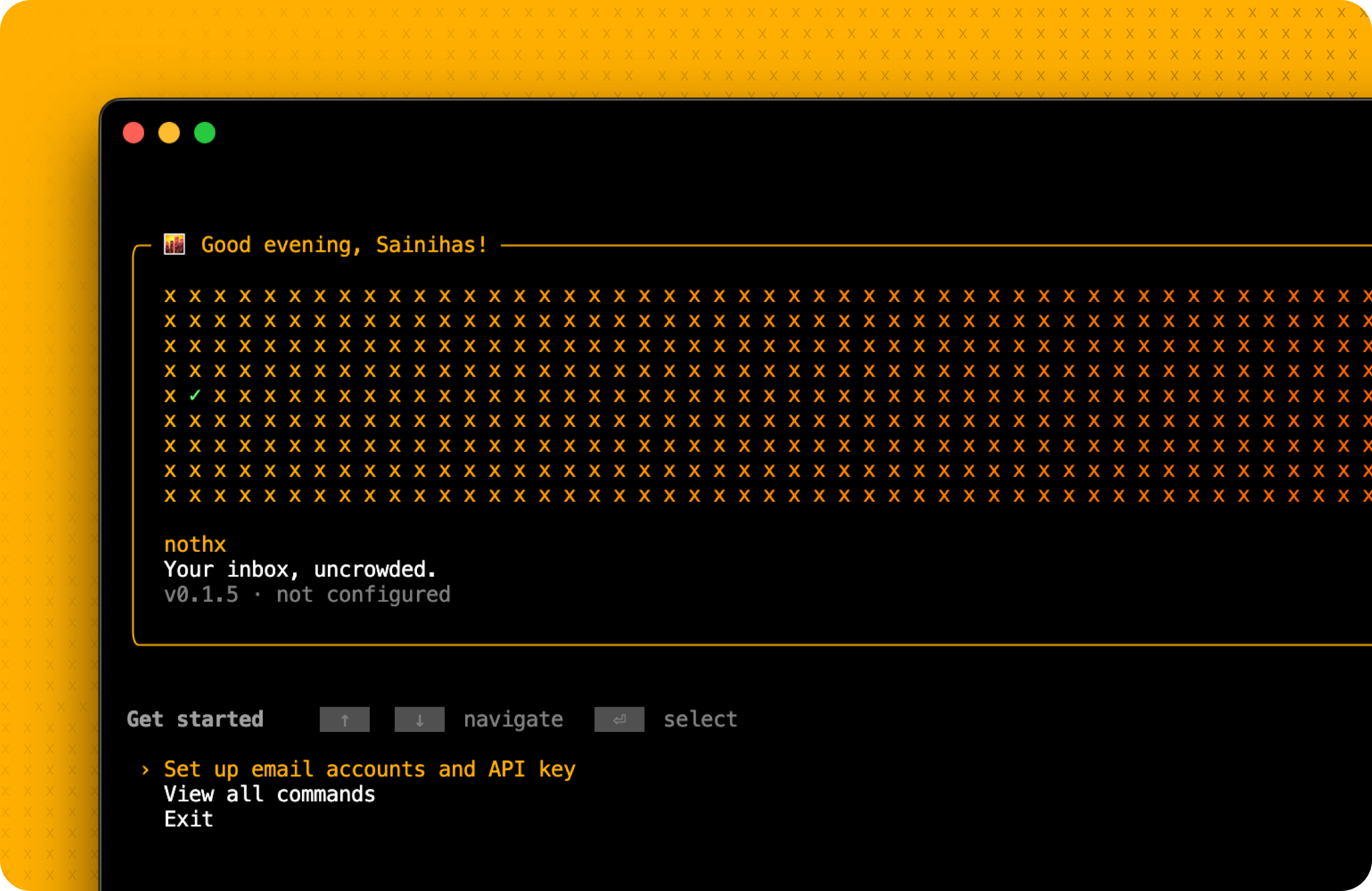
nothx




nothx (no thanks) separates legitimate subscriptions from spam and phishing, then takes the safe action: unsubscribe from authenticated lists or suppress dangerous mail in Junk without contacting its sender. Mailbox access and body inspection stay on your machine. If you enable a cloud AI provider, only a bounded summary of locally selected marketing/spam headers is sent for preference classification—never message bodies or unrelated personal mail.
Your inbox, uncrowded.
Quick Start
pipx install nothx
nothx init
The wizard configures accounts and AI. Outlook/Live/Hotmail also requires the one-time Microsoft application setup described below.
Don't have pipx?
brew install pipx(macOS) orsudo apt install pipx(Linux).Run
nothxanytime for the interactive menu.
Why nothx?
| The Problem | How nothx fixes it |
|---|---|
| Mailbox-cleanup services require inbox access | IMAP scanning and state remain on your machine |
| Most tools treat all unwanted mail alike | Safe subscriptions are unsubscribed; spam/phishing is never contacted |
| Manual unsubscribing is tedious | AI classifies hundreds of senders in seconds |
| One-size-fits-all rules | Learns your preferences over time |
| Yet another app to run | Uses native OS scheduling (launchd/systemd) |
| What if AI gets it wrong? | Correct future local policy and teach the classifier |
Features
Core
- AI-Powered — Claude, GPT, Gemini, or local models via Ollama
- Authenticated Unsubscribe — strict RFC 8058 one-click, vetted HTTPS GET, or constrained mailto
- Real Spam Suppression — consumes provider Junk/phishing verdicts and safely moves exact IMAP UIDs to the discovered Junk mailbox
- Privacy First — header-only by default; the optional footer scanner is local, bounded, and never sends footer content to AI
Smart
- Learns From You — Gets smarter every time you disagree with a decision
- 5-Layer Classification — Rules → Patterns → AI → Heuristics → Manual review
- Guarded Automation — unknown authentication, conflicting verdicts, and protected identities go to review
Practical
- Multi-Account — Scan Gmail + Outlook simultaneously
- Native Scheduling — No daemon needed. Uses launchd (macOS) or systemd (Linux).
- Future Policy Corrections —
nothx undo domain.comchanges nothx's future decision; it cannot externally resubscribe you
Beautiful
- Rich CLI — Animated banner, progress bars, colored output
- Interactive Mode — Just run
nothxfor menu-driven operation
The Learning System
nothx gets smarter the more you use it. Every decision trains your personal preference model.
What it learns:
- Keywords — Keep emails with "receipt"? Future receipt-related senders score safer.
- Open rates — If you keep emails you never open, it stops penalizing low engagement.
- Volume tolerance — Keep high-volume senders? It raises the threshold before flagging.
Corrections teach it too. When you run nothx undo, it doesn't just restore — it learns that this type of email matters to you.
nothx status --learning # See your learned preferences
How It Works
Email arrives in Inbox or Junk
      ↓
┌─────────────────┐
│ PROVIDER POLICY │  Junk, phishing, authentication, mailbox flags
└────────┬────────┘
         ↓
┌─────────────────┐
│  USER RULES     │  Your exact keep, unsubscribe, and block choices
└────────┬────────┘
         ↓
┌─────────────────┐
│ LOCAL CANDIDATE │  List/bulk, engagement, and cold-outreach evidence
└────────┬────────┘
         ↓
┌─────────────────┐
│ AI / HEURISTICS │  Preference classification for selected candidates
└────────┬────────┘
         ↓
┌─────────────────┐
│ SAFE DISPOSITION│  Keep, review, unsubscribe, or move to Junk
└─────────────────┘
Provider threat evidence and explicit block rules are resolved before AI. Mixed clean/threat or pass/fail evidence requires review; one flagged message never authorizes suppressing the whole sender group. Bulk mail is not automatically spam, and an unsubscribe link is not automatically safe.
Commands
Essentials
| Command | What it does |
|---|---|
nothx |
Interactive menu |
nothx init |
Setup wizard — accounts, API key, first scan |
nothx run |
Recheck the recent lookback with configured AI and process eligible mail |
nothx cleanup |
Scan the full Inbox once, review the plan, and apply approved actions |
nothx cleanup --preview |
Explicit read-only preview; no mail actions |
nothx status |
Stats, accounts, schedule at a glance |
nothx review |
Decide on uncertain senders |
nothx test --ai |
Test mailbox connections and the configured AI provider, including disabled-provider recovery |
Cleanup review focuses on marketing/newsletters and spam. Promotional evidence is checked
across every header in the scan, including mail older than the five recent subject samples.
Personal conversations and service-only senders stay outside the cleanup picker. Mixed
service/promotional senders appear for inspection with promotional examples, while their
receipts and security notices continue to prevent group-wide suppression.
Search by full sender address,
account, mailing list, or subject; pages contain at most 20 sender groups and you can
finish review at any time. Accounts and separate mailing lists are never merged by domain.
Use nothx cleanup --details for candidate tables before review.
Day-to-Day
| Command | What it does |
|---|---|
nothx senders |
List all tracked senders |
nothx search <pattern> |
Find a specific sender |
nothx undo [domain] |
Change future local policy (does not resubscribe) |
nothx history |
View grouped, redacted operation history |
nothx export |
Export data to CSV |
Configuration
| Command | What it does |
|---|---|
nothx rule "pattern" keep/unsub/block |
Add a classification rule |
nothx rules |
List all classification rules |
nothx schedule --daily |
Set the recommended automatic run frequency |
nothx account add/remove |
Manage email accounts |
nothx config --show |
View current config |
nothx config --engaged-marketing review/allow |
Review or permit automatic actions on engaged marketing |
nothx consent |
Explicitly grant or revoke versioned network/mailbox automation consent |
nothx run --preview |
Preview recent mail with configured AI; no mail actions or saved decisions |
nothx run --dry-run |
Preview recent mail with local rules; no cloud AI or mail actions |
nothx run --new-only |
Only scan new UIDs, skipping earlier undecided messages |
nothx resolve ID --dry-run |
Refresh a saved subscription and preview usable sources |
nothx resolve ID |
Finish a selected subscription; supports simple confirmation forms |
nothx resolve ID --retry |
Explicitly allow one bounded retry of a failed/manual case |
nothx resolve ID --completed |
Record provider confirmation you saw in the browser |
nothx run --full-history |
Scan all history in Inbox and configured folders |
nothx run --rescan |
Repeat the configured lookback without rewinding the cursor |
nothx update |
Check for and install updates |
nothx completion |
Generate shell completion |
Aliases: r (run), s (status), rv (review), h (history)
Setup
Requirements
- Python 3.11+
- Gmail, Outlook, Yahoo, or iCloud account
- AI provider (optional — works without AI too)
Installation
pipx is the recommended way to install nothx. It handles virtual environments automatically.
# Base install (heuristics only, or Ollama)
pipx install nothx

# With your preferred AI provider
pipx install "nothx[anthropic]"  # Claude (recommended)
pipx install "nothx[openai]"     # GPT-4
pipx install "nothx[gemini]"     # Google Gemini
pipx install "nothx[all-ai]"     # All providers
Don't have pipx?
macOS:
brew install pipx
Linux:
# Ubuntu/Debian
sudo apt install pipx

# Fedora
sudo dnf install pipx
pipx requires Python 3.11+. After installing, verify with python3 --version.
Using pip instead
If you prefer pip, use a virtual environment to avoid system conflicts:
python3 -m venv ~/.nothx-venv
source ~/.nothx-venv/bin/activate
pip install nothx
Gmail App Password
- Go to myaccount.google.com/apppasswords
- Generate a new password for "nothx"
- Copy the 16-character code
Requires 2FA enabled on your account.
Outlook / Live / Hotmail OAuth
Microsoft personal accounts no longer accept basic authentication or app passwords for IMAP. nothx uses OAuth2 device sign-in instead; it never needs your Microsoft password.
The operator must register a nothx application once. This release does not ship a shared Microsoft application ID. After setup, accounts reuse that ID and users only complete Microsoft sign-in. App IDs are public identifiers; no client secret is used.
- In Azure App registrations, create a public-client app that supports Personal Microsoft accounts only.
- Under Authentication, enable Allow public client flows. No client secret or redirect URI is needed. If you already created an organizational single-tenant app, change its supported account types to include personal Microsoft accounts; single-tenant organizational registrations cannot sign in Live/Hotmail accounts.
- Set
NOTHX_MICROSOFT_CLIENT_IDto the Application (client) ID, or provide it once whennothx initornothx account addasks. nothx saves it for later accounts. - Open the displayed Microsoft device-login URL, enter its short code, and approve IMAP and SMTP access using the same personal email address entered in nothx.
- In Outlook web, open Settings → Mail → Forwarding and IMAP, enable Let devices and apps use IMAP, and save. Microsoft disables IMAP by default. If sign-in succeeds but Inbox access fails, nothx preserves the sign-in; run
nothx testafter enabling IMAP.
Microsoft connection settings document the OAuth2 requirement and IMAP switch.
The access and refresh tokens are stored separately in
~/.nothx/tokens.json with owner-only permissions. If an older token granted
IMAP but not SMTP, nothx asks you to sign in once more before it sends an
unsubscribe email.
AI Provider Setup
Anthropic (Claude) — Best for email classification. Get API key
OpenAI (GPT) — GPT-6 models. Get API key
Google (Gemini) — Free tier available. Get API key
Ollama (Local) — Run models locally. No API key needed. Install Ollama
Without AI, nothx uses heuristic scoring. Still works, just less smart.
Safety and privacy defaults
- Inbox and the unambiguously advertised IMAP
\Junkmailbox are scanned. nothx does not guess localized Junk folder names; configure an override if your server advertises none or several. - Ordinary runs repeat the configured lookback (30 days by default), so earlier undecided mail is reclassified after AI or policy changes.
--new-onlyexplicitly uses(account, mailbox, UIDVALIDITY, UID)cursors. Full history is explicit:cleanupincludes only Inbox, whilerun --full-historyalso includes configured folders. - Marketing/newsletters with at least 25% of messages marked read require review by default. Engaged cold outreach also requires review. Read flags are imperfect evidence of preference, so they never force KEEP. Choose
nothx config --engaged-marketing allowto permit automatic actions on clear promotions even when read; explicit keep/block choices still win. - Every scan reports mailbox size, selected headers, headers read, and scope. A small incremental result describes new mail, not a clean Inbox. Junk messages already outside Inbox are reported separately from Inbox messages to move.
- Cleanup previews show summary counts; add
--detailsfor each unsubscribe/block candidate’s account/list identity and recent subjects. Unsubscribe requests stop future deliveries when honored; existing marketing messages remain in Inbox. Block actions move matching messages to Junk. Preview uses configured AI only when enabled;--dry-runremains local. - Body fetching is disabled by default. The optional footer scanner examines at most two inline text tails (64 KiB each, 128 KiB total) for authenticated list/bulk candidates. It skips attachments, nested messages, images, scripts, and forms.
- One-click POST requires compliant headers plus
$canunsubscribeor a correlated passing DKIM signature that covers both unsubscribe headers. All outbound unsubscribe contact—including an explicitly opened browser page—and mailbox actions require separate, versioned consent. - HTTP requests are HTTPS-only, proxy/cookie/auth/referrer-free, redirect constrained, SSRF checked, and connected to an already validated public IP while preserving TLS hostname verification.
- Stored targets are fingerprints and hashed destination labels. Complete hosts, paths, queries, mailto recipients/bodies, and HTTP response bodies are excluded from normal history and exports.
What an outcome means
requested: the endpoint accepted a one-click/GET request, or SMTP accepted the mail for delivery. It does not guarantee mail will stop.needs_user: automation reached a login, JavaScript flow, preference center, CAPTCHA, or an ambiguous submission. Nothx can submit one same-origin, unambiguous unsubscribe confirmation form; it does not choose preferences or enter credentials.verified_quiet: a complete post-grace scan found no later matching delivery.ineffective: matching mail arrived after the 48-hour grace period. One fresh-token or alternate-method retry is allowed; another post-grace delivery is blocked.blocked: nothx sent no unsubscribe traffic and applied its local spam path. Portable IMAP Junk movement is best effort; provider-side spam training is not guaranteed.
Troubleshooting
Connection failed
- Verify your App Password (not your regular password)
- Ensure IMAP is enabled in your email settings
- For Gmail: Check that 2FA is enabled (required for App Passwords)
- For Outlook/Live/Hotmail: use Microsoft sign-in, enable IMAP in Outlook web, and retry
nothx test. Re-add the account only when OAuth consent needs renewal; app passwords do not work - Run
nothx testto diagnose
AI classification not working
- Check your API key:
nothx config --show - Verify you have credits/quota with your chosen provider (Anthropic, OpenAI, or Google)
- nothx falls back to heuristics if AI fails — it still works
Still getting emails after unsubscribe
- Some senders ignore unsubscribe requests (bad actors)
- Daily runs verify accepted requests after 48 hours and escalate repeat offenders to Junk
- Add manually:
nothx rule "domain.com" block
Start fresh
nothx reset              # Delete everything
nothx reset --keep-config # Keep accounts, clear history
Comparison
| Feature | Unroll.me | SaneBox | Leave Me Alone | nothx |
|---|---|---|---|---|
| Price | Free | $84-432/yr | $48/yr | Free |
| Mailbox processing | Cloud | Cloud | Cloud | Local |
| Actually unsubscribes | No | Yes | Yes | Yes |
| AI classification | No | Yes | Basic | Yes (multi-provider) |
| Learns your preferences | No | Limited | No | Yes |
| Local AI option | No | No | No | Yes (Ollama) |
| Open source | No | No | No | Yes |
Philosophy
We built nothx because:
- Your email is yours. Not a product to sell.
- AI should adapt to you. Not the other way around.
- Automation should be invisible. Set once, forget forever.
- Words matter. A request is not verified cessation, and changing local policy cannot externally resubscribe an address.
Contributing
git clone https://github.com/sainihas/nothx.git
cd nothx
pip install -e ".[dev]"
pytest
License
MIT — see LICENSE
nothx — Because your inbox should work for you, not against you.
Made with mass frustration at marketing emails.
Sonnet model (September 29, 2026)
The optional Sonnet choice uses claude-sonnet-5-5; the Haiku default is unchanged. Short Sonnet completion paths request
between_tools to preserve the output budget; explicit adaptive reasoning
remains available. Existing model environment overrides still take precedence.
Finishing saved unsubscribe decisions
nothx review includes failed requests and offers Resolve unsubscribe in Nothx.
The equivalent nothx resolve ID refreshes up to 50 stored Inbox sources without
being limited to the normal 30-day lookback. It checks UIDVALIDITY, UID, Message-ID,
From and list identity before using a source. If the mailbox changed or the messages
are gone, run nothx cleanup to refresh the full Inbox history.
Use nothx resolve ID --dry-run to see usable source UIDs without contacting a sender
or saving decisions. Mixed From-address groups require a source selection; scripts
can pass --source-uid UID --yes. This source-level choice does not set a blanket
unsubscribe policy for the sender. Optional nothx config --footer-scan on also lets
resolution inspect at most three bounded, authenticated footer sources for alternatives
to failed header links. It stays off by default. Full scans spend their 100-message-per-account footer budget
on the newest eligible message from distinct subscriptions, so a single prolific
newsletter cannot consume the entire budget.
An explicit --retry permits one additional attempt. Accepted requests, ambiguous
submissions and exhausted retries are not replayed. Ordinary scans preserve these
boundaries. For a provider requiring login or preference choices, use
nothx open-unsubscribe ID, complete the provider step, then
nothx resolve ID --completed after seeing confirmation. The latter records your
reported confirmation, not independent proof of delivery stopping. Nothx waits
48 hours and a complete subsequent Inbox scan before reporting verified quietness.
1 maintainer

Metadata
1 maintainer
Release files for nothx 0.1.13
For a detailed explanation of source distributions (sdists) and built distributions (wheels), please see the package formats documentation.
Source distribution (sdist)
| File | Size | Uploaded | Provenance | |
|---|---|---|---|---|
| nothx-0.1.13.tar.gz | 296.7 kB | With provenance | Details |
Built distribution (wheel)
| File | Interpreter | ABI | Platform | Reset |
|---|---|---|---|---|
| nothx-0.1.13-py3-none-any.whl | Python 3 | none | any | Details |
Total release size: 507.9 kB
Release files / nothx-0.1.13.tar.gz
| Download URL | nothx-0.1.13.tar.gz |
|---|---|
| Size | 296.7 kB |
| Tags | Source |
|
SHA-256 checksum How to use checksums |
7254b42b93b978398deb76c1c3bfb4062cc3c947527f99081ef8474eb2758bab
|
|
BLAKE2b-256 checksum How to use checksums |
6949c358e6280f54a18cee91654c0349f934102ddc821edcd4f532dcca91f8e8
|
| Upload date | |
|
Uploaded using Trusted Publishing? What is trusted publishing? |
Yes |
| Uploaded via |
twine/7.0.0 CPython/3.13.14
|
Provenance
Provenance describes where a file came from. On PyPI, provenance is shared via attestations, which provide a verifiable record of the build or publishing details. View details, limitations and caveats.


PyPI Publish Attestation
PyPI verified that this artifact, at this checksum, originated from the publisher listed below.
Signed by GitHub Actions, verified by PyPI on Oct 19, 2026.
Transparency logRelease files / nothx-0.1.13-py3-none-any.whl
| Download URL | nothx-0.1.13-py3-none-any.whl |
|---|---|
| Size | 211.2 kB |
| Tags | Python 3 |
|
SHA-256 checksum How to use checksums |
57687a2f79d529023ce596f4fe1557837c843c8e5daf6ff939b6fdffe801a19b
|
|
BLAKE2b-256 checksum How to use checksums |
d51f57a9f047ecc92a972107c478a0e7d1602546d3456270a919e7e14def6865
|
| Upload date | |
|
Uploaded using Trusted Publishing? What is trusted publishing? |
Yes |
| Uploaded via |
twine/7.0.0 CPython/3.13.14
|
Provenance
Provenance describes where a file came from. On PyPI, provenance is shared via attestations, which provide a verifiable record of the build or publishing details. View details, limitations and caveats.
PyPI Publish Attestation
PyPI verified that this artifact, at this checksum, originated from the publisher listed below.
Signed by GitHub Actions, verified by PyPI on Oct 19, 2026.
Transparency logSecurity for nothx 0.1.13
Provenance
Provenance describes where a file came from. On PyPI, provenance is shared via attestations, which provide a verifiable record of the build or publishing details. View details, limitations and caveats.
Full provenance
All 2 files in this release have been uploaded with provenance metadata.
Attestation for nothx-0.1.13.tar.gz
PyPI Publish Attestation
PyPI verified that this artifact, at this checksum, originated from the publisher listed below.
Signed by GitHub Actions, verified by PyPI on Oct 19, 2026.
Transparency logA note on package security
PyPI is a repository for distributing packages, not a service for auditing them. While third-party security researchers and our staff do their best to detect and remove malicious packages, PyPI cannot guarantee the quality, security or suitability of any given package.














