
Simple python tracker

Project description

What is it?
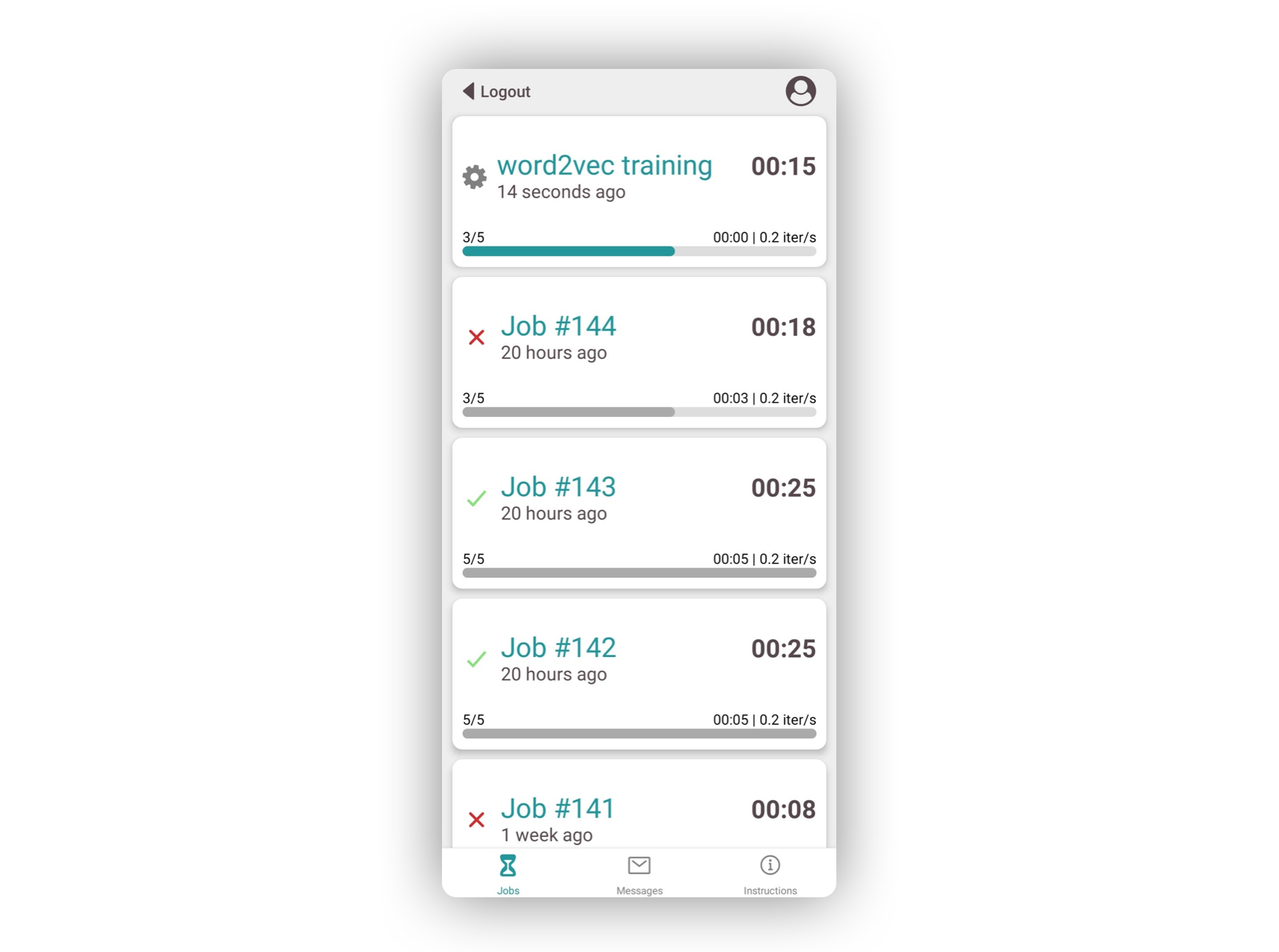
Notify Me SenPy is a productivity tool that let's you track your Python scripts' execution from your smartphone and receive a notification whenever the execution reaches certain points.
It is composed of a Python package and a mobile app. The package is used within your Python script to specify which job you want to track and at which points you want to receive notifications. The application is where you can check on your job progress and see the notification history.
Usage
You can send notifications from a script to your app using notify_me
from senpy import notify_me

notify_me("Great job!")
You can track your jobs using the ntm python with statement:
from senpy import ntm
from time import sleep

with ntm(range(10)) as iterator:
    for i, item in enumerate(iterator):
        sleep(5)
Use cases
1 - Hyperparameter fine-tuning :
Here we try to find the appropriate value for the number of clusters. This computation can be time-consuming and cumbersome to track manually.
from sklearn.cluster import KMeans
from senpy import notify_me, ntm


# random dataset generated by sklearn
X = make_blobs(n_samples=300_000, n_features=100)[0]

inertias = []

with ntm(range(1, 100, 10)) as nb_clusters:
    # Using ntm, SenPy keeps us updated about the current iteration
    for i in nb_clusters:
        km = KMeans(n_clusters=i, init='random')
        km.fit(X)
        inertia.append(km.intertia_)


# At the end of the computation we get notified by SenPy
notify_me(f"KMeans fitted, inertia went from {inertias[0]} to , {inertias[-1]}")
2 - Use notify-me and ntm at the same time:
from senpy import notify_me, ntm
from time import sleep

IDLE_TIME = 3 * 60 * 1000 ## 3 minutes

def very_long_computation():
    time.sleep(IDLE_TIME)


with ntm(range(0, 100)) as values:
    for value in values:
        very_long_computation()
        if(value % 10 == 0):
            # Get notified whenever something interesting happens
            notify_me(f"We are at iteration {value}")


notify_me("The computation is done !")
Here are a few more examples that illustrate how Notify Me SenPy can be used:
- PyTorch model fitting
- Password bruteforce attack
- Real time Bitcoin updates
- Tensorflow Keras Callbacks
API
ntm
All parameters are optional except iterable.
| Parameter | Type | Description |
|---|---|---|
| iterable | Iterable | The iterable that ntm is going to wrap. if iterable is a generator then you have to specify the length parameter |
| name | String | Name of the job. Default is "Job #<job number>". |
| current_iteration | Integer | Initial iteration number of the job. Default is 0. |
| update_period | Integer | Time in seconds between each update sent to the server. Default is 5 seconds. NB: the server enforces API request rate limits. |
| length | Integer | The total number of iterations. Default is len(iterable), as a consequence this argument is required when passing a generator as iterable |
notify_me
| Parameter | Type | Description |
|---|---|---|
| content | String | The content of the notification sent to the app. |
Installation
1. Package
First install the Notify Me SenPy Python package
pip install notify-me-senpy
Create an account from the command line
senpy register
>>> ? Username: your_username
>>> ? Password: *********
>>> ? Password confirmation: *********
The existing commands are
senpy {register|login|logout|change_password|delete_account}
You are done with the package setup! 🎉
2. App
Download the Notify Me SenPy app from the store.
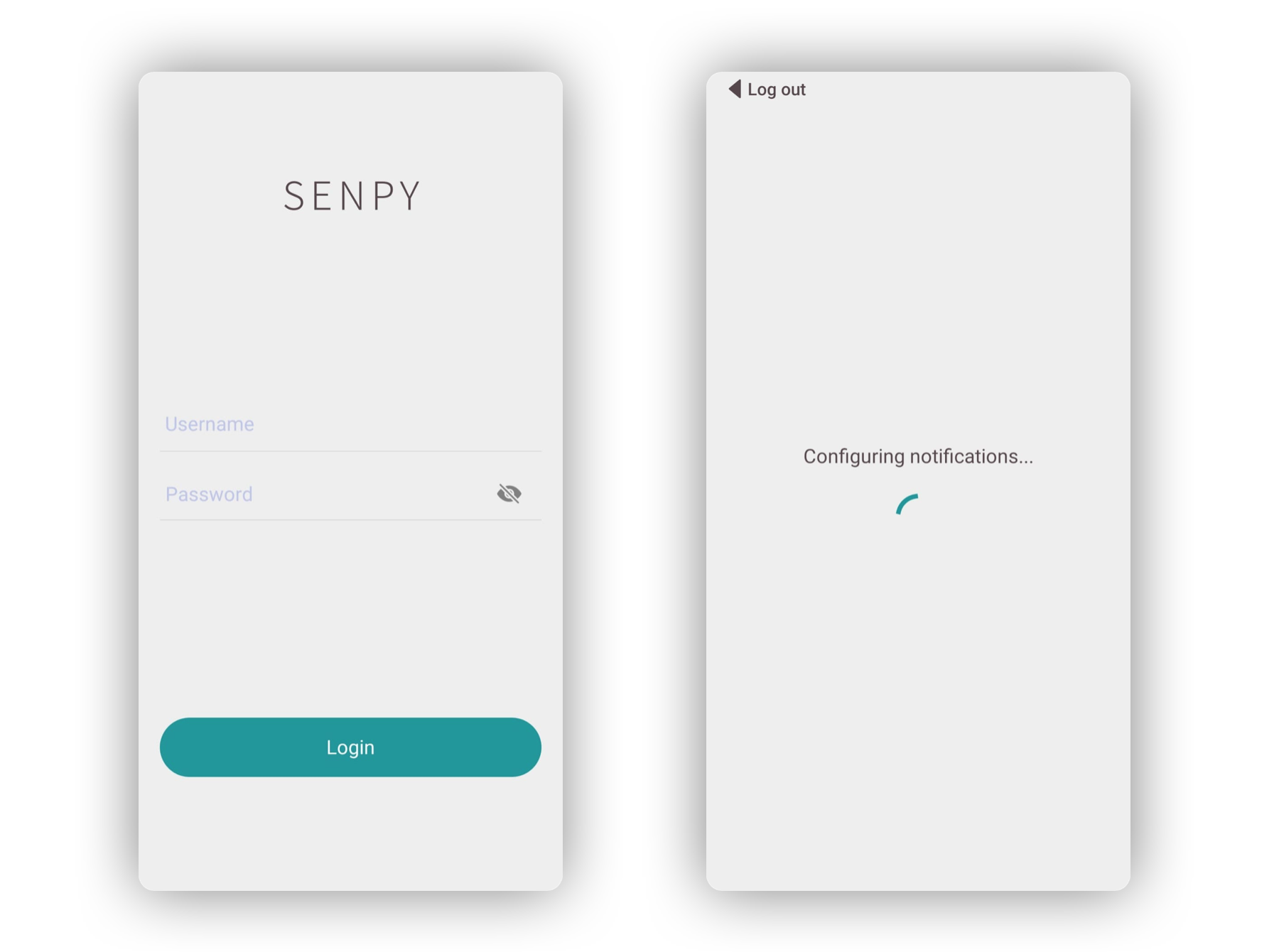
Once the app installed, open the app and wait until the configuration is done. You should receive a notification confirming that the configuration has been successfully completed. Otherwise, check your connection, try again or try re-installing the app.
Once done, you simply have to log into your account in the app to complete the installation.
To contribute
Architecture
The directory senpy is currently built as follows :
├───senpy # Folder containing the source code
    ├───account_manager.py # authentication system
    ├───cli.py # cli utility functions
    ├───jobs.py # ntm with statement source code
    ├───notifications.py # notify_me source code
    ├───request_utils.py # HTTP methods
    └───user_token.py # Auth-token-related functions
├───tests # Unittests for each function
    ├───notify_me.py
    └───ntm.py
└───setup.py # Package configuration file
Development
To get started, you can create a virtual environnement and install the packages listed in requirements.txt:
git clone https://github.com/magantoine/senpy-package
pip install virtualenv
virtualenv venv
source venv/bin/activate
cd senpy-package
pip install -r requirements.txt
Run the following command from the top folder:
pip install --editable .
You only need to run this command once. What it does is that it installs a package, called senpy, whose implementation is in the current folder (and not in the usual site-packages), so every subsequent code modifications while be taken into account.


Download files
Download the file for your platform. If you're not sure which to choose, learn more about installing packages.
Source Distribution
Built Distribution
Filter files by name, interpreter, ABI, and platform.
If you're not sure about the file name format, learn more about wheel file names.
Copy a direct link to the current filters
File details
Details for the file notify-me-senpy-0.5.1.tar.gz.
File metadata
- Download URL: notify-me-senpy-0.5.1.tar.gz
- Upload date:
- Size: 22.4 kB
- Tags: Source
- Uploaded using Trusted Publishing? No
- Uploaded via: twine/4.0.1 CPython/3.9.13
File hashes
| Algorithm | Hash digest | |
|---|---|---|
| SHA256 |
2213f7e60a86a2b8bcb415e8fc8ebd2f68bbabb50867b01091957356af31a527
|
|
| MD5 |
0aae773285e7a59a54d1c85aab386580
|
|
| BLAKE2b-256 |
2312c1552d73b77aa844309ac9b498802c6d6e377643cec33b893ab3e046048d
|
File details
Details for the file notify_me_senpy-0.5.1-py3-none-any.whl.
File metadata
- Download URL: notify_me_senpy-0.5.1-py3-none-any.whl
- Upload date:
- Size: 24.0 kB
- Tags: Python 3
- Uploaded using Trusted Publishing? No
- Uploaded via: twine/4.0.1 CPython/3.9.13
File hashes
| Algorithm | Hash digest | |
|---|---|---|
| SHA256 |
2a3e840f11f9a3f68be09577cbb0b3fc732691ca9c137b47f82535c180522217
|
|
| MD5 |
fab5fb5b85d8c5e148c9b4926c0819a4
|
|
| BLAKE2b-256 |
435fa645705ac372987411122754c4b456998f87bcf1f6ee32ae75a111be11b4
|






