
notion-tqdm


Progress Bar displayed in Notion like tqdm for Python using notion-py.
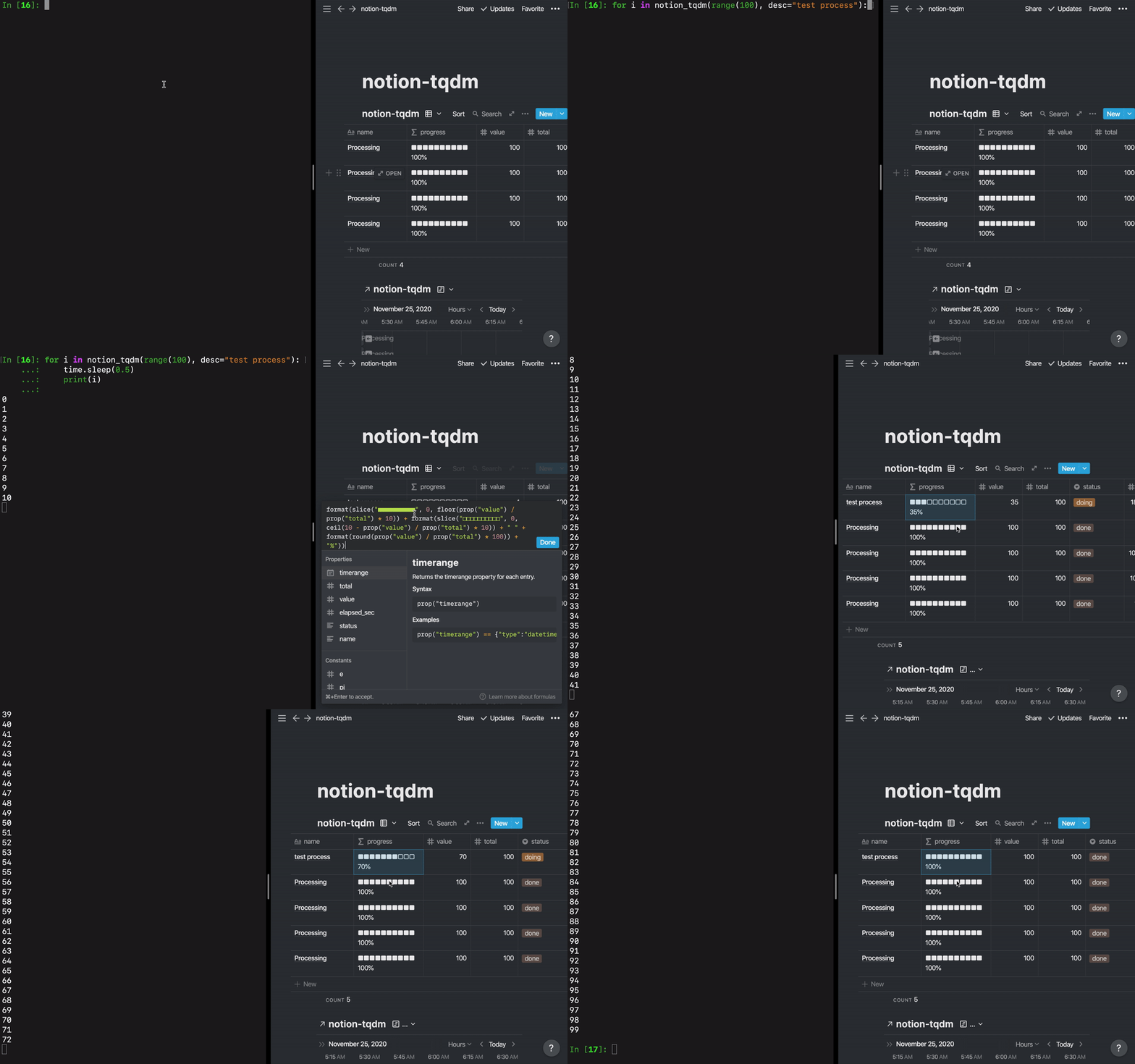
notion-tqdm inherits from tqdm, so it can be run in the same way as tqdm.
Installation
pip install notion-tqdm
Usage
Preparation
-
Get Notion's Token for reference here
-
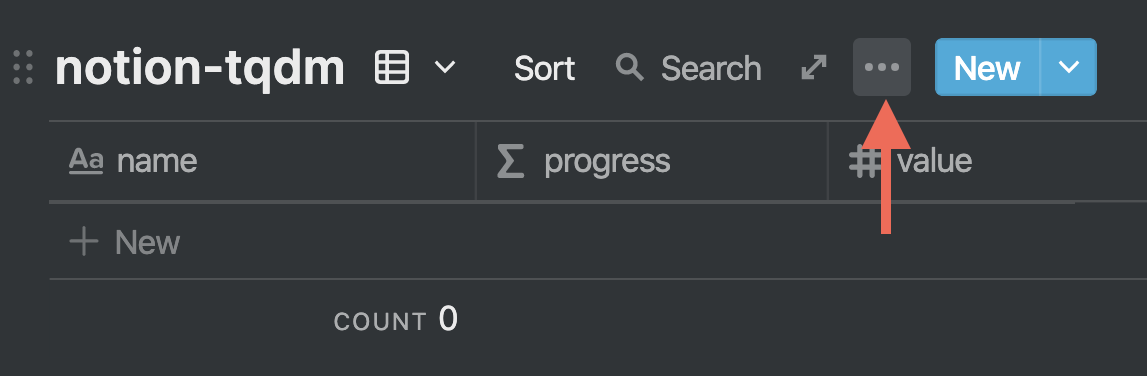
Duplicate this page in your own workspace and get the table link. (Note that it is a table link, not a page link.)
QuickStart
from notion_tqdm import notion_tqdm
from time import sleep

# Configure
token_v2 = '<token_v2>'
table_url = '<table_url>'
notion_email = '<notion_email>' # For multi-account users
notion_tqdm.set_config(token_v2, table_url, email=notion_email, timezone='Asia/Tokyo')

# Run Iterate
for i in notion_tqdm(range(100), desc='Processing'):
    sleep(1)
    print(i)
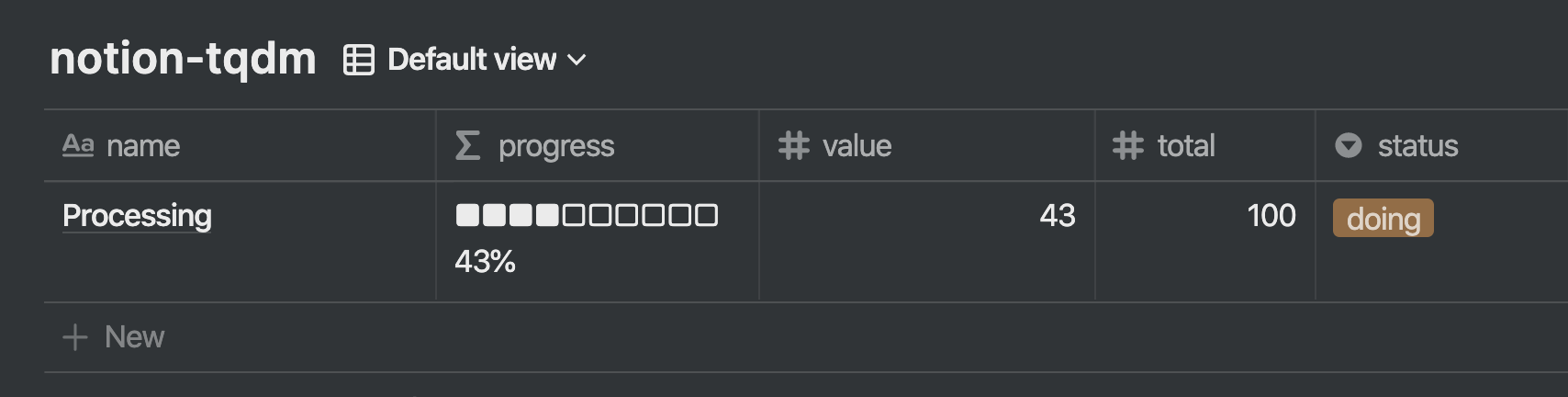
A row representing the progress should be added to the table as shown below.
Example: Running with the Other tqdm
from tqdm.auto import tqdm as tqdm_auto
from time import sleep
# Nest tqdm
tqdm = lambda *args, **kwags: tqdm_auto(notion_tqdm(*args, **kwags))
for i in tqdm(range(100)):
  sleep(1)
  print(i)
Example: Set Custom Property
Set the common parameters before the iterative process.
# After this setting, the value will be added to the column by default.
# The `machine` column must be added to the table beforehand.
notion_tqdm.set_common_props(machine='Jupyter1')
Set the dynamic parameters during the iterative process.
with notion_tqdm(range(50), desc='process') as pbar:
    for i in pbar:
        # ... some process ...
        # The `precision`, `highparam` column must be
        # added to the table beforehand.
        pbar.update_props(precision=precision, highparam=highparam)
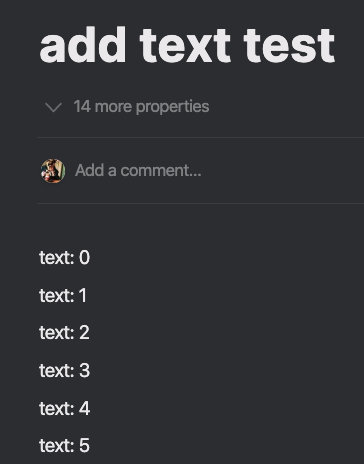
Example: Add text to a page in table row.
with notion_tqdm(range(500), desc='add text test') as pbar:
    for i in pbar:
        sleep(1)
        pbar.add_text(f'text: {i}')
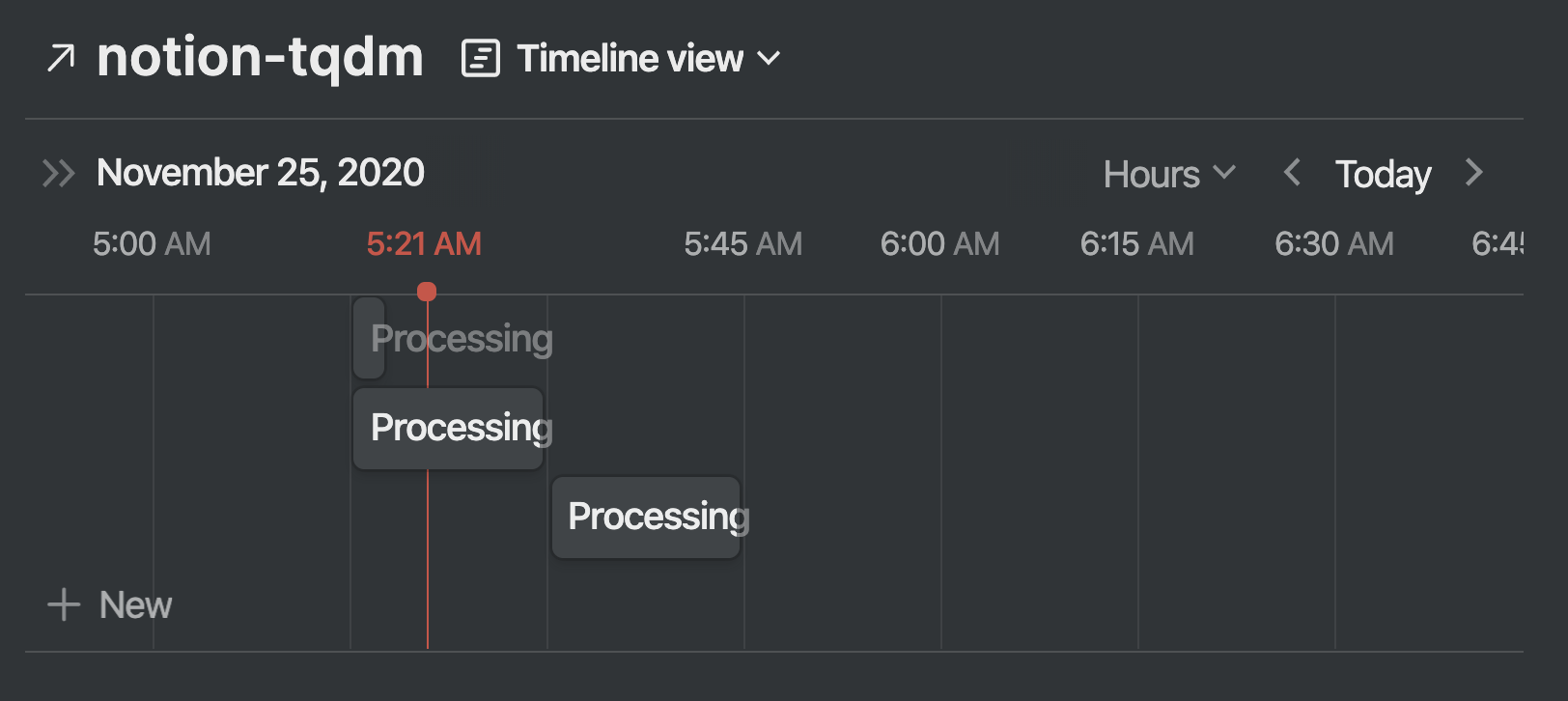
Example: Timeline View
With Notion's timeline view, you can visualize the execution time of the progress.
Devlop
test
pytest -sv --token_v2 ${{ TOKEN_V2 }} --table_url ${{ TABLE_URL }} --notion_email ${{ NOTION_EMAIL }}

docker build -t notion_tqdm_pytest .
docker run --rm notion_tqdm_pytest pytest -sv --token_v2 680db0e4a89e5f635034110db34cd05f19829070f58e38fedbd362061bfb5ec45a7a8af308e003e3970c166e4c4b8b088eca84a1db027d9a0183780f4396b927da1af88d6a7a577ba702ae6902dc --table_url https://www.notion.so/syunyo/485de72f369e4a268c88649586954a0b?v=3eb3f42f6b3843799cfc36f627461daa --notion_email syunyooo@gmail.com
僕も同じ感じです
・極としてはマルチモーダルに移行していくので、学生が今後NLPしかやりたくないというスタンスであれば基本追わなくてよさそう
・一方で野村さんや吉本さんなど、プロダクトからAILabに行く人は結構いる認識で、そのパターンの人達が当初どういうスタンスで入ってきていたのかは気になってます
なるほどです!吉本さん売り込みもしてたんですね笑 プロダクト→AILab のパターンが減るのではと少し懸念してたんですけど、事例的に問題なさそうなので、XXだけやりたい思考の人はSクラスでも積極的に追わなくていいのかなと思いました
元々いろんな事やりたいっすとい
1 maintainer

Metadata
1 maintainer
Release files for notion-tqdm 0.2.0
For a detailed explanation of source distributions (sdists) and built distributions (wheels), please see the package formats documentation.
Built distribution (wheel)
| File | Interpreter | ABI | Platform | Reset |
|---|---|---|---|---|
| notion_tqdm-0.2.0-py3-none-any.whl | Python 3 | none | any | Details |
Release files / notion_tqdm-0.2.0-py3-none-any.whl
| Download URL | notion_tqdm-0.2.0-py3-none-any.whl |
|---|---|
| Size | 7.1 kB |
| Tags | Python 3 |
|
SHA-256 checksum How to use checksums |
0de5bee2b9362ad68be41bb4cfbb854ef74c563298f20b08180573e73891e426
|
|
BLAKE2b-256 checksum How to use checksums |
97019dd9bb440e5ca2a935b3d749e704546bd28baa4c8745b6a8b0b8758a41a3
|
| Upload date | |
|
Uploaded using Trusted Publishing? What is trusted publishing? |
No |
| Uploaded via |
twine/3.4.2 importlib_metadata/4.6.3 pkginfo/1.7.1 requests/2.25.1 requests-toolbelt/0.9.1 tqdm/4.61.2 CPython/3.8.11
|
Security for notion-tqdm 0.2.0
Provenance
Provenance describes where a file came from. On PyPI, provenance is shared via attestations, which provide a verifiable record of the build or publishing details. View details, limitations and caveats.
No provenance found
None of the files in this release were uploaded with provenance metadata.
A note on package security
PyPI is a repository for distributing packages, not a service for auditing them. While third-party security researchers and our staff do their best to detect and remove malicious packages, PyPI cannot guarantee the quality, security or suitability of any given package.
To learn more about protecting yourself from malicious actors, visit our package security documentation.














