
A package to synchronize Notion tasks with Google Calendar

Project description
Notion to Google Calendar Task Synchronization
Introduction
Efficient project management relies on keeping your tasks organized and readily accessible. However, managing tasks across different platforms can be inconvenient and time-consuming. This guide explains how to synchronize tasks from your Notion to Google Calendar.
Please duplicate the example Notion database to create your own. Changing column names will cause the script to fail.
This repository is a derivative of Tapir Lab.'s Task Synchronization Repository. Licenses are included.
Benefits
- Improved task visibility: Centralize your tasks in one location for easier tracking.
- Enhanced collaboration: Share tasks and updates seamlessly with your team.
- Streamlined workflow: Reduce time spent switching between platforms.
Required Services and Information to Execute Script
-
Google Service Account:
- Create a Google Cloud project: https://developers.google.com/workspace/guides/create-project
- Enable Google Calendar API: https://support.google.com/googleapi/answer/6158841?hl=en
- Create a service account: https://cloud.google.com/iam/docs/service-accounts-create to access the Google Calendar API.
- Create a key and download the authentication file (secret file).
-
Google Calendar:
-
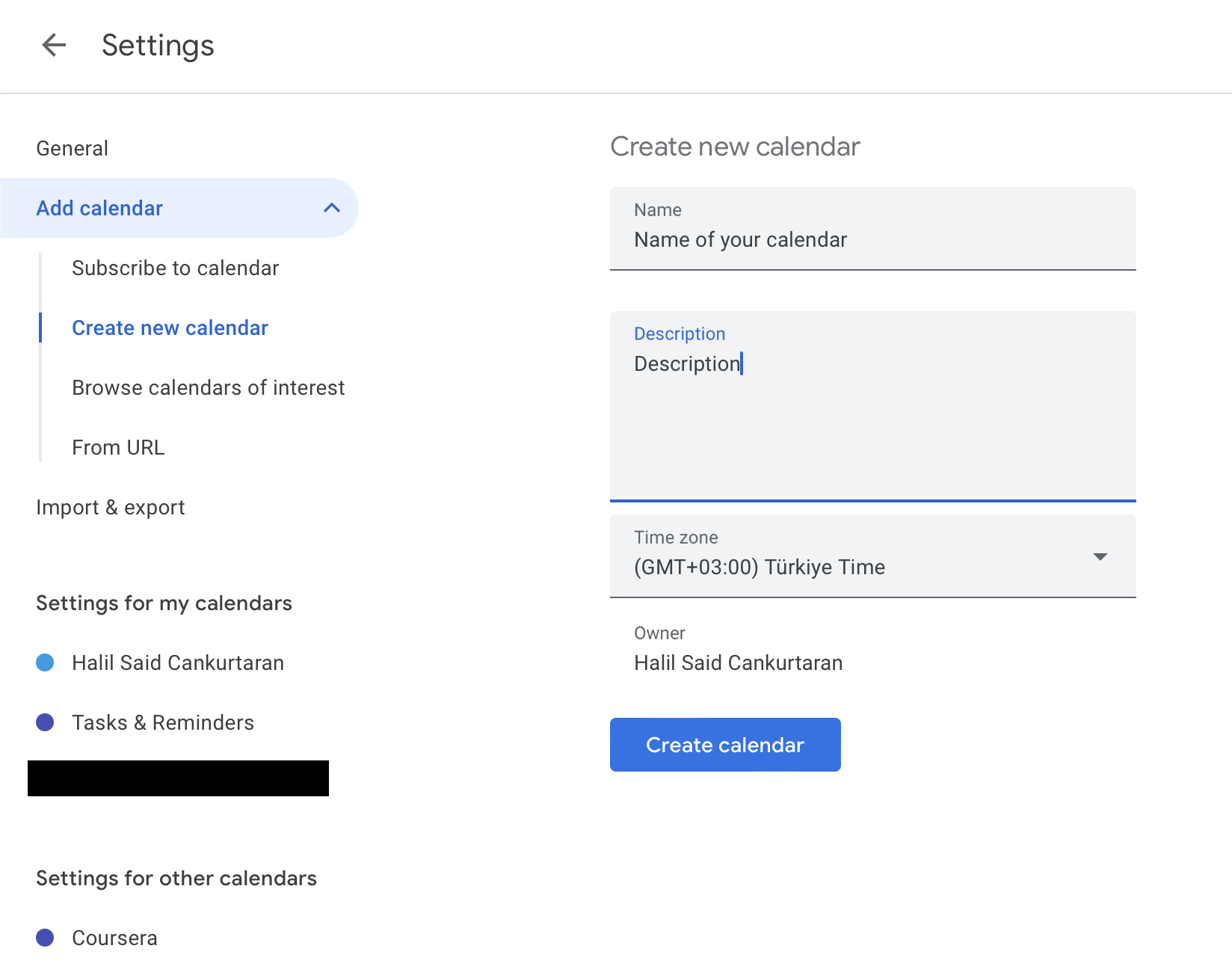
Create a new calendar in your Google Calendar settings. Important: Do not use your main calendar! Create a new one as all entries in the chosen calendar can be removed by this script.
-
Add your service account to the calendar with "Make changes to events" permission.
-
-
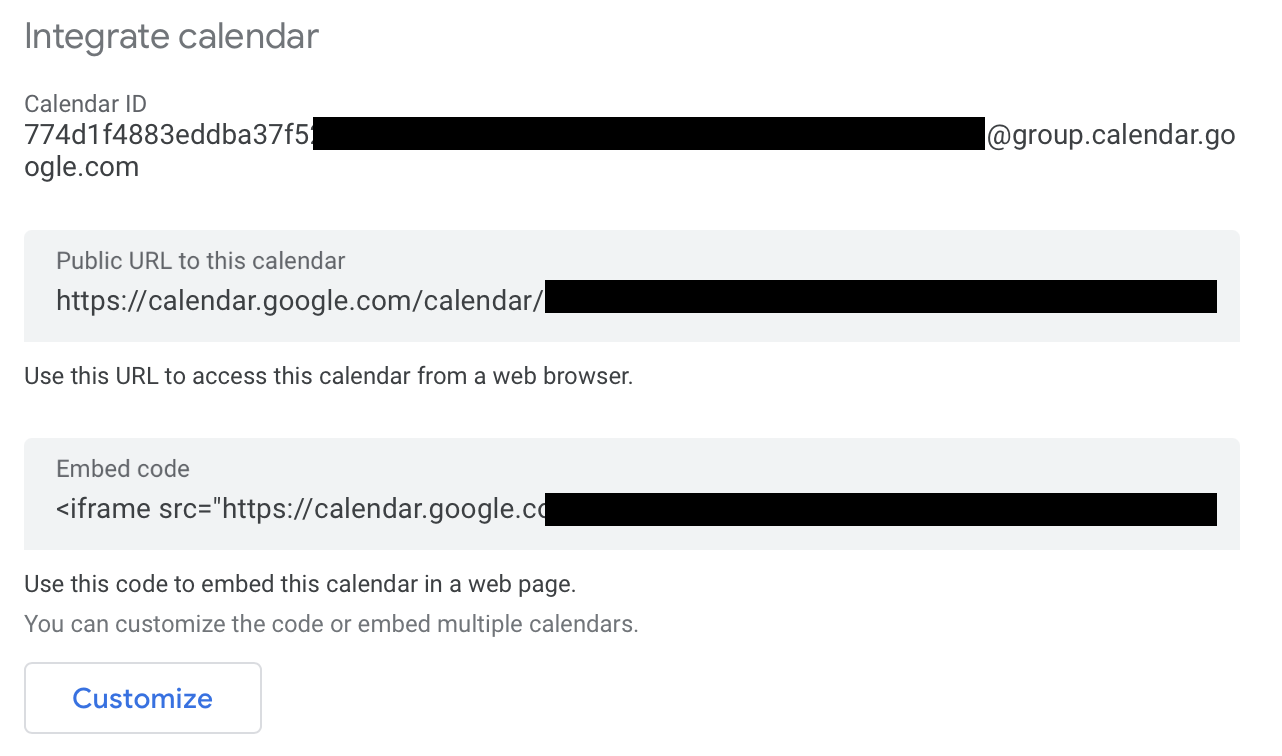
Google Calendar ID: Obtain the ID of your Google Calendar in Calendar settings. You can find the Calendar ID in the "Integrate Calendar" section of your Google Calendar settings.
-
Notion API key: Generate an API key for Notion to access your data programmatically. Please read https://developers.notion.com/docs/create-a-notion-integration to learn how to create an API key. Remember to add your integration to your database, as shown in the guide.
-
Notion database ID:
-
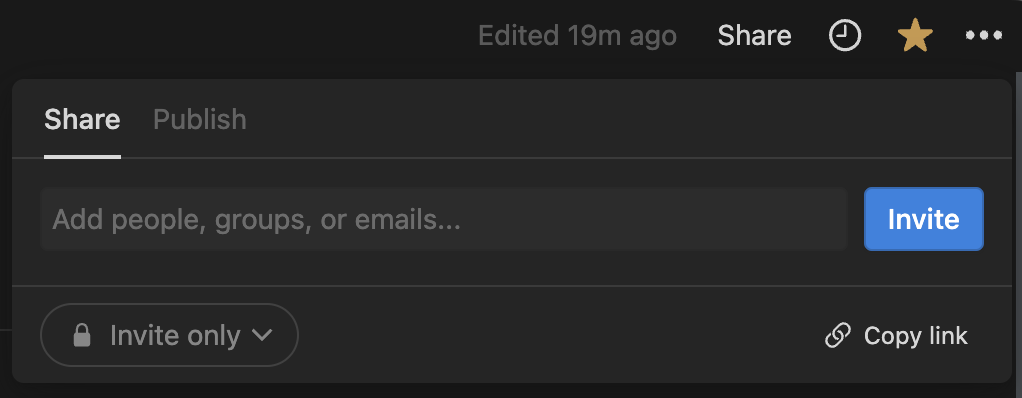
Click the Share button located on the top right of the Notion window.
-
Copy the URL displayed in the dropdown menu. The URL will be in the format:
[https://www.notion.so/](https://www.notion.so/)<your-notion-workspace>/<db-id>?v=... -
Copy the text between
<your-notion-workspace>/and?v=. This is the ID of your tasks database!
-
-
Script uses Notion API version 2022-06-28. This version is specified in the request headers. If you encounter a Notion API version error, please check https://developers.notion.com/reference/versioning.

Requirements
- Obtain the necessary credentials mentioned in the
Required Services and Information to Execute Scriptsection. - Copy the
.env.examplefile as.envand fill in the missing values. - Install required packages:
pip install -r requirements.txt - Execute the script:
python notion2gcalendar.py - You can create a cron job to execute the script periodically.
Resources
- Notion API Documentation: https://developers.notion.com/
- Google Calendar API Documentation: https://developers.google.com/calendar/api/v3/reference
Additional Considerations
- Implement robust error handling to gracefully handle potential issues during synchronization.
- Consider adding logging mechanisms to track the script's execution and identify errors.
- Ensure proper security measures are in place when handling API keys and other sensitive information.
- Future improvements: Add options like "periodic" or "do not synchronize" to tasks.
License
Disclaimer: This guide provides a general framework for task synchronization. Specific implementation details may vary depending on your database structure. Do not change the titles of your database columns. You can modify the code to personalize it for your own task database.
License: The software is licensed under the MIT License.
Release history Release notifications | RSS feed

Download files
Download the file for your platform. If you're not sure which to choose, learn more about installing packages.
Source Distribution
Built Distribution
Filter files by name, interpreter, ABI, and platform.
If you're not sure about the file name format, learn more about wheel file names.
Copy a direct link to the current filters
File details
Details for the file notion2googlecalendar-0.1.tar.gz.
File metadata
- Download URL: notion2googlecalendar-0.1.tar.gz
- Upload date:
- Size: 4.6 kB
- Tags: Source
- Uploaded using Trusted Publishing? No
- Uploaded via: twine/5.0.0 CPython/3.10.13
File hashes
| Algorithm | Hash digest | |
|---|---|---|
| SHA256 |
1de87005ab9ec78c954d8335f52077bc5d99ad6573217c81276f6fda9f6ac1b0
|
|
| MD5 |
ce5391b24d5b73b8233aa1a632e22bd5
|
|
| BLAKE2b-256 |
4c9c0a02efad4ff4cd3017bae2f91762a2a9585a8668ce8a647fd0eda3116684
|
File details
Details for the file notion2googlecalendar-0.1-py3-none-any.whl.
File metadata
- Download URL: notion2googlecalendar-0.1-py3-none-any.whl
- Upload date:
- Size: 4.4 kB
- Tags: Python 3
- Uploaded using Trusted Publishing? No
- Uploaded via: twine/5.0.0 CPython/3.10.13
File hashes
| Algorithm | Hash digest | |
|---|---|---|
| SHA256 |
8c94dc2a41eb55679bb74c03e1b644f4101b94b89a98ba1b5923d4125c34b0f9
|
|
| MD5 |
9d4b6ac0c035c5f0aa907fca088638d6
|
|
| BLAKE2b-256 |
cd9ee79a96058e36d6689ed528395d189a966abc270a0037708532f6b6230a32
|






