
Nott Your Timetable
Exports Timetable for University of Nottingham Malaysia Student.
Table of Contents
Installation
Windows Folder (Recommended)
- Download the latest version of nott-your-timetable.zip here.
- Extract the .zip file.
- Run the .exe file inside the extracted folder.
Windows Single EXE
Note: Both folder and single exe file has the same features. However, the single exe file might take a longer time to start.
- Download the latest version of nott-your-timetable.exe here.
- Run the .exe file.
MacOS
Note: Both versions have the same features, but the first one might take a longer time to start.
- Download the latest version of nott-your-timetable-macos.zip or nott-your-timetable-macos-folder.zip (recommended) here.
- Extract the .zip file.
- Move the extracted .app file into
Applicationsfolder (optional). - Run the .app file.
Installing via Pip
Requirements
python>=3.10 Latest version of Python can be downloaded here for more information
Installation
pip install nott-your-timetable
For GUI support:
Note: there might be some error isntalling PyGObject using pip, follow the instruction here to download gtk. When following the instructions replace all refrences to gtk3 with gtk4 as nott-your-timetable uses gtk4 and not gtk3 e.g. mingw-w64-x86_64-gtk3 -> mingw-w64-x86_64-gtk4.
pip install nott-your-timetable[gui]
Usage
GUI
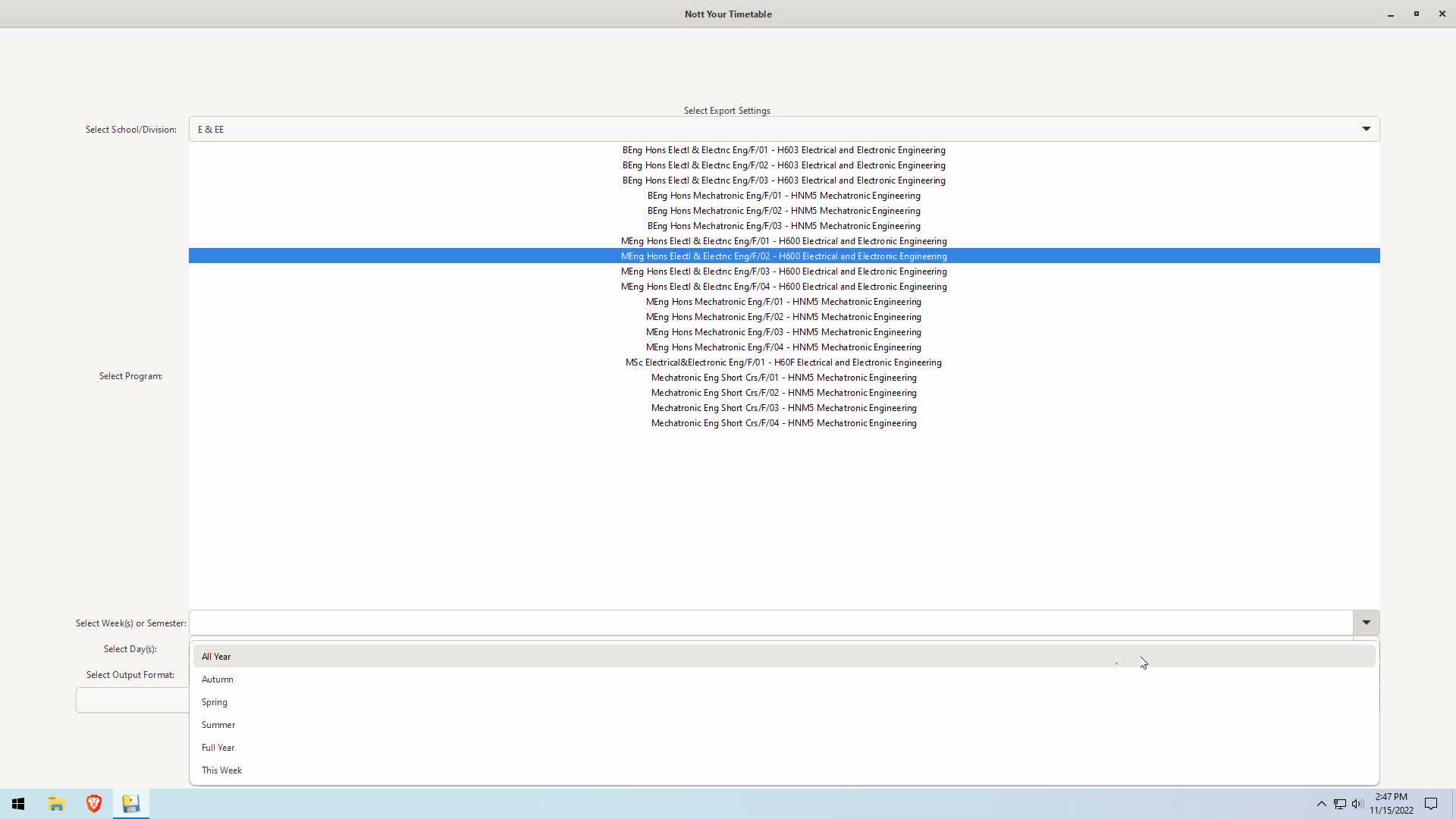
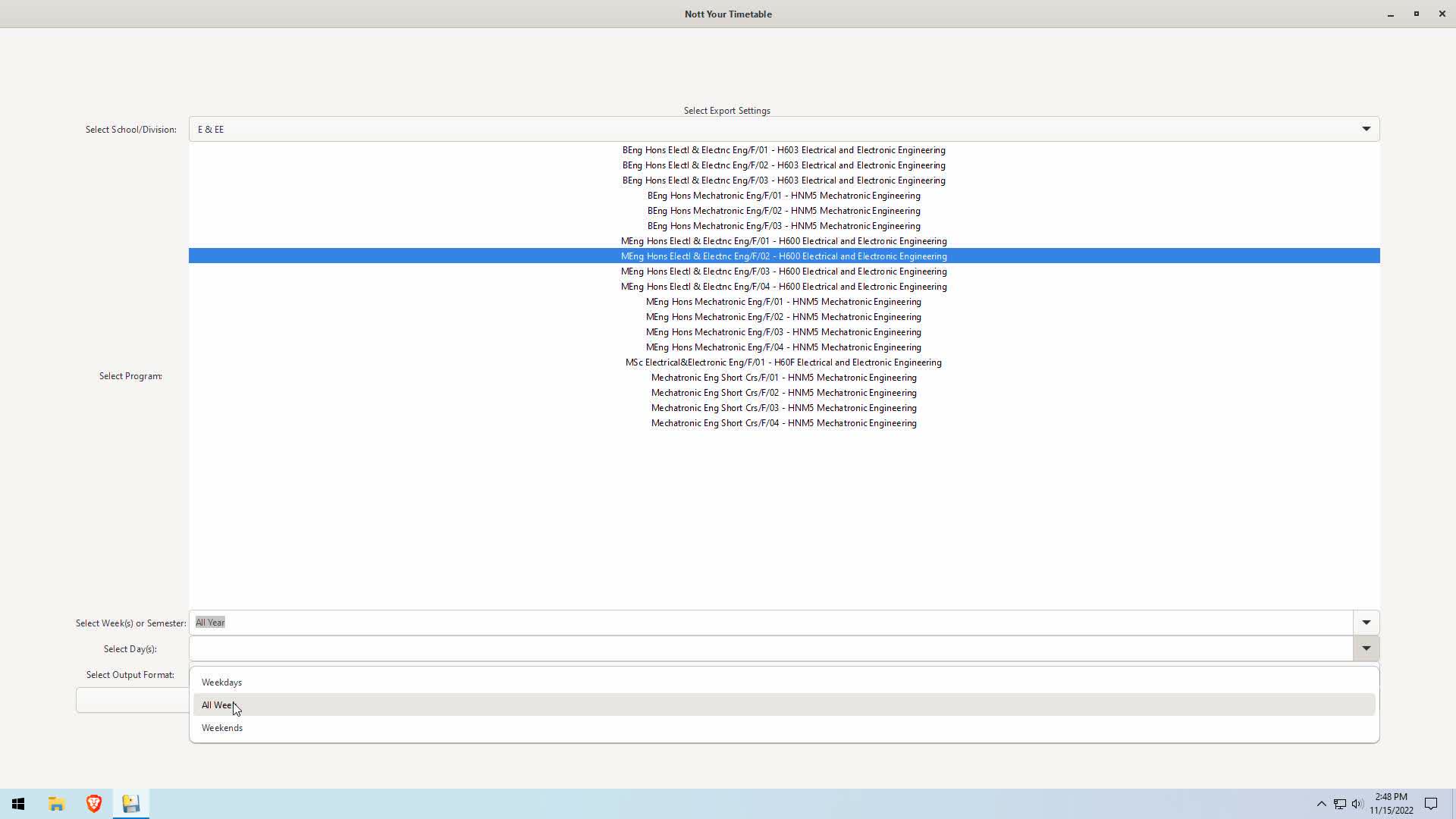
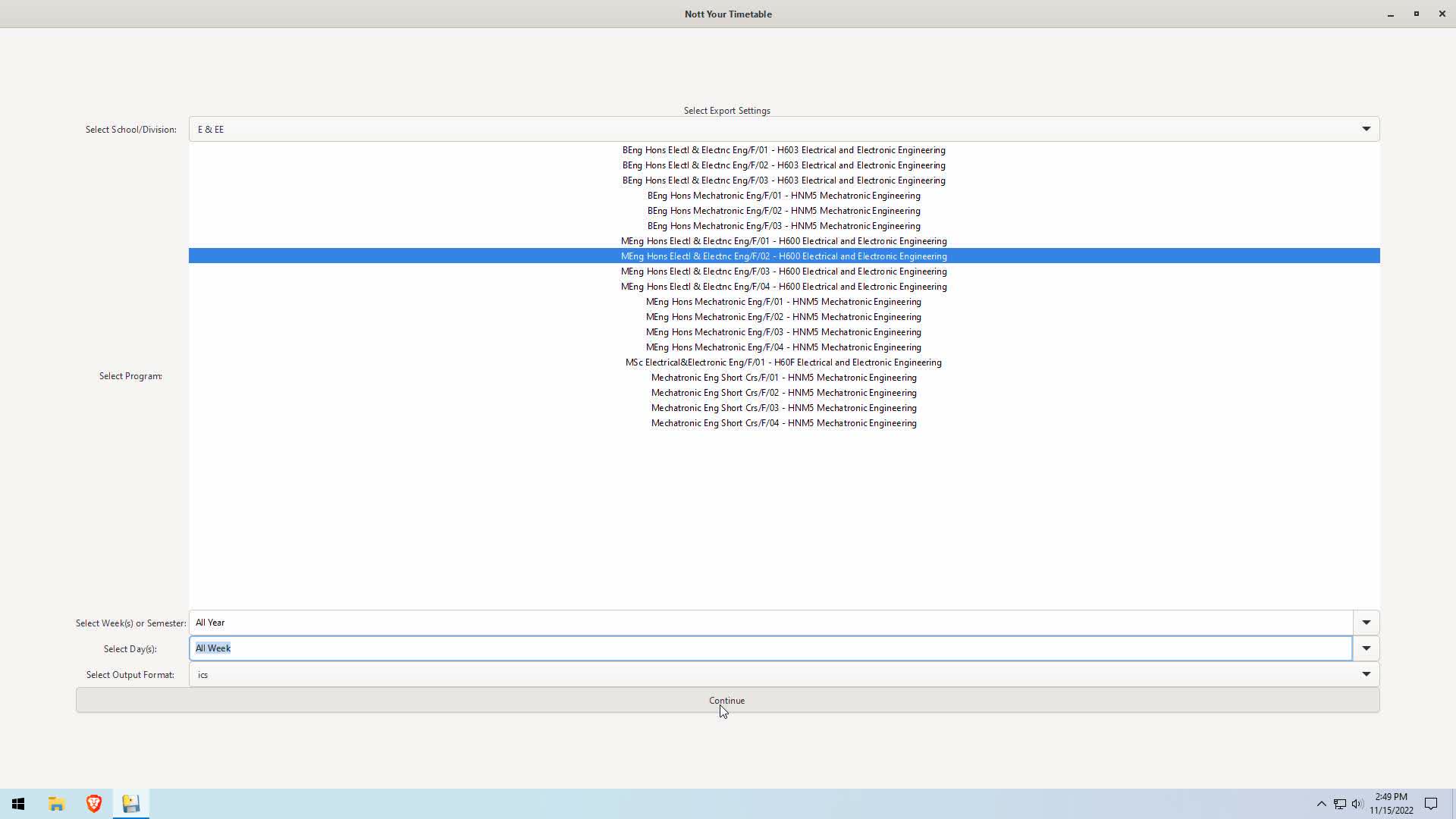
- Select School/Division
- Select Program
- Select week period
- Select day period
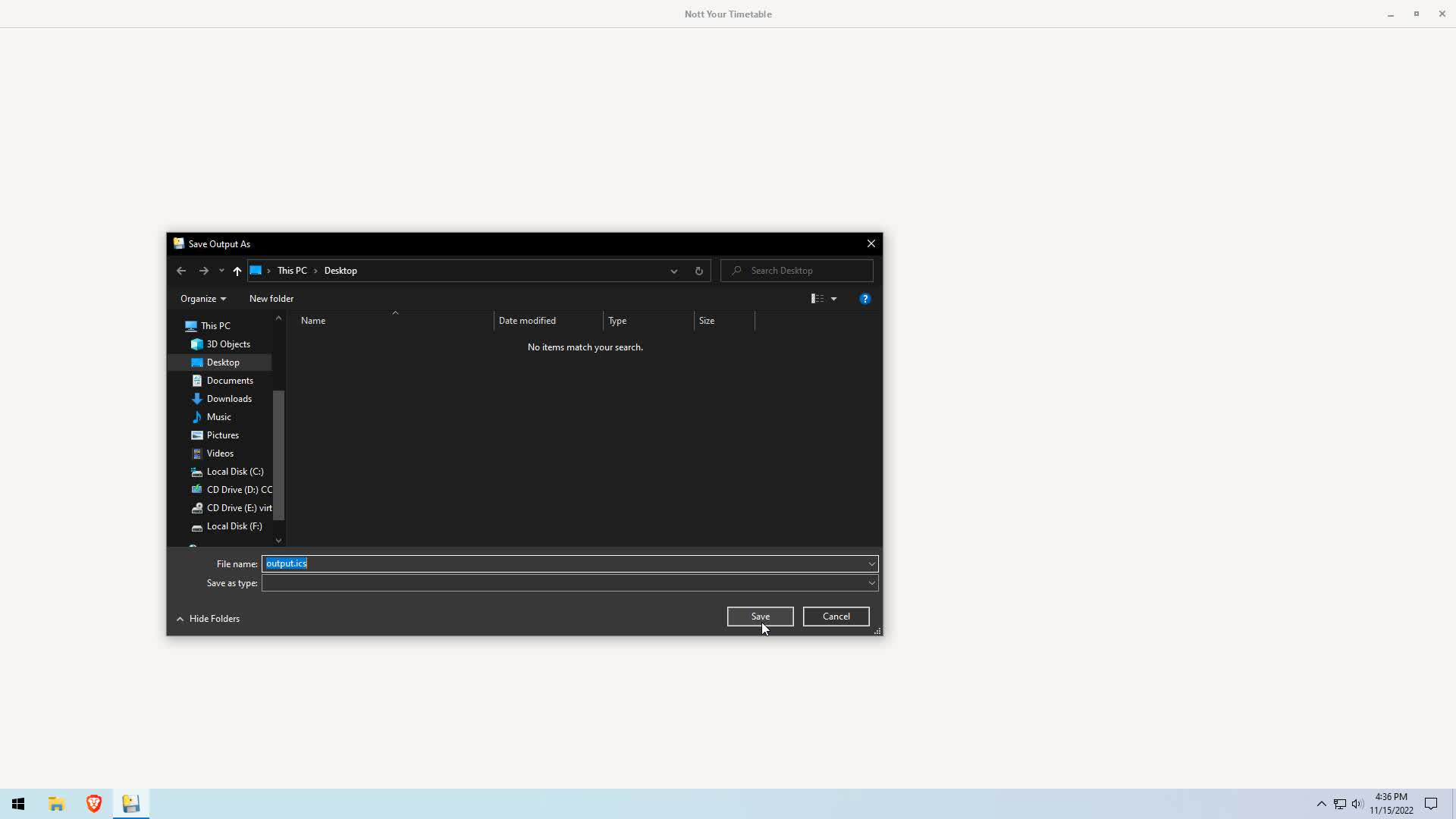
- Select export file format and hit continue. If you are confused just choose ics.
- Select location to save.


Importing Timetable
Outlook
- Open Outlook and go to the calendar section.
- Click on add calendar.
- Click on upload from file.
- Select file and calendar to import to.
- Done :)
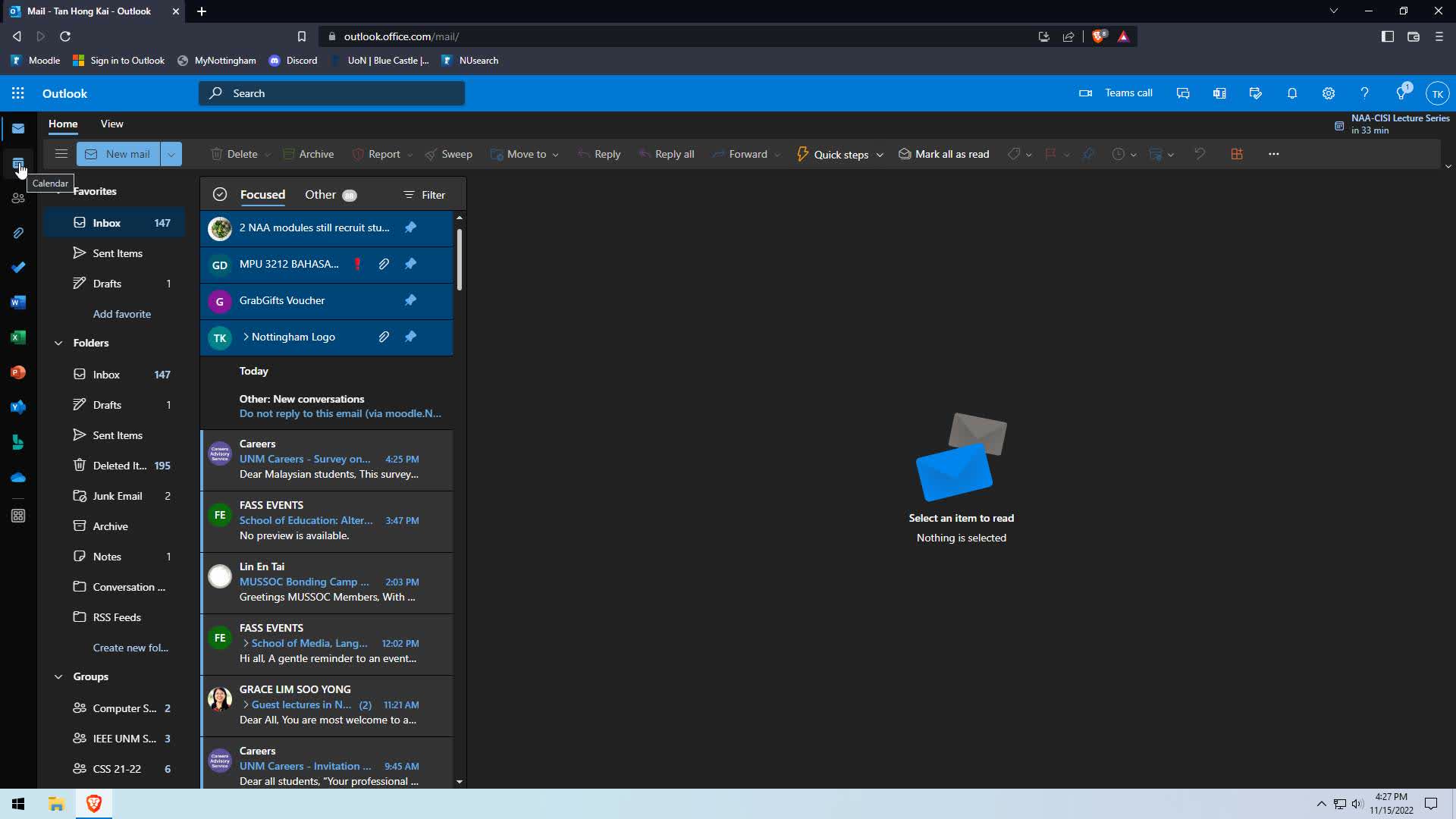
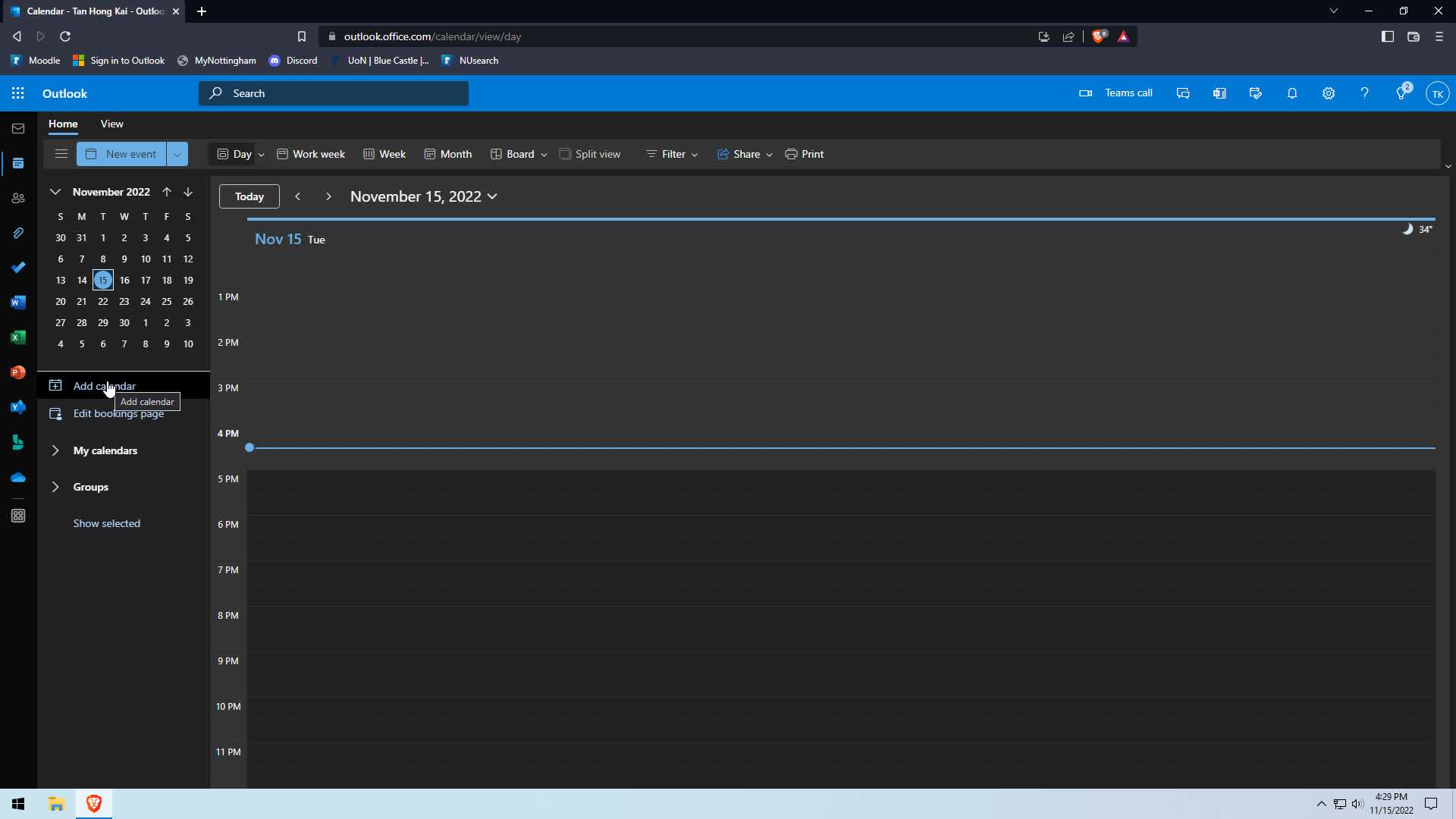
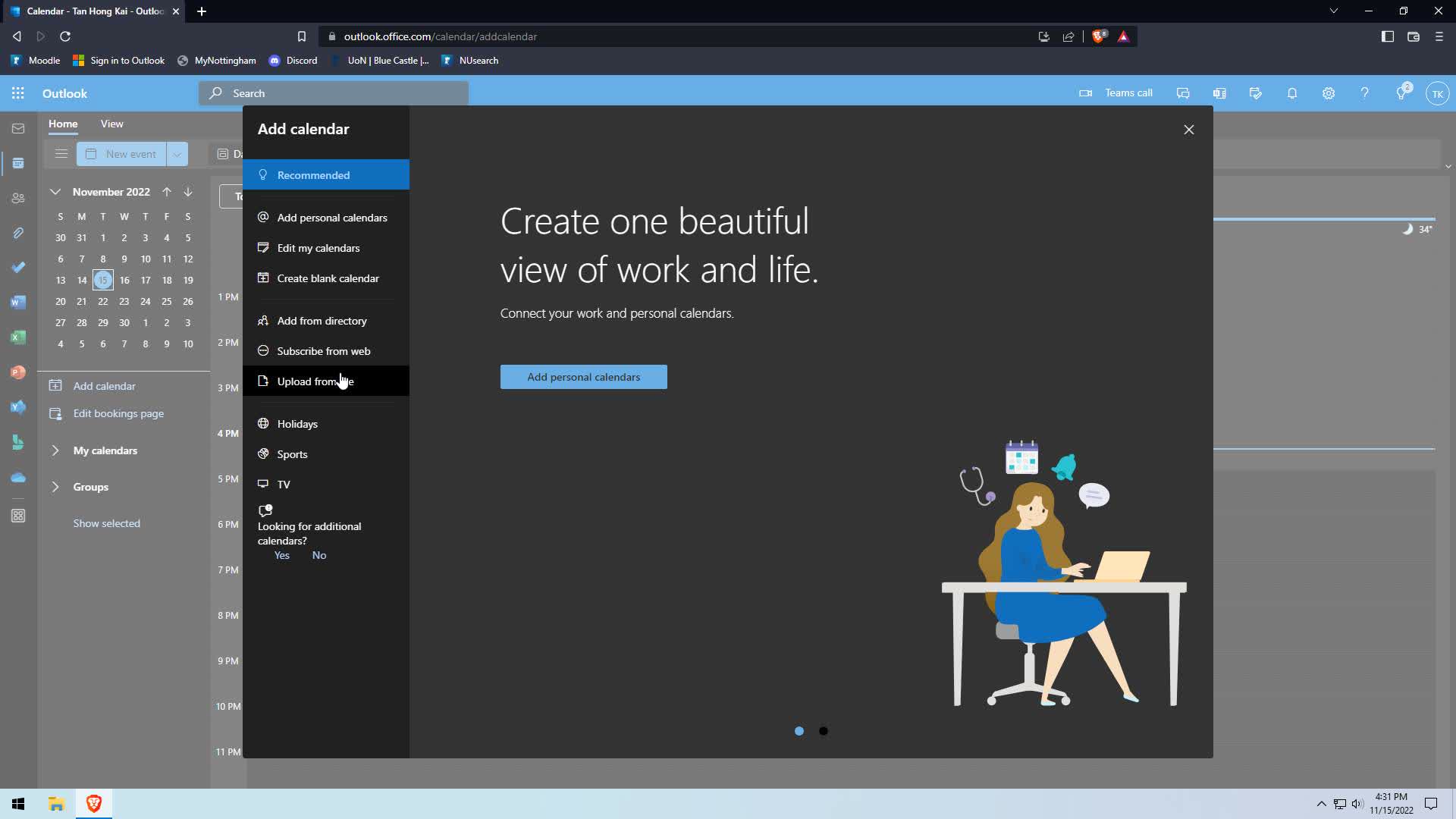
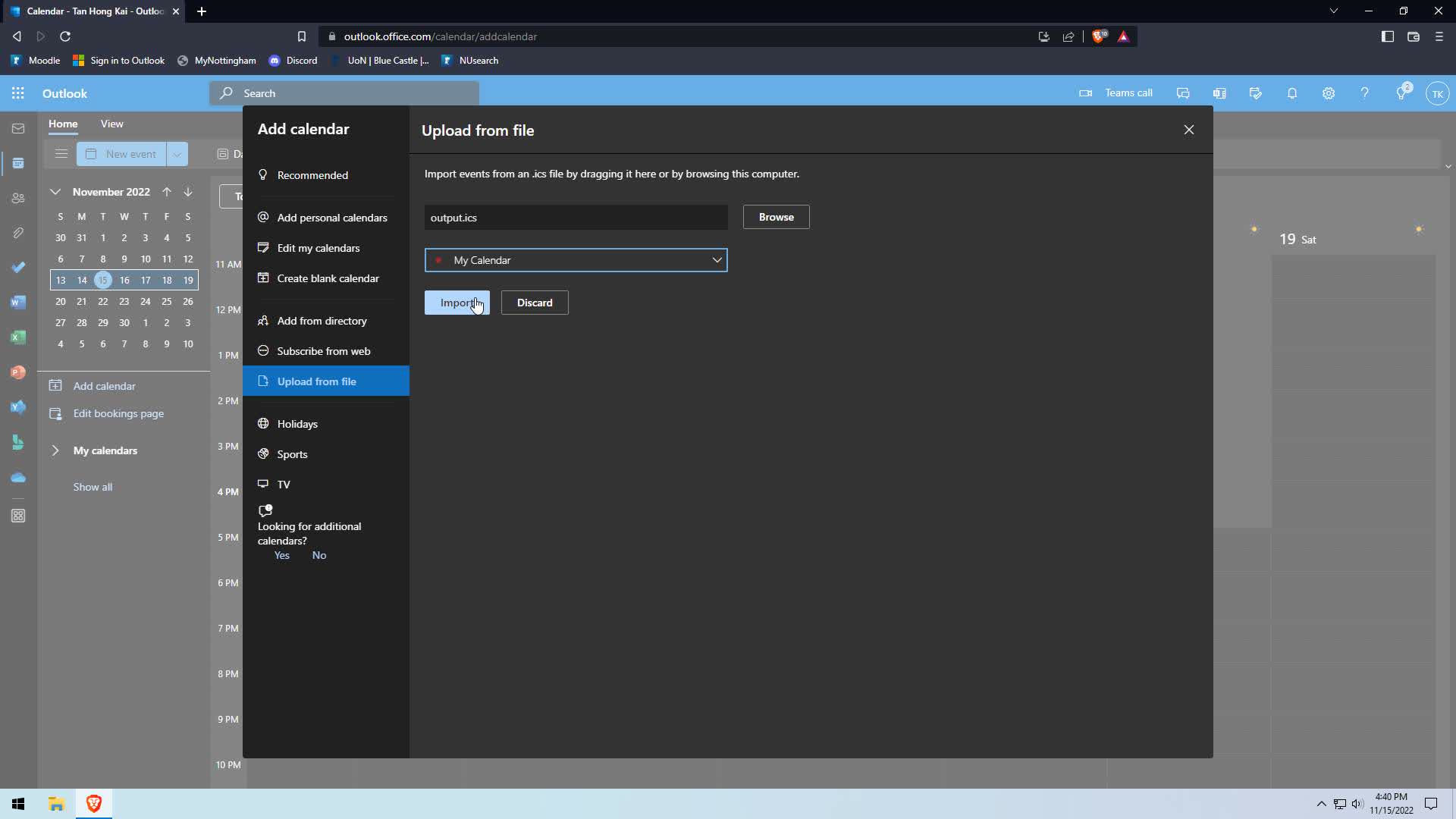
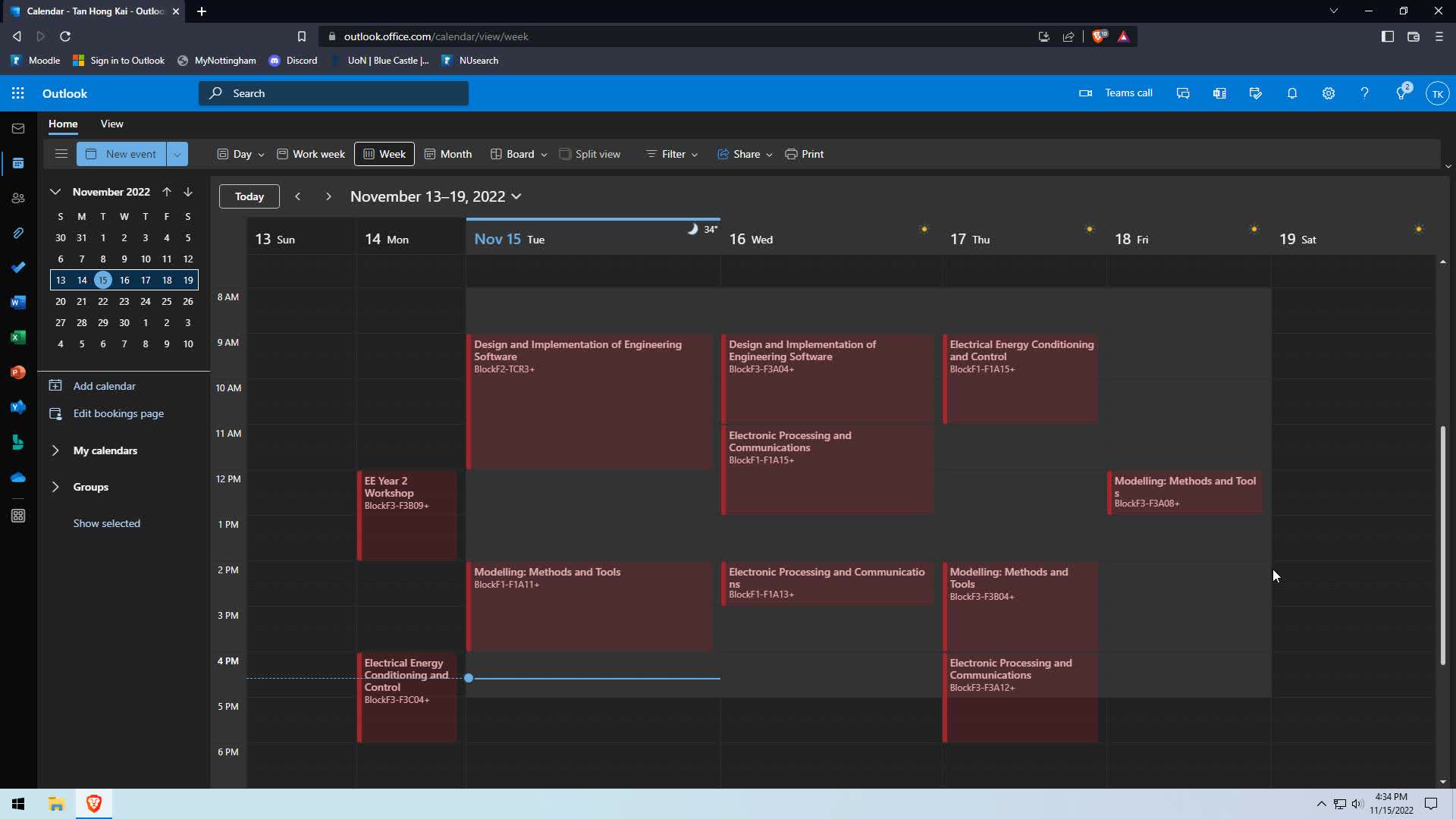
Google Calendar
TODO
CLI
A simple usage to export the entire year to a ics file by default.
Note: The quotes are needed if you are putting spaces inbetween
Gets the timetable for Electrical and Electronic Engineering BEng Year 2:
nott-your-timetable-cli -c "E & EE" "BEng Hons Electl & Electnc Eng/F/02 - H603 Electrical and Electronic Engineering"
Only for week 1 to week 10.
nott-your-timetable-cli -w '1-10' -c "E & EE" "BEng Hons Electl & Electnc Eng/F/02 - H603 Electrical and Electronic Engineering"
Only for Monday to Friday.
nott-your-timetable-cli -c "E & EE" "BEng Hons Electl & Electnc Eng/F/02 - H603 Electrical and Electronic Engineering" -d 1-5
Only for week 4 to week 6 Monday to Friday.
nott-your-timetable-cli -c "E & EE" "BEng Hons Electl & Electnc Eng/F/02 - H603 Electrical and Electronic Engineering" -d '4, 5, 6' -w 1-5
If you don't know what school/division and program, the -i flag can be used to ender interactive mode.
nott-your-timetable-cli -i
To export the output to csv
nott-your-timetable-cli -c "E & EE" "BEng Hons Electl & Electnc Eng/F/02 - H603 Electrical and Electronic Engineering" -f csv
There are more options available, to see all the options use the help argument.
nott-your-timetable-cli -h
TODO
- Support for exporting to other formats
- CSV
- iCalander
- vCard
- Support for other course programs
- Add more convinience option e.g. Schedule for Spring Semester
- A graphical frontend
- Add GUI and TUI for displaying timetable
- Make use of Calender Object
- Add Export Options
- Add better help descriptions
- Support for mutiple program selection
- Add binaries
- EXE (Windows)
- EXE
- Installer
- Application (MacOS)
- App Bundle
- DMG
- Appimage (Linux)
- PKGBUILD (AUR/Arch)
- DEB (Debian)
- RPM (Red Hat)
- Flatpak (Linux) (Maybe?)
- Snaps (Linux) (Maybe?)
- EXE (Windows)
1 maintainer

Metadata
1 maintainer
Release files for nott-your-timetable 2.0.0
For a detailed explanation of source distributions (sdists) and built distributions (wheels), please see the package formats documentation.
Source distribution (sdist)
| File | Size | Uploaded | |
|---|---|---|---|
| nott-your-timetable-2.0.0.tar.gz | 36.6 kB | Details |
Built distribution (wheel)
| File | Interpreter | ABI | Platform | Reset |
|---|---|---|---|---|
| nott_your_timetable-2.0.0-py3-none-any.whl | Python 3 | none | any | Details |
Total release size: 74.2 kB
Release files / nott-your-timetable-2.0.0.tar.gz
| Download URL | nott-your-timetable-2.0.0.tar.gz |
|---|---|
| Size | 36.6 kB |
| Tags | Source |
|
SHA-256 checksum How to use checksums |
e6d3d0c7b4f69895ef5ccdcd817edb548434cb4593f590024d2927d43befac00
|
|
BLAKE2b-256 checksum How to use checksums |
5d0926e794e0596dc2eeed19d6b7bf9a9a3444711c9ccbbb6069bf108b9ae589
|
| Upload date | |
|
Uploaded using Trusted Publishing? What is trusted publishing? |
No |
| Uploaded via |
twine/4.0.1 CPython/3.9.15
|
Release files / nott_your_timetable-2.0.0-py3-none-any.whl
| Download URL | nott_your_timetable-2.0.0-py3-none-any.whl |
|---|---|
| Size | 37.7 kB |
| Tags | Python 3 |
|
SHA-256 checksum How to use checksums |
4aa76a17fc524555ce5b2a2dfbbed53c9951cfedb8b8f1ec824914b828d2fcc3
|
|
BLAKE2b-256 checksum How to use checksums |
6c1642fd1bdab60241ef773580f439ef41125822612b3a984559c8d0d2363d73
|
| Upload date | |
|
Uploaded using Trusted Publishing? What is trusted publishing? |
No |
| Uploaded via |
twine/4.0.1 CPython/3.9.15
|














