
An all-in-one automation library that simplifies data cleaning, exploratory data analysis, and machine learning — from raw data to ready-to-deploy models.


Project description
 Noventis



🚀 Overview
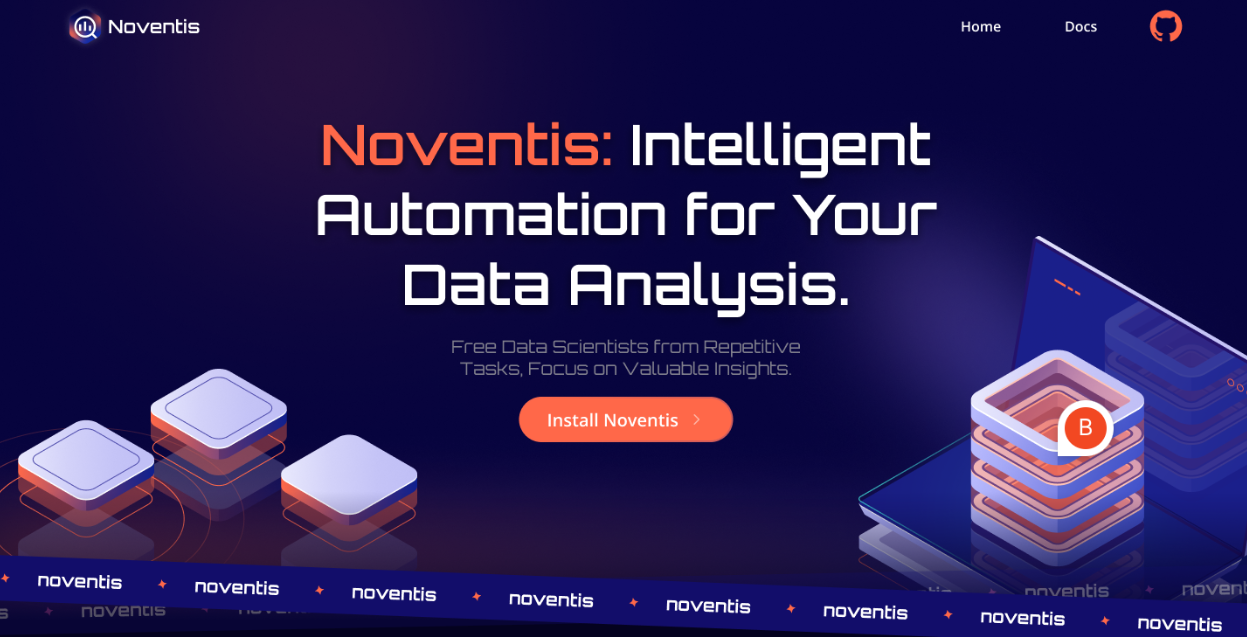
Noventis is a powerful Python library designed to revolutionize your data analysis workflow through intelligent automation. Built with modern data scientists and analysts in mind, Noventis provides cutting-edge tools for automated exploratory data analysis, predictive modeling, and data cleaning—all with minimal code.
✨ Key Features
- 🔍 EDA Auto - Automated exploratory data analysis with comprehensive visualizations and statistical insights
- 🎯 Predictor - Intelligent ML model selection and training with automated hyperparameter tuning
- 🧹 Data Cleaner - Smart data preprocessing and cleaning with advanced imputation strategies
- ⚡ Fast & Efficient - Optimized for performance with large datasets
- 📊 Rich Visualizations - Beautiful, publication-ready charts and reports
- 🔧 Highly Customizable - Fine-tune every aspect to match your needs
📦 Installation
Quick Installation
pip install noventis
Install from Source
git clone https://github.com/bccfilkom/noventis.git
cd noventis
pip install -e .
Verify Installation
import noventis
print(noventis.__version__)
noventis.print_info()  # Show detailed installation info
🎯 Quick Start
1️⃣ Data Cleaner
Get started with intelligent data preprocessing and cleaning.
import pandas as pd
from noventis.data_cleaner import AutoCleaner

# Load your data
df = pd.read_csv('your_data.csv')

# Automatic data cleaning
cleaner = AutoCleaner()
df_clean = cleaner.fit_transform(df)

# The cleaned data is ready for analysis!
print(df_clean.info())
2️⃣ EDA Auto
Automatically generate comprehensive exploratory data analysis reports.
from noventis.eda_auto import EDAuto

# Create EDA report
eda = EDAuto(df_clean)

# Generate comprehensive analysis
eda.generate_report()

# Show specific analyses
eda.show_distributions()
eda.show_correlations()
eda.show_missing_patterns()
3️⃣ Predictor
Build and train machine learning models with automated optimization.
from noventis.predictor import PredictorAuto

# Prepare data
X = df_clean.drop('target', axis=1)
y = df_clean['target']

# Automatic model training
predictor = PredictorAuto()
predictor.fit(X, y, task='classification')

# Make predictions
predictions = predictor.predict(X_test)

# Get model performance
print(predictor.get_metrics())
4️⃣ Complete Pipeline Example
import pandas as pd
from noventis.data_cleaner import AutoCleaner
from noventis.eda_auto import EDAuto
from noventis.predictor import PredictorAuto

# 1. Load data
df = pd.read_csv('your_data.csv')

# 2. Clean data
cleaner = AutoCleaner()
df_clean = cleaner.fit_transform(df)

# 3. Explore data
eda = EDAuto(df_clean)
eda.generate_report()

# 4. Train model
X = df_clean.drop('target', axis=1)
y = df_clean['target']

predictor = PredictorAuto()
predictor.fit(X, y, task='classification')

# 5. Evaluate
print(f"Model Accuracy: {predictor.score(X_test, y_test):.2%}")
📚 Core Modules
🧹 Data Cleaner
Intelligent data preprocessing and cleaning with advanced strategies:
- Missing Data Handling - Multiple imputation strategies (mean, median, KNN, iterative)
- Outlier Treatment - Statistical and ML-based detection (IQR, Z-score, Isolation Forest)
- Feature Scaling - Normalization and standardization techniques
- Encoding - Automatic categorical variable encoding (One-Hot, Label, Target)
- Data Type Detection - Intelligent type inference and conversion
- Duplicate Removal - Smart duplicate detection and handling
🔍 EDA Auto
Comprehensive exploratory data analysis automation:
- Statistical Summary - Descriptive statistics for all features
- Distribution Analysis - Histograms, KDE plots, and normality tests
- Correlation Analysis - Heatmaps and correlation matrices
- Missing Data Analysis - Visualization and patterns of missing values
- Outlier Detection - Automatic identification of anomalies
- Feature Relationships - Scatter plots and pairwise analysis
🎯 Predictor
Automated machine learning with intelligent model selection:
- Auto Model Selection - Automatically selects the best algorithm for your data
- Hyperparameter Tuning - Optimizes model parameters using advanced search algorithms
- Feature Engineering - Creates and selects relevant features automatically
- Cross-Validation - Robust model evaluation with k-fold validation
- Model Explainability - SHAP values and feature importance analysis
- Ensemble Methods - Combines multiple models for better performance
Supported Algorithms:
- Scikit-learn: Random Forest, Gradient Boosting, Logistic Regression, SVM
- XGBoost: Extreme Gradient Boosting
- LightGBM: Light Gradient Boosting Machine
- CatBoost: Categorical Boosting
- And many more...
🛠️ Requirements
System Requirements
- Python 3.8 or higher
- 4GB RAM minimum (8GB+ recommended for large datasets)
- Windows, macOS, or Linux
Core Dependencies
Noventis automatically installs these dependencies:
- Data Processing: pandas, numpy, scipy
- Visualization: matplotlib, seaborn
- Machine Learning: scikit-learn, xgboost, lightgbm, catboost
- AutoML: optuna, flaml, shap
- Feature Engineering: category_encoders, statsmodels
See requirements.txt for complete list.
🤝 Contributing
We welcome contributions from the community! Here's how you can help:
Ways to Contribute
- 🐛 Report Bugs - Found a bug? Open an issue
- 💡 Suggest Features - Have ideas? We'd love to hear them!
- 📖 Improve Documentation - Help us make the docs better
- 🔧 Submit Pull Requests - Fix bugs or add features
Development Setup
# Clone the repository
git clone https://github.com/bccfilkom/noventis.git
cd noventis

# Create virtual environment
python -m venv venv
source venv/bin/activate  # On Windows: venv\Scripts\activate

# Install in development mode
pip install -e .[dev]

# Run tests
pytest tests/

# Run linting
flake8 noventis/
black noventis/
See CONTRIBUTING.md for detailed guidelines.
👥 Contributors
This project exists thanks to all the people who contribute:
| Contributor | Role |
|---|---|
| Richard | Product Manager |
| Fatoni Murfids | AI Product Manager |
| Ahmad Nafi Mubarok | Lead Data Scientist |
| Orie Abyan Maulana | Lead Data Analyst |
| Grace Wahyuni | Data Analyst |
| Alexander Angelo | Data Scientist |
| Rimba Nevada | Data Scientist |
| Jason Surya Winata | Frontend Engineer |
| Nada Musyaffa Bilhaqi | Product Designer |
Special Thanks
A huge thank you to the maintainers of our dependencies:
- pandas, numpy, scikit-learn, and the entire Python scientific computing community
- XGBoost, LightGBM, and CatBoost teams for excellent gradient boosting libraries
- Optuna and FLAML teams for amazing AutoML frameworks
📂 Project Structure
The folder structure of Noventis project:
.
├── 📁 dataset_for_examples/     # Sample datasets for testing
├── 📁 docs/                     # Documentation files
├── 📁 examples/                 # Example notebooks and scripts
├── 📁 noventis/                 # Main library code
│   ├── 📁 __pycache__/
│   ├── 📁 asset/               # Asset files (if any)
│   ├── 📁 core/                # Core functionality
│   ├── 📁 data_cleaner/        # Data cleaning module
│   │   ├── 📄 __init__.py
│   │   ├── 📄 auto.py
│   │   ├── 📄 data_quality.py
│   │   ├── 📄 encoding.py
│   │   ├── 📄 imputing.py
│   │   ├── 📄 orchestrator.py
│   │   ├── 📄 outlier_handling.py
│   │   └── 📄 scaling.py
│   ├── 📁 eda_auto/            # EDA automation module
│   │   ├── 📄 __init__.py
│   │   └── 📄 eda_auto.py
│   ├── 📁 predictor/           # Prediction module
│   │   ├── 📄 __init__.py
│   │   ├── 📄 auto.py
│   │   └── 📄 manual.py
│   └── 📄 __init__.py          # Main package init
├── 📁 noventis.egg-info/       # Package metadata
│   ├── 📄 dependency_links.txt
│   ├── 📄 PKG-INFO
│   ├── 📄 SOURCES.txt
│   └── 📄 top_level.txt
├── 📁 tests/                   # Unit tests
├── 📄 .gitignore               # Git ignore rules
├── 📄 LICENSE                  # MIT License
├── 📄 MANIFEST.in              # Package manifest
├── 📄 pyproject.toml           # Modern Python packaging config
├── 📄 README.md                # This file
├── 📄 requirements.txt         # Production dependencies
├── 📄 requirements-dev.txt     # Development dependencies
└── 📄 setup.py                 # Package setup script
📌 Notes
- The
noventis/folder contains the main library code - The
tests/folder is dedicated to unit testing and integration testing setup.pyandpyproject.tomlare used for packaging and distributionrequirements.txtlists the external dependencies needed for the project
🚀 With this structure, the project is ready for development, testing, and publishing on PyPI or GitHub.
🔧 Troubleshooting
Common Issues
Problem: ModuleNotFoundError: No module named 'noventis'
# Solution: Reinstall the package
pip uninstall noventis
pip install noventis
Problem: Dependencies conflict
# Solution: Create a fresh virtual environment
python -m venv fresh_env
source fresh_env/bin/activate
pip install noventis
Problem: Import errors after installation
# Solution: Verify installation
import noventis
print(noventis.__version__)
noventis.print_info()  # Check all dependencies
Getting Help
📄 License
This project is licensed under the MIT License - see the LICENSE file for details.
Third-Party Licenses
Noventis uses several open-source libraries. We are grateful to their maintainers:
- Data Processing: pandas (BSD), numpy (BSD), scipy (BSD)
- Visualization: matplotlib (PSF), seaborn (BSD)
- Machine Learning: scikit-learn (BSD), xgboost (Apache 2.0), lightgbm (MIT), catboost (Apache 2.0)
- AutoML: optuna (MIT), flaml (MIT), shap (MIT)
- Feature Engineering: category_encoders (BSD), statsmodels (BSD)
All dependencies are licensed under permissive open-source licenses (BSD, MIT, Apache 2.0).
📚 Citation
If you use Noventis in your research, please cite:
@software{noventis2025,
  author = {Noventis Team},
  title = {Noventis: Intelligent Automation for Data Analysis},
  year = {2025},
  url = {https://github.com/bccfilkom/noventis}
}
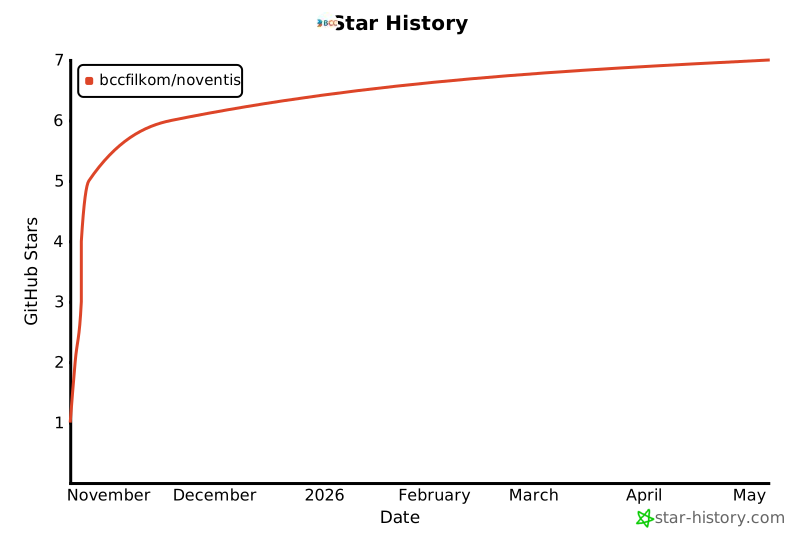
🌟 Star History
Made with ❤️ by Noventis Team
If you find Noventis useful, please consider giving it a ⭐ on GitHub!


Download files
Download the file for your platform. If you're not sure which to choose, learn more about installing packages.
Source Distribution
Built Distribution
Filter files by name, interpreter, ABI, and platform.
If you're not sure about the file name format, learn more about wheel file names.
Copy a direct link to the current filters
File details
Details for the file noventis-0.1.2.tar.gz.
File metadata
- Download URL: noventis-0.1.2.tar.gz
- Upload date:
- Size: 142.2 kB
- Tags: Source
- Uploaded using Trusted Publishing? No
- Uploaded via: twine/6.1.0 CPython/3.9.23
File hashes
| Algorithm | Hash digest | |
|---|---|---|
| SHA256 |
51fadd1a938b393af6359888733c03edfe890ffc938d525cc1f96576a7bfe8d9
|
|
| MD5 |
0b83593c0fdd3c86c3265082c2f95e76
|
|
| BLAKE2b-256 |
2a1fb86b700ebe328705181484c3f97c94b50fa4ab196ee2d7dc0e9c4496229a
|
File details
Details for the file noventis-0.1.2-py3-none-any.whl.
File metadata
- Download URL: noventis-0.1.2-py3-none-any.whl
- Upload date:
- Size: 140.2 kB
- Tags: Python 3
- Uploaded using Trusted Publishing? No
- Uploaded via: twine/6.1.0 CPython/3.9.23
File hashes
| Algorithm | Hash digest | |
|---|---|---|
| SHA256 |
f4a2b89aa0efce84cb2cf110f48425967e76e156e666770b8cb787e949cad0c5
|
|
| MD5 |
272b69eaa26eb07264f1418c6a9062f7
|
|
| BLAKE2b-256 |
26a3c1bbc666332a6cf7555658fd85e170baaeeb6268e30b6060404c248488c0
|






