
nowfocus: the open source task-tracking self-control panel.

Project description

nowfocus
Open-source task timer for linux
Avoid multifailing. Master your to-do lists. Track your time.
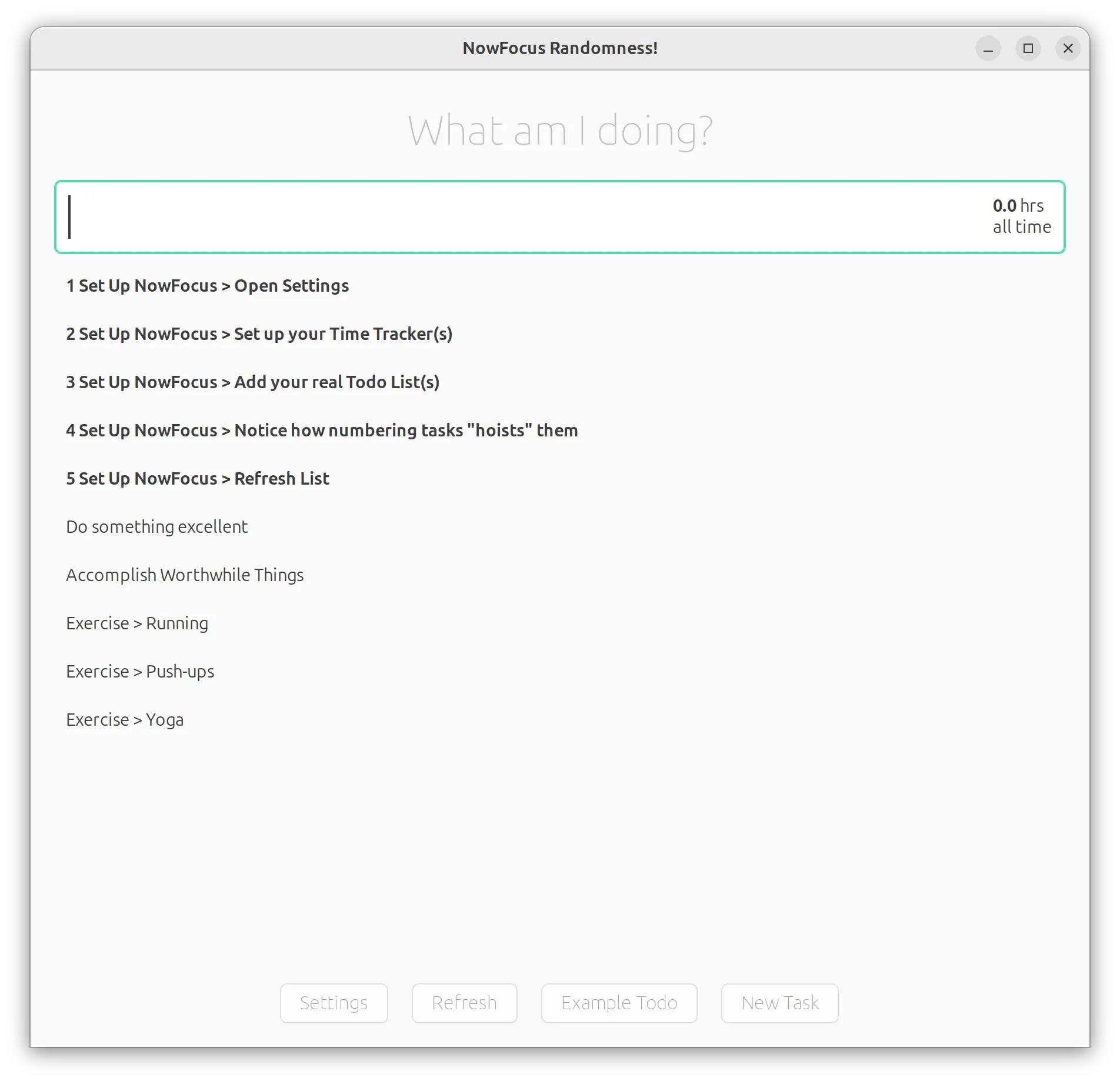
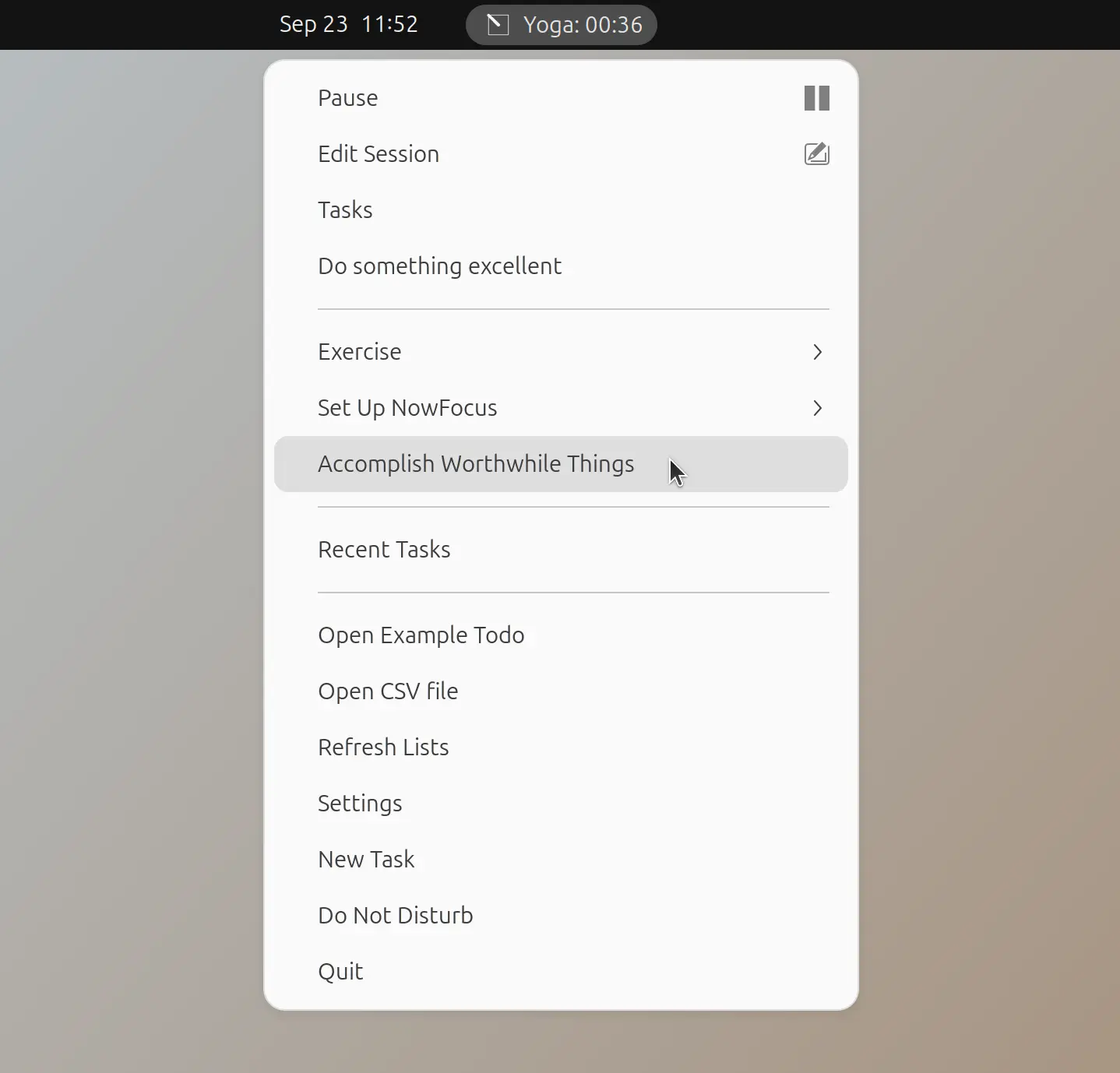
nowfocus is a clean, keyboard-driven project time tracker build with python + GTK that flexibly connects multiple to-do lists with multiple time trackers and displays your current task and time spent in the status bar.
Features
- Unlimited flexible combinations of to-do lists and time tracking systems
- Infinitely nestable lists
- Inactivity detection that automatically pauses time tracking
- Pomodoro timer
- Task prioritization
- Time targets: set a minimum or maximum time for any task or list of tasks and get reminded to follow though
- Randomness interrupt bell (optional) to keep you on track with tracking your time
- Keyboard-driven interface
- Offline to-do list cache
- CLI
- Run a command (or launch an application) when a task is started
Currently Supported To-do List Backends
- Simple text or markdown file with indentation based sub-lists
- Any to-do list that supports CalDav todos
- todotxt format
- TaskWarrior
- Vikunja
- Photosynthesis Timetracker
- Trello
Currently Supported Time Tracker Backends
Installation (using pipx)
Run the following in terminal to install and setup:
# Install dependencies
sudo apt install pip pipx gir1.2-appindicator3-0.1 meson libdbus-glib-1-dev patchelf libgirepository1.0-dev gcc libcairo2-dev pkg-config python3-dev

# Set up pipx
pipx ensurepath

# At this point you may need to restart your terminal window

# Install nowfocus
pipx install nowfocus

# Enter application directory
cd ~/.local/share/pipx/venvs/nowfocus/lib/python3.12/site-packages/nowfocus

# Copy .desktop and icon to .local/share
cp src/desktop-extras/nowfocus.desktop ~/.local/share/applications/nowfocus.desktop
cp src/desktop-extras/nowfocus.svg ~/.local/share/icons/nowfocus.png
cp src/desktop-extras/nowfocus.svg ~/.local/share/icons/hicolor/scalable/apps/nowfocus.svg

# Setup autostart
cp src/desktop-extras/nowfocus.desktop ~/.config/autostart/nowfocus.desktop

# Set Super space as keybinding to raise task window
chmod +x src/desktop-extras/set_gsettings_keybinding.sh

src/desktop-extras/set_gsettings_keybinding.sh "Open nowfocus" nowfocus "<Super>space"

# and now Focus!
nowfocus
Usage
Set up to-do lists and time trackers
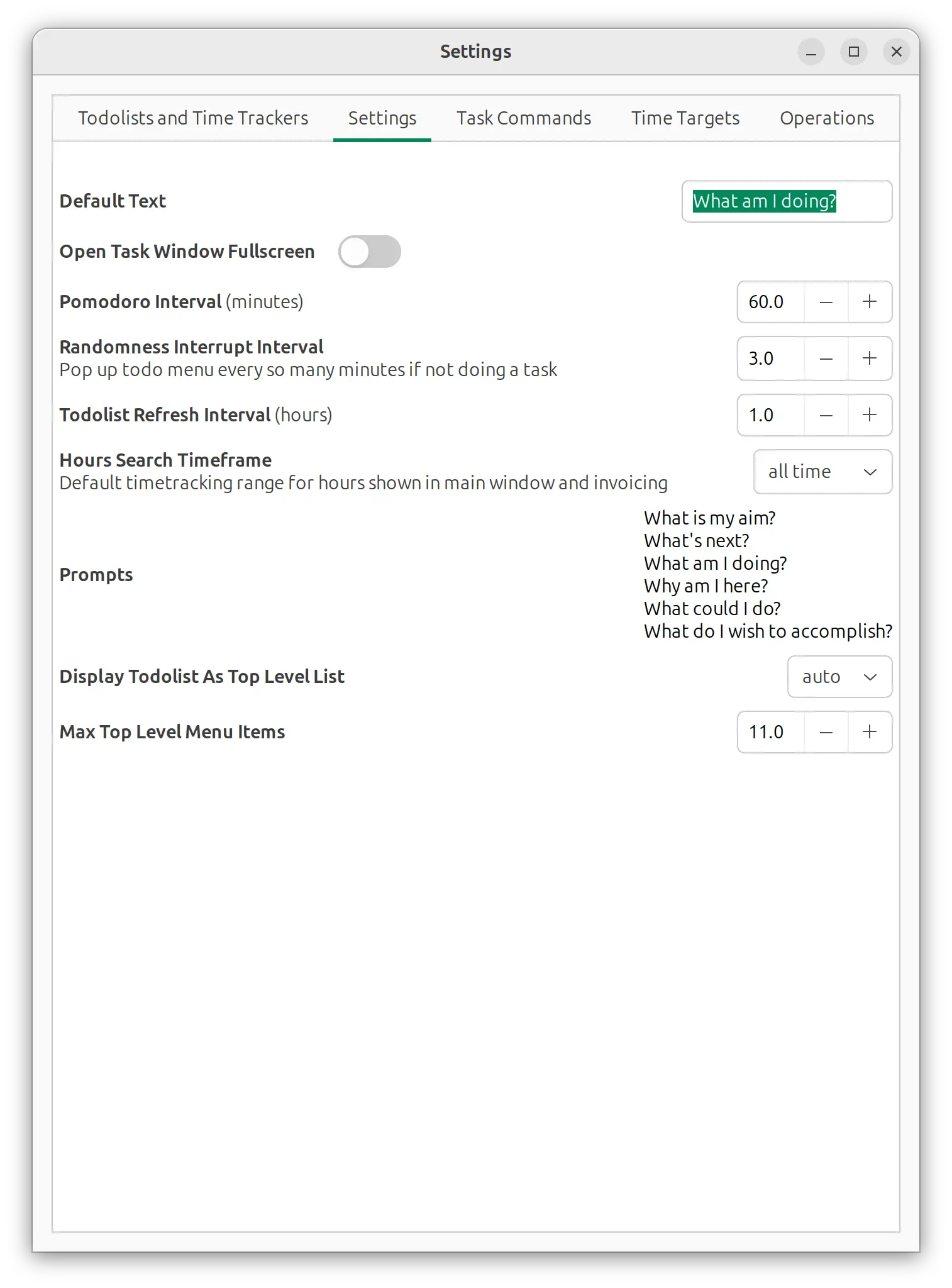
Open nowfocus Settings from the indicator menu or tasks window and connect your to-do lists and time tracker(s)
Task Window Keybindings
F11Toggle fullscreenEscClose task windowEnterStart top task (or make a new task with current search phrase if no results)Ctrl + PPause current taskCtrl + DPause current task and mark it DoneCtrl + XCancel current taskCtrl + NNew taskCtrl + RRefresh todolistsCtrl + LorCtrl + FFocus the task search
Commandline Interface
- To raise the task window use simply:
nowfocus - If nowfocus has crashed or failed to shut down nicely use
nowfocus --force - To start timing a task: add the task name as the first positional argument.
nowfocus "checking email" - To stop timing use
nowfocus stop - Start with verbose logging use:
nowfocus -l 3 - Start with targeted verbose logging use:
nowfocus -s trello
Development
Install from Source
- Install dependencies from above.
- Clone this repo somewhere (referred to as
YOUR_INSTALL_PATH) - Change to
YOUR_INSTALL_PATHdirectory withcd YOUR_INSTALL_PATH/nowfocus - build python module with
python3 -m build(this should be done in a venv and will require some dependecies...) - pipx install -e --force YOUR_INSTALL_PATH/monotask/
Release history Release notifications | RSS feed


Download files
Download the file for your platform. If you're not sure which to choose, learn more about installing packages.
Source Distribution
Built Distribution
Filter files by name, interpreter, ABI, and platform.
If you're not sure about the file name format, learn more about wheel file names.
Copy a direct link to the current filters
File details
Details for the file nowfocus-0.2.6.tar.gz.
File metadata
- Download URL: nowfocus-0.2.6.tar.gz
- Upload date:
- Size: 397.0 kB
- Tags: Source
- Uploaded using Trusted Publishing? No
- Uploaded via: twine/6.1.0 CPython/3.12.3
File hashes
| Algorithm | Hash digest | |
|---|---|---|
| SHA256 |
da3b61f2527bb7c20148433f1ca9f223bde7419df75edf204641d3a2ece67ae6
|
|
| MD5 |
597fa0be54cbed77f855a5d60ffad007
|
|
| BLAKE2b-256 |
8a848c15bad7b364a5e19804423d5eec91d38361f4926fc1e1d1ab34860bb992
|
File details
Details for the file nowfocus-0.2.6-py3-none-any.whl.
File metadata
- Download URL: nowfocus-0.2.6-py3-none-any.whl
- Upload date:
- Size: 420.7 kB
- Tags: Python 3
- Uploaded using Trusted Publishing? No
- Uploaded via: twine/6.1.0 CPython/3.12.3
File hashes
| Algorithm | Hash digest | |
|---|---|---|
| SHA256 |
9b7dc71c49508862662800c34463719180e5a5def4b82336c8833bb8a8901929
|
|
| MD5 |
b0ef8a61386659911f99c8268f34f9ef
|
|
| BLAKE2b-256 |
cbc008ddb73ade4786f0e7f55904d344190e478b937189410000d868ed3b225e
|






