
Node based workflow orchestration UI for python ML/AI computing

Project description
NozyIO
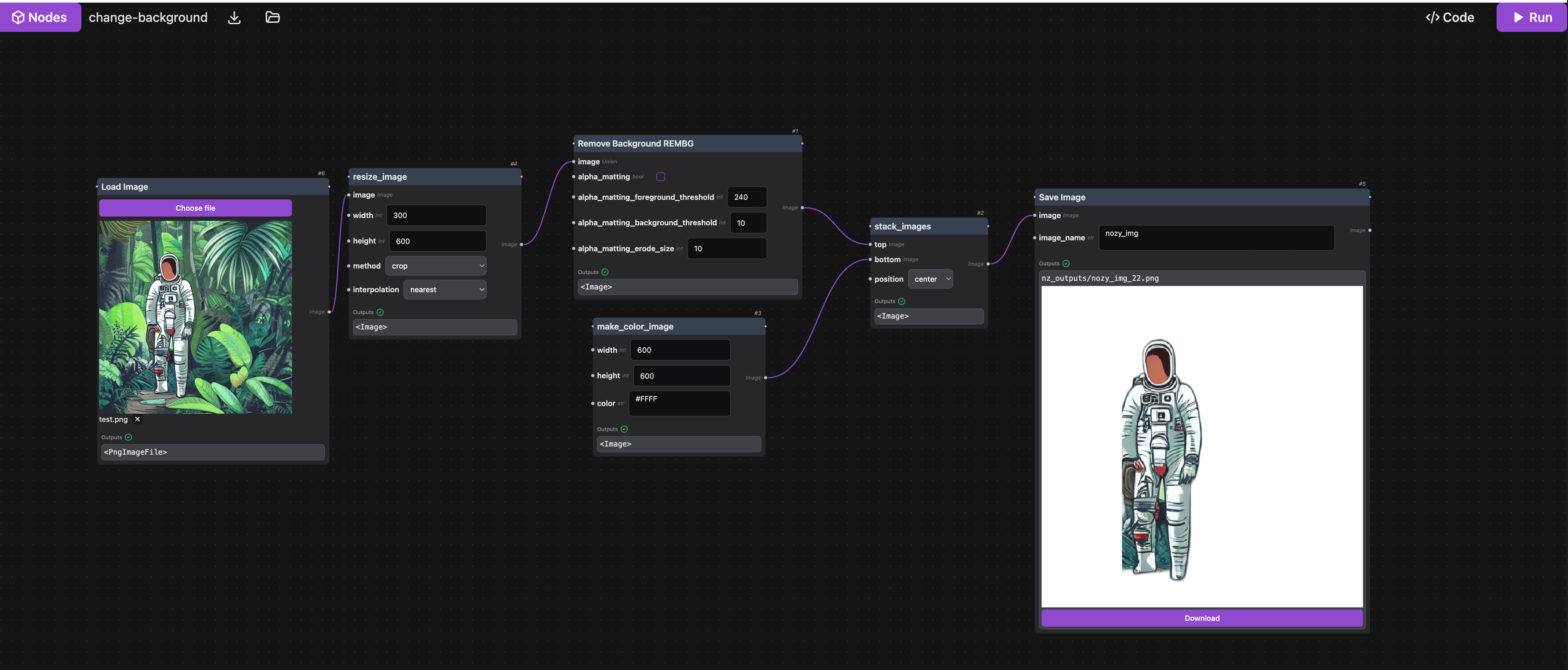
Python AI/ML pipeline visualization and orchestration UI for your codebase. Add a pipeline workflow GUI demo to your python project effortlessly.
demo: https://www.youtube.com/watch?v=8rvxua4AmAo
- Workflow nodes editor for your python code
- Automatically scan your python functions to nodes with params typing
- Visualize output results of each step/node, including images, charts
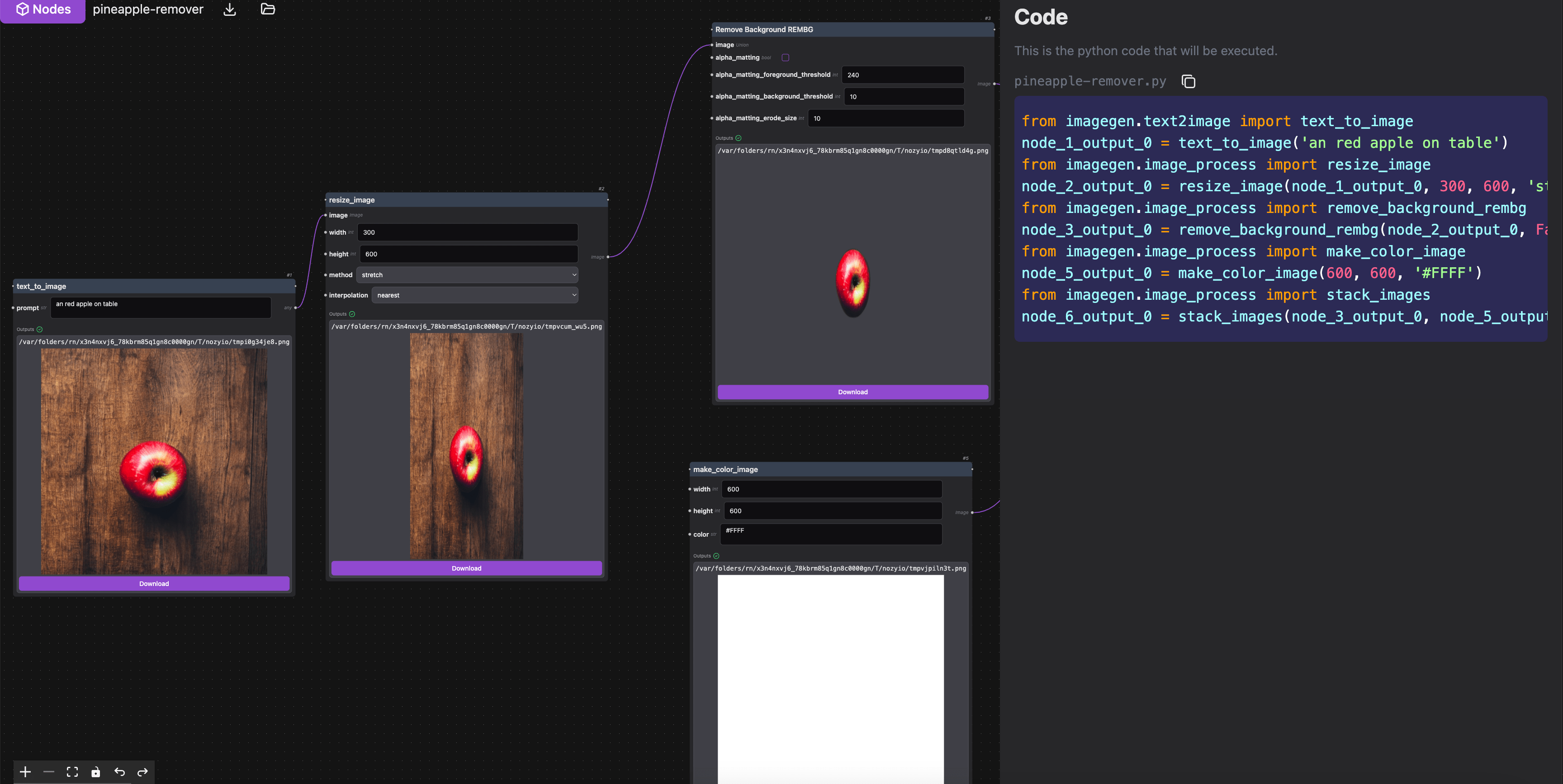
- Export the pipeline graph as Python code
- Python visual scripting
Install
In your python project root:
pip install nozyio
To start the nozyio UI:
nozyio
Usage
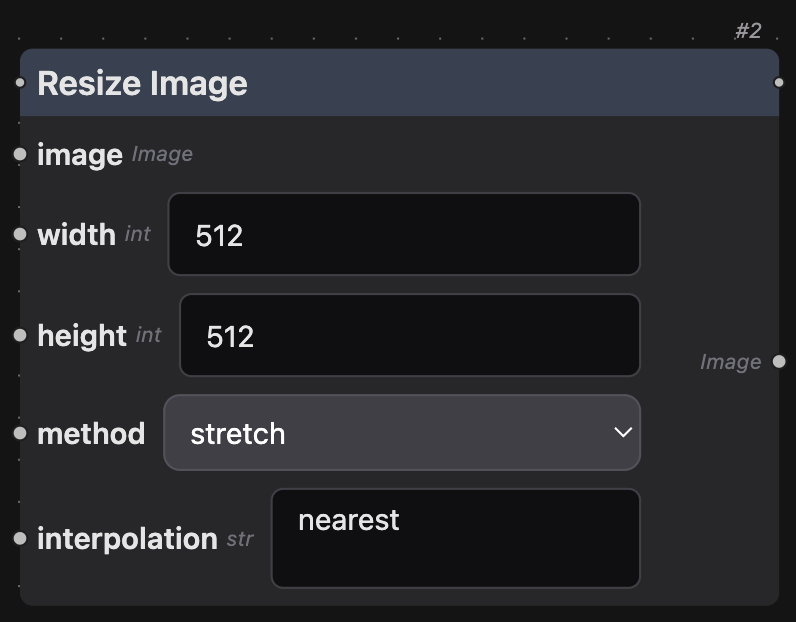
Super easy node define (just write a function with typing) For example:
from PIL.Image import Image

def resize_image(
    image: Image,
    width: int = 512,
    height: int = 768,
    method: Literal["stretch", "fit", "crop"],
    interpolation: str
) -> Image:
    # ...some code here...
    return image.resize((width, height), interp_method)

resize_image.NOZY_NODE_DEF = {
    "node_title": "Resize Image",
}
👇This function will be rendered as below. You can see that all args default values are populated as the input box defaults
👇Export workflow to code, preview any image input/output
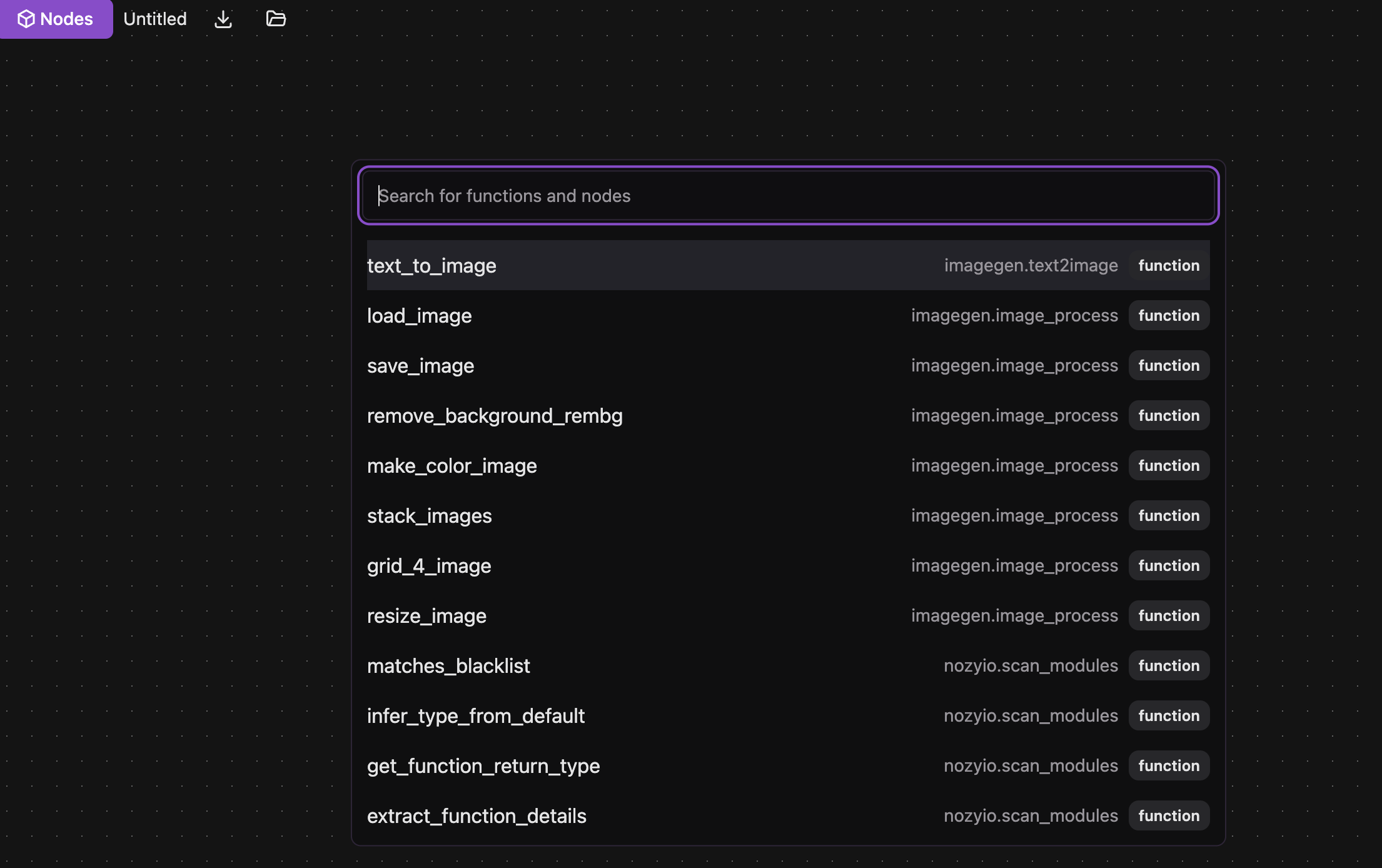
👇Automatically scan your python functions as nodes with params typing
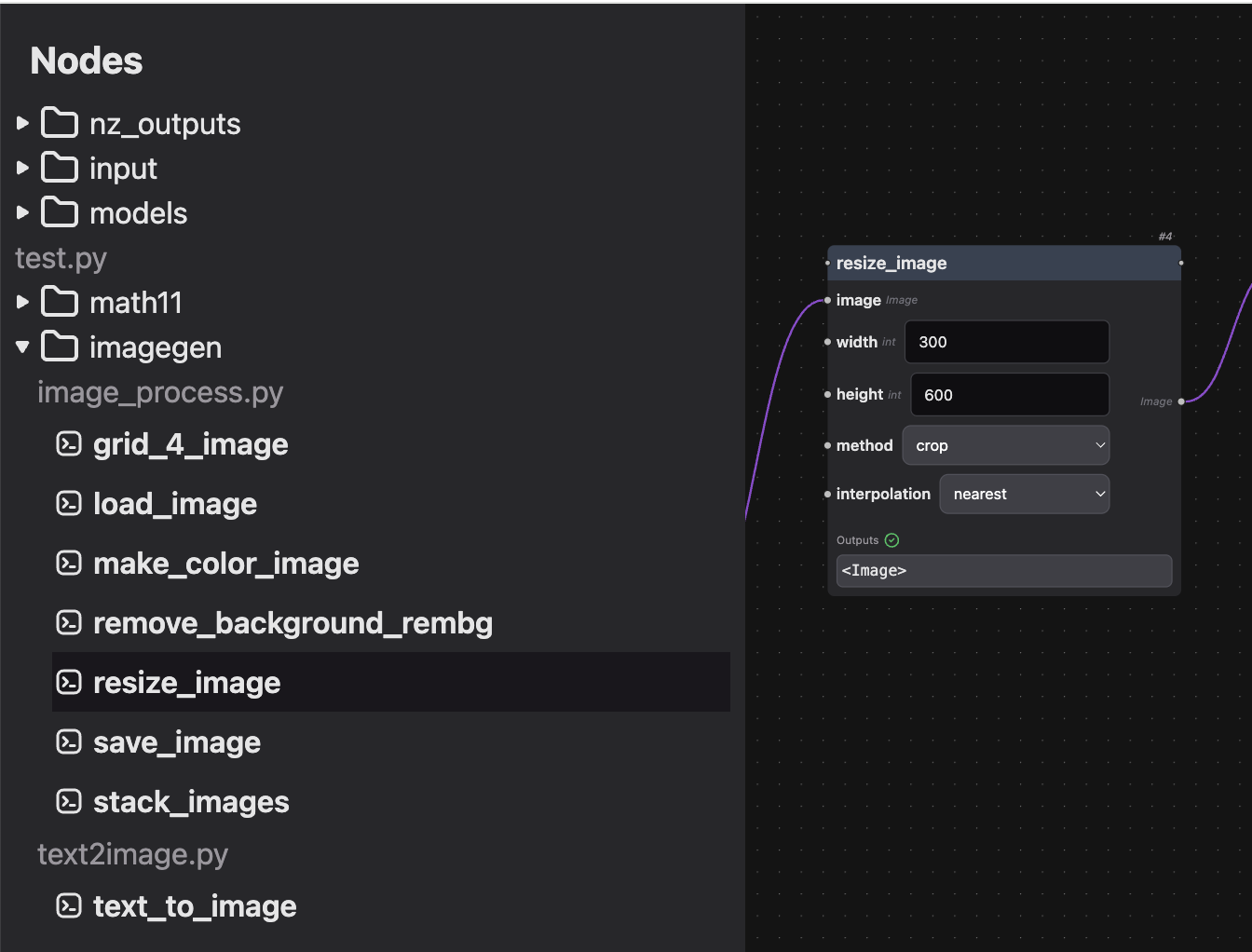
👇Double-click canvas to search any functions in your project and add nodes
Node input types
Nozyio will automatically scan your python functions and convert them to nodes. You can define the input, output types by adding type annotations to the function parameters and return type. Params with no type annotation will become "any" type.
| Python Type | UI Element | HTML element |
|---|---|---|
int |
number input box | <input type="number"> |
str |
text input box | <textfield type="text"> |
Literal["abc", "xyz"] |
dropdown input box | <select> |
PIL.Image.Image |
image preview | <img> |
Input widgets
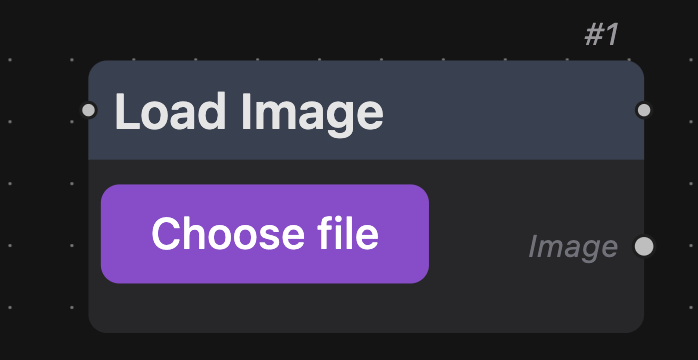
You can also add custom UI widgets to the input parameters by adding a widget field to the input definition. In below example, we use server_file_picker widget to let user select an image file from the files on the server:
from PIL import Image.Image
def load_image(image_path: str) -> Image.Image:
    return Image.open(image_path)
load_image.NOZY_NODE_DEF = {
    "node_title": "Load Image",
    "description": "Load image from path",
    "inputs": {
        "image_path": {
            "type": "filepath",
            "widget": {
                'type': 'server_file_picker',
                'options': {
                    'extensions': ['.png', '.jpg', '.jpeg', '.bmp', '.tiff', '.webp']
                }
            },
            "hide_handle": True,
            "description": "Path to image"
        }
    },
    "outputs": [{"name": "image", "type": "Image", "description": "Loaded image"}]
}
Future Plans
- Visualize your python code to graph flow
- AI image nodes packages
Development
install pip package in editable mode
pip install -e .
start nozyio server
nozyio --allow-cors
Start web dev server with hot reload
cd nozyio/web && npm run dev
Go to the web server url
Build and publish to pypi
if you haven't installed twine:
python -m pip install --upgrade twine
if you haven't installed build:
python -m pip install --upgrade build
To build and publish to pypi:
chmod +x build.sh
./build.sh
Credits
Lots of code are referenced from ComfyUI (https://github.com/comfyanonymous/ComfyUI)
Release history Release notifications | RSS feed


Download files
Download the file for your platform. If you're not sure which to choose, learn more about installing packages.
Source Distribution
Built Distribution
Filter files by name, interpreter, ABI, and platform.
If you're not sure about the file name format, learn more about wheel file names.
Copy a direct link to the current filters
File details
Details for the file nozyio-0.1.14.tar.gz.
File metadata
- Download URL: nozyio-0.1.14.tar.gz
- Upload date:
- Size: 6.4 MB
- Tags: Source
- Uploaded using Trusted Publishing? No
- Uploaded via: twine/5.1.1 CPython/3.12.7
File hashes
| Algorithm | Hash digest | |
|---|---|---|
| SHA256 |
9363454e8a2f569a7f3278651ff2cd7935048fd3387cad4dfdb470a6855e235e
|
|
| MD5 |
ab70701d7765318285fe6784e807b58e
|
|
| BLAKE2b-256 |
0daaec996d59d4e8731c8bdd93059b81bc01d3dfdd705feb3f664520221a79c8
|
File details
Details for the file nozyio-0.1.14-py3-none-any.whl.
File metadata
- Download URL: nozyio-0.1.14-py3-none-any.whl
- Upload date:
- Size: 6.4 MB
- Tags: Python 3
- Uploaded using Trusted Publishing? No
- Uploaded via: twine/5.1.1 CPython/3.12.7
File hashes
| Algorithm | Hash digest | |
|---|---|---|
| SHA256 |
e8bcf7b543c364eaab0b8ab93d151a5868490424dd3944550eb87c2e7ec1c105
|
|
| MD5 |
5a40c468fff426f821ce8af7f4b51904
|
|
| BLAKE2b-256 |
2789850577ce17dbf555ea04ed35db595b6e063e0d016be766f5390b86cff749
|






