
npGUI
This package implements Graphical User Interfaces from a NumPy user perspective: every image corresponds to an ndarray.
The main goal of this package is to provide a simple way (given certain background and tastes) to build prototypes of graphical user interfaces. In particular, we do not claim for computational performance.
Main features
The core class is ClickableImage whose instances' attributes are:
- a dictionary of parameter values,
- a callable that returns an image of fixed shape,
- regions in that shape defined as boolean images of the same shape
- and their corresponding callbacks.
When calling the use method of an instance, the dictionary is passed to the callable, that uses (some of) its values as arguments and outputs an image which is displayed in a window.
Upon clicking on the distinguished regions, their callbacks are called and alter the parameter values. The image is then refreshed from this input.
When closing the window, the use method returns the dictionary with its altered values; whence the interaction with the user.
These objects can be stacked vertically and horizontally to compose more complex ones. A certain number of subclasses are proposed as basic building blocks. The stacked blocks may have parameter keywords in common, which allows for interactions between them.
Installation
This package can be installed with pip as follows.
$ pip install np_gui
To avoid dependency hell, you might consider installing this package in a virtual environment.
Alternatively, you can check the pyproject.toml file to see if this package is compatible with your setup ; which is likely.
Documentation
A detailed documentation of this package is available on GitHub Pages --- as a website.
It is also available in pdf format here.
Demo
Some demonstration scripts are provided on the GitHub repository.
These are:
-
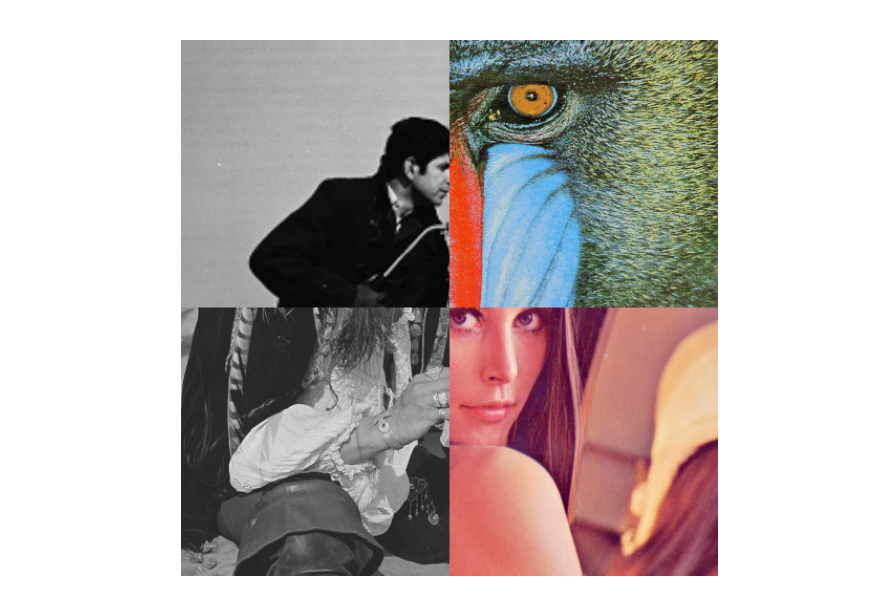
./demo/puzzles/puzzles.py
Preview of the puzzles.py demo. -
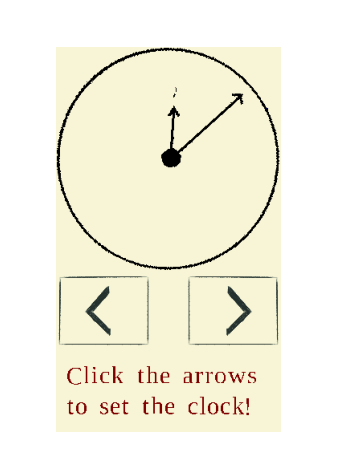
./demo/clock/clock.py
Preview of the clock.py demo.
Further developments of the project
This package could benefit from several enhancements, among other things:
- develop additional specialized subclasses of ClickableImage,
- include keyboard interactions,
- lighten its memory usage.
Feel free to open the discussion through issues and pull requests on the GitHub repository.
Feedback is also welcome by e-mail or by giving the project a star.
1 maintainer

Metadata
1 maintainer
Release files for np-gui 0.1.0
For a detailed explanation of source distributions (sdists) and built distributions (wheels), please see the package formats documentation.
Source distribution (sdist)
| File | Size | Uploaded | Provenance | |
|---|---|---|---|---|
| np_gui-0.1.0.tar.gz | 495.2 kB | Without provenance | Details |
Built distribution (wheel)
| File | Interpreter | ABI | Platform | Reset |
|---|---|---|---|---|
| np_gui-0.1.0-py3-none-any.whl | Python 3 | none | any | Details |
Total release size: 1.1 MB
Release files / np_gui-0.1.0.tar.gz
| Download URL | np_gui-0.1.0.tar.gz |
|---|---|
| Size | 495.2 kB |
| Tags | Source |
|
SHA-256 checksum How to use checksums |
e27ecd9c552a8c97d767461488fa35e1f4f0d71e25fe23f5184b069b7d16d820
|
|
BLAKE2b-256 checksum How to use checksums |
0c6b01f6f5be34c19e63bfecbe2407c596af100e17b8d7dcd10e54602331c8ae
|
| Upload date | |
|
Uploaded using Trusted Publishing? What is trusted publishing? |
No |
| Uploaded via |
poetry/1.4.1 CPython/3.10.6 Linux/5.14.0-1050-oem
|
Release files / np_gui-0.1.0-py3-none-any.whl
| Download URL | np_gui-0.1.0-py3-none-any.whl |
|---|---|
| Size | 563.1 kB |
| Tags | Python 3 |
|
SHA-256 checksum How to use checksums |
6ec7c6df9ba69853c4c5702158712edf9d3b0559bc3c6896f233be2370106b5e
|
|
BLAKE2b-256 checksum How to use checksums |
88a0d5c142f25447d11c37cd6c50f5a74f87091eb9d2aab44e6484690f6b3700
|
| Upload date | |
|
Uploaded using Trusted Publishing? What is trusted publishing? |
No |
| Uploaded via |
poetry/1.4.1 CPython/3.10.6 Linux/5.14.0-1050-oem
|
Security for np-gui 0.1.0
Provenance
Provenance describes where a file came from. On PyPI, provenance is shared via attestations, which provide a verifiable record of the build or publishing details. View details, limitations and caveats.
No provenance found
None of the files in this release were uploaded with provenance metadata.
A note on package security
PyPI is a repository for distributing packages, not a service for auditing them. While third-party security researchers and our staff do their best to detect and remove malicious packages, PyPI cannot guarantee the quality, security or suitability of any given package.














