
npf-renderer
A Python library for rendering Tumblr's Neue Post Format (NPF) into HTML
Output
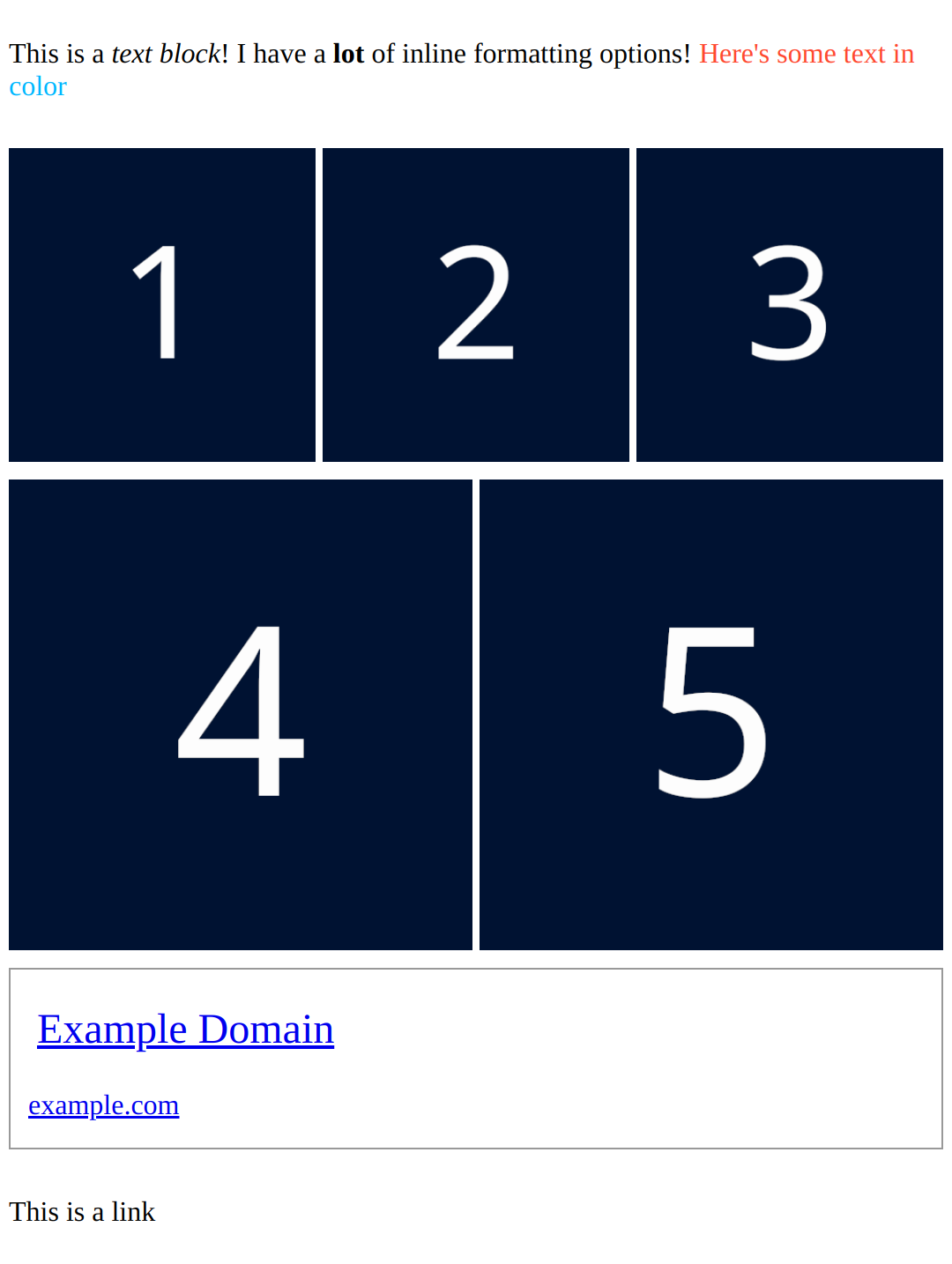
Usage:
import pytumblr
import npf_renderer

client = pytumblr.TumblrRestClient(*TUMBLR_API_KEYS)

blog = client.posts(BLOG_NAME, npf=True)
post = blog["posts"][0]

content, layout = post["content"], post["layout"]

has_error, post_html = npf_renderer.format_npf(content, layout, pretty_html=True)

print(post_html)
HTML
<div class="post-body">
  <div class="layout-row">
    <p class="text-block">
      <span class="inline-formatted-content">This is a <i class="inline-italics">text block</i>! I have a
        <b class="inline-bold">lot</b> of inline formatting options!
        <span class="inline-color" style="color: #ff4930;">Here's some text in </span>
        <span class="inline-color" style="color: #00b8ff;">color</span>
      </span>
    </p>
  </div>
  <div class="layout-row">
    <figure class="image-block">
      <div class="image-container">
        <img alt="image" class="image" loading="lazy" sizes="(max-width: 540px) 33vh, 180px" srcset="...">
      </div>
    </figure>
    <figure class="image-block">
      <div class="image-container">
        <img alt="image" class="image" loading="lazy" sizes="(max-width: 540px) 33vh, 180px" srcset="...">
      </div>
    </figure>
    <figure class="image-block">
      <div class="image-container">
        <img alt="image" class="image" loading="lazy" sizes="(max-width: 540px) 33vh, 180px" srcset="...">
      </div>
    </figure>
  </div>
  <div class="layout-row">
    <figure class="image-block">
      <div class="image-container">
        <img alt="image" class="image" loading="lazy" sizes="(max-width: 540px) 50vh, 270px" srcset="...">
      </div>
    </figure>
    <figure class="image-block">
      <div class="image-container">
        <img alt="image" class="image" loading="lazy" sizes="(max-width: 540px) 50vh, 270px" srcset="...">
      </div>
    </figure>
  </div>
  <div class="layout-row">
    <div class="link-block">
      <a class="link-block-link" href="https://href.li/?https://example.com">
        <div class="link-block-title">
          <span>Example Domain</span>
        </div>
        <div class="link-block-description-container">
          <div class="link-block-subtitles">
            <span>
              <span>example.com</span>
            </span>
          </div>
        </div>
      </a>
    </div>
  </div>
  <div class="layout-row">
    <p class="text-block">This is a link</p>
  </div>
Output
Make sure to import the CSS from npf_renderer.utils.BASIC_LAYOUT_CSS!
with open("basic_layout.css", "w") as file:
    file.write(npf_renderer.utils.BASIC_LAYOUT_CSS)
<link rel="stylesheet" type="text/css" href="basic_layout.css">
format_npf will return placeholder HTML for any blocks it doesn't support.
Unsupported blocks
<div class="post-body">
  <p class="text-block"> This text block is supported but the next block is not! </p>
  <div class="unsupported-content-block">
    <div class="unsupported-content-block-message">
      <h1>Unsupported content placeholder</h1>
      <p>Hello! I'm a placeholder for the unsupported "unsupported" type NPF content block. Please report me!</p>
    </div>
  </div>
</div>
In the event that it cannot format anything an empty div will be returned
Installation
pip install npf-renderer
Advanced
URL Handling
You can pass in a custom URL handler function to format_npf to replace any links within the NPF tree.
def url_handler(url):
    url = urllib.parse.urlparse(url)

    if url.hostname.endswith("example.com"):
        return url._replace(netloc="other.example.com").geturl()

format_npf(contents, layouts, url_handler=url_handler)
Polls
As polls require an additional request in order to fetch results, npf-renderer by default can only render a very basic poll without any votes attached.
You can however provide the data necessary for npf-renderer to populate polls by passing in a callback function to format_npf that takes a poll_id argument.
Be sure to have the blog name and the post ID at hand too, as Tumblr's API requires all three to fetch poll results.
The data returned should be in the form:
{
  "results": {
    // answer_id => vote_count
    "9a025e86-2f02-452e-99d3-b4c0fd9afd48": 123,
    "fad65faf-06d3-4a24-85a9-47c096ab07e3": 321
  },
  "timestamp": 1706642448
}
Example:
def create_callback(blog_name, post_id)
    def poll_callback(poll_id):
        initial_results = request_poll_results(blog_name, post_id, poll_id)

        return initial_results["response"]

    return poll_callback

npf_renderer.format_npf(content, layout, poll_result_callback=create_callback(blog_name, post_id))
Features
(True as of master branch)
-
Text blocks
-
Image blocks
-
Link Blocks
-
Audio Blocks
-
Video Blocks
-
Polls Blocks
-
Layouts
-
Attributions
1 maintainer

Metadata
1 maintainer
Release files for npf-renderer 0.13.0
For a detailed explanation of source distributions (sdists) and built distributions (wheels), please see the package formats documentation.
Source distribution (sdist)
| File | Size | Uploaded | |
|---|---|---|---|
| npf_renderer-0.13.0.tar.gz | 29.8 kB | Details |
Built distribution (wheel)
| File | Interpreter | ABI | Platform | Reset |
|---|---|---|---|---|
| npf_renderer-0.13.0-py3-none-any.whl | Python 3 | none | any | Details |
Total release size: 66.2 kB
Release files / npf_renderer-0.13.0.tar.gz
| Download URL | npf_renderer-0.13.0.tar.gz |
|---|---|
| Size | 29.8 kB |
| Tags | Source |
|
SHA-256 checksum How to use checksums |
bbbe477c478d0258424f08096f70ded453d72ab88d0a7f54c24788a810c1c204
|
|
BLAKE2b-256 checksum How to use checksums |
2455fc7fe4cf1ed46b628b1dee4d5d155cfabf7cebf0a006f78aeaf139929a99
|
| Upload date | |
|
Uploaded using Trusted Publishing? What is trusted publishing? |
No |
| Uploaded via |
twine/6.1.0 CPython/3.12.8
|
Release files / npf_renderer-0.13.0-py3-none-any.whl
| Download URL | npf_renderer-0.13.0-py3-none-any.whl |
|---|---|
| Size | 36.3 kB |
| Tags | Python 3 |
|
SHA-256 checksum How to use checksums |
5d870dbc1fe51ea13cc2979456622621e88576adfc2c084647560c49f8d5654c
|
|
BLAKE2b-256 checksum How to use checksums |
084fbf6e218f1e6d1f4222a47fbfca733e8a1d60b950f26dcf892041bb3619c9
|
| Upload date | |
|
Uploaded using Trusted Publishing? What is trusted publishing? |
No |
| Uploaded via |
twine/6.1.0 CPython/3.12.8
|














