
Quick GUI viewer for .npy / .npz arrays with image, table, and cross-section views

Project description






Why npyquick?
Researchers often need to quickly inspect .npy and .npz files without writing a notebook, launching an IDE, or remembering the array shape in advance.
npyquick is designed as a small, practical viewer for this job:
- open NumPy array files directly from the terminal or file manager
- inspect common scientific data layouts immediately
- stay lightweight and easy to understand
- avoid turning a simple array viewer into a full image-processing application
Installation
Linux (AppImage):
On x86-64 Linux, AppImage is available for one-click installation. Download npyquick-x86_64.AppImage from the latest release, then:
chmod +x npyquick-x86_64.AppImage
./npyquick-x86_64.AppImage path/to/file.npy
To open .npy / .npz by double-clicking in your file manager, register the default handler once with ./npyquick-x86_64.AppImage --install-desktop (details in Linux desktop integration). If you integrate the AppImage with a tool like AppImageLauncher, this association is set up for you automatically.
Windows:
Download the npyquick-<version>-setup.exe installer from the latest release and run it. It installs per-user (no administrator rights needed) and adds a Start Menu shortcut. To open .npy / .npz by double-clicking, tick Associate .npy and .npz files with npyquick during setup.
The Windows build is currently unsigned, so the first run may show a SmartScreen prompt. Download only from the official GitHub Releases page; after confirming the file name and source, choose More info → Run anyway.
With pip:
pip install npyquick
With conda:
conda env create -f environment.yml
conda activate npyquick
Usage
npyquick                        # open GUI
npyquick path/to/file.npy       # open with a file
npyquick path/to/file.npz       # open a multi-array archive
Files can be opened via File › Open (Ctrl+O) or by dragging and dropping onto the window.
Features
Image view
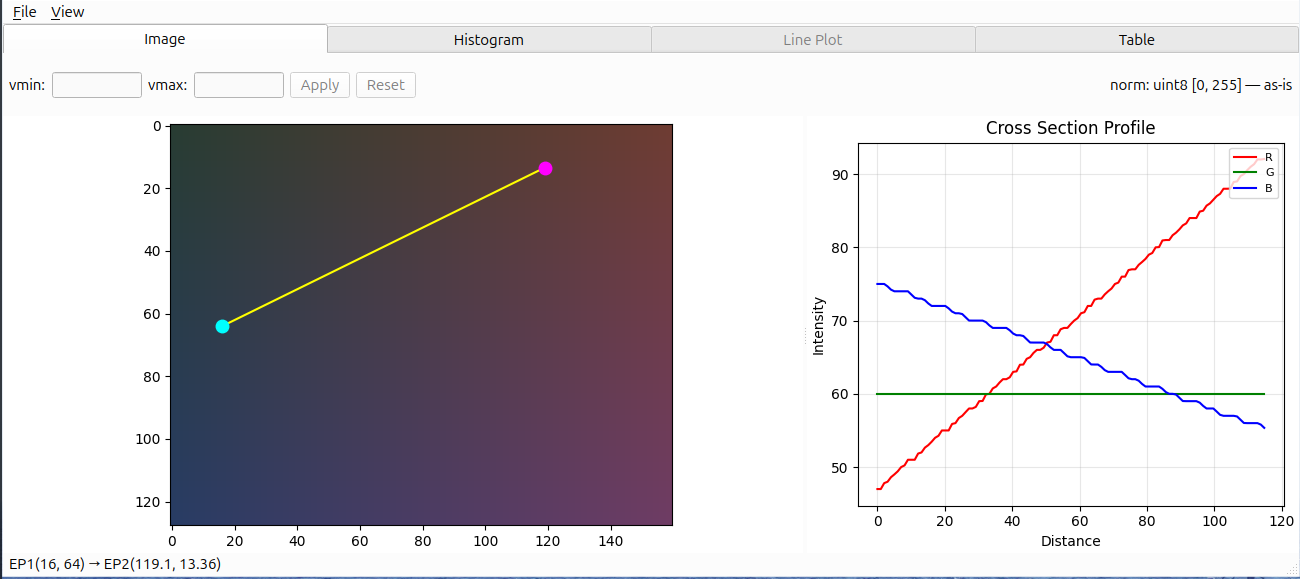
Preview 2D grayscale arrays and RGB arrays with interactive zoom, pan, colormap control, brightness adjustment, and a draggable cross-section profile. Complex arrays are supported too, shown as two side-by-side panels: either real and imaginary parts, or absolute value and argument.
Histogram view
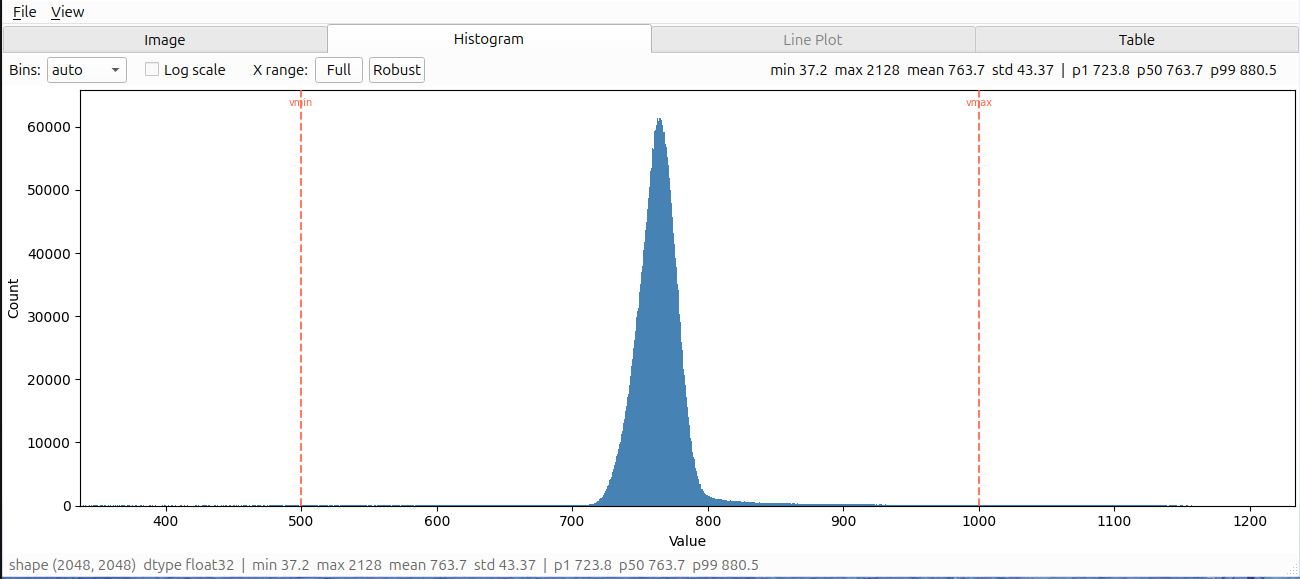
Inspect value distributions with linear or log-scaled counts, robust range selection, summary statistics, and NaN / Inf reporting.
Line Plot view
Display 1D signals and paired (x, y) arrays with interactive zoom, pan, reset, and optional log-scaled axes.
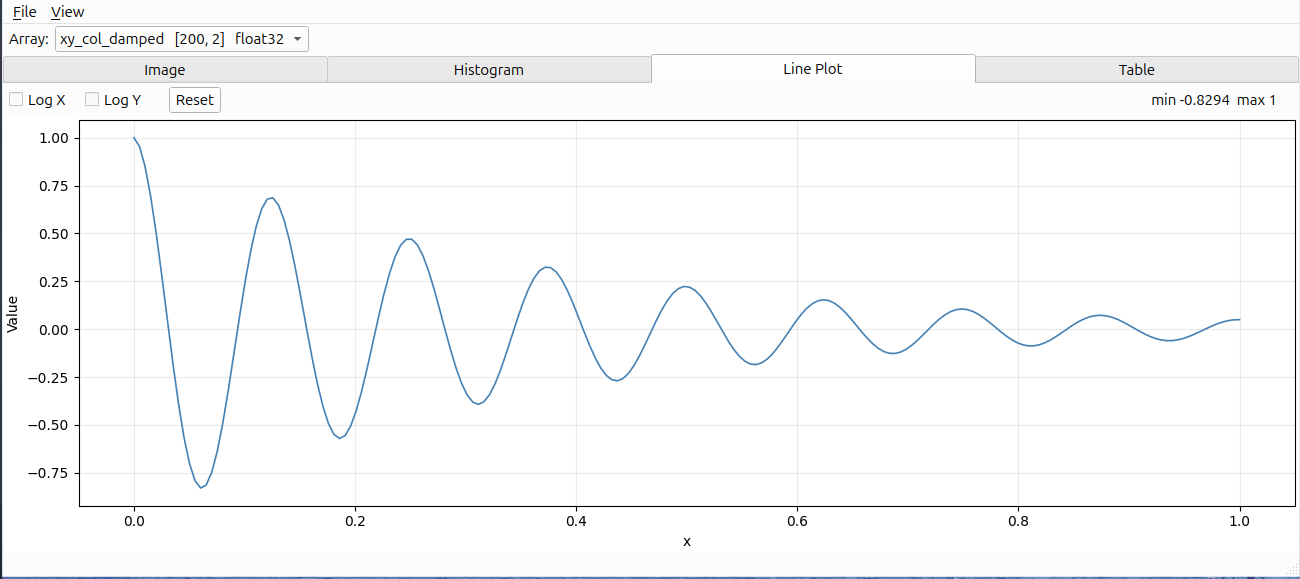
Table view
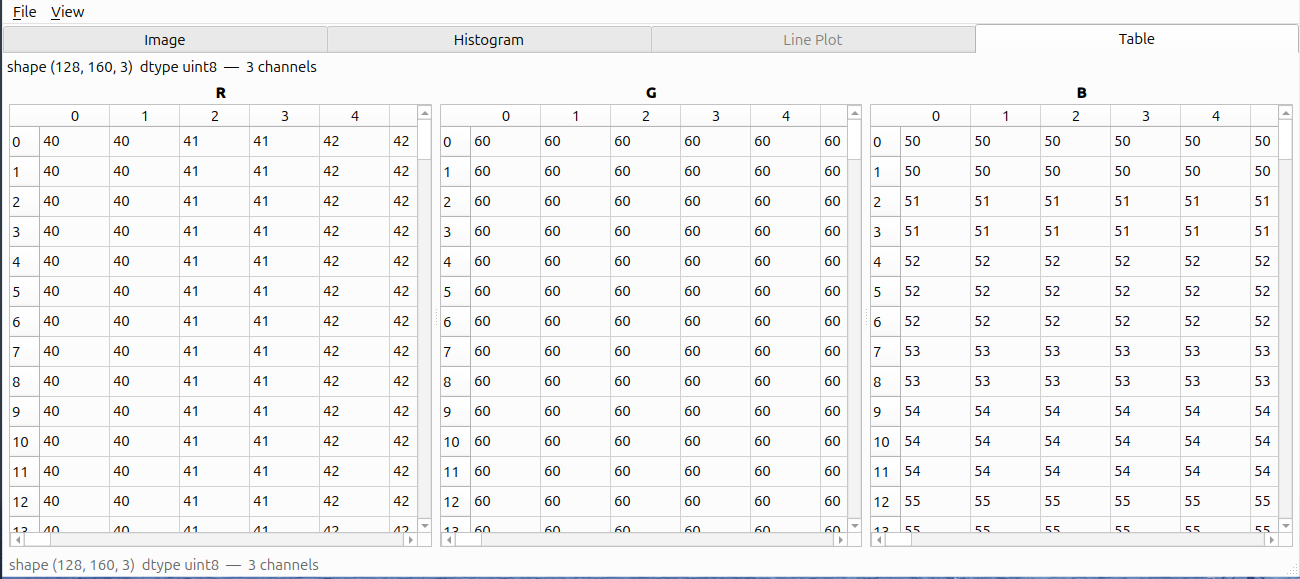
Fallback preview for arrays that are not naturally displayed as images or line plots, including higher-dimensional, object, scalar, or empty arrays.
.npz archives
When a .npz archive contains multiple arrays, npyquick shows a key selector with each array's name, shape, and dtype. Switching the selected key reloads the active view.
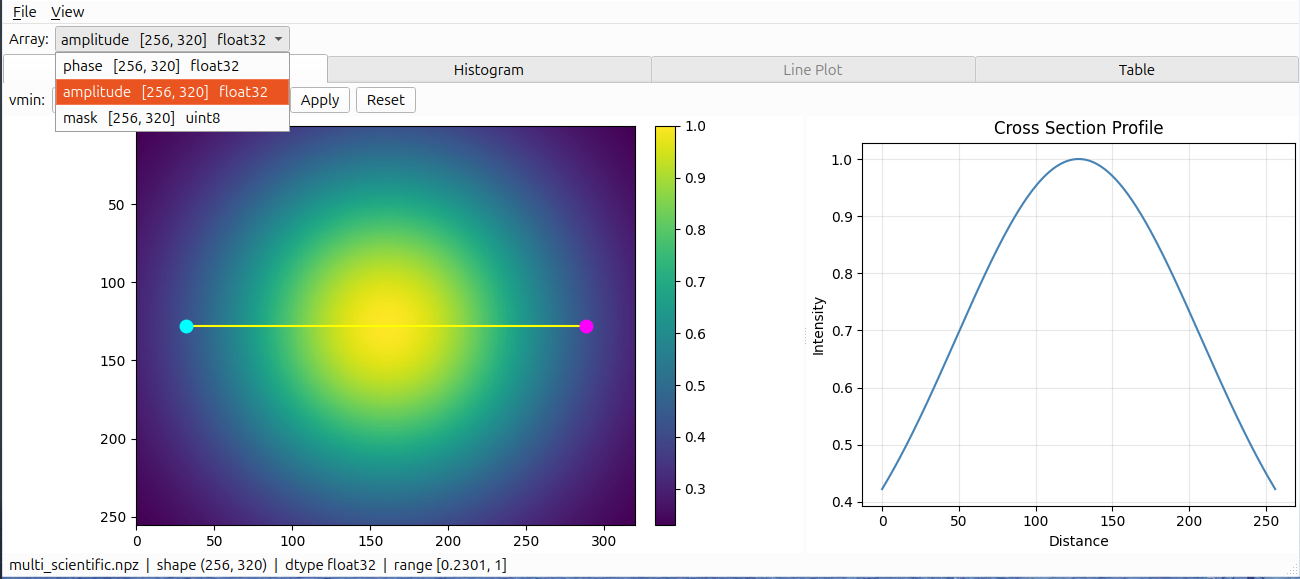
For detailed display rules, normalization behavior, downsampling, and performance limits, see Display behavior.
Keyboard shortcuts
| Shortcut | Action |
|---|---|
Ctrl+O |
Open file |
Ctrl+S |
Export current figure |
Ctrl+C |
Copy current figure |
Ctrl+Q |
Quit |
F5 / Ctrl+R |
Reload current file |
Ctrl+Tab |
Switch to next enabled tab |
Ctrl+Shift+Tab |
Switch to previous enabled tab |
On macOS, ⌘+Tab is reserved by the system for app switching, so tab switching
uses Control+Tab / Control+Shift+Tab or ⌘+Shift+] / ⌘+Shift+[ (as in Safari).
Linux desktop integration
Register npyquick as the handler for .npy / .npz files so you can double-click them in your file manager, or right-click → Open With:
npyquick --install-desktop
This installs a .desktop entry, the .npy / .npz MIME types, and the app icon under ~/.local/share (user-level, no root). Then double-click a file, or test from the terminal:
xdg-open path/to/file.npy
To remove it:
npyquick --uninstall-desktop
Works on desktops that follow the freedesktop.org desktop-entry and MIME standards (GNOME, KDE Plasma, XFCE, Cinnamon, MATE). Some environments only show the new association after the file manager restarts or you log out and back in.
Manual setup (without the CLI command)
Create ~/.local/share/applications/io.github.liukdiihmieu.npyquick.desktop, replacing the Exec= path with the output of which npyquick:
[Desktop Entry]
Type=Application
Name=npyquick
Comment=Open NumPy array files
Exec=/path/to/npyquick %f
Icon=io.github.liukdiihmieu.npyquick
Terminal=false
Categories=Science;Utility;
MimeType=application/x-npy;application/x-npz;
StartupNotify=true
Register the MIME types by creating ~/.local/share/mime/packages/npyquick.xml:
<?xml version="1.0" encoding="UTF-8"?>
<mime-info xmlns="http://www.freedesktop.org/standards/shared-mime-info">
  <mime-type type="application/x-npy">
    <comment>NumPy array file</comment>
    <glob pattern="*.npy" weight="100"/>
  </mime-type>
  <mime-type type="application/x-npz">
    <comment>NumPy compressed archive</comment>
    <sub-class-of type="application/zip"/>
    <glob pattern="*.npz" weight="100"/>
  </mime-type>
</mime-info>
The sub-class-of and high glob weight matter for .npz: it is a ZIP container internally, so without them some desktops classify it as application/zip before the extension rule applies.
Then update the databases and set the default handler:
update-mime-database ~/.local/share/mime
update-desktop-database ~/.local/share/applications
xdg-mime default io.github.liukdiihmieu.npyquick.desktop application/x-npy
xdg-mime default io.github.liukdiihmieu.npyquick.desktop application/x-npz
Roadmap
-
>2Darray slicer - Complex array support: real / imaginary / magnitude / phase
Contributing
Bug reports, feature requests, and suggestions are welcome — please open an issue.
The code in this repository is primarily written by an AI coding agent and reviewed by a human maintainer.
License
Copyright 2026 LiukDiihMieu
This project is licensed under the GNU General Public License v3.0 or later. Project logo and visual assets are included for use with this project. See the LICENSE file for details.


Download files
Download the file for your platform. If you're not sure which to choose, learn more about installing packages.
Source Distribution
Built Distribution
Filter files by name, interpreter, ABI, and platform.
If you're not sure about the file name format, learn more about wheel file names.
Copy a direct link to the current filters
File details
Details for the file npyquick-0.1.3.tar.gz.
File metadata
- Download URL: npyquick-0.1.3.tar.gz
- Upload date:
- Size: 715.5 kB
- Tags: Source
- Uploaded using Trusted Publishing? No
- Uploaded via: twine/6.2.0 CPython/3.11.15
File hashes
| Algorithm | Hash digest | |
|---|---|---|
| SHA256 |
77018bf601f31150b8a26bb88ca7d75d0f0d88087429bcde2805cd9dd0013e60
|
|
| MD5 |
ea9eac0539390627252e171c9dba8c95
|
|
| BLAKE2b-256 |
de31f7c45fa315c83bb9ebfcce11487e407958f41164b8181e07312e9567464f
|
File details
Details for the file npyquick-0.1.3-py3-none-any.whl.
File metadata
- Download URL: npyquick-0.1.3-py3-none-any.whl
- Upload date:
- Size: 68.7 kB
- Tags: Python 3
- Uploaded using Trusted Publishing? No
- Uploaded via: twine/6.2.0 CPython/3.11.15
File hashes
| Algorithm | Hash digest | |
|---|---|---|
| SHA256 |
6da9d118885aa094f605d570306644325ad1d058c550d80235ebb4398abb792d
|
|
| MD5 |
3447c6dff98c9d581fb57a8df412e420
|
|
| BLAKE2b-256 |
997c41aec60e2a1e25ab8a245b259b54945f45cfcd3c5bfbf95fef08684cc698
|






