
A previous release had provenance metadata, but this release does not. View details.
This release is a pre-release and may not be stable for production use.
nteract/nteract
What's going on?
If you're here looking for the Electron-based nteract desktop app, you can view the source in this repo. That desktop app is not actively maintained.
We're actively developing the spiritual successor to the nteract desktop app in the nteract/desktop repo.
The New Desktop App
We're actively developing the spiritual successor to the nteract desktop app in the nteract/desktop repo.
The new app is a native desktop app with instant startup and intelligent environment management.
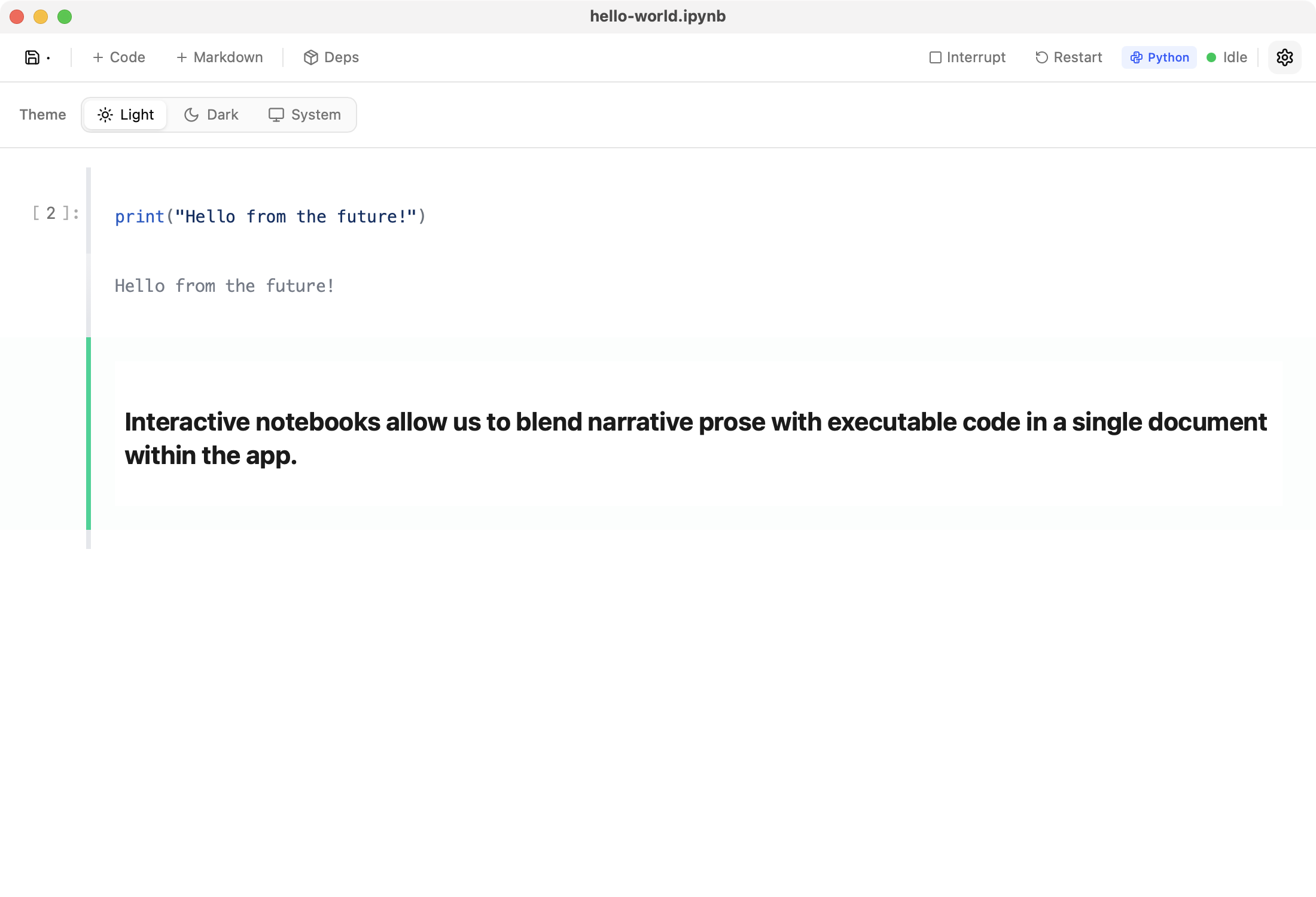
Bringing Agents in the Loop
We're in the preliminary stages of hooking up the realtime system from nteract/desktop to any agent of your choice. Collaborate with agents in notebooks, render interactive elements, and explore data together.
Quick Start
Claude Code
# Stable desktop 1.4.x / stable MCP
claude mcp add nteract -- uvx nteract
For desktop nightly / the upcoming 2.x transition, use the prerelease MCP package and nightly socket:
claude mcp add nteract-nightly -- env RUNTIMED_SOCKET_PATH="$HOME/Library/Caches/runt-nightly/runtimed.sock" uvx --prerelease allow nteract
That's it. Now Claude can execute Python code, create visualizations, and work with your data.
What is this?
nteract is an MCP (Model Context Protocol) server that connects AI assistants like Claude to Jupyter notebooks. It enables:
- Code execution: Run Python in a persistent kernel
- Real-time collaboration: Watch the AI work in the nteract desktop app
- Shared state: Multiple agents can work on the same notebook
- Environment management: Automatic Python environment setup
Example
Ask Claude:
"Help me visualize my log data"
Claude will:
- Connect to a notebook session
- Write and execute code
- Generate visualizations
- Show you the results
You can open the same notebook in the nteract desktop app to see changes in real-time and collaborate with the AI.
Installation
Stable line for desktop 1.4.x:
uvx nteract
Prerelease line for desktop nightly / 2.x transition:
uvx --prerelease allow nteract
Claude Code Setup
Add stable nteract as an MCP server:
claude mcp add nteract -- uvx nteract
Or manually add to your Claude configuration:
{
  "mcpServers": {
    "nteract": {
      "command": "uvx",
      "args": ["nteract"]
    }
  }
}
Using with Nightly
If you're using nteract desktop nightly builds, point at the nightly socket and allow prereleases:
claude mcp add nteract -- env RUNTIMED_SOCKET_PATH="$HOME/Library/Caches/runt-nightly/runtimed.sock" uvx --prerelease allow nteract
Release Tracks
mainpublishes prereleasenteractbuilds for the 2.x transition and tracksruntimed 2.xprereleases.release/1.9.xis the stable maintenance line for desktop1.4.xand stays onruntimed 1.9.0.
Available Tools
| Tool | Description |
|---|---|
list_active_notebooks |
List all open notebook sessions |
join_notebook |
Join an existing notebook session by ID |
open_notebook |
Open an existing .ipynb file |
create_notebook |
Create a new notebook |
save_notebook |
Save notebook to disk as .ipynb file |
create_cell |
Add a cell to the notebook (use and_run=True to execute) |
execute_cell |
Run a specific cell (returns partial results after timeout) |
run_all_cells |
Queue all code cells for execution |
set_cell |
Update a cell's source and/or type |
get_cell |
Get a cell by ID with outputs |
get_all_cells |
View all cells in the notebook |
replace_match |
Targeted literal text find-and-replace in a cell |
replace_regex |
Regex-based find-and-replace in a cell |
move_cell |
Reorder a cell within the notebook |
clear_outputs |
Clear a cell's outputs |
delete_cell |
Remove a cell from the notebook |
interrupt_kernel |
Interrupt the currently executing cell |
restart_kernel |
Restart kernel with updated dependencies |
show_notebook |
Open the notebook in the nteract desktop app (disabled with --no-show) |
add_dependency |
Add a Python package dependency |
remove_dependency |
Remove a dependency |
get_dependencies |
List current dependencies |
sync_environment |
Hot-install new deps without restart |
Architecture
┌─────────────┐     ┌─────────────┐     ┌─────────────┐
│   Claude    │────▶│   nteract   │────▶│   runtimed  │
│  (or other  │     │ MCP Server  │     │   daemon    │
│     AI)     │     │             │     │             │
└─────────────┘     └─────────────┘     └──────┬──────┘
                                               │
                    ┌─────────────┐             │
                    │   nteract   │◀────────────┘
                    │ Desktop App │  (real-time sync)
                    └─────────────┘
- nteract (this package): MCP server for AI assistants
- runtimed: Low-level daemon and Python bindings (docs)
- nteract desktop: Native app for humans to collaborate with AI
Real-time Collaboration
The magic of nteract is that AI and humans share the same notebook:
- AI connects via MCP and runs code
- Human opens the same notebook in nteract desktop
- Changes sync instantly via CRDT
- Both see the same kernel state
This enables workflows like:
- AI does initial analysis, human refines
- Human writes code, AI debugs errors
- Multiple AI agents collaborate on complex tasks
Development
# Clone
git clone https://github.com/nteract/desktop
cd desktop/python/nteract

# Install dependencies
uv sync

# Run tests
uv run pytest
Related Projects
- nteract/desktop - Native desktop app
- runtimed on PyPI - Low-level Python bindings
License
BSD-3-Clause
1 maintainer

Metadata
1 maintainer
Release files for nteract 2.0.1a202603190409
For a detailed explanation of source distributions (sdists) and built distributions (wheels), please see the package formats documentation.
Loss of provenance
These files do not have provenance metadata, despite files in a prior release including this data.
We recommend further investigation before installing these files. View details.
Source distribution (sdist)
| File | Size | Uploaded | Provenance | |
|---|---|---|---|---|
| nteract-2.0.1a202603190409.tar.gz | 77.4 kB | Without provenance | Details |
Built distribution (wheel)
| File | Interpreter | ABI | Platform | Reset |
|---|---|---|---|---|
| nteract-2.0.1a202603190409-py3-none-any.whl | Python 3 | none | any | Details |
Total release size: 95.0 kB
Release files / nteract-2.0.1a202603190409.tar.gz
Loss of provenance
This file belongs to a release without provenance metadata, despite a prior release including this data.
We recommend further investigation before installing this file. View details.
| Download URL | nteract-2.0.1a202603190409.tar.gz |
|---|---|
| Size | 77.4 kB |
| Tags | Source |
|
SHA-256 checksum How to use checksums |
5f17328eec9320ea8fda477ff7e21b0be14ae3513e4e1b48ef00895c51a47184
|
|
BLAKE2b-256 checksum How to use checksums |
d7e842592645593030f195fc913e1e4532ecfb9fabb8573128712f27370f2f37
|
| Upload date | |
|
Uploaded using Trusted Publishing? What is trusted publishing? |
Yes |
| Uploaded via |
uv/0.10.11 {"installer":{"name":"uv","version":"0.10.11","subcommand":["publish"]},"python":null,"implementation":{"name":null,"version":null},"distro":{"name":"Ubuntu","version":"24.04","id":"noble","libc":null},"system":{"name":null,"release":null},"cpu":null,"openssl_version":null,"setuptools_version":null,"rustc_version":null,"ci":true}
|
Release files / nteract-2.0.1a202603190409-py3-none-any.whl
Loss of provenance
This file belongs to a release without provenance metadata, despite a prior release including this data.
We recommend further investigation before installing this file. View details.
| Download URL | nteract-2.0.1a202603190409-py3-none-any.whl |
|---|---|
| Size | 17.7 kB |
| Tags | Python 3 |
|
SHA-256 checksum How to use checksums |
ffd758ec6f28dc140ad93213502874d336020a98e6e1c6541fc5ea791cede749
|
|
BLAKE2b-256 checksum How to use checksums |
7f2bf2461afff9c7667f2ae63a74345662a9461482a9a00dc1c196a8c956f9af
|
| Upload date | |
|
Uploaded using Trusted Publishing? What is trusted publishing? |
Yes |
| Uploaded via |
uv/0.10.11 {"installer":{"name":"uv","version":"0.10.11","subcommand":["publish"]},"python":null,"implementation":{"name":null,"version":null},"distro":{"name":"Ubuntu","version":"24.04","id":"noble","libc":null},"system":{"name":null,"release":null},"cpu":null,"openssl_version":null,"setuptools_version":null,"rustc_version":null,"ci":true}
|
Security for nteract 2.0.1a202603190409
Provenance
Provenance describes where a file came from. On PyPI, provenance is shared via attestations, which provide a verifiable record of the build or publishing details. View details, limitations and caveats.
Loss of provenance
A previous release of these files had provenance metadata, but this release does not.
While this could reflect a routine change by the project maintainers, it may also indicate that the release files have been compromised.
Release comparison
- Removed 2.0.1a202603110913 2 files With provenance
- Added 2.0.1a202603190409 2 files Without provenance
A note on package security
PyPI is a repository for distributing packages, not a service for auditing them. While third-party security researchers and our staff do their best to detect and remove malicious packages, PyPI cannot guarantee the quality, security or suitability of any given package.
To learn more about protecting yourself from malicious actors, visit our package security documentation.














