
This release is a pre-release and may not be stable for production use.



NTLMRecon
A fast and flexible NTLM reconnaissance tool without external dependencies. Useful to find out information about NTLM endpoints when working with a large set of potential IP addresses and domains.
NTLMRecon is built with flexibilty in mind. Need to run recon on a single URL, an IP address, an entire CIDR range or combination of all of it all put in a single input file? No problem! NTLMRecon got you covered. Read on.
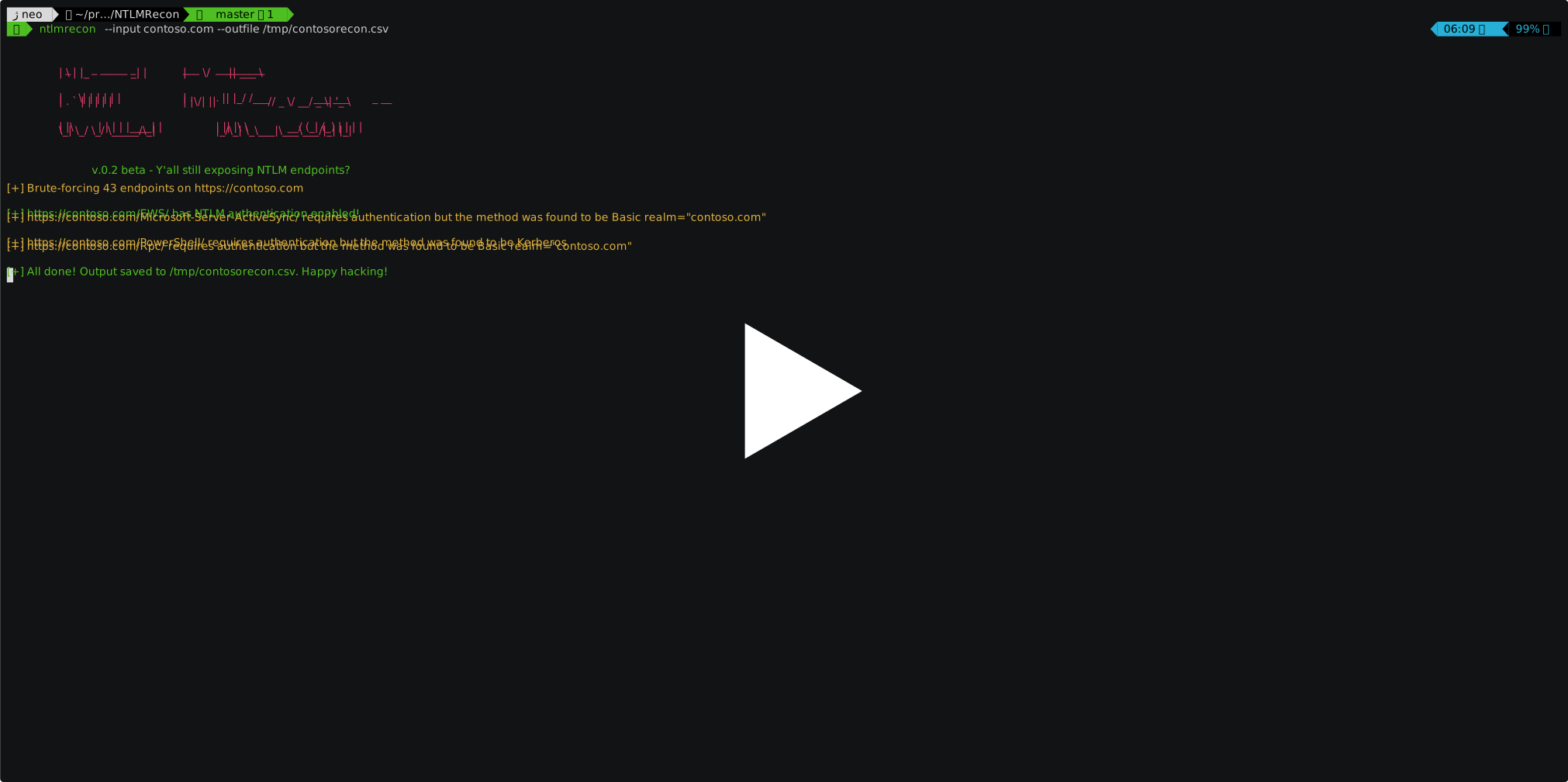
Demo
Overview
NTLMRecon looks for NTLM enabled web endpoints, sends a fake authentication request and enumerates the following information from the NTLMSSP response:
- AD Domain Name
- Server name
- DNS Domain Name
- FQDN
- Parent DNS Domain
Since NTLMRecon leverages a python implementation of NTLMSSP, it eliminates the overhead of running Nmap NSE http-ntlm-info for every successful discovery.
On every successful discovery of a NTLM enabled web endpoint, the tool enumerates and saves information about the domain as follows to a CSV file :
| URL | Domain Name | Server Name | DNS Domain Name | FQDN | DNS Domain |
|---|---|---|---|---|---|
| https://contoso.com/EWS/ | XCORP | EXCHANGE01 | xcorp.contoso.net | EXCHANGE01.xcorp.contoso.net | contoso.net |
Installation
BlackArch
NTLMRecon is already packaged for BlackArch and can be installed by running pacman -S ntlmrecon
Arch
If you're on Arch Linux or any Arch linux based distribution, you can grab the latest build from the Arch User Repository.
Generic Installation
- Clone the repository :
git clone https://github.com/sachinkamath/ntlmrecon/ - RECOMMENDED - Install virtualenv :
pip install virtualenv - Start a new virtual environment :
virtualenv venvand activate it withsource venv/bin/activate - Run the setup file :
python setup.py install - Run ntlmrecon :
ntlmrecon --help
Usage
         _   _ _____ _     ___  _________
        | \ | |_   _| |    |  \/  || ___ \
        |  \| | | | | |    | .  . || |_/ /___  ___ ___  _ __
        | . ` | | | | |    | |\/| ||    // _ \/ __/ _ \| '_ \
        | |\  | | | | |____| |  | || |\ \  __/ (_| (_) | | | |
        \_| \_/ \_/ \_____/\_|  |_/\_| \_\___|\___\___/|_| |_|

             v.0.2 beta - Y'all still exposing NTLM endpoints?

usage: ntlmrecon [-h] [--input INPUT | --infile INFILE] [--wordlist WORDLIST]
                 [--threads THREADS] [--output-type] --outfile OUTFILE
                 [--random-user-agent] [--force-all] [--shuffle] [-f]

optional arguments:
  -h, --help           show this help message and exit
  --input INPUT        Pass input as an IP address, URL or CIDR to enumerate
                       NTLM endpoints
  --infile INFILE      Pass input from a local file
  --wordlist WORDLIST  Override the internal wordlist with a custom wordlist
  --threads THREADS    Set number of threads (Default: 10)
  --output-type, -o    Set output type. JSON (TODO) and CSV supported
                       (Default: CSV)
  --outfile OUTFILE    Set output file name (Default: ntlmrecon.csv)
  --random-user-agent  TODO: Randomize user agents when sending requests
                       (Default: False)
  --force-all          Force enumerate all endpoints even if a valid endpoint
                       is found for a URL (Default : False)
  --shuffle            Break order of the input files
  -f, --force          Force replace files
Example Usage
Recon on a single URL
$ ntlmrecon --input https://mail.contoso.com --outfile ntlmrecon.csv
Recon on a CIDR range or IP address
$ ntlmrecon --input 192.168.1.1/24 --outfile ntlmrecon-ranges.csv
Recon on an input file
The tool automatically detects the type of input per line and gives you results automatically. CIDR ranges are expanded automatically even when read from a text file.
Input file can be something as mixed up as :
mail.contoso.com
CONTOSOHOSTNAME
10.0.13.2/28
192.168.222.1/24
https://mail.contoso.com
To run recon with an input file, just run :
$ ntlmrecon --infile /path/to/input/file --outfile ntlmrecon-fromfile.csv
Acknowledgements
Feedback
If you'd like to see a feature added into the tool or something doesn't work for you, please open a new issue.
1 maintainer

Metadata
1 maintainer
Release files for ntlmrecon 0.2.1b0
For a detailed explanation of source distributions (sdists) and built distributions (wheels), please see the package formats documentation.
Source distribution (sdist)
| File | Size | Uploaded | Provenance | |
|---|---|---|---|---|
| ntlmrecon-0.2.1b0.tar.gz | 11.7 kB | Without provenance | Details |
Built distribution (wheel)
| File | Interpreter | ABI | Platform | Reset |
|---|---|---|---|---|
| ntlmrecon-0.2.1b0-py3-none-any.whl | Python 3 | none | any | Details |
Total release size: 23.0 kB
Release files / ntlmrecon-0.2.1b0.tar.gz
| Download URL | ntlmrecon-0.2.1b0.tar.gz |
|---|---|
| Size | 11.7 kB |
| Tags | Source |
|
SHA-256 checksum How to use checksums |
2f20bbb6a37c4996885a0ccdede779bdb8ce5a30727c59edebdcdd0d19037832
|
|
BLAKE2b-256 checksum How to use checksums |
0d2733240545ae1636982b2383330645031614a9349aa44ff4e9076758a3d35d
|
| Upload date | |
|
Uploaded using Trusted Publishing? What is trusted publishing? |
No |
| Uploaded via |
twine/3.1.1 pkginfo/1.5.0.1 requests/2.23.0 setuptools/45.3.0 requests-toolbelt/0.9.1 tqdm/4.43.0 CPython/3.8.2
|
Release files / ntlmrecon-0.2.1b0-py3-none-any.whl
| Download URL | ntlmrecon-0.2.1b0-py3-none-any.whl |
|---|---|
| Size | 11.3 kB |
| Tags | Python 3 |
|
SHA-256 checksum How to use checksums |
707d51c700bfc6c49456e70befb2fb60ecce685f12ac03042905e4a770f0330f
|
|
BLAKE2b-256 checksum How to use checksums |
1018246808e038b831462a8fa712c9b9dba0c35379e5855716df55af16861cf1
|
| Upload date | |
|
Uploaded using Trusted Publishing? What is trusted publishing? |
No |
| Uploaded via |
twine/3.1.1 pkginfo/1.5.0.1 requests/2.23.0 setuptools/45.3.0 requests-toolbelt/0.9.1 tqdm/4.43.0 CPython/3.8.2
|
Security for ntlmrecon 0.2.1b0
Provenance
Provenance describes where a file came from. On PyPI, provenance is shared via attestations, which provide a verifiable record of the build or publishing details. View details, limitations and caveats.
No provenance found
None of the files in this release were uploaded with provenance metadata.
A note on package security
PyPI is a repository for distributing packages, not a service for auditing them. While third-party security researchers and our staff do their best to detect and remove malicious packages, PyPI cannot guarantee the quality, security or suitability of any given package.














