
binaryConverter — Number Base Converter




Convert between decimal, binary, hexadecimal and octal — all at once, in one command.
Available as a pip-installable Python CLI (numbase) and as a dependency-free Bash script.
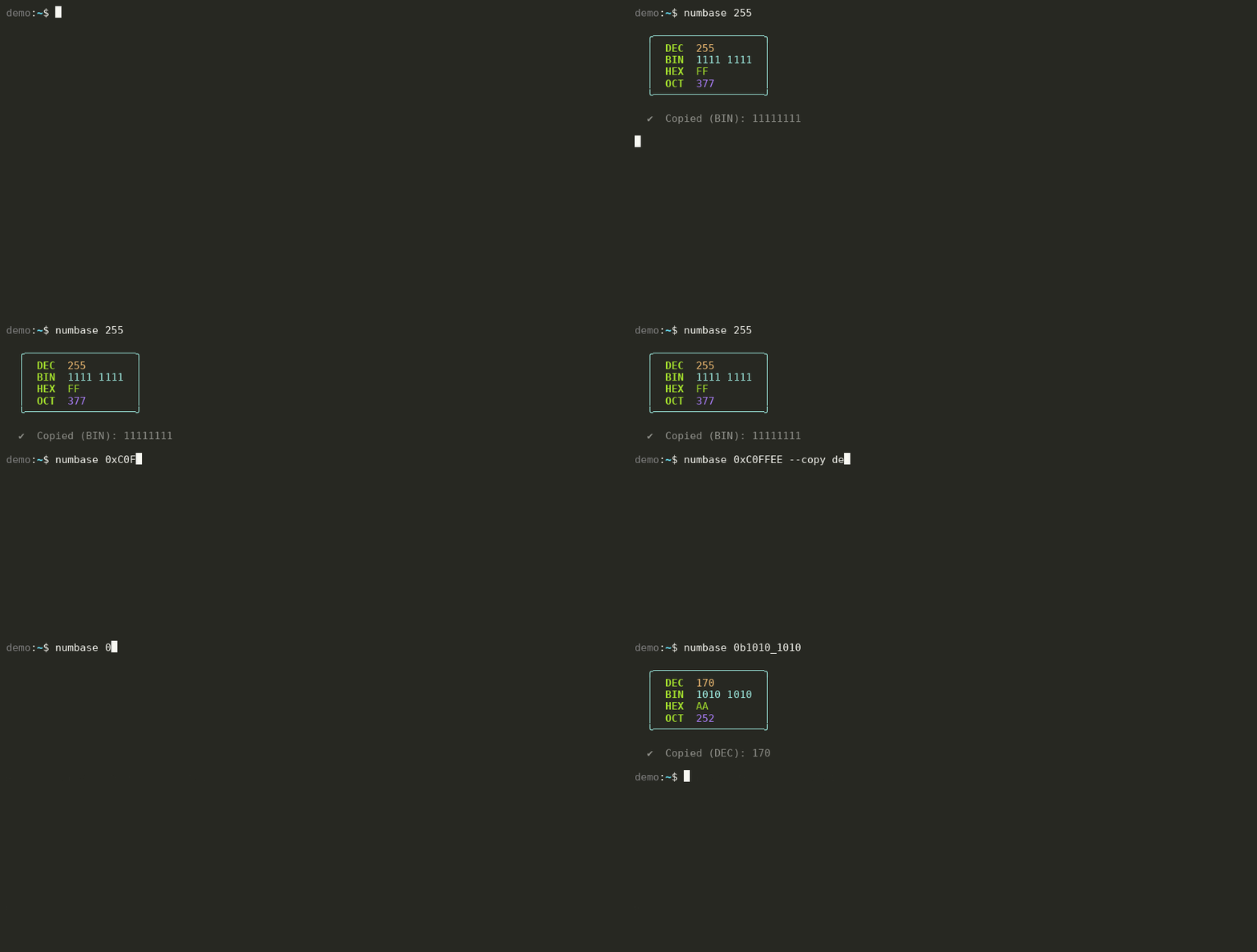
✨ Features
- 🔄 All bases at once — enter a number in any base, see DEC / BIN / HEX / OCT simultaneously
- 🔍 Auto-detection — prefix-based input:
255,0b1010,0xFF,0o17(underscores allowed:1_000) - ♾️ Interactive or one-shot — a prompt for quick sessions, or a single command for scripts
- 📋 Clipboard support — result copied automatically (
wl-copy,xclip,xselorpbcopy), or--no-copy - 🔢 Arbitrary precision — the Python version handles numbers of any size
- 🔇 Script-friendly — plain output when piped or when
NO_COLORis set
📥 Installation
Python (recommended)
pip install numbase-converter
Bash (no dependencies)
git clone https://github.com/serber-info/binaryConverter.git
./binaryConverter/bash/binaryConverter.sh
🛠 Usage
One-shot mode
numbase 255
numbase 0xFF
numbase 0b11001010
numbase 0o377
  ╭──────────────────╮
  │  DEC  255        │
  │  BIN  1111 1111  │
  │  HEX  FF         │
  │  OCT  377        │
  ╰──────────────────╯

  ✔  Copied (BIN): 11111111
Interactive mode
numbase
Type numbers one after another; q (or Ctrl+D) quits.
Clipboard
By default the most useful counterpart is copied: the decimal value for binary input, the binary value otherwise.
numbase 255 --copy hex     # copies FF
numbase 0xFF --copy dec    # copies 255
numbase 255 --no-copy      # leaves the clipboard alone
🎨 Input formats
| Format | Example | Description |
|---|---|---|
| Decimal | 255 |
Plain number (leading zeros are fine) |
| Binary | 0b11111111 |
Prefix 0b or 0B |
| Hexadecimal | 0xFF |
Prefix 0x or 0X |
| Octal | 0o377 |
Prefix 0o or 0O |
The Bash version accepts the same formats, both as an argument (binaryConverter.sh 0xFF) and at the prompt.
It is limited to 63-bit values (max 9223372036854775807); larger numbers are rejected with a clear error.
🗂 Repository structure
binaryConverter/
├── numbase.py                  Python CLI (pip-installable as numbase)
├── bash/
│   └── binaryConverter.sh      Bash version
├── python/
│   └── binaryConverter.py      Compatibility shim → numbase
└── tests/                      pytest suite (Python + Bash)
🧪 Development
pip install -e ".[dev]"
ruff check .
pytest
shellcheck bash/binaryConverter.sh
See CHANGELOG.md for release notes.
📝 License
MIT — see LICENSE.
💬 Feedback
Open an issue or reach out via GitHub.
🌐 Connect

1 maintainer

Metadata
1 maintainer
Release files for numbase-converter 2.1.1
For a detailed explanation of source distributions (sdists) and built distributions (wheels), please see the package formats documentation.
Source distribution (sdist)
| File | Size | Uploaded | Provenance | Actions |
|---|---|---|---|---|
| numbase_converter-2.1.1.tar.gz | 8.6 kB | Without provenance | Details for numbase_converter-2.1.1.tar.gz |
Built distribution (wheel)
| File | Interpreter | ABI | Platform | Actions Reset |
|---|---|---|---|---|
| numbase_converter-2.1.1-py3-none-any.whl | Python 3 | none | any | Details for numbase_converter-2.1.1-py3-none-any.whl |
Total release size: 15.5 kB
Release files / numbase_converter-2.1.1.tar.gz
| Download URL | numbase_converter-2.1.1.tar.gz |
|---|---|
| Size | 8.6 kB |
| Tags | Source |
|
SHA-256 checksum How to use checksums |
bb16aa89e9681cc1491830e13f3eb8c796c2cff278906d3ebf593f19f61008ca
|
|
BLAKE2b-256 checksum How to use checksums |
02c459fef3a31644adc8151ad6c41c1f142ee20871600bf89c9e76ec4f1e8c01
|
| Upload date | |
|
Uploaded using Trusted Publishing? What is trusted publishing? |
No |
| Uploaded via |
uv/0.12.23 {"installer":{"name":"uv","version":"0.12.23","subcommand":["publish"]},"python":null,"implementation":{"name":null,"version":null},"distro":{"name":"CachyOS Linux","version":null,"id":null,"libc":null},"system":{"name":null,"release":null},"cpu":null,"openssl_version":null,"setuptools_version":null,"rustc_version":null,"ci":null}
|
Release files / numbase_converter-2.1.1-py3-none-any.whl
| Download URL | numbase_converter-2.1.1-py3-none-any.whl |
|---|---|
| Size | 6.9 kB |
| Tags | Python 3 |
|
SHA-256 checksum How to use checksums |
8c9308211d40aad5cd2daaeb4cec519b15c0831be3b45998d95d2bdf31d97a77
|
|
BLAKE2b-256 checksum How to use checksums |
6f75483cac4862bb8111479f4e7ae716872a04029dd8d3fbea7be20a6c40e81e
|
| Upload date | |
|
Uploaded using Trusted Publishing? What is trusted publishing? |
No |
| Uploaded via |
uv/0.12.23 {"installer":{"name":"uv","version":"0.12.23","subcommand":["publish"]},"python":null,"implementation":{"name":null,"version":null},"distro":{"name":"CachyOS Linux","version":null,"id":null,"libc":null},"system":{"name":null,"release":null},"cpu":null,"openssl_version":null,"setuptools_version":null,"rustc_version":null,"ci":null}
|
Security for numbase-converter 2.1.1
Provenance
Provenance describes where a file came from. On PyPI, provenance is shared via attestations, which provide a verifiable record of the build or publishing details. View details, limitations and caveats.
No provenance found
None of the files in this release were uploaded with provenance metadata.
A note on package security
PyPI is a repository for distributing packages, not a service for auditing them. While third-party security researchers and our staff do their best to detect and remove malicious packages, PyPI cannot guarantee the quality, security or suitability of any given package.
To learn more about protecting yourself from malicious actors, visit our package security documentation.













