
NumberLink Environment for Gymnasium












A Gymnasium environment for the NumberLink puzzle game.
Gameplay Rules
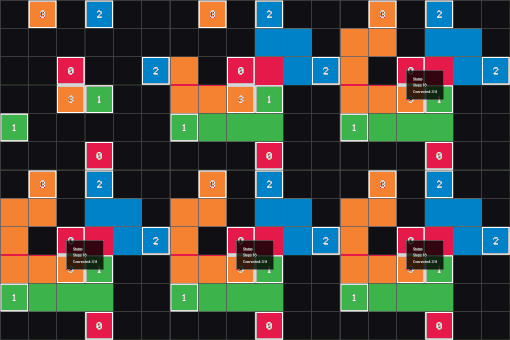
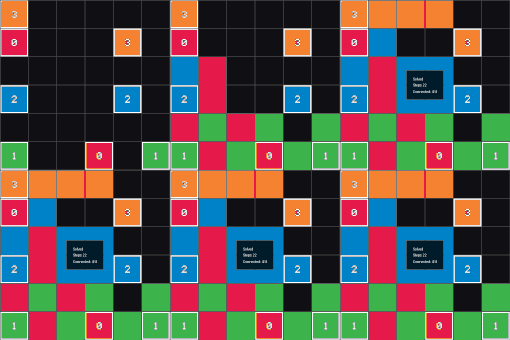
NumberLink connects matching endpoints with non overlapping paths on a grid.
NumberLink boards follow these invariants:
- Every pair of endpoints must be connected by a single path. Endpoints are enumerated in
numberlink.level_setup.LevelTemplateand copied into the environment state. - Paths cannot branch or reuse grid cells. The environment enforces this through the action mask returned by
numberlink.env.NumberLinkRGBEnv.resetandnumberlink.env.NumberLinkRGBEnv.step. - Unless the chosen variant disables the requirement, every cell must belong to a path. Toggle this rule with
numberlink.config.VariantConfig.must_fill. - Bridge cells yield independent vertical and horizontal lanes governed by
numberlink.config.VariantConfig.bridges_enabled. - Diagonal moves are allowed only when
numberlink.config.VariantConfig.allow_diagonalis set. Cell switching is controlled bynumberlink.config.VariantConfig.cell_switching_mode.
Quick links
- Home page & documentation: NumberLink
- Quick start: Quick Start
- Google Colab: Open in Colab
- Installation guide: Installation - documentation
- CLI reference: CLI - documentation
- Python API: API reference - documentation
- Citing this project: Cite this project
- Contact: Contact
Demo
| Interactive | Must fill | Cell switching | Path mode | Bridges and diagonal |
|---|---|---|---|---|
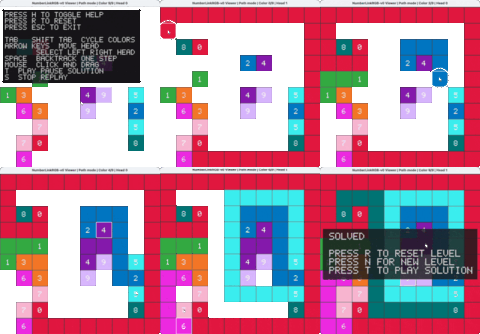 |
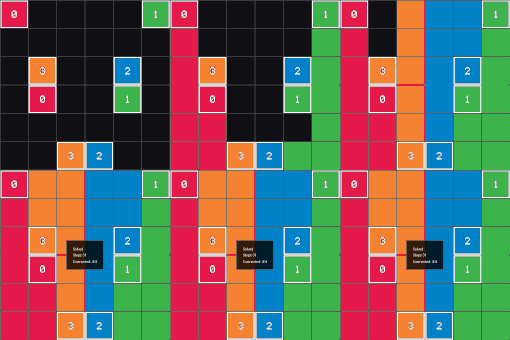 |
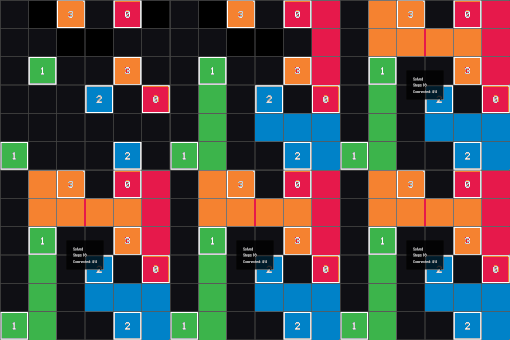 |
 |
 |
Quick start
The NumberLink documentation covers every workflow in detail. The highlights below show the recommended Gymnasium >= 1.0 usage patterns. You can also try it out in the Google Colab example.
Install from PyPI
Using pip
pip install numberlink
Install with uv
uv pip install numberlink
Enable the human render mode
Install the optional pygame dependency to enable the interactive viewer and the human render mode:
pip install "numberlink[human]"
With uv:
uv pip install "numberlink[human]"
Enable notebook integration
Install the optional notebook dependencies to enable inline controls in Jupyter and Google Colab:
pip install "numberlink[notebook]"
With uv:
uv pip install "numberlink[notebook]"
See the installation guide for Pixi, Conda, and source build instructions.
Create a single environment
import gymnasium as gym
import numpy as np

import numberlink  # Importing the package automatically registers the environments

env = gym.make("NumberLinkRGB-v0", render_mode="rgb_array")

observation, info = env.reset(seed=42)
action_mask = info["action_mask"]

terminated = False
truncated = False

while not (terminated or truncated):
    action = env.action_space.sample(mask=action_mask)
    observation, reward, terminated, truncated, info = env.step(action)
    action_mask = info["action_mask"].astype(np.int8)

env.close()
Configuration objects such as GeneratorConfig, VariantConfig, and RenderConfig customize generation, gameplay rules, and rendering. Examples live in the usage guide and the level setup module.
Run vectorized environments
import gymnasium as gym
from numberlink import GeneratorConfig  # Importing from numberlink automatically registers
import numpy as np

vec_env = gym.make_vec(
    "NumberLinkRGB-v0", num_envs=4, render_mode="rgb_array", generator=GeneratorConfig(width=6, height=6, colors=4)
)

observations, infos = vec_env.reset(seed=0)
actions = [vec_env.single_action_space.sample(mask=mask.astype(np.int8)) for mask in infos["action_mask"]]
observations, rewards, terminated, truncated, infos = vec_env.step(actions)
vec_env.close()
Gymnasium auto resets terminated slots when the vector environment is configured with the default autoreset mode. See the vector API section of the docs for batched workflows.
Human render mode
import gymnasium as gym
import numberlink  # Auto-registration on import
from numberlink.viewer import NumberLinkViewer

env = gym.make("NumberLinkRGB-v0", render_mode="human")
viewer = NumberLinkViewer(env)
viewer.loop()
The pygame viewer mirrors the CLI command shown in examples/run_human.py and is documented at viewer API. It requires the human extra, and NumberLinkViewer raises a RuntimeError naming the missing module when pygame is not installed.
Notebook viewer
The package ships an inline viewer that mirrors the pygame controls when the optional notebook extras are installed.
env = gym.make(
    "NumberLinkRGB-v0",
    render_mode="human",
    generator=GeneratorConfig(mode="hamiltonian", colors=7, width=8, height=8, min_path_length=3),
    variant=VariantConfig(must_fill=True, allow_diagonal=False, cell_switching_mode=False, bridges_enabled=False),
    render_config=RenderConfig(
        gridline_color=(60, 60, 60),
        gridline_thickness=1,
        show_endpoint_numbers=True,
        render_height=400,
        render_width=400,
    ),
)
env.reset()

viewer = NumberLinkViewer(env, cell_size=64)
viewer.loop()
NumberLinkViewer.loop() auto-detects notebook runtimes. When the optional dependencies are available it displays the
inline widgets, otherwise it shows an installation hint so the classic pygame window is not opened in headless
contexts.
Auto-registration
The package automatically registers the NumberLinkRGB-v0 environment with Gymnasium when you import it:
import numberlink
Additionally, when installed from PyPI, the package provides Gymnasium entry points that allow environment discovery without explicit imports. This dual mechanism ensures the environments are available whether you import the package directly or rely on Gymnasium's entry-point system.
See the documentation for more details.
License
MIT License - see LICENSE.
Cite this work
If you use NumberLink in your research, please cite:
@software{soltani_2025_17450170,
  author       = {Soltani, Misagh},
  title        = {NumberLink Puzzle},
  month        = oct,
  year         = 2025,
  publisher    = {Zenodo},
  version      = {v0.1.7},
  doi          = {10.5281/zenodo.17450170},
  url          = {https://doi.org/10.5281/zenodo.17450170},
}
Contact
If you have any questions or issues, please contact Misagh Soltani (misaghsoltani@gmail.com)
1 maintainer

Metadata
1 maintainer
Release files for numberlink 0.1.7
For a detailed explanation of source distributions (sdists) and built distributions (wheels), please see the package formats documentation.
Source distribution (sdist)
| File | Size | Uploaded | |
|---|---|---|---|
| numberlink-0.1.7.tar.gz | 110.7 kB | Details |
Built distribution (wheel)
| File | Interpreter | ABI | Platform | Reset |
|---|---|---|---|---|
| numberlink-0.1.7-py3-none-any.whl | Python 3 | none | any | Details |
Total release size: 237.6 kB
Release files / numberlink-0.1.7.tar.gz
| Download URL | numberlink-0.1.7.tar.gz |
|---|---|
| Size | 110.7 kB |
| Tags | Source |
|
SHA-256 checksum How to use checksums |
5bb02e4490161c588d99548f41c7449edecd9eb231ce694a3266dc8ad217372e
|
|
BLAKE2b-256 checksum How to use checksums |
1ef3a68fd8e6c266a7fa34e61df6b9826ad2b369713c9f8292ed37bbacceff8b
|
| Upload date | |
|
Uploaded using Trusted Publishing? What is trusted publishing? |
Yes |
| Uploaded via |
twine/7.0.0 CPython/3.13.14
|
Provenance
Provenance describes where a file came from. On PyPI, provenance is shared via attestations, which provide a verifiable record of the build or publishing details. View details, limitations and caveats.


PyPI Publish Attestation
PyPI verified that this artifact, at this checksum, originated from the publisher listed below.
Signed by GitHub Actions, verified by PyPI on Sep 21, 2026.
Transparency logRelease files / numberlink-0.1.7-py3-none-any.whl
| Download URL | numberlink-0.1.7-py3-none-any.whl |
|---|---|
| Size | 126.9 kB |
| Tags | Python 3 |
|
SHA-256 checksum How to use checksums |
465a4ac29d664b1a957459983d54da23a1b793c637b4cae58d85c99b4b859722
|
|
BLAKE2b-256 checksum How to use checksums |
e8bd00487df17c785620992c1fdef017a656b88a6f6439947bdc5d9ebdb2474a
|
| Upload date | |
|
Uploaded using Trusted Publishing? What is trusted publishing? |
Yes |
| Uploaded via |
twine/7.0.0 CPython/3.13.14
|
Provenance
Provenance describes where a file came from. On PyPI, provenance is shared via attestations, which provide a verifiable record of the build or publishing details. View details, limitations and caveats.
PyPI Publish Attestation
PyPI verified that this artifact, at this checksum, originated from the publisher listed below.
Signed by GitHub Actions, verified by PyPI on Sep 21, 2026.
Transparency log













