
Nyora — the manga reader SDK for Python
Build your own manga, manhwa & manhua reader in ~10 lines.
nyora is the official Python SDK for Nyora — a
self-contained client that gives you 390 live, health-checked sources across 40 languages
through one typed API: search, browse, read chapters, download .cbz, and sync a
library across devices. pip install nyora bundles the parser engine and launches it
locally on demand (auto-downloads a JRE if you don't have Java) — no server, no scraper
to maintain. You're reading in 60 seconds.



In one line: Nyora is the programmatic, cross-platform Tachiyomi / Mihon / Kotatsu alternative — a manga API and reader SDK you can
import. If you're building a manga reader, a scanlation bot, a downloader, or a library manager in Python, this is the fastest way to get hundreds of working sources without writing or maintaining a single scraper.
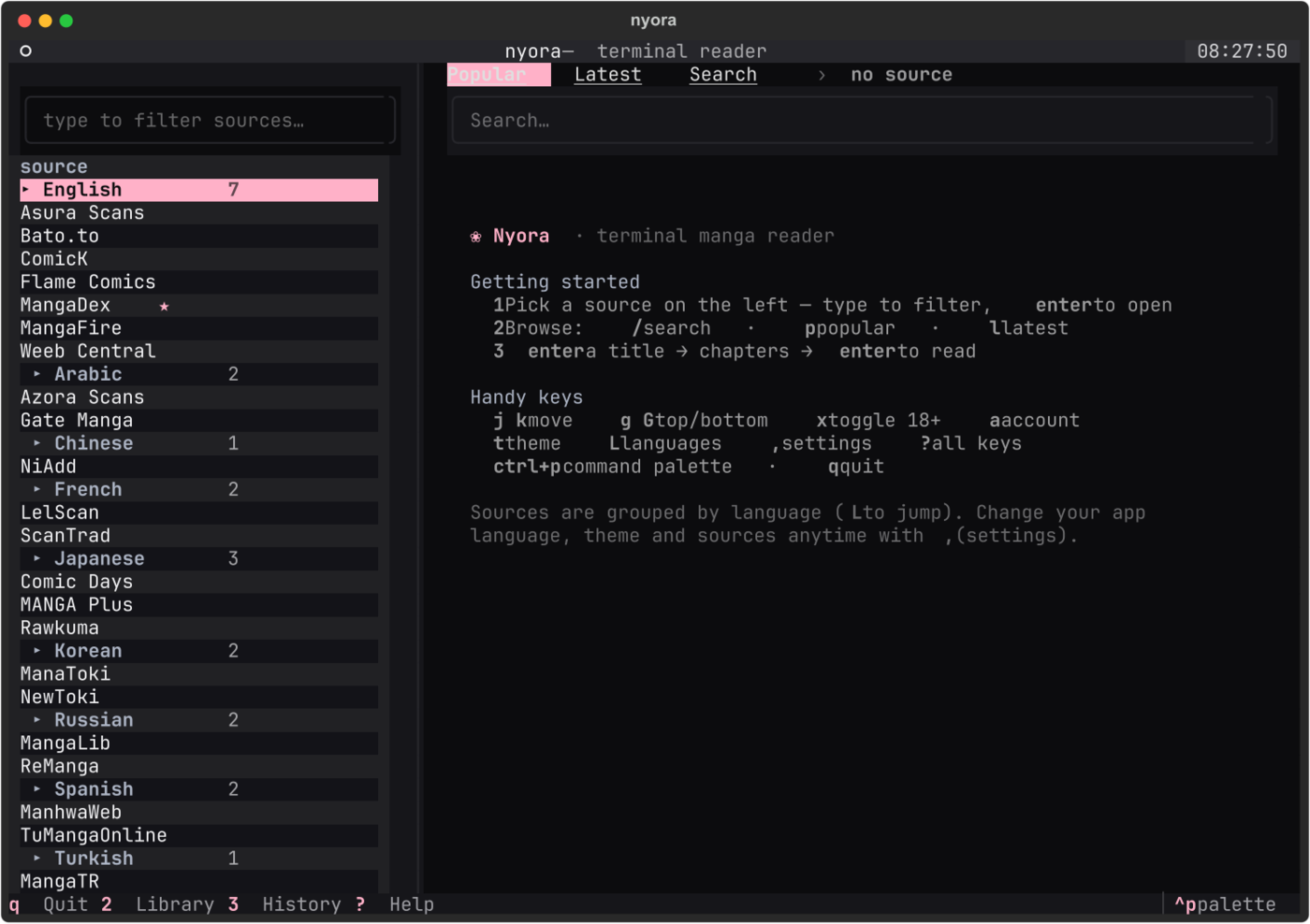
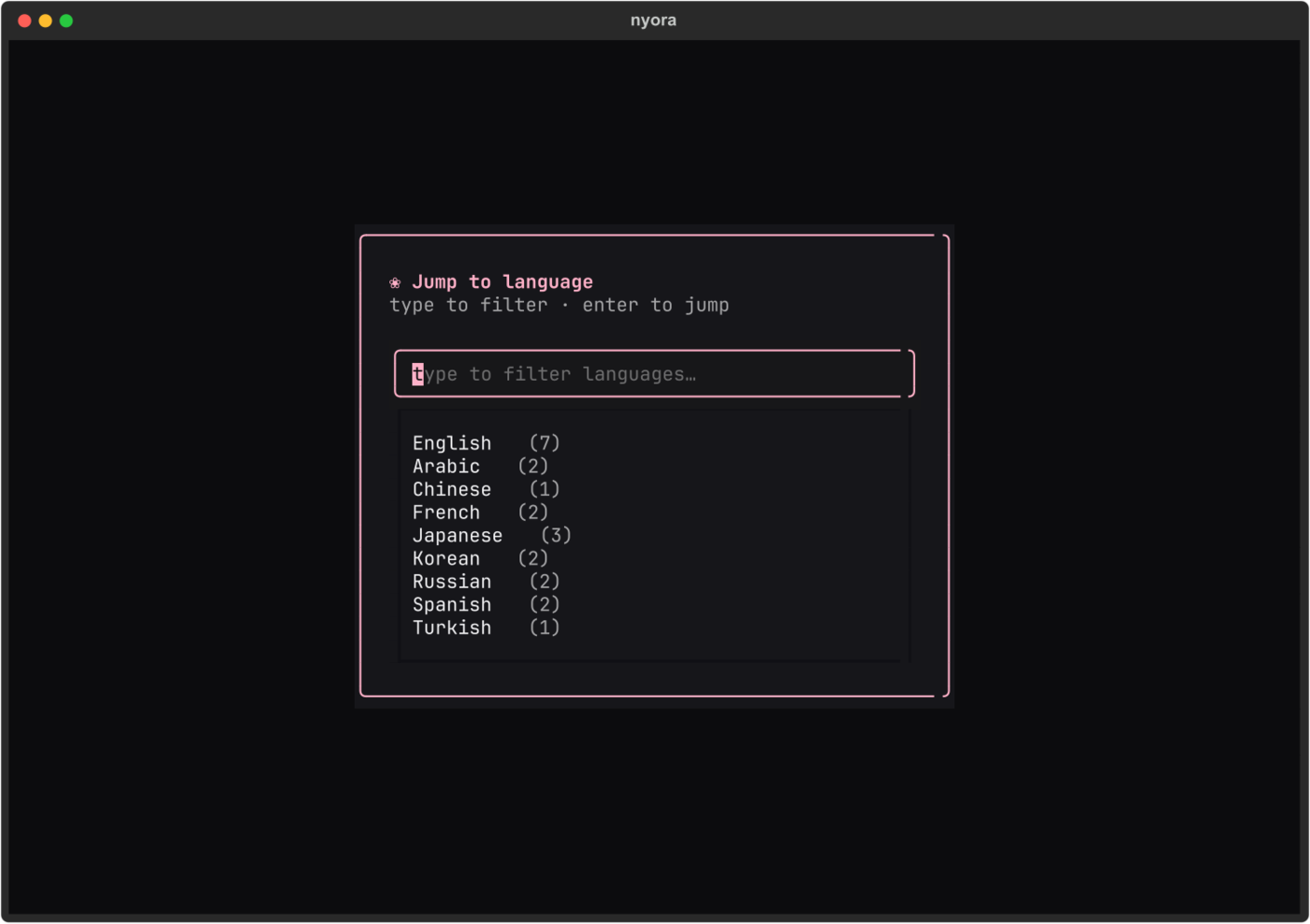
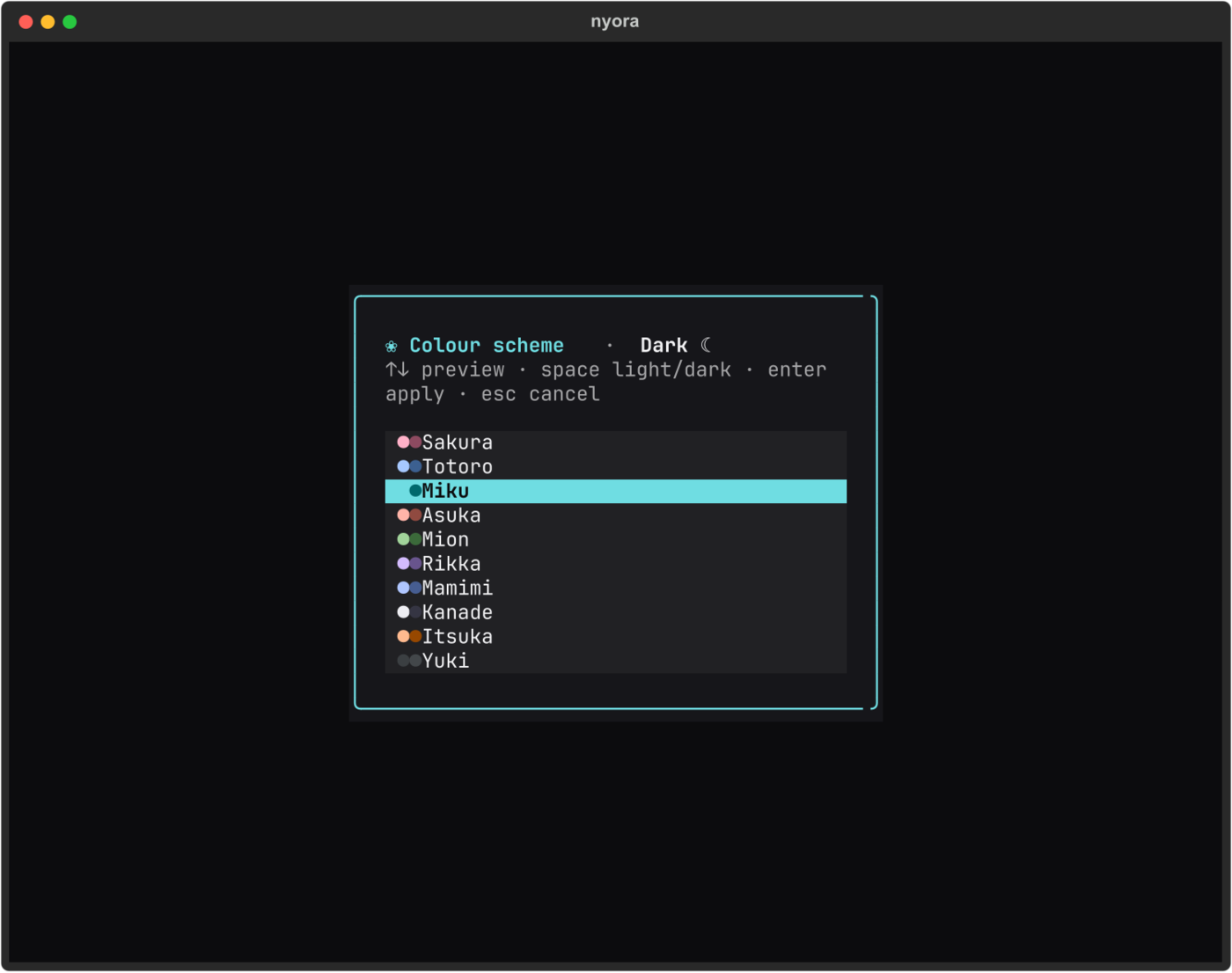
The terminal reader
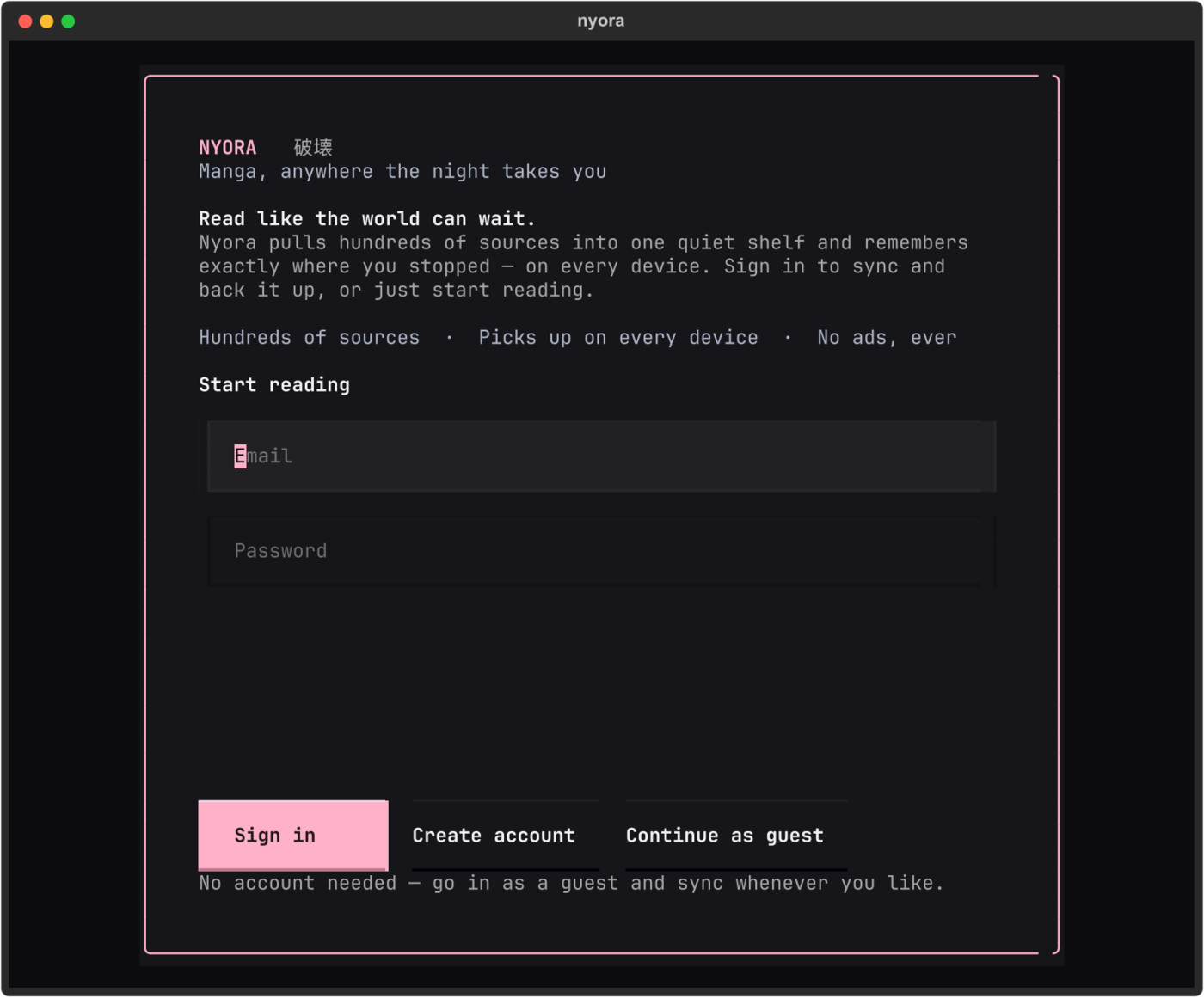
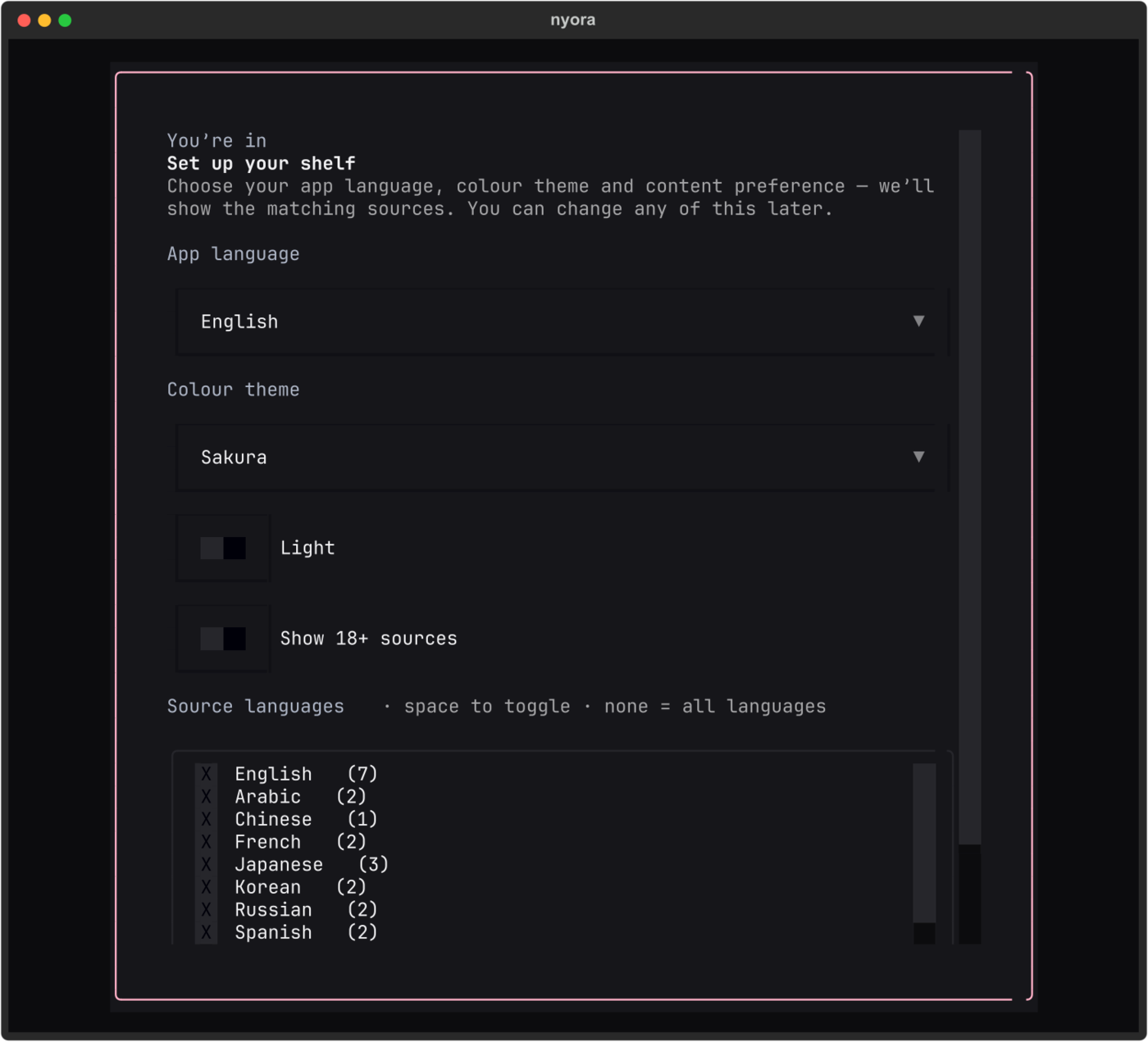
A dense, keyboard-driven manga reader in your terminal — a redesigned first-run
setup, live theming, and an interface available in ~40 languages. Launch it
with a bare nyora.
 |
 |
 |
 |
Available in ~40 languages
The whole interface — onboarding, navigation and the reader — localises into
~40 languages (English fallback for anything untranslated), including
right-to-left scripts. Change it anytime from Settings (,).
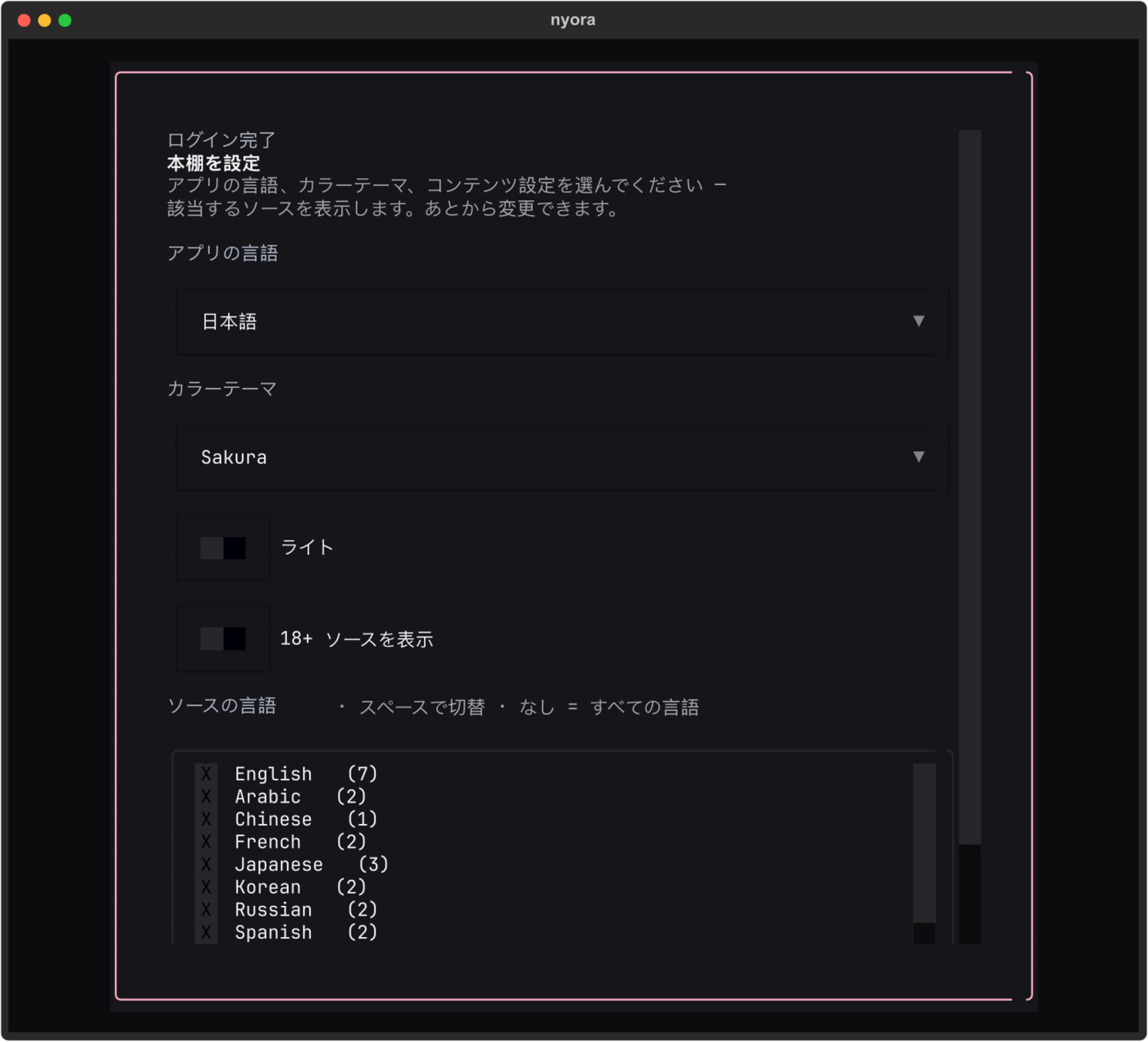 日本語 — onboarding |
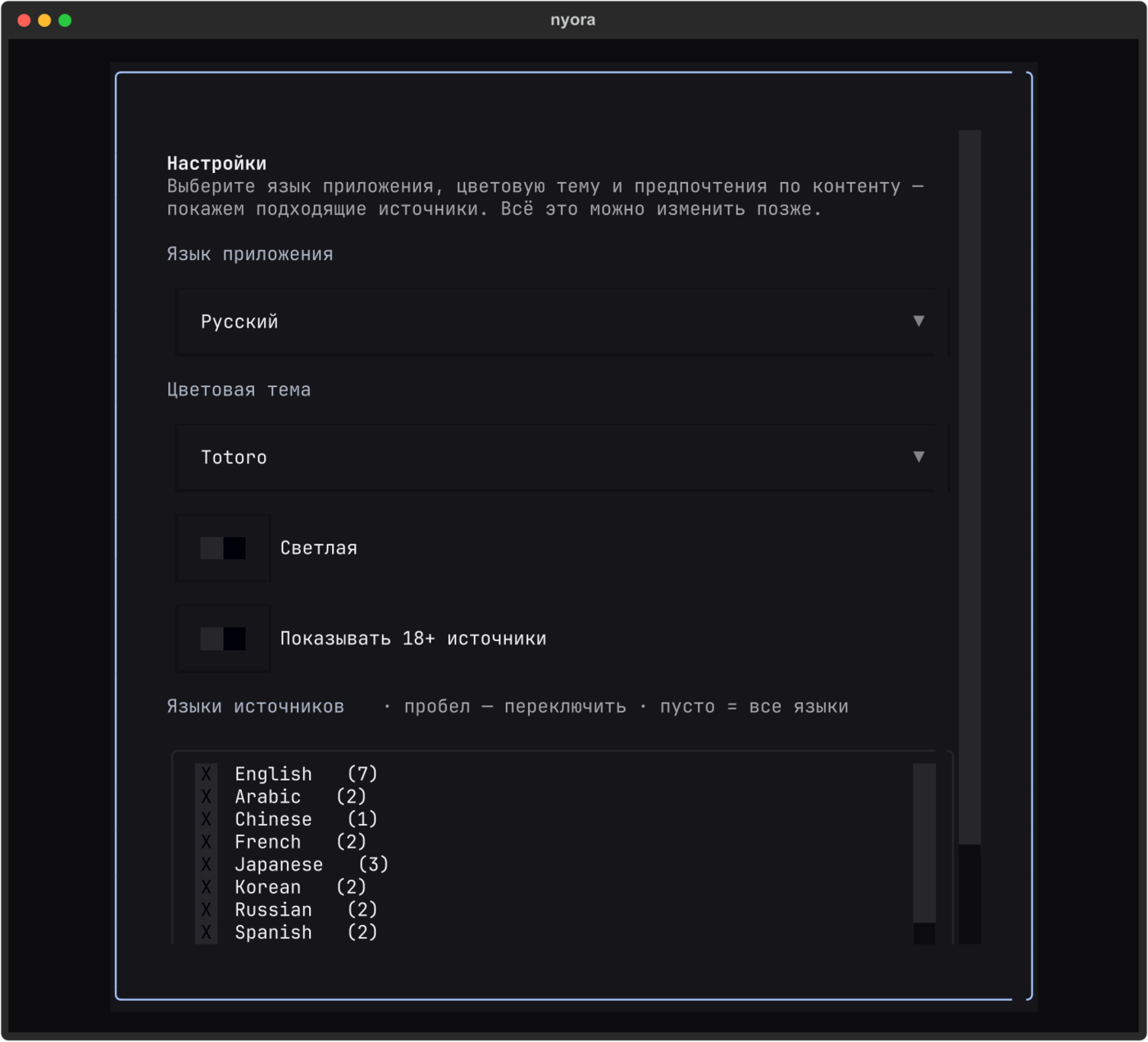 Русский — settings (Totoro theme) |
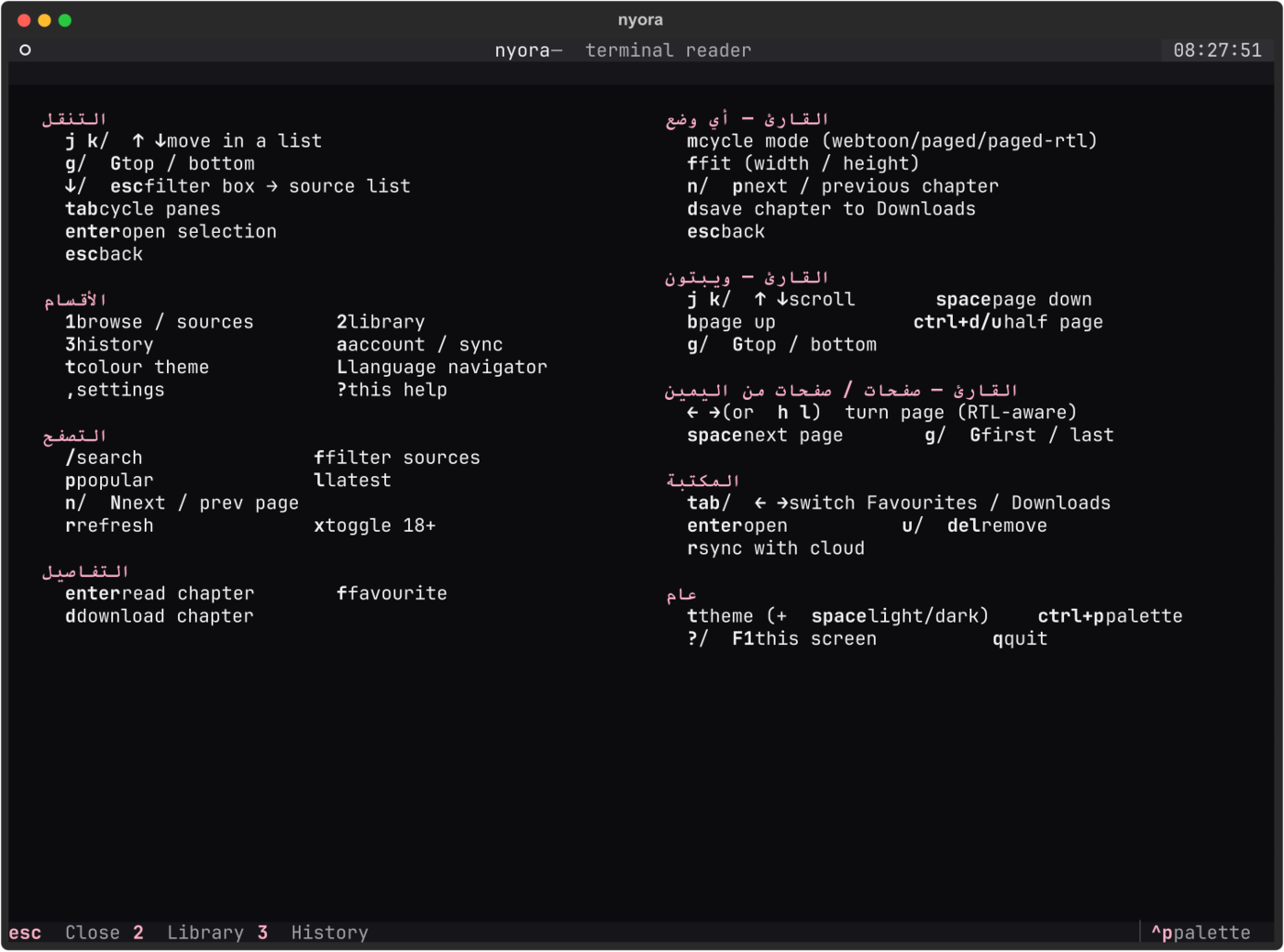 العربية — help (RTL) |
Table of contents
- The terminal reader
- Why Nyora
- Install
- Quickstart — a working reader in 10 lines
- Core concepts
- API reference
- Recipes
- Chapter ordering (ascending vs descending sources)
- Cloud sync — a library across devices
- Command line (
nyora-cli) - Interactive terminal reader (TUI)
- How it works
- FAQ
- Ecosystem
Why Nyora
| 📚 390 working sources | Every source is live health-checked; 570 dead or Cloudflare-walled ones are auto-hidden, so list()/catalog() return only sources that actually work — 390 across 40 languages (289 all-ages, 101 mature). |
| 🌐 One typed API | Source, Manga, MangaChapter, MangaPage, MangaDetails dataclasses. Full type hints, py.typed, mypy-clean. |
| 📦 Self-contained | Bundles the kotatsu-parsers engine and runs it locally (auto-downloads a JRE if you have no Java). Parsed results, not scraping headaches — nothing to compile, no Node, no server. |
| 🔀 Correct chapter order | Built-in next_chapter() / previous_chapter() work on both ascending (MangaDex 0→N) and descending (scanlation N→0) sources — no off-by-one "next goes backwards" bug. |
| 🧰 Batteries included | A CLI, an interactive terminal reader (TUI), a .cbz downloader, and cross-device cloud sync — all in one pip install. |
| ⚡ Sync & async | Use Nyora or AsyncNyora with identical APIs. |
Install
pip install nyora # everything: the library, the CLI, and the terminal reader (TUI)
Requires Python 3.10+. Nothing else to run — the parser engine is bundled and
launches locally on demand (a JRE is auto-downloaded if you have no Java). One
install ships all three front-ends: import nyora (library), nyora-cli
(CLI), and bare nyora (TUI).
Quickstart — a working reader in 10 lines
import nyora

with nyora.Nyora() as client:
    source = client.sources.find("mangadex")           # pick any of 390 sources
    hits = client.manga.search(source.id, "frieren")   # search it
    manga = hits.entries[0]

    details = client.manga.details(source.id, manga.url, title=manga.title)
    first = details.reading_order()[0]                 # earliest chapter, order-safe

    for page in client.manga.pages(source.id, first.url, branch=first.branch):
        print(page.url)                                # image URLs, ready to render
That's a complete read path: source → search → details → chapter → page images. Point an image widget (Pillow, a GUI, a web frontend) at those URLs and you have a reader.
Core concepts
A source exposes manga; a manga has chapters; a chapter has pages. Every step is one call.
Nyora ─┬─ sources   → Source        (a content site: MangaDex, Bato, …)
       ├─ manga     → Manga          (a series: title, cover, authors, tags)
       │             → MangaDetails  (Manga + its MangaChapter list)
       │             → MangaChapter  (id, title, number, url, branch, uploadDate)
       │             → MangaPage      (a single image url)
       ├─ library   → favourites, history, bookmarks (local or synced)
       └─ downloads → offline chapter management
Everything is a plain dataclass — dataclasses.asdict() to serialise, full type hints throughout.
API reference
Client
nyora.Nyora(base_url=None, *, timeout=60.0)      # sync client (context manager)
nyora.AsyncNyora(base_url=None, *, timeout=60.0) # async client, identical API with await
base_url defaults to a bundled engine launched locally; pass a URL (or run nyora config set-url) to use a server instead. Attributes:
client.sources, client.manga, client.library, client.downloads. Also client.health().
client.sources
| Method | Returns | Description |
|---|---|---|
list() |
list[Source] |
Installed/loaded sources (dead ones hidden). |
catalog() |
list[Source] |
Every available source (dead ones hidden). |
find(query) |
Source |
First source whose id or name matches (case-insensitive). |
filters(source_id) |
list[SourceFilter] |
A source's supported search filters. |
refresh() / install(id) / uninstall(id) / pin(id) |
— | Manage the loaded set. |
client.manga
| Method | Returns | Description |
|---|---|---|
popular(source_id, page=1) |
SearchPage |
Popular titles from a source. |
latest(source_id, page=1) |
SearchPage |
Recently updated titles. |
search(source_id, query, page=1) |
SearchPage |
Search one source. |
global_search(query, *, limit_per_source=8) |
list[GlobalSearchGroup] |
Search many sources at once. |
details(source_id, url, *, title=None) |
MangaDetails |
Full metadata + chapter list. |
pages(source_id, chapter_url, *, branch=None) |
list[MangaPage] |
A chapter's image pages. |
suggestions() / alternatives(title) |
list[Manga] / list[dict] |
Recommendations / cross-source matches. |
SearchPage has .entries: list[Manga] and .has_next_page: bool for pagination.
Chapter ordering helpers
nyora.next_chapter(chapters, current)       # -> MangaChapter | None
nyora.previous_chapter(chapters, current)   # -> MangaChapter | None
nyora.reading_order(chapters)               # -> list, earliest-first
nyora.chapter_reading_delta(chapters)       # -> +1 (ascending) or -1 (descending)
# convenience methods on MangaDetails:
details.next_chapter(chapter)  /  details.previous_chapter(chapter)  /  details.reading_order()
client.library (local, syncable)
history(), record_history(...), favourites(), toggle_favourite(id), is_favourite(id),
bookmarks(), add_bookmark(...), remove_bookmark(...).
Recipes
Browse popular with pagination
page = client.manga.popular(source.id, page=1)
while True:
    for m in page.entries:
        print(m.title)
    if not page.has_next_page:
        break
    page = client.manga.popular(source.id, page=page.number + 1)
Search every source at once
for group in client.manga.global_search("solo leveling"):
    print(group.source.name, "→", [m.title for m in group.entries])
Download a chapter as a .cbz
from nyora.cli import _download_pages
from pathlib import Path

pages = client.manga.pages(source.id, chapter.url, branch=chapter.branch)
_download_pages(pages, Path("solo-leveling-ch1"))
Async
import asyncio, nyora

async def main():
    async with nyora.AsyncNyora() as client:
        src = await client.sources.find("mangadex")
        page = await client.manga.popular(src.id)
        print([m.title for m in page.entries])

asyncio.run(main())
Chapter ordering (ascending vs descending sources)
Different sources return chapters in different orders — MangaDex lists oldest-first
(0 → N), many scanlation sites list newest-first (N → 0). A naive chapters[i+1]
"next chapter" therefore goes backwards on half of all sources. Nyora detects the
direction from the chapter numbers so navigation is always correct:
current = details.chapters[3]
nxt = details.next_chapter(current)      # always the LATER chapter, any source order
prv = details.previous_chapter(current)  # always the EARLIER chapter
Cloud sync — a library across devices
from nyora.sync import NyoraSync

sync = NyoraSync()
sync.sign_in("you@example.com", "password")   # or register(...)
sync.upsert("nyora_favourite", [{ "manga_id": manga.url, "sort_key": 0 }])
favs = sync.select("nyora_favourite")          # syncs across every Nyora app
Same account and library as the Nyora apps on Android, iOS, macOS, Windows, Linux and web.
Command line (nyora-cli)
nyora-cli sources --search mangadex        # list/filter sources
nyora-cli popular  -s MANGADEX             # popular titles
nyora-cli search   -s MANGADEX "frieren"   # search
nyora-cli details  -s MANGADEX <manga-url> # metadata + chapters
nyora-cli pages    -s MANGADEX <chap-url>  # page image URLs
nyora-cli download -s MANGADEX <chap-url>  # save a .cbz
nyora-cli --json popular -s MANGADEX       # machine-readable output
Both nyora and nyora-cli are installed. Add --json to any command for scripting.
Interactive terminal reader (TUI)
pip install "nyora[tui]"
nyora            # launch the full-screen reader — browse, search, read, download
Pick a source → search or browse → open a chapter → page through it, with order-independent next / previous chapter navigation and inline downloads.
How it works
nyora is self-contained. pip install nyora bundles the kotatsu-parsers JVM
engine (and auto-downloads a JRE if you don't have Java); Nyora() launches it locally
on demand — no server, no Node.js, nothing to compile. Dead and Cloudflare-blocked
sources are hidden (a sensible static list by default; run nyora blocklist refresh to
health-probe your engine and tailor it), so list()/catalog() return only the
~390 sources that actually work. Prefer a server? Point base_url (or
nyora config set-url) at any Nyora helper.
FAQ
How do I build a manga reader in Python?
pip install nyora, then search → details → pages (see Quickstart).
client.manga.pages(...) returns image URLs you can render in any UI.
What's the best manga API / SDK? Nyora gives you 390 working, health-checked sources across 40 languages behind one typed Python API — no scraper maintenance, plus a CLI, TUI, downloader and cloud sync.
Is this a Tachiyomi / Mihon / Kotatsu alternative? Yes — it's the programmatic one. Those are Android apps; Nyora is an importable SDK (and cross-platform apps) built on the same open-source Kotatsu parser engine.
Do I need to run a server or a JVM?
No. The engine is hosted. pip install and go. You can self-host and set base_url.
Manga, manhwa or manhua? All three — the sources cover Japanese, Korean and Chinese comics across 40 languages.
JavaScript / TypeScript? Use the sibling SDK: nyora-sdk.
Ecosystem
- JS/TS SDK —
nyora-sdk(npm i nyora-sdk) - Apps — Android, iOS/iPadOS, macOS, Windows, Linux and a web app: https://nyora.xyz
- Docs — https://nyora.xyz/docs/python/
- Source — https://github.com/Nyora-Manga/nyora-python
License
Apache-2.0. Nyora is built on the open-source Kotatsu parser engine and is not affiliated with Tachiyomi, Mihon or Kotatsu.
1 maintainer

Download files
Download the file for your platform. If you're not sure which to choose, learn more about installing packages.
Source Distribution
Built Distribution
Filter files by name, interpreter, ABI, and platform.
If you're not sure about the file name format, learn more about wheel file names.
Copy a direct link to the current filters
File details
Details for the file nyora-2.1.3.tar.gz.
File metadata
- Download URL: nyora-2.1.3.tar.gz
- Upload date:
- Size: 31.6 MB
- Tags: Source
- Uploaded using Trusted Publishing? Yes
- Uploaded via:
twine/6.1.0 CPython/3.13.12
File hashes
| Algorithm | Hash digest | |
|---|---|---|
| SHA256 |
2fe6fdaed45844b5c8a74923f6720367c3c1a82e992049f2a0ef16d886b03a02
|
|
| MD5 |
3154daa769a831c470aa6624f9556310
|
|
| BLAKE2b-256 |
adf62bd0287acfe3f4ef3f1ce56901fffb2bda563309fd037e483334a32ce199
|
Provenance
The following attestation bundles were made for nyora-2.1.3.tar.gz:
Publisher:
publish.yml on Nyora-Manga/nyora-python
-
Statement:
-
Statement type:
https://in-toto.io/Statement/v1 -
Predicate type:
https://docs.pypi.org/attestations/publish/v1 -
Subject name:
nyora-2.1.3.tar.gz -
Subject digest:
2fe6fdaed45844b5c8a74923f6720367c3c1a82e992049f2a0ef16d886b03a02 - Sigstore transparency entry: 2187078753
- Sigstore integration time:
-
Permalink:
Nyora-Manga/nyora-python@e0739df72520c1d1088ded54126f483dfcbd8b16 -
Branch / Tag:
refs/tags/v2.1.3 - Owner: https://github.com/Nyora-Manga
-
Access:
public
-
Token Issuer:
https://token.actions.githubusercontent.com -
Runner Environment:
github-hosted -
Publication workflow:
publish.yml@e0739df72520c1d1088ded54126f483dfcbd8b16 -
Trigger Event:
push
-
Statement type:
File details
Details for the file nyora-2.1.3-py3-none-any.whl.
File metadata
- Download URL: nyora-2.1.3-py3-none-any.whl
- Upload date:
- Size: 30.1 MB
- Tags: Python 3
- Uploaded using Trusted Publishing? Yes
- Uploaded via:
twine/6.1.0 CPython/3.13.12
File hashes
| Algorithm | Hash digest | |
|---|---|---|
| SHA256 |
0faf87389091619d906cb1982dd2d9b0f06892ec5dd91269381bfdb36d5dad30
|
|
| MD5 |
3071a07093f23fef323f0122852c9841
|
|
| BLAKE2b-256 |
8e0d7f70071e4e5bc42165da4db33b869c1f989f3b8297279751783f66d66719
|
Provenance
The following attestation bundles were made for nyora-2.1.3-py3-none-any.whl:
Publisher:
publish.yml on Nyora-Manga/nyora-python
-
Statement:
-
Statement type:
https://in-toto.io/Statement/v1 -
Predicate type:
https://docs.pypi.org/attestations/publish/v1 -
Subject name:
nyora-2.1.3-py3-none-any.whl -
Subject digest:
0faf87389091619d906cb1982dd2d9b0f06892ec5dd91269381bfdb36d5dad30 - Sigstore transparency entry: 2187078761
- Sigstore integration time:
-
Permalink:
Nyora-Manga/nyora-python@e0739df72520c1d1088ded54126f483dfcbd8b16 -
Branch / Tag:
refs/tags/v2.1.3 - Owner: https://github.com/Nyora-Manga
-
Access:
public
-
Token Issuer:
https://token.actions.githubusercontent.com -
Runner Environment:
github-hosted -
Publication workflow:
publish.yml@e0739df72520c1d1088ded54126f483dfcbd8b16 -
Trigger Event:
push
-
Statement type:














