


Overview
nyrx is a terminal media center. It brings Youtube, Soundcloud, internet radio, and TV/Movies into a single keyboard-driven interface. Search, play, queue, download, and browse across four media sources from one terminal window. No browser, no Electron app, no accounts.
Who is this for? If your media diet is Youtube, Soundcloud, radio, and TV/Movies, and you generally know what you want to watch or listen to, nyrx is built for that.
- Youtube mode is search-based: no algorithm, no related videos, no channel browsing. You search, you play, it remembers what you've watched. Audio and video modes both supported.
- Soundcloud mode is built for discovery: follow artists, build a feed, browse trending by genre, like tracks, start stations.
- Radio mode has 62k stations worldwide, filter by name, tags, or country, like stations to pin them.
- TV/Movies mode lets you search TMDb, bookmark media, browse seasons and episodes, watch and track what you've watched. Requires user-configured server plugins (Lua scripts) to find streaming sources.
- Privacy-first: no accounts, no logins, no tracking. The app doesn't know who you are.
Not for you if:
- You need deep Youtube browsing with algorithms, playlists, or channel pages
- You want to connect accounts or sync with official services
- You don't use Youtube, Soundcloud, radio, and don't care to know what TV/Movies mode is all about.
- You need mouse support (nyrx is keyboard-only)
- You are on Windows (not supported)
New to terminal apps? nyrx is approachable and built with UX in mind. Keep scrolling for screenshots.
For channel browsing, playlist management, subscriptions, and deeper Youtube features, check out youtube-tui.
Requirements
- Python 3.12 or higher
- mpv installed and on your PATH
- Linux or macOS (Windows is not supported due to mpv Unix socket dependency)
- Internet connection (required for streaming and searching)
Everything else is installed automatically by pip or dealt with on your first start-up.
nyrx has been tested on Linux via Kitty, Ghostty and Konsole. It should work on macOS, but has not been tested there.
Kitty is recommended. Terminals using Sixel (WezTerm, foot) may have sizing issues due to how textual-image handles Sixel rendering. Terminals without image support will render images using colored Unicode characters (last resort).
Quick Start
pip install nyrx
You will also need mpv (a very capable media player) installed on your system:
# Linux (Debian/Ubuntu)
sudo apt install mpv

# Linux (Fedora)
sudo dnf install mpv

# Linux (Arch)
sudo pacman -S mpv

# macOS
brew install mpv
Then just run it:
nyrx
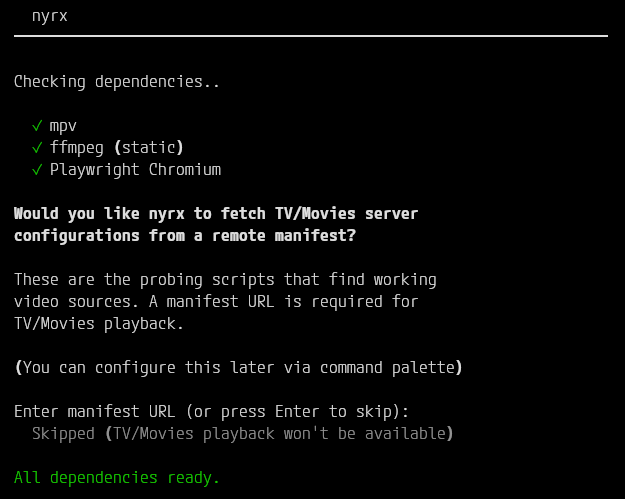
nyrx handles everything else on first launch. It checks for mpv, installs Playwright Chromium if it is missing (for TV/Movies server probing), and bundles ffmpeg so you do not have to worry about that. You will get a clean pre-flight summary before the app opens.
What Can nyrx Do
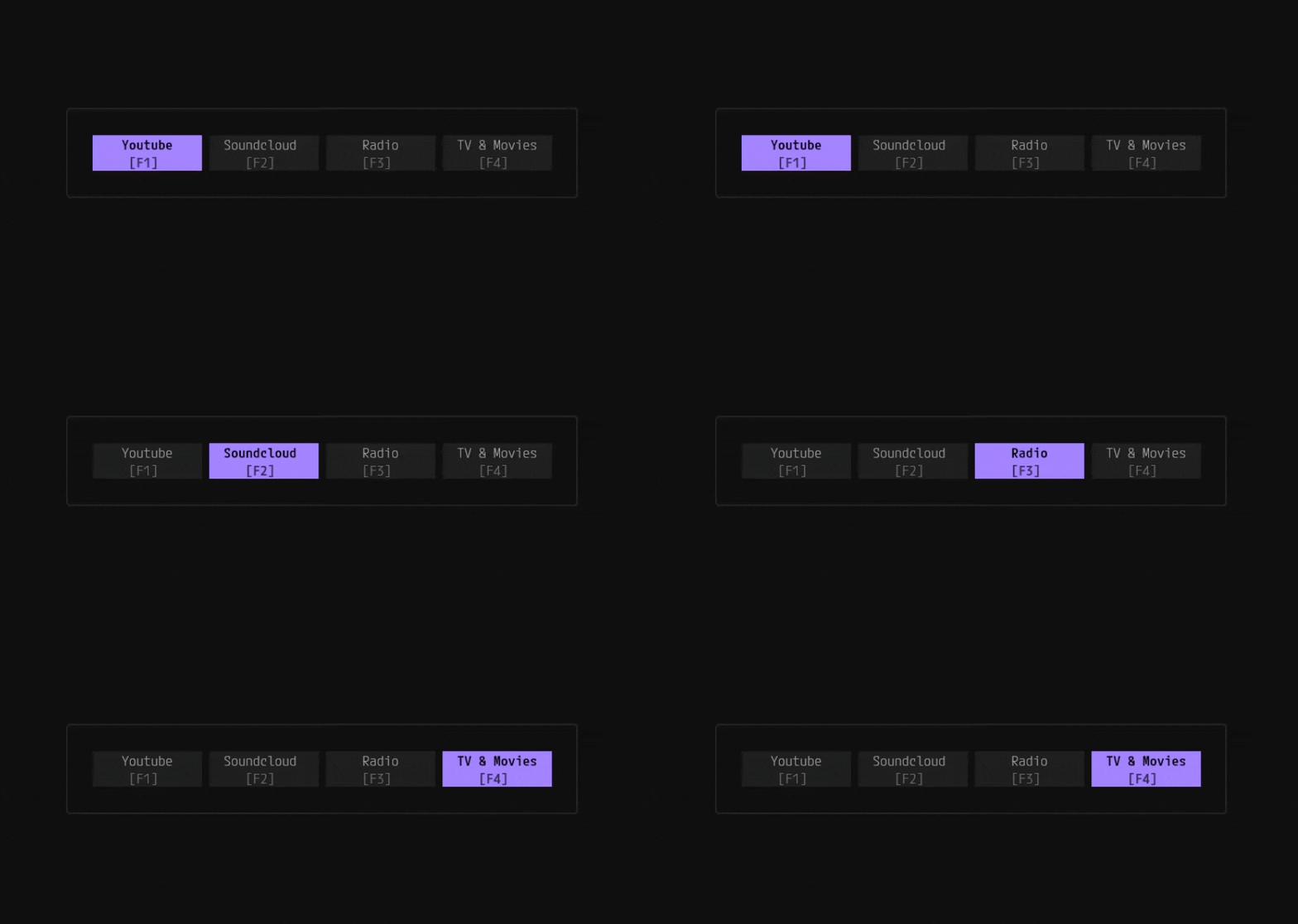
Press F1 through F4 to switch between sources. Each source has its own landing view, and features. The queue is source-agnostic, so you can mix Youtube, Soundcloud, radio, and TV/Movies in a single playback session.
Youtube
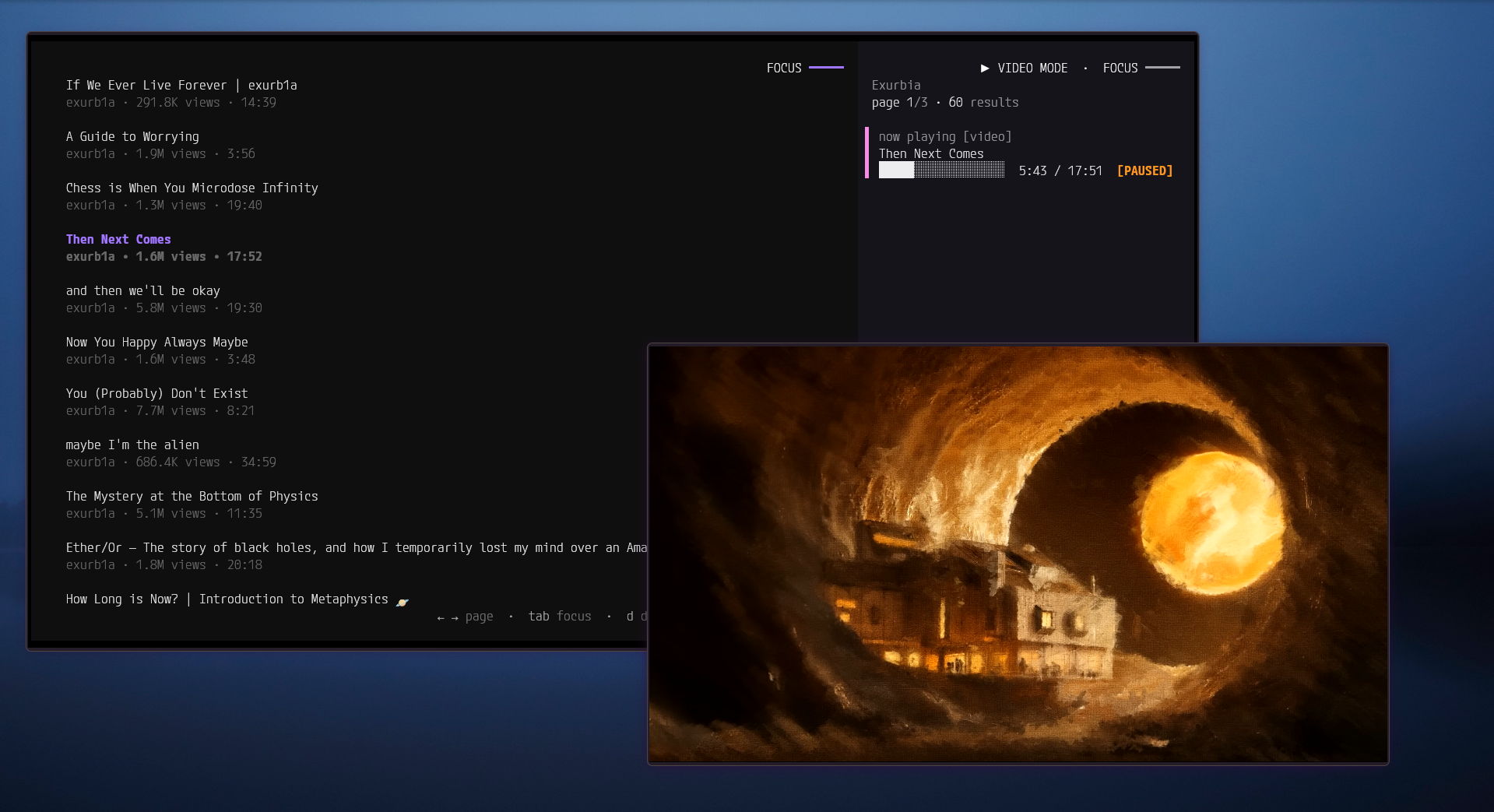
- Search videos and paste URLs directly to play media
- Play video or audio (toggle with m)
- Download with quality presets (480p to 2160p)
- Persistent search history (last 10 queries)
- Open in browser (b), copy media URL to clipboard
- Watched indicators on search results
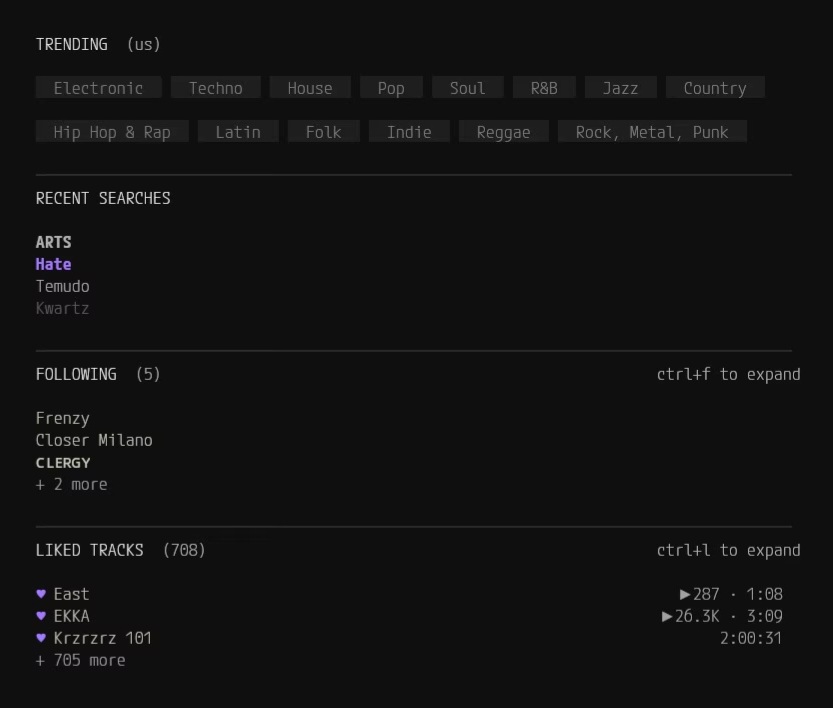
Soundcloud
- Search tracks and browse artist's profiles
- Trending playlists by 14 genres and 31 regions
- Follow artists, like tracks, build a personalized feed
- Start a station from any track (auto-queues similar music)
- Sync liked tracks from a public profile
- Collection browser for artist playlists and albums
- Download audio
Radio
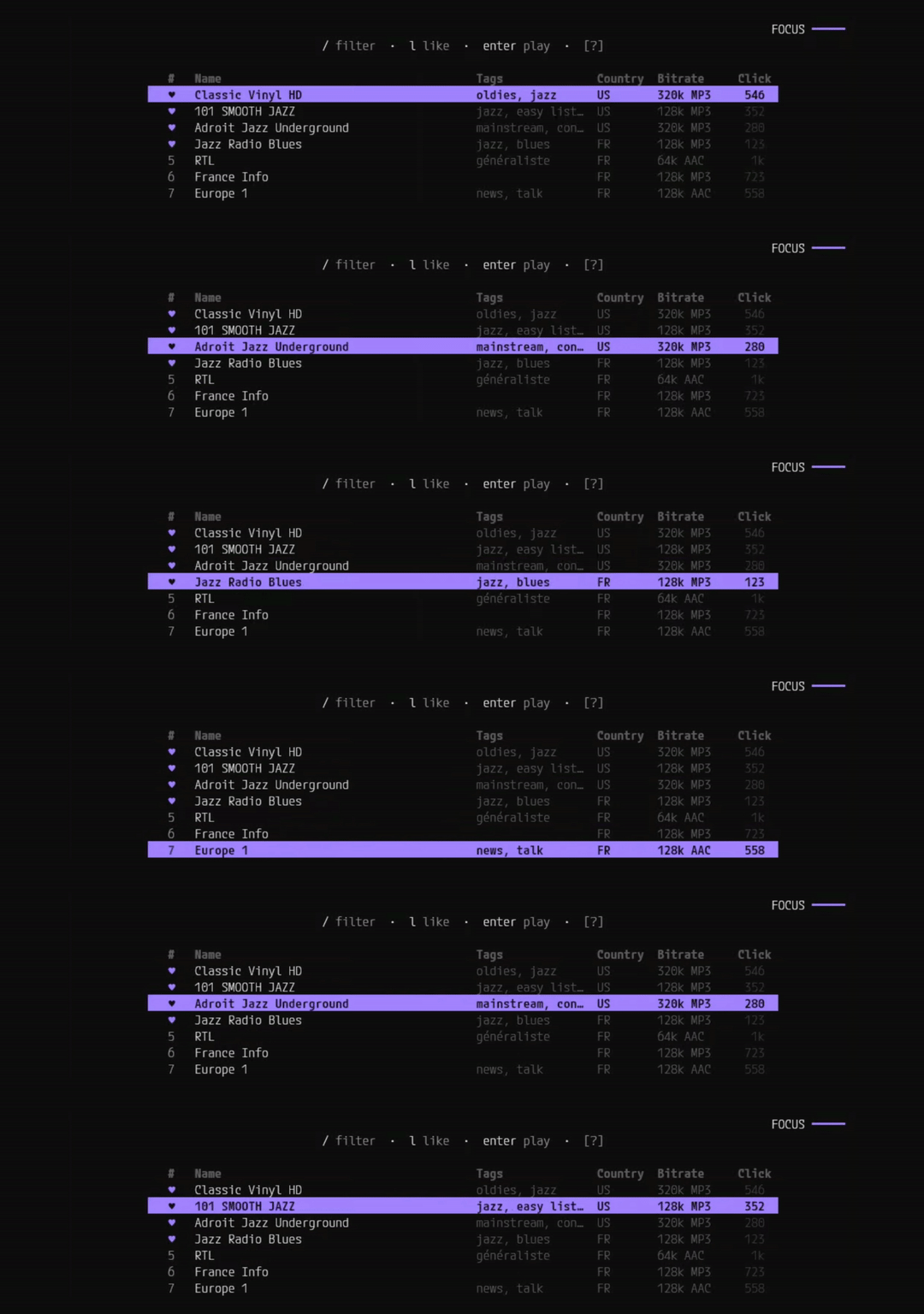
- 62,000+ internet radio stations from around the world
- Filter by name, tags, or country with autocomplete
- Like stations to pin them to the top of the list
- Live ICY metadata (now-playing title) during playback
- Station index auto-refreshes every 6 days
TV and Movies
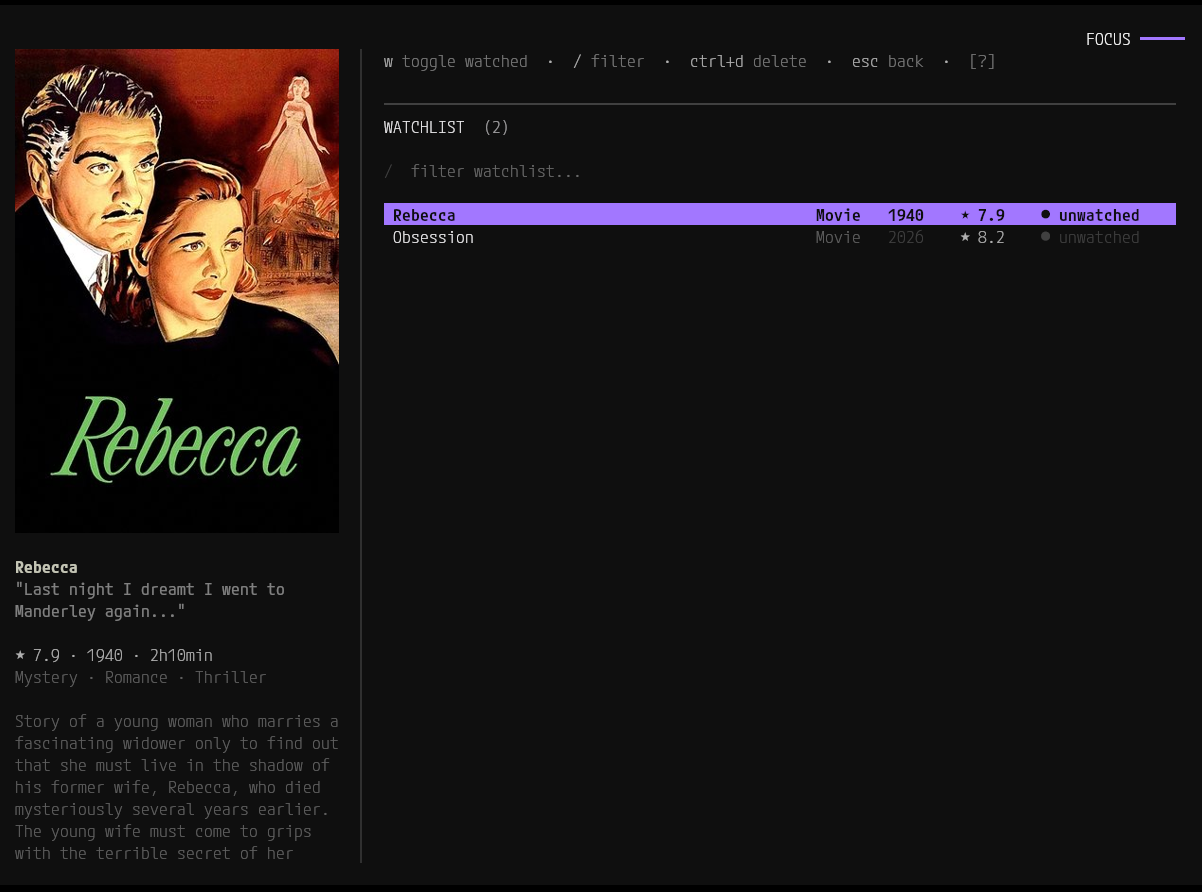
- Search TMDb for movies and TV shows with filter chips (All/Movies/TV)
- Bookmark shows and build a watchlist
- Get recommendations based on your watchlist
- Browse TV series by season and episode
- Track what you have watched (per-episode and per-movie status)
- Poster art, ratings, genres, and overview text
- Batch episode downloads with deduplication
- Subtitle and multi-audio track muxing into MKV
- Server plugins fetched from a user-configured manifest URL (hotswap)
- Write your own server plugins via the Lua plugin system (scroll to the end to read more)
- Cycle through specific streaming server plugins or use auto mode
Why Not Just Use a Browser?
| Browser | nyrx |
|---|---|
| 10 tabs, each eating RAM | One terminal window |
| Ads, popups, tracking | Clean, no ads, no telemetry |
| Juggling multiple sites | Four sources, one queue |
Features
Queue
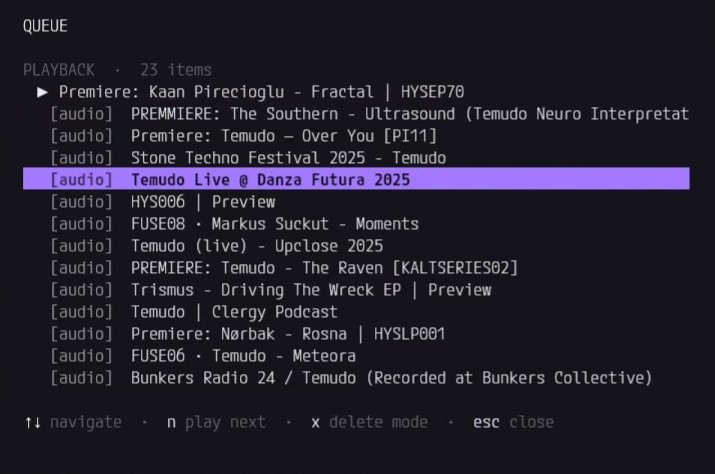
Source-agnostic queue with management features like batch deletion, and move-to-front reorder.
Downloads and Playback
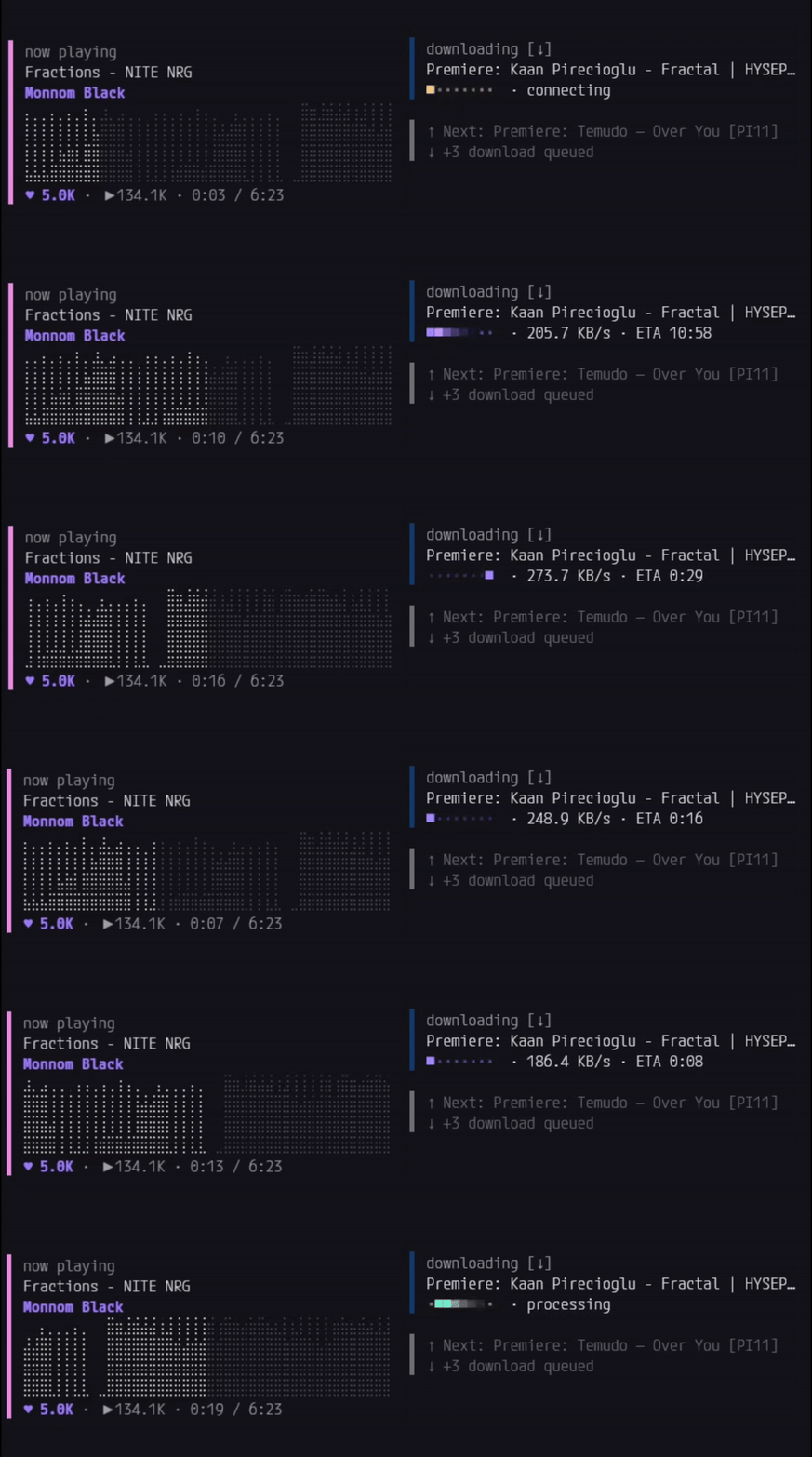
Background downloads show speed and ETA with a live animation. Existing files are skipped automatically. Both download and playback widgets live in the sidebar: Soundcloud shows a braille waveform, Youtube displays progress and metadata, Radio shows the station name and live ICY titles, and TV displays episode details. Queue indicators sit below. When both downloads and playback are active, navigation keys let you move between widgets and cancel as needed.
Thumbnails and Info
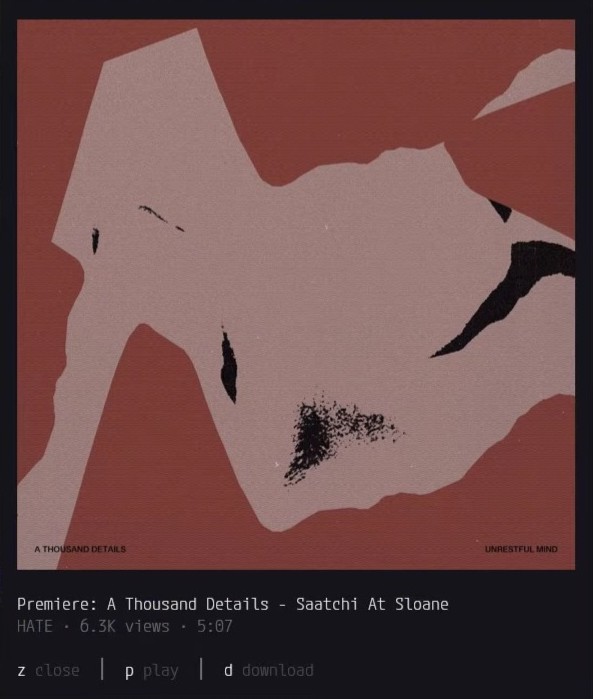
Press z to view thumbnails, posters, and metadata. TV/Movies shows ratings, genres, and overview. Soundcloud shows track covers as such:
Command Palette
Press Ctrl+p to open the command palette. Source-specific commands in a searchable list: configure Lua plugin source, toggle plugin auto-updates, set download directory, sync liked tracks, and more.
Help
Press ? at any time for context-sensitive keybindings. The help changes based on which screen you are on. Focus indicators are unambiguous and the keybind hints update as you navigate around.
Watch Tracking
Every playback session is logged locally (mpv handles that), what you watched, how long, and whether you finished. This data stays on your machine.
This tracking could potentially become a digital wellbeing feature, letting you generate a local report showing your weekly viewing and listening habits, from data already stored on your machine.
Tech Stack
- Python 3.12+ with a mixin-based architecture
- Textual for the terminal UI framework
- mpv for media playback, controlled via Unix socket IPC
- yt-dlp for Youtube and Soundcloud stream extraction
- ffmpeg bundled via static-ffmpeg for downloads and muxing
- Playwright with headless Chromium for TV/Movies server probing
- Lua (via lupa) for the TV/Movies sandbox and mpv tracker script
- SQLite for watch history, Soundcloud data, and TMDb cache
- TMDb for movie and TV show metadata
- radio-browser.info for the global radio station index
- pyfiglet for the ASCII banner on the home screen
The app uses a custom dark color scheme with a lavender primary. The palette is designed for extended use in a terminal without eye strain.
Known Quirks
These are not bugs that block anything, just things worth knowing about.
Notification persistence. Sometimes a notification toast stays on screen past its timeout if the full screen has not refreshed. Workaround: open any modal or press Tab to force a screen refresh. Hopefully this will be fixed as Textual gets updated.
Navigation keys not responding. If none of the focus indicators are lit up and navigation keys stop responding (this can happen after canceling a now-playing or download widget), press Tab to refocus the active element.
Server Plugins (Optional)
TV/Movies works through server plugins: small Lua scripts that hunt down streaming sources. nyrx does not bundle these. They are third-party, community-maintained code that lives in a separate repo under its own MIT license, and you configure a manifest URL yourself.
- Read the documentation in manifestinglua
- Full API and examples: HOW-TO-WRITE-SERVERS.md
License
nyrx is licensed under the GNU Affero General Public License v3.0.
This is free software, and you are welcome to modify and distribute it under the terms of the AGPLv3.
Privacy
nyrx does not require accounts and does not collect telemetry. nyrx itself runs no first-party server, but TV/Movies metadata is fetched through a third-party TMDb proxy, so your search and browsing queries are sent to that proxy rather than to nyrx. All your data, watch history, bookmarks, and search history stay on your machine. Network requests happen only when you search, play, stream content, or have caching jobs queued. TV/Movies server plugins are fetched only from a URL you explicitly configure. For full details, see the Privacy Policy.
Legal
nyrx does not host, upload, store, or distribute any media files or copyrighted content. It aggregates URLs to content already hosted on third-party public websites. TV/Movies server plugins must be configured manually by the user. You are solely responsible for complying with all applicable laws and terms of service. For full details, see the Legal Notice.
1 maintainer

Metadata
1 maintainer
Release files for nyrx 1.0.1
For a detailed explanation of source distributions (sdists) and built distributions (wheels), please see the package formats documentation.
Source distribution (sdist)
| File | Size | Uploaded | |
|---|---|---|---|
| nyrx-1.0.1.tar.gz | 5.8 MB | Details |
Built distribution (wheel)
| File | Interpreter | ABI | Platform | Reset |
|---|---|---|---|---|
| nyrx-1.0.1-py3-none-any.whl | Python 3 | none | any | Details |
Total release size: 11.6 MB
Release files / nyrx-1.0.1.tar.gz
| Download URL | nyrx-1.0.1.tar.gz |
|---|---|
| Size | 5.8 MB |
| Tags | Source |
|
SHA-256 checksum How to use checksums |
19be76dfffdb3c775c07d7101dda401ed25029d115c63224ef8f3bab8970ffe2
|
|
BLAKE2b-256 checksum How to use checksums |
1575853e0163040fc951a7b9c9285ed0fa7669f62fef95bf1649f2875f2a12f7
|
| Upload date | |
|
Uploaded using Trusted Publishing? What is trusted publishing? |
Yes |
| Uploaded via |
twine/7.0.0 CPython/3.13.14
|
Provenance
Provenance describes where a file came from. On PyPI, provenance is shared via attestations, which provide a verifiable record of the build or publishing details. View details, limitations and caveats.


PyPI Publish Attestation
PyPI verified that this artifact, at this checksum, originated from the publisher listed below.
Signed by GitHub Actions, verified by PyPI on Sep 2, 2026.
Transparency logRelease files / nyrx-1.0.1-py3-none-any.whl
| Download URL | nyrx-1.0.1-py3-none-any.whl |
|---|---|
| Size | 5.7 MB |
| Tags | Python 3 |
|
SHA-256 checksum How to use checksums |
805809a42e45911de8f530f84ef0a89a183cac9288f059228487635df2a55bea
|
|
BLAKE2b-256 checksum How to use checksums |
c317149b81736503b55d40818dbb4aba73e53eae847dc0b6a145bb5f3243614b
|
| Upload date | |
|
Uploaded using Trusted Publishing? What is trusted publishing? |
Yes |
| Uploaded via |
twine/7.0.0 CPython/3.13.14
|
Provenance
Provenance describes where a file came from. On PyPI, provenance is shared via attestations, which provide a verifiable record of the build or publishing details. View details, limitations and caveats.
PyPI Publish Attestation
PyPI verified that this artifact, at this checksum, originated from the publisher listed below.
Signed by GitHub Actions, verified by PyPI on Sep 2, 2026.
Transparency log













