
A tool to sync Obsidian notes to Notion via GitHub 👨💻...
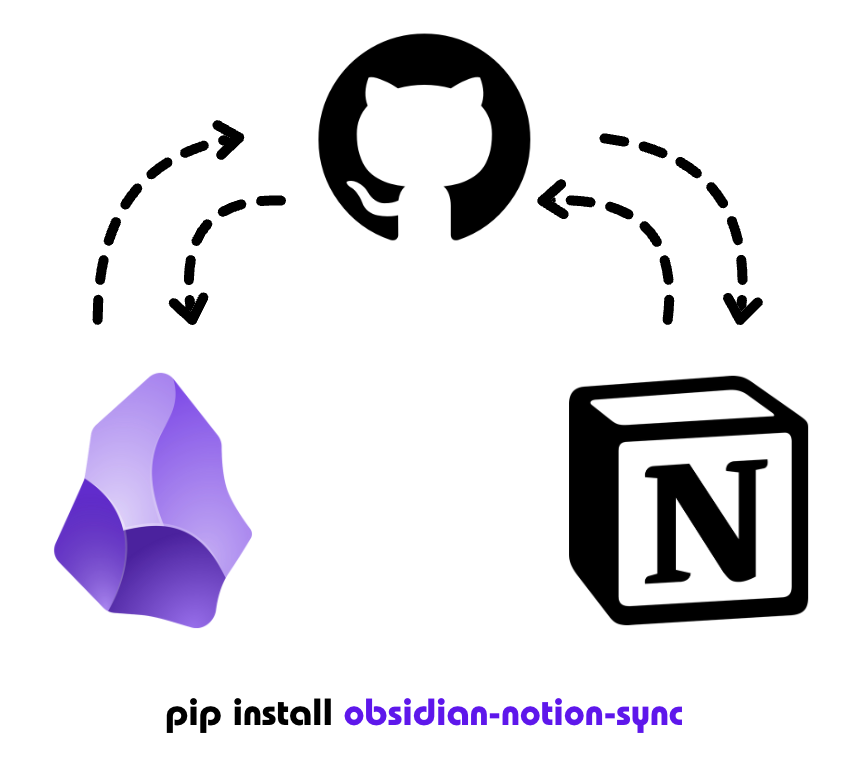
Report a Bug/Issue | Request a Feature | View Project Status




Obsidian Notion Sync
📩 Installation
pip install obsidian-notion-sync


🔄 Usage
There are 2 modes to use it :
Doing Obsidian sync with Git (this automatically triggers the below mode with Github Action)
>> obsidian-notion-sync git-sync
Doing Obsidian Vault sync with Notion
>> obsidian-notion-sync notion-sync
Synopsis
>> obsidian-notion-sync

Usage: obsidian-notion-sync [OPTIONS] COMMAND [ARGS]...
Sync Obsidian notes to Notion via GitHub

Options:
  --debug  Enable debug logging
  --help   Show this message and exit.

Commands:
  git-sync     Sync Obsidian notes to GitHub
  notion-sync  Sync Github placed Obsidian notes with Notion
🎛️ How does it work ?
This is how the pipeline's overview looks like:

🎯 Detailed workflow
Step 1 : Takes up file all the files from your obsidian vault.
Uses the vault path given in the env variable

Step 2 : Upon the running of the command, it copies the value at the place of invocation
Choose a place of invocation and it creates a directory named 'ObsidianClonedVault'.

Step 3 : It then syncs this folder with a Github Repo
You can supply the name for an existing repo or it would create a new one with the given name in the env variable.

Step 4 : Once the syncing is completed, it triggers a Github action that uploads these files to notion via Notion APIs.
A Github workflow runs in the Github action space. You will get a mail if it fails for some reason. Check the logs for more debugging on that front.

Step 5 : Voila ! You can now access your notes on Notion too !
If everything goes well, it will update your notion page specified in the env variable.

🛠️ Configuration
Before using the tool, you need to set up the following environment variables:
| Variable | Description | Example |
|---|---|---|
| GITHUB_TOKEN | Your GitHub personal access token | ghp_1234... |
| NOTION_TOKEN | Your Notion integration token | secret_5678... |
| OBSIDIAN_DIR | Path to your Obsidian vault | /Users/you/ObsidianVault |
| REPO_NAME | Name for the GitHub repository | My-Second-Brain |
| NOTION_PAGE_ID | ID of your Notion page | abc123... |
🍪 Setting up tokens
-
GitHub Token:
- Go to GitHub Settings → Developer Settings → Personal Access Tokens
- Create a new token with 'repo' permissions
-
Notion Token: (more details below on its access)
- Go to www.notion.so/my-integrations
- Create a new integration
- Copy the integration token
-
Notion page ID: (more details below on its access)
- Create a new page in Notion
- Copy the page ID from the URL (it's the part after the page name and after the last '-')
📑 Example Configuration Script
You can create a shell script to set up your environment:
#!/bin/bash
export GITHUB_TOKEN="your_github_token"
export NOTION_TOKEN="your_notion_token"
export OBSIDIAN_DIR="/path/to/your/obsidian/vault"
export REPO_NAME="your-repo-name"
export NOTION_PAGE_ID="your_page_id"

obsidian-notion-sync --debug
Save this as run-sync.sh, make it executable (chmod +x run-sync.sh), and run it with ./run-sync.sh.
📄 Setting up your notion page
(Skip this section if you were able to set the notion api tokens and page access )
Step 1 : Create a notion page for storing your Obsidian Vault
The red box highlighted is the Page Id - it is a 32 sized alphanumeric unique ID for the page which starts after the name of your page.

Step 2 : Go to https://www.notion.so/profile/integrations
You can open it from the settings in your notion app as well.

Step 3 : Create an integration
You can use the API tokens of an existing integration as well. Make sure it has the permission to read + write content.

Step 4 : Copy this token
Set this token as your environment variable as mentioned above.

Step 5 : Allow your notion page to gain access
It will not have access to this connection by default.

🖥️ Troubleshooting
If you encounter errors:
-
Check that all environment variables are set correctly:
echo $GITHUB_TOKEN
echo $NOTION_TOKEN
echo $OBSIDIAN_DIR
echo $REPO_NAME
echo $NOTION_PAGE_ID
-
Ensure your Obsidian vault path exists and is accessible
-
Verify that your GitHub token has the necessary permissions
-
Check that your Notion integration is properly configured and has access to the page
🧑🧑🧒🧒 Support
If you encounter any issues, please file them on our GitHub repository's issue tracker.
🧑💻👩💻 Contribution
The agenda is to make this package as the easy and smooth package (with lesser bugs ;) for syncing a multitude for note taking applications but firstly achieve a robust two way sync between notion and obsidian.
Please refer to the 
📂 Directory structure of the project:
# obsidian_notion_sync/
# ├── .github/
# │   └── workflows/
# │       └── sync.yml
# ├── src/
# │   └── obsidian_notion_sync/
# │       ├── __init__.py
# │       ├── __about__.py
# │       ├── _version.py
# │       ├── cli.py
# │       ├── config.py
# │       ├── sync.py
# │       ├── sync_to_notion.py
# │       └── exceptions.py
# ├── tests/
# │   └── __init__.py
# ├── .gitignore
# ├── LICENSE
# ├── README.md
# ├── pyproject.toml
License
obisidian-notion-sync is distributed under the terms of the MIT license.
1 maintainer

Metadata
1 maintainer
Release files for obsidian-notion-sync 0.7
For a detailed explanation of source distributions (sdists) and built distributions (wheels), please see the package formats documentation.
Source distribution (sdist)
| File | Size | Uploaded | |
|---|---|---|---|
| obsidian_notion_sync-0.7.tar.gz | 8.9 kB | Details |
Built distribution (wheel)
| File | Interpreter | ABI | Platform | Reset |
|---|---|---|---|---|
| obsidian_notion_sync-0.7-py3-none-any.whl | Python 3 | none | any | Details |
Total release size: 21.0 kB
Release files / obsidian_notion_sync-0.7.tar.gz
| Download URL | obsidian_notion_sync-0.7.tar.gz |
|---|---|
| Size | 8.9 kB |
| Tags | Source |
|
SHA-256 checksum How to use checksums |
4b99cd5ce7ed83718ea0a236f6586339b1cc9989d7ecc2c2415634c703a22e4b
|
|
BLAKE2b-256 checksum How to use checksums |
e546b4176340839f4cde9531a3467a79a7c527d61348ecc1f7306c299229fbab
|
| Upload date | |
|
Uploaded using Trusted Publishing? What is trusted publishing? |
No |
| Uploaded via |
python-httpx/0.27.2
|
Release files / obsidian_notion_sync-0.7-py3-none-any.whl
| Download URL | obsidian_notion_sync-0.7-py3-none-any.whl |
|---|---|
| Size | 12.1 kB |
| Tags | Python 3 |
|
SHA-256 checksum How to use checksums |
2ee9edf4e31a252f57f98045dcd6345fe17da4c90345fa556ca202ada63dbbc6
|
|
BLAKE2b-256 checksum How to use checksums |
042d44e52826c0246c63fbb04a8d220abc195ca2efb8ae83ef1883bab6fb5a1b
|
| Upload date | |
|
Uploaded using Trusted Publishing? What is trusted publishing? |
No |
| Uploaded via |
python-httpx/0.27.2
|














