
obstools_ipgp
Tools for evalauating and manipulating obs data.
Data must be in SDS format and metadata in StationXML format for all of these tools
Command-line programs
Type {command} -h to get a list of parameters and options
Existing
| Program | description |
|---|---|
| plotPSDs | plot power spectral densities of all stations |
| obstest | plot different representations of tests (noise, taps... |
| obstest_examples | put obstest example files in the current directory |
Future
| Program | description |
|---|---|
| data_extent | plot/list the extent of data for all channels???? |
| drift_correl | Use inter-station cross-correlations to calculate clock drift |
| to_SEGY | Transform data + shotfiles into SEGY |
obstest control files
obstest uses YAML-format control files to indicate what kind of plots to
output. The datetime ranges in the plots sections must be within those given
in the input section, as data is only read using the input time bounds.
for details on the control file format, type:
  python
    > import obstools_ipgp
    > help(obstools_ipgp.obstest)
to put example lctest control files in the current directory, type:
lctest --examples
Example plots
Examples
1: Analysing one station
---
input:
    SDS_dir: "SDS"
    inv_file: "SDS.station.xml"
    description: "Tests on BBOBS"
output:
    show: True
    filebase: 'BB02-V1_3-tests'
plot_globals:
    spectra:
        window_length.s: 1024
plots:
    time_series:
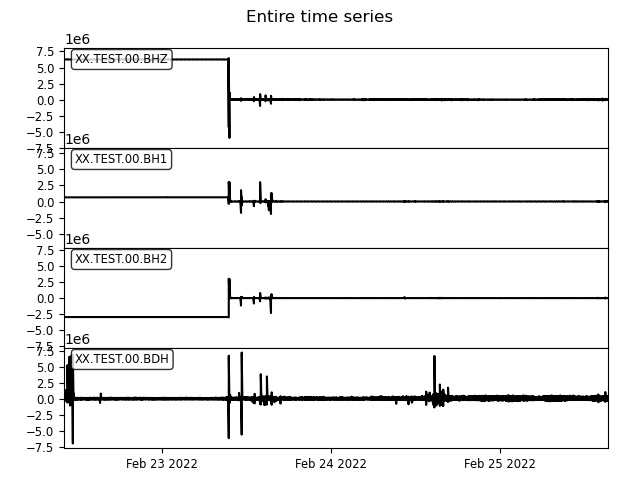
        -   description: "Entire time series"
            select: {station: "*"}
            start_time: "2022-02-22T10:00:01"
            end_time: "2022-02-25T15:25:25"
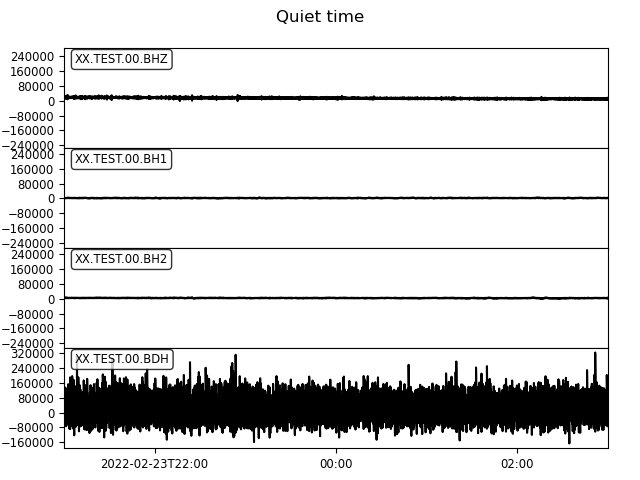
        -   description: "Quiet time"
            select: {station: "*"}
            start_time: "2022-02-23T21:00:00"
            end_time: "2022-02-24T03:00:00"
        -   description: "Stack time"
            select: {station: "*"}
            start_time: "2022-02-25T13:54:00"
            end_time: "2022-02-25T14:03:00"
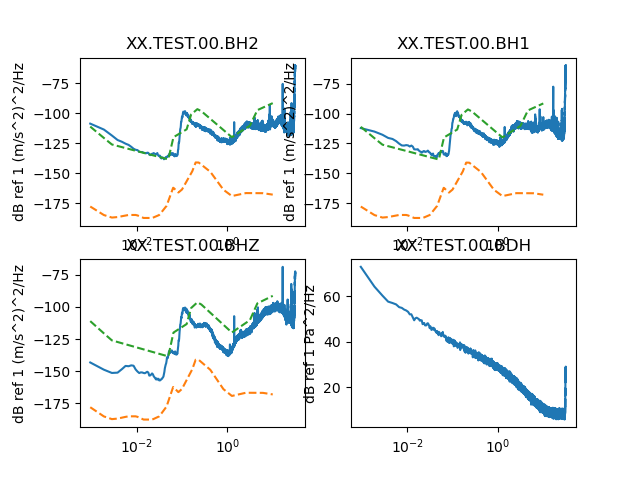
    spectra:
        -   description: "Quiet time"
            select: {station: "*"}
            start_time: "2022-02-23T21:00:00"
            end_time: "2022-02-24T03:00:00"
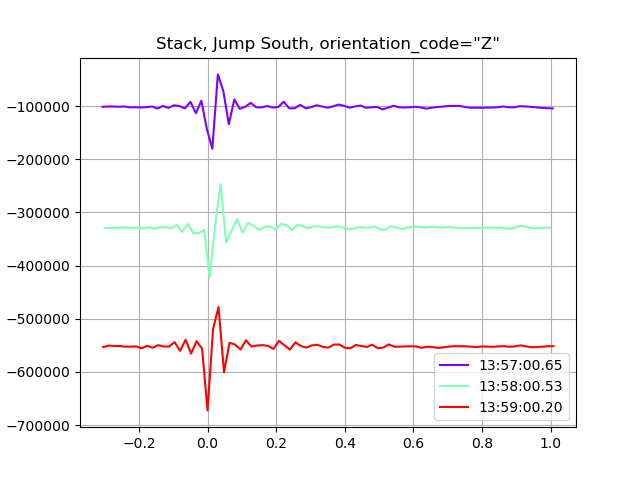
    stack:
        -   description: "Stack, Jump South"
            orientation_codes: ["Z"]
            offset_before.s: 0.3
            offset_after.s: 1
            times:
            -    "2022-02-25T13:57:00.66"
            -    "2022-02-25T13:58:00.53"
            -    "2022-02-25T13:59:00.2"
        -   description: "Stack, Jump Est"
            orientation_codes: ["Z"]
            offset_before.s: 0.3
            offset_after.s: 1
            times:
            -    "2022-02-25T14:00:00.4"
            -    "2022-02-25T14:01:00.15"
            -    "2022-02-25T14:02:00.18"
    particle_motion:
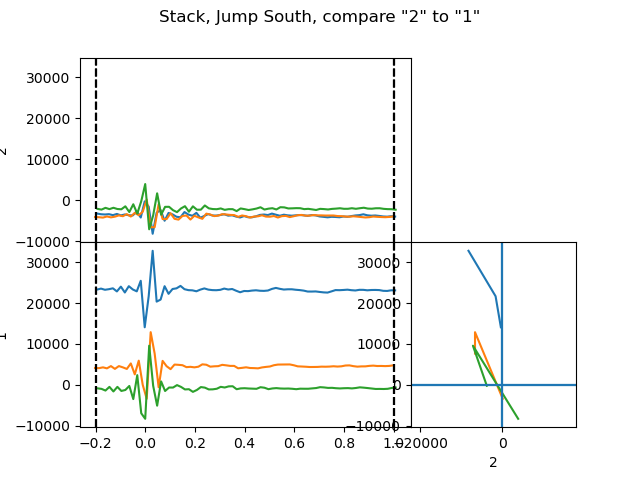
        -   description: "Stack, Jump South"
            orientation_code_x: "2"
            orientation_code_y: "1"
            offset_before.s: 0.00
            offset_after.s: 0.03
            offset_before_ts.s: 0.2
            offset_after_ts.s: 1
            times:
            -    "2022-02-25T13:57:00.66"
            -    "2022-02-25T13:58:00.53"
            -    "2022-02-25T13:59:00.2"
        -   description: "Stack, Jump Est"
            orientation_code_x: "2"
            orientation_code_y: "1"
            offset_before.s: 0.1
            offset_after.s: 0.2
            offset_before_ts.s: 0.3
            offset_after_ts.s: 1
            times:
            -    "2022-02-25T14:00:00.4"
            -    "2022-02-25T14:01:00.15"
            -    "2022-02-25T14:02:00.18"
Output plots
time_series
spectra
stack
particle_motion
2: Comparing several stations
---
input:
    SDS_dir: "SDS"
    inv_file: "SDS.station.xml"
    description: "Tests on BBOBS"
    description: "Simulation of multi-instrument test"
output:
    show: True
    filebase: "MAYOBS6"
plot_globals:
    stack:
        offset_before.s: 0.5
        offset_after.s:  1.5
        plot_span: False
    particle_motion:
        offset_before.s: 0.1
        offset_after.s: 0.2
        particle_offset_before.s: 0.00
        particle_offset_after.s: 0.03
    spectra:
        window_length.s: 100
plots:
    time_series:
        -
            description: "Entire time series"
            select: {station: "*"}
            start_time: "2019-11-07T00:00"
            end_time: "2019-11-08T00:00"
        -
            description: "Quiet period"
            select: {channel: "*3"}
            start_time: "2019-11-07T11:00"
            end_time: "2019-11-07T13:57"
        -
            description: "Rubber hammer taps"
            select: {station: "*"}
            start_time: "2019-11-07T14:08"
            end_time: "2019-11-07T14:11:10"
    spectra:
        -
            description: "Entire time series"
            select: {component: "3"}
            start_time: "2019-11-07T00:00"
            end_time: "2019-11-08T00:00"
        -
            description: "Quiet period"
            select: {channel: "*3"}
            start_time: "2019-11-07T11:00"
            end_time: "2019-11-07T13:57"
1 maintainer

Release files for obstools-ipgp 1.1.1
For a detailed explanation of source distributions (sdists) and built distributions (wheels), please see the package formats documentation.
Source distribution (sdist)
| File | Size | Uploaded | |
|---|---|---|---|
| obstools_ipgp-1.1.1.tar.gz | 402.2 kB | Details |
Built distribution (wheel)
| File | Interpreter | ABI | Platform | Reset |
|---|---|---|---|---|
| obstools_ipgp-1.1.1-py3-none-any.whl | Python 3 | none | any | Details |
Total release size: 435.4 kB
Release files / obstools_ipgp-1.1.1.tar.gz
| Download URL | obstools_ipgp-1.1.1.tar.gz |
|---|---|
| Size | 402.2 kB |
| Tags | Source |
|
SHA-256 checksum How to use checksums |
d4bf20c6aa1d068fb6e0f7bec60618544f06e2f7e896a4fb7aa59ddc837362e8
|
|
BLAKE2b-256 checksum How to use checksums |
d1f1bdc1263df7870258ff85be2965188efc873108d6611a9a818fd00320cd1f
|
| Upload date | |
|
Uploaded using Trusted Publishing? What is trusted publishing? |
No |
| Uploaded via |
twine/6.1.0 CPython/3.10.16
|
Release files / obstools_ipgp-1.1.1-py3-none-any.whl
| Download URL | obstools_ipgp-1.1.1-py3-none-any.whl |
|---|---|
| Size | 33.2 kB |
| Tags | Python 3 |
|
SHA-256 checksum How to use checksums |
ee3a20b7ccfed63b26e4933eec5c39a3eb6133515a8d68a0f822d5a7c10e90b8
|
|
BLAKE2b-256 checksum How to use checksums |
dd485eb72abe231d659b4ad8a262f2d3886c087b022af51d664ac7c29b3e96dc
|
| Upload date | |
|
Uploaded using Trusted Publishing? What is trusted publishing? |
No |
| Uploaded via |
twine/6.1.0 CPython/3.10.16
|














