
No project description provided

Project description
OdinMCP
Outrageously Distributed Infrastructure Network for MCP servers.



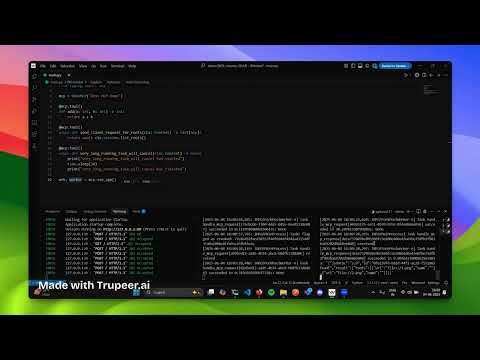
You can watch the demo video for this project above or on YouTube.
Table of Contents
- Overview
- Problem Statement
- Architecture
- Installation
- Quickstart
- Migrating from mcp.FastMCP to OdinMCP
- Deployment
- Contributing
- License
Overview
OdinMCP extends the base MCP library by adding support for distributed workers, enabling scalable task execution across multiple nodes. This is accomplished while fully supporting the streamable-http transport as suggested in the MCP specification, allowing for efficient real-time streaming and interoperability.
Problem Statement
The goal of OdinMCP is to address challenges related to:
- Securing user authentication.
- Handling high-demand streaming.
- Distributing tasks across multiple nodes for scalability.
Architecture
OdinMCP is designed to operate as a distributed system, enabling secure, scalable, and efficient management of large language models (LLMs) and their connections to diverse data sources. The architecture brings together several critical capabilities: authentication, API gateway management, real-time streaming, and a unified inspector UI for testing and event streaming.

At the core of this distributed architecture is Asgard, which provides the infrastructure layer that integrates and orchestrates these capabilities. Asgard leverages several open source components to deliver a robust and modular platform:
- Authentication & Authorization: Managed via Keycloak and OIDC protocols, with Heimdall handling user authentication and authorization.
- API Gateway: Bifrost, powered by Kong Gateway, routes and secures incoming requests, integrating with Heimdall for token validation.
- Streaming & Server-Sent Events (SSE): Hermod, leveraging Pushpin and the GRIP protocol, manages real-time streaming and offloads connection management from core services.
- Inspector UI: Loki provides a web interface for browsing and streaming events via Inspector and SSE.
By combining these components under the Asgard infrastructure, OdinMCP achieves a standardized and extensible approach to running MCP-based systems in distributed environments.
For more details, see the Asgard documentation.
Installation
You can install OdinMCP using pip or poetry:
pip install odinmcp
or
poetry add odinmcp
Quickstart
Below is a minimal example of a server.py you can use to get started with OdinMCP. This file defines a few example tools and sets up both the web server and worker:
from odinmcp import OdinMCP
from mcp.server.fastmcp import Context
import time
from typing import Any

mcp = OdinMCP("Odin MCP Demo")

@mcp.tool()
def add(a: int, b: int) -> int:
    return a + b

@mcp.tool()
async def send_client_request_for_roots(ctx: Context) -> list[Any]:
    return await ctx.session.list_roots()

@mcp.tool()
async def very_long_running_task_will_cancel(ctx: Context) -> None:
    print("very_long_running_task_will_cancel has started")
    time.sleep(30)
    print("very_long_running_task_will_cancel has finished")

web, worker = mcp.sse_app()
You can now run this file using the CLI commands below.
How to Deploy
-
Project Setup(only once)
odinmcp setup_asgardCopies the default Asgard project structure into your current directory. Add
--forceto overwrite existing files. -
Start Asgard Proxies and Services
cd ./asgard
docker-compose up
This will run all the required proxies and services for Asgard using Docker Compose.
-
Start the Web Server ( in a new terminal )
odinmcp web server.py:web --host 0.0.0.0 --port 80
Launches the Starlette ASGI web server. Replace
server.py:webwith your module and app variable (e.g.,myproject.main.py:web). -
Start the Worker Process ( in a new terminal )
odinmcp worker server.py:worker --loglevel=info
Starts the Celery worker for distributed task processing. Replace
server.py:workerwith your module and worker variable. You can run any number of workers for distributed task processing.
Note:
- The web server and worker process must be started separately for full functionality.
- You can use the standard Uvicorn and Celery CLIs if you prefer, but the OdinMCP CLI provides a unified interface.
Migrating from mcp.FastMCP to OdinMCP
OdinMCP is a drop-in replacement for FastMCP with improved scalability and streaming. To migrate:
- Uninstall mcp:
pip uninstall mcp - Install OdinMCP:
pip install odinmcp - Update Imports: Replace
from mcp.server.fastmcp import FastMCPwithfrom odinmcp import OdinWeb(orOdinMCPas appropriate) - Replace Class Names: Change
FastMCPtoOdinWeb(orOdinMCP) - App Creation: Use
app, worker = mcp.sse_app()instead ofapp = mcp.streamable_http_app()
Deployment
Deploying Asgard with Docker Compose
To start all Asgard infrastructure services (API gateway, authentication, streaming, etc.), use Docker Compose:
cd ./asgard
docker-compose up
This will launch all required proxies and services for distributed operation. Make sure you have run odinmcp setup_asgard first to generate the Asgard directory structure.
Web Server
- FastMCP:
uvicorn server:app --host 0.0.0.0 --port 80- or
mcp dev server.py
- OdinMCP:
odinmcp web server.py:web --host 0.0.0.0 --port 80- or use any ASGI server (e.g., Uvicorn) as above
Worker Process
- FastMCP:
- No explicit background worker; FastMCP does not support distributed background processing.
- OdinMCP:
odinmcp worker server.py:worker --loglevel=info- or
celery -A server worker --loglevel=info - The worker must be started separately for distributed task processing.
Note: For OdinMCP, both the web server and worker process must be started for full functionality.
Contributing
Contributions to OdinMCP are welcome! Please open issues, fork the repository, and submit pull requests to help improve functionality and performance.
License
This project is licensed under the MIT License. See the LICENSE file for details.


Download files
Download the file for your platform. If you're not sure which to choose, learn more about installing packages.
Source Distribution
Built Distribution
Filter files by name, interpreter, ABI, and platform.
If you're not sure about the file name format, learn more about wheel file names.
Copy a direct link to the current filters
File details
Details for the file odinmcp-0.0.9.tar.gz.
File metadata
- Download URL: odinmcp-0.0.9.tar.gz
- Upload date:
- Size: 42.5 kB
- Tags: Source
- Uploaded using Trusted Publishing? No
- Uploaded via: poetry/2.1.3 CPython/3.11.12 Linux/6.11.0-1014-azure
File hashes
| Algorithm | Hash digest | |
|---|---|---|
| SHA256 |
407b58a757af0869765bc70f0dfe4cf503eed8ea98f4d5e7457489a562df0200
|
|
| MD5 |
7322eda4de45d31cf48c9af43e7aaef1
|
|
| BLAKE2b-256 |
fdb0a5aa4b1c428248c88140478e3641a7fde261f8b81448937e536611c9eaeb
|
File details
Details for the file odinmcp-0.0.9-py3-none-any.whl.
File metadata
- Download URL: odinmcp-0.0.9-py3-none-any.whl
- Upload date:
- Size: 51.9 kB
- Tags: Python 3
- Uploaded using Trusted Publishing? No
- Uploaded via: poetry/2.1.3 CPython/3.11.12 Linux/6.11.0-1014-azure
File hashes
| Algorithm | Hash digest | |
|---|---|---|
| SHA256 |
80f67b8b50346403c115363311821a7a870d06240015feb24f1a7b9c9819c534
|
|
| MD5 |
ca8f9e96fb474f624f49ee64b843ed32
|
|
| BLAKE2b-256 |
da0a955262a3d003e035137ed13f4cfab12c4380ca3f8ce9fee5ae0c6bfe13cc
|






