
Add a configurable banner on the accounting dashboard

Project description

Account Dashboard Banner





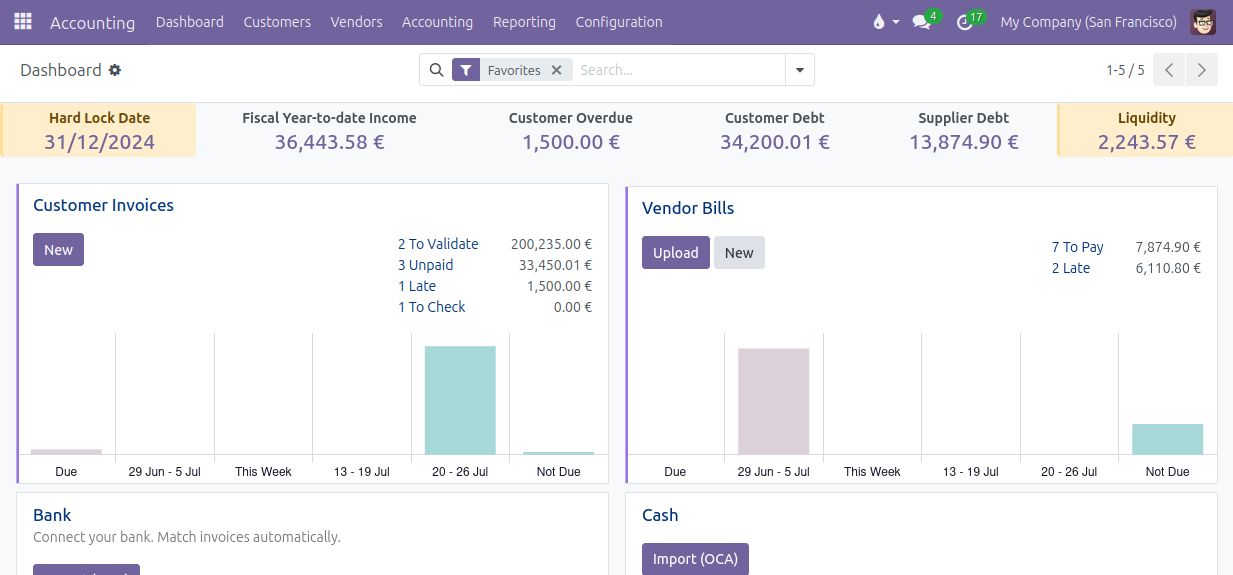
The development of this module started with a simple analysis: accountants tend to forget to update the lock dates. Part of the problem lies in the fact that the lock dates can be seen in the wizard to update the lock dates, but accountants have no incentive to start this wizard regularly to check the lock dates. The idea was to display the lock dates in a banner at the top of the accounting dashboard, so that accountants have the value of the lock dates in front of their eyes.
With such a banner in the accounting dashboard to display the lock dates, there was a great temptation to display other interesting information in that banner, such as some key figures of the accounting: liquidity, turnover, customer overdue, etc. It gave birth to the idea to have a configurable banner in the accounting dashboard!
Table of contents
Configuration
Go to the menu Invoicing > Configuration > Dashboard > Dashboard Banner Cells: in this menu, you can add or remove cells from the banner, change the cell type, modify the order via drag-and-drop, customize the labels if necessary.
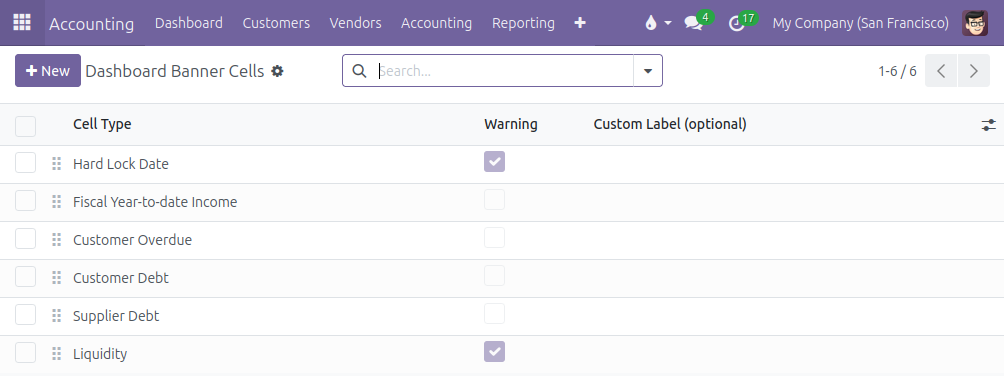
Many cell types are available:
Income with 4 options: Fiscal Year-to-date Income, Year-to-date Income, Quarter-to-date Income and Month-to-date Income. It displays the period balance of the accounts with type Income and Other Income.
Liquidity: it display the ending balance of the accounts linked to a bank or cash or credit journal.
Customer Debt: it displays the ending balance of the default Account Receivable and, if the point of sale is installed, the intermediary account used for unidentified customers.
Customer Overdue: same as the Customer Debt, but limited to journal items with a due date in the past.
Supplier Debt: it displays the ending balance of the default Account Payable.
Lock dates: all the lock dates are available: Tax Return Lock Date, Sales Lock Date, Purchase Lock Date, Global Lock Date and Hard Lock Date.
The module is designed to allow the modification of the computation of the different cell types by inheriting the method _prepare_cell_data_<cell_type>() or _prepare_cell_data(). It is also easy for a developper to add more cell types.
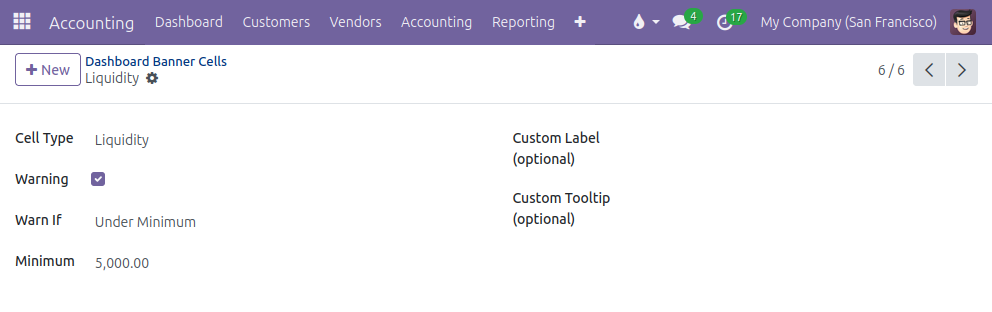
It is possible to display a cell as a warning cell (yellow background color instead of light grey): click on the Warning option and customize the conditions to trigger the warning.
Usage
Enjoy the accounting dashboard with the banner at the top:
Bug Tracker
Bugs are tracked on GitHub Issues. In case of trouble, please check there if your issue has already been reported. If you spotted it first, help us to smash it by providing a detailed and welcomed feedback.
Do not contact contributors directly about support or help with technical issues.
Credits
Contributors
Alexis de Lattre <alexis.delattre@akretion.com>
Maintainers
This module is maintained by the OCA.

OCA, or the Odoo Community Association, is a nonprofit organization whose mission is to support the collaborative development of Odoo features and promote its widespread use.
Current maintainer:

This module is part of the OCA/account-financial-tools project on GitHub.
You are welcome to contribute. To learn how please visit https://odoo-community.org/page/Contribute.
Release history Release notifications | RSS feed


Download files
Download the file for your platform. If you're not sure which to choose, learn more about installing packages.
Source Distributions
Built Distribution
Filter files by name, interpreter, ABI, and platform.
If you're not sure about the file name format, learn more about wheel file names.
Copy a direct link to the current filters






