
Audit Log

Project description





This module allows the administrator to log user operations performed on data models such as create, read, write and delete.
Table of contents
Usage
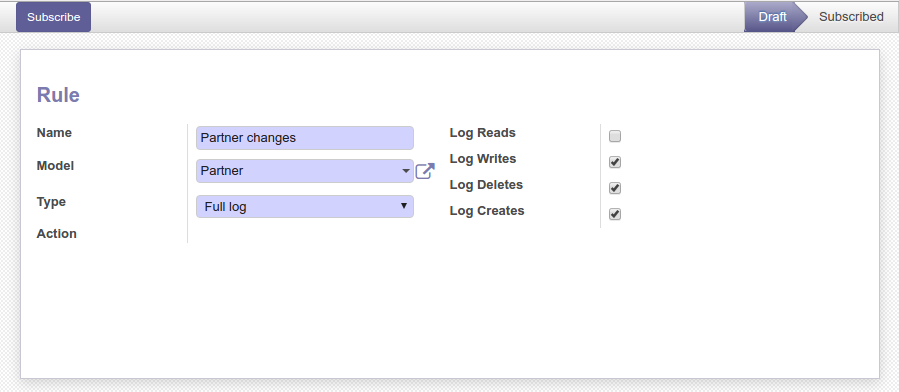
Go to Settings / Technical / Audit / Rules to subscribe rules. A rule defines which operations to log for a given data model.
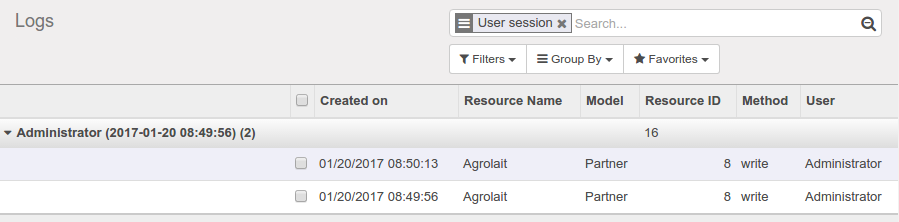
Then, check logs in the Settings / Technical / Audit / Logs menu. You can group them by user sessions, date, data model or HTTP requests:
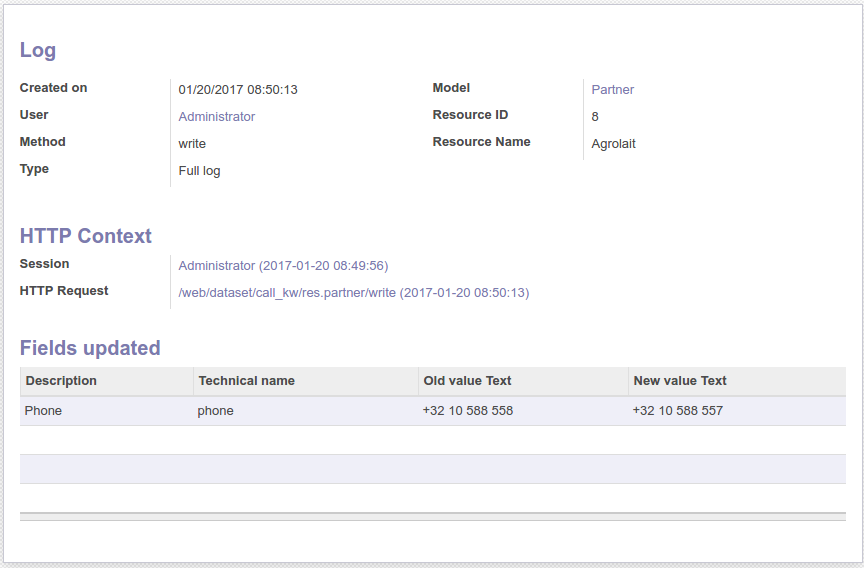
Get the details:
A scheduled action exists to delete logs older than 6 months (180 days) automatically but is not enabled by default. To activate it and/or change the delay, go to the Configuration / Technical / Automation / Scheduled Actions menu and edit the Auto-vacuum audit logs entry:
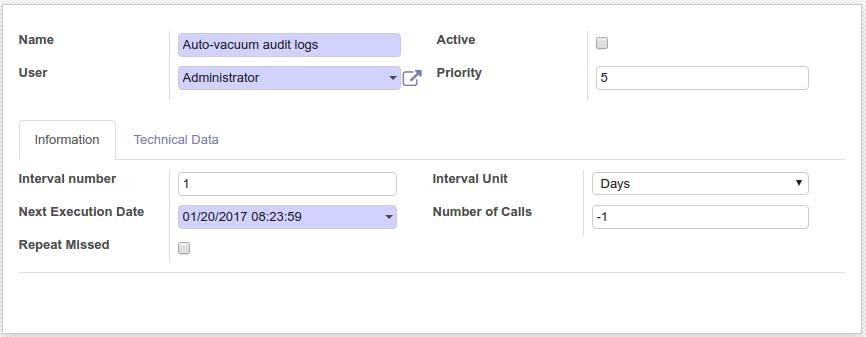
In case you’re having trouble with the amount of records to delete per run, you can pass the amount of records to delete for one model per run as the second parameter, the default is to delete all records in one go.
There are two possible groups configured to which one may belong. The first is the Auditlog User group. This group has read-only access to the auditlogs of individual records through the View Logs action. The second group is the Auditlog Manager group. This group additionally has the right to configure the auditlog configuration rules.
Known issues / Roadmap
log only operations triggered by some users (currently it logs all users)
log read operations does not work on all data models, need investigation
Bug Tracker
Bugs are tracked on GitHub Issues. In case of trouble, please check there if your issue has already been reported. If you spotted it first, help us to smash it by providing a detailed and welcomed feedback.
Do not contact contributors directly about support or help with technical issues.
Credits
Contributors
Sebastien Alix <sebastien.alix@camptocamp.com>
Holger Brunn <hbrunn@therp.nl>
Holden Rehg <holdenrehg@gmail.com>
Eric Lembregts <eric@lembregts.eu>
Pieter Paulussen <pieter.paulussen@me.com>
Alan Ramos <alan.ramos@jarsa.com.mx>
Stefan Rijnhart <stefan@opener.amsterdam>
Bhavesh Odedra <bodedra@opensourceintegrators.com>
Hardik Suthar <hsuthar@opensourceintegrators.com>
Kitti U. <kittiu@ecosoft.co.th>
Bogdan Valentin Gabor <valentin.gabor@bt-group.com>
Other credits
Icon: built with different icons from the Oxygen theme (LGPL)
Maintainers
This module is maintained by the OCA.

OCA, or the Odoo Community Association, is a nonprofit organization whose mission is to support the collaborative development of Odoo features and promote its widespread use.
This module is part of the OCA/server-tools project on GitHub.
You are welcome to contribute. To learn how please visit https://odoo-community.org/page/Contribute.
Release history Release notifications | RSS feed


Download files
Download the file for your platform. If you're not sure which to choose, learn more about installing packages.
Source Distributions
Built Distribution
Filter files by name, interpreter, ABI, and platform.
If you're not sure about the file name format, learn more about wheel file names.
Copy a direct link to the current filters
File details
Details for the file odoo_addon_auditlog-15.0.2.0.1.3-py3-none-any.whl.
File metadata
- Download URL: odoo_addon_auditlog-15.0.2.0.1.3-py3-none-any.whl
- Upload date:
- Size: 388.1 kB
- Tags: Python 3
- Uploaded using Trusted Publishing? No
- Uploaded via: twine/4.0.1 CPython/3.8.5
File hashes
| Algorithm | Hash digest | |
|---|---|---|
| SHA256 |
04d5bf20d8a361917c063f9500502d6d63d3c5377fa978efd7f31375388615fc
|
|
| MD5 |
0d96f80705465df11112384b1704ff9f
|
|
| BLAKE2b-256 |
0430141352d7504c6305177e8f42810d510601ede1b382279fa64de04819e475
|






