
Default Fields with Sequence





This module extends the use of sequences. It will allow you to use them in any text field.
If configured correctly, new records will have a default incremental value in the field of your choice.
Table of contents
Configuration
To configure this module, you need to:
Enable developer mode.
Go to the form view of the model to which you want to add the new sequential default value.
Hover over the field to which you want to add the sequential default value. A tooltip with more info will appear.
Make sure the tooltip says Type: char. Only those fields will work.
Take note of the Object and Field.
Go to Settings > Technical > Sequences & Identifiers > Sequences.
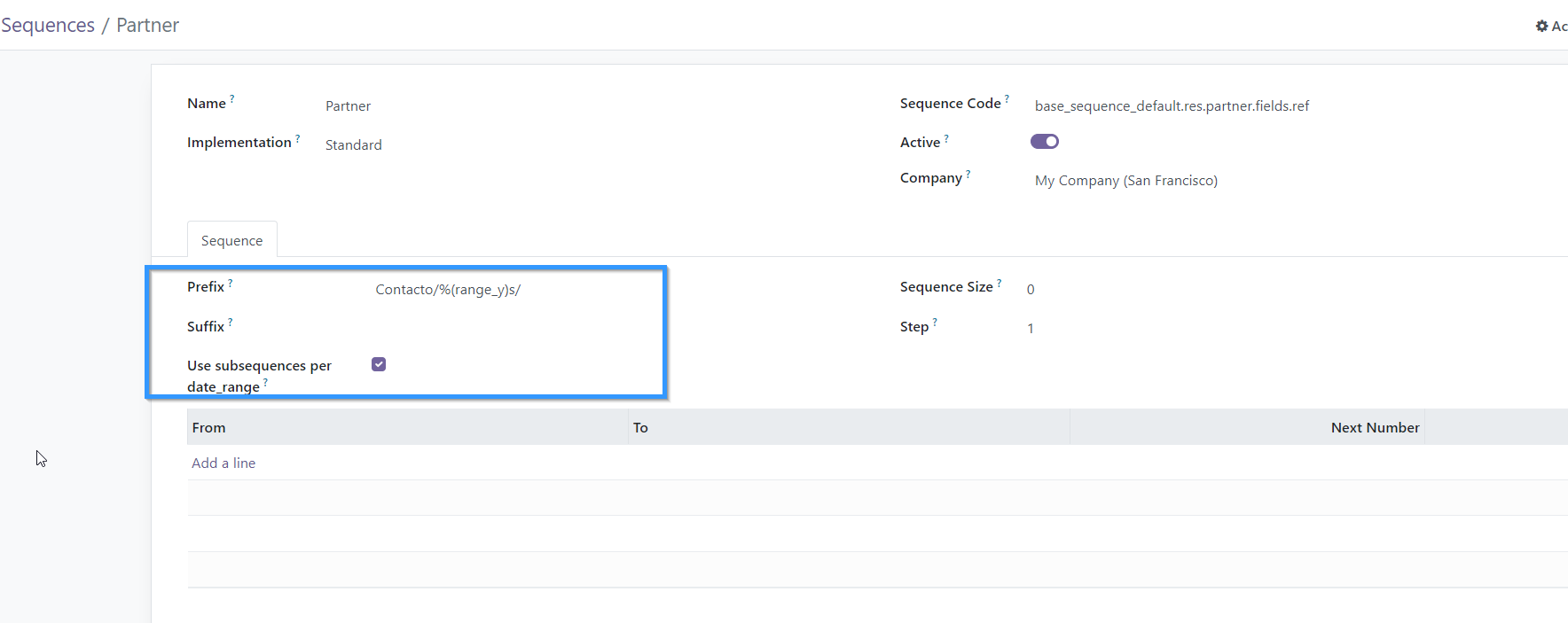
Create one sequence with code named after this pattern: base_sequence_default.{object}.fields.{field}. E.g.: base_sequence_default.res.partner.fields.name to add a default sequenced name for new partners. Do not use {} when adding the model and field name to the pattern.
Configure the sequence at will.

Usage
To use this module, it is necessary to:
Follow the configuration instructions.
Create a record of the model you configured.
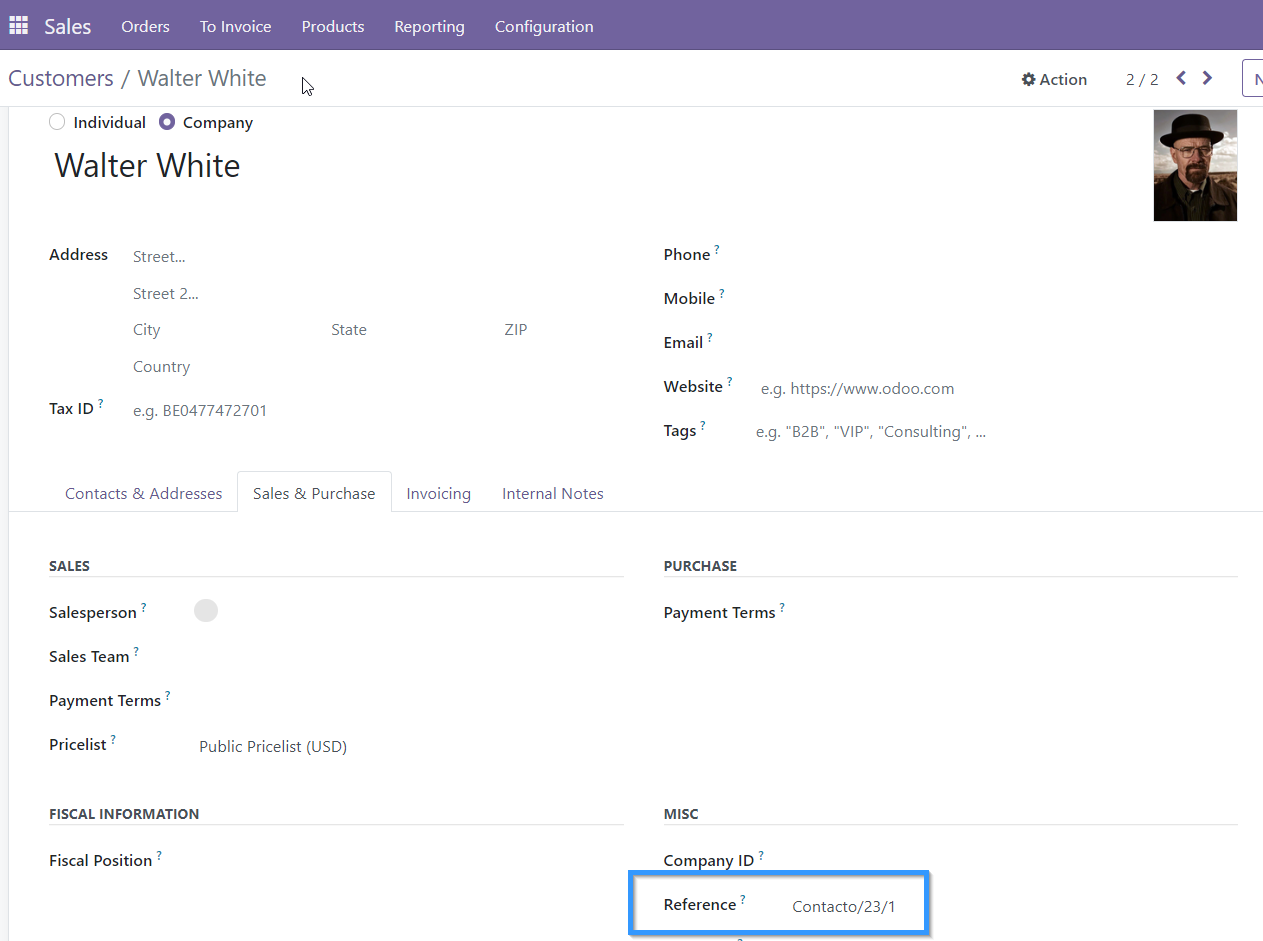
Leave empty the fields where you configured a sequence. If they are required fields, set value to “-” to trigger the automatic sequence on creation.
Check that the field defined in the sequence is set to the next value in the sequence.
Bug Tracker
Bugs are tracked on GitHub Issues. In case of trouble, please check there if your issue has already been reported. If you spotted it first, help us to smash it by providing a detailed and welcomed feedback.
Do not contact contributors directly about support or help with technical issues.
Credits
Contributors
Maintainers
This module is maintained by the OCA.

OCA, or the Odoo Community Association, is a nonprofit organization whose mission is to support the collaborative development of Odoo features and promote its widespread use.
Current maintainers:


This module is part of the OCA/server-tools project on GitHub.
You are welcome to contribute. To learn how please visit https://odoo-community.org/page/Contribute.
1 maintainer

Release files for odoo-addon-base-sequence-default 16.0.1.0.2.6
For a detailed explanation of source distributions (sdists) and built distributions (wheels), please see the package formats documentation.
Built distribution (wheel)
| File | Interpreter | ABI | Platform | Reset |
|---|---|---|---|---|
| odoo_addon_base_sequence_default-16.0.1.0.2.6-py3-none-any.whl | Python 3 | none | any | Details |
Release files / odoo_addon_base_sequence_default-16.0.1.0.2.6-py3-none-any.whl
| Download URL | odoo_addon_base_sequence_default-16.0.1.0.2.6-py3-none-any.whl |
|---|---|
| Size | 28.8 kB |
| Tags | Python 3 |
|
SHA-256 checksum How to use checksums |
0d5a6d5461c277079c5c1de56578f97d7f15630ad590dbbc47bdee2d3b154045
|
|
BLAKE2b-256 checksum How to use checksums |
2b7223db0bbe5e02b3c07b324c71a10ed33ab394547a70d0bf934ec06127f267
|
| Upload date | |
|
Uploaded using Trusted Publishing? What is trusted publishing? |
No |
| Uploaded via |
twine/6.2.0 CPython/3.12.3
|














