

Recurring - Contracts Management





This module enables contracts management with recurring invoicing functions. Also you can print and send by email contract report.
It works for customer contract and supplier contracts.
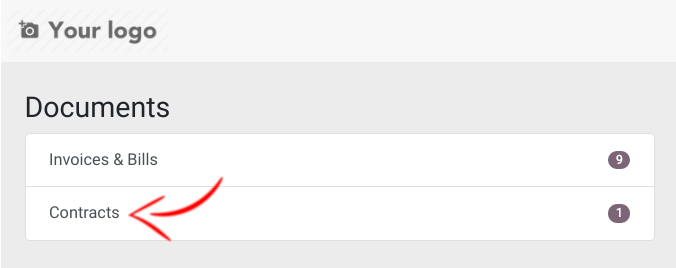
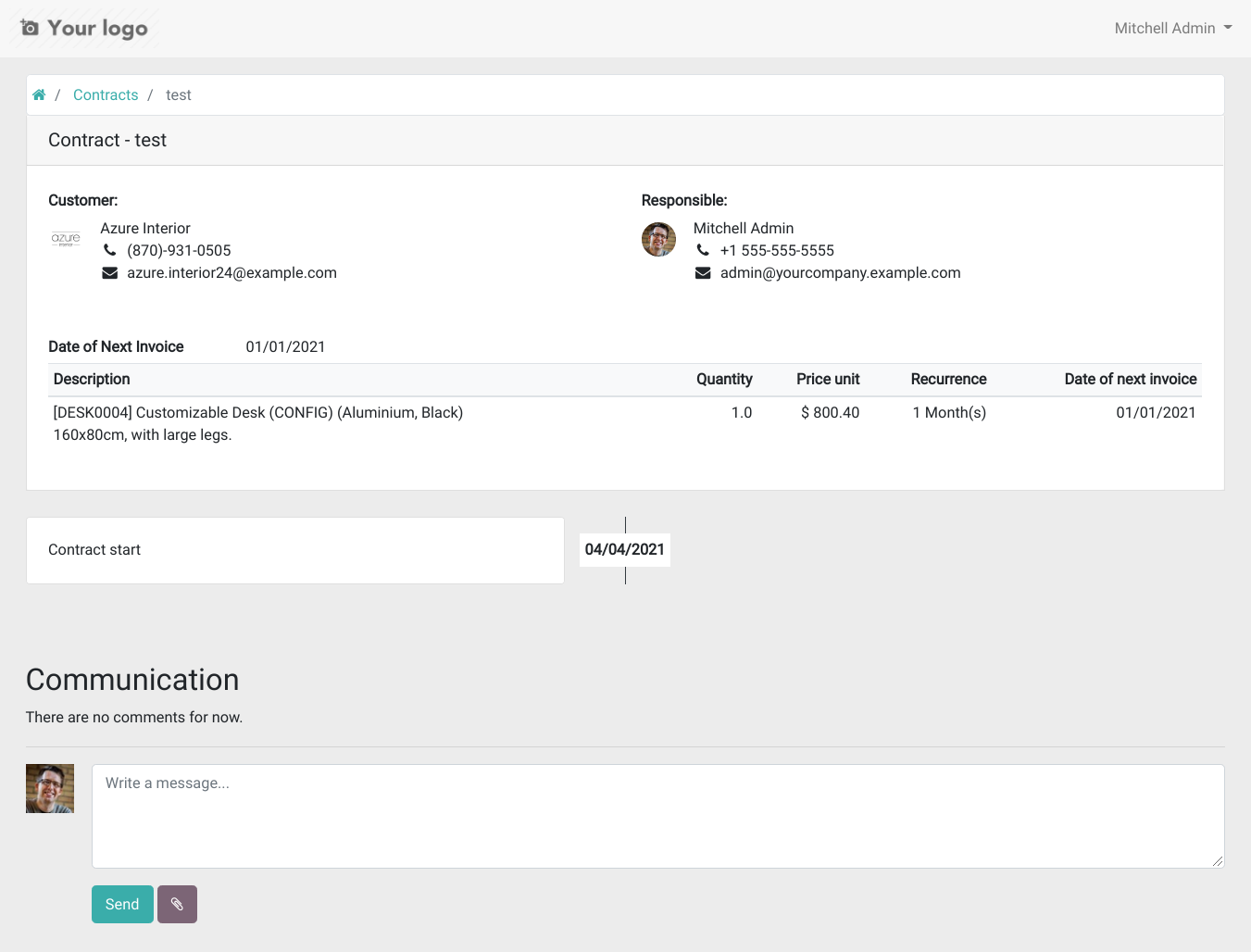
Contracts are shown in portal.
Table of contents
Configuration
To view discount field in contract line, you need to set Discount on lines in user access rights.
Contracts can be viewed on the portal (list and detail) if the user logged into the portal is a follower of the contract.
Usage
Contracts are in Invoicing -> Customers -> Customer and Invoicing -> Vendors -> Supplier Contracts
When creating a contract, fill fields for selecting the invoicing parameters:
a journal
a price list (optional)
And add the lines to be invoiced with:
the product with a description, a quantity and a price
the recurrence parameters: interval (days, weeks, months, months last day or years), start date, date of next invoice (automatically computed, can be modified) and end date (optional)
auto-price, for having a price automatically obtained from the price list
#START# - #END# or #INVOICEMONTHNAME# in the description field to display the start/end date or the start month of the invoiced period in the invoice line description
pre-paid (invoice at period start) or post-paid (invoice at start of next period)
The “Generate Recurring Invoices from Contracts” cron runs daily to generate the invoices. If you are in debug mode, you can click on the invoice creation button.
The Show recurring invoices shortcut on contracts shows all invoices created from the contract.
The contract report can be printed from the Print menu
The contract can be sent by email with the Send by Email button
Contract templates can be created from the Configuration -> Contracts -> Contract Templates menu. They allow to define default journal, price list and lines when creating a contract. To use it, just select the template on the contract and fields will be filled automatically.
Contracts appear in portal to following users in every contract:

Known issues / Roadmap
Recover states and others functional fields in Contracts.
Add recurrence flag at template level.
Bug Tracker
Bugs are tracked on GitHub Issues. In case of trouble, please check there if your issue has already been reported. If you spotted it first, help us to smash it by providing a detailed and welcomed feedback.
Do not contact contributors directly about support or help with technical issues.
Credits
Contributors
Angel Moya <angel.moya@domatix.com>
Dave Lasley <dave@laslabs.com>
Miquel Raïch <miquel.raich@eficent.com>
Souheil Bejaoui <souheil.bejaoui@acsone.eu>
Thomas Binsfeld <thomas.binsfeld@acsone.eu>
Guillaume Vandamme <guillaume.vandamme@acsone.eu>
Raphaël Reverdy <raphael.reverdy@akretion.com>
-
Pedro M. Baeza
Carlos Dauden
Vicent Cubells
Rafael Blasco
Víctor Martínez
Iván Antón <ozono@ozonomultimedia.com>
APSL:
Antoni Marroig <amarroig@apsl.net>
Maintainers
This module is maintained by the OCA.

OCA, or the Odoo Community Association, is a nonprofit organization whose mission is to support the collaborative development of Odoo features and promote its widespread use.
This module is part of the OCA/contract project on GitHub.
You are welcome to contribute. To learn how please visit https://odoo-community.org/page/Contribute.
1 maintainer

Release files for odoo-addon-contract 18.0.2.5.0
For a detailed explanation of source distributions (sdists) and built distributions (wheels), please see the package formats documentation.
Built distribution (wheel)
| File | Interpreter | ABI | Platform | Reset |
|---|---|---|---|---|
| odoo_addon_contract-18.0.2.5.0-py3-none-any.whl | Python 3 | none | any | Details |
Release files / odoo_addon_contract-18.0.2.5.0-py3-none-any.whl
| Download URL | odoo_addon_contract-18.0.2.5.0-py3-none-any.whl |
|---|---|
| Size | 893.9 kB |
| Tags | Python 3 |
|
SHA-256 checksum How to use checksums |
2804920380756083704ea57844157874b2441ac3aa71447134673eddb0fcbb41
|
|
BLAKE2b-256 checksum How to use checksums |
8b7836e967c13f7ea177e3c2990082404da22197e8b0196763380d5d72dee4ba
|
| Upload date | |
|
Uploaded using Trusted Publishing? What is trusted publishing? |
No |
| Uploaded via |
twine/6.2.0 CPython/3.12.3
|














