
Teletransmit CA3 via Teledec.fr (subscription required)

Project description

VAT Teletransmission via Teledec.fr





This module adds support for EDI teletransmission of the VAT return via Teledec.fr. As explained on this page of impots.gouv.fr, you have to select an EDI partner if you want to teletransmit your VAT return (there is no open/public API). Teledec is listed on the official list of active EDI partners under their legal name LPI Conseil with their official EDI partner reference 7500201.
This module supports EDI teletransmission of: - 3310-CA3 monthly and quarterly, - 3310-A (Appendix), - 3514 (Credit VAT reimbursement).
The price of this EDI service for VAT returns is written on the page TELEDEC : la solution pour vos déclarations fiscales in the drop-down section Déclarer et payer la TVA at the bottom of the page.
Table of contents
Configuration
Under the menu Invoicing > Configuration > Settings, in the France VAT section, you must configure:
the company bank account that will be used as the default bank account to pay VAT,
the email (login) corresponding to your account in Teledec.fr
select the legal representative of your company. This person must have a name, an email, a function and a title (mister or madam).
the Company Legal Form (select in the list),
Teledec Test Mode: if enable, the VAT returns will be sent to the Teledec staging server and the VAT returns will not relayed to DGFiP.
In the Odoo Server configuration file, add an entry teledec_private_key with the private key that was sent to your by Teledec.
Usage
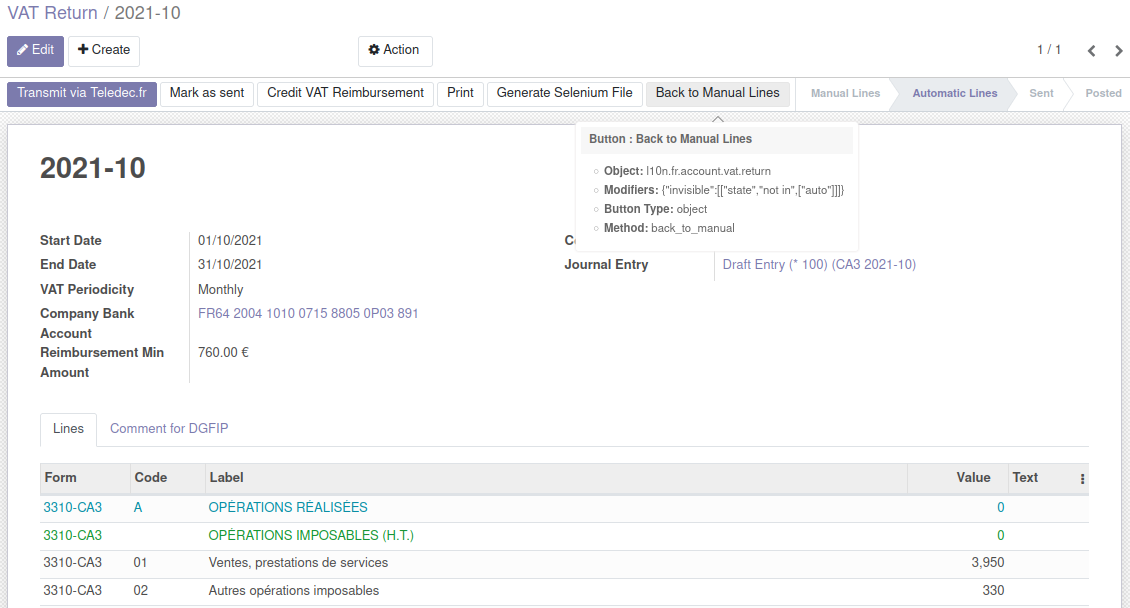
On a VAT return in Odoo, when you reach the step Automatic Lines, you will see a button Send via Gateway and a field Send Gateway to select the gateway. Make sure the field Send Gateway is set to Teledec.fr and then click on the button Send via Gateway to teletransmit the VAT return to DGFiP via Teledec.
Teledec will send you an email once they have successfully transmitted your VAT return to DGFiP.
Bug Tracker
Bugs are tracked on GitHub Issues. In case of trouble, please check there if your issue has already been reported. If you spotted it first, help us to smash it by providing a detailed and welcomed feedback.
Do not contact contributors directly about support or help with technical issues.
Credits
Contributors
Alexis de Lattre <alexis.delattre@akretion.com>
Maintainers
This module is maintained by the OCA.

OCA, or the Odoo Community Association, is a nonprofit organization whose mission is to support the collaborative development of Odoo features and promote its widespread use.
Current maintainer:

This module is part of the OCA/l10n-france project on GitHub.
You are welcome to contribute. To learn how please visit https://odoo-community.org/page/Contribute.
Release history Release notifications | RSS feed


Download files
Download the file for your platform. If you're not sure which to choose, learn more about installing packages.
Source Distributions
Built Distribution
Filter files by name, interpreter, ABI, and platform.
If you're not sure about the file name format, learn more about wheel file names.
Copy a direct link to the current filters
File details
Details for the file odoo_addon_l10n_fr_account_vat_return_teledec-16.0.3.0.0.4-py3-none-any.whl.
File metadata
- Download URL: odoo_addon_l10n_fr_account_vat_return_teledec-16.0.3.0.0.4-py3-none-any.whl
- Upload date:
- Size: 148.7 kB
- Tags: Python 3
- Uploaded using Trusted Publishing? No
- Uploaded via: twine/6.2.0 CPython/3.12.3
File hashes
| Algorithm | Hash digest | |
|---|---|---|
| SHA256 |
87ba14742fa835df544537db4c2f2e2fd16d7617dad07c80fabc35294bc7e793
|
|
| MD5 |
2bed2f21ceeff8aec0855b7cba2611b7
|
|
| BLAKE2b-256 |
18a1a934a1ea1cfbcb462e079fdb4ddcab6a4ebe7dd1bbe6cf17c8705e790a9d
|






