
Use PromptPay QR code with transfer acquirer.

Project description





The PromptPay QR code which is also known as Thai QR payment allows a customer to pay by scanning a QR code with a bank’s mobile application. The Thai QR code payment is a kind of wire transfer. This module allows Odoo to show PromptPay QR code along with a wire transfer information.
Table of contents
Usage
First, you need to create a eCommerce website.
To configure this module, you need to:
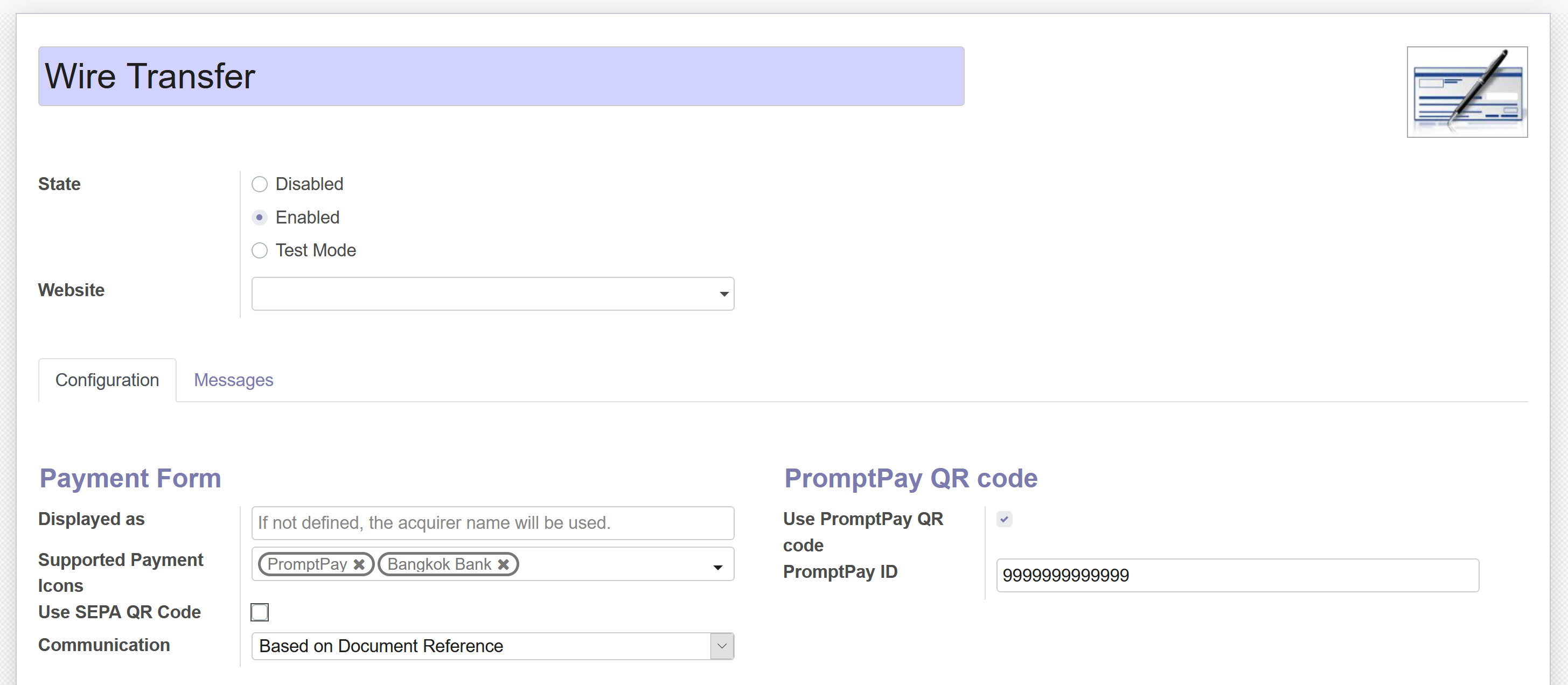
- Go to Website > Configuration > Payment Acquirers > Wire Tranfer
PromptPay ID is simply a company’s registered ID (13 digits) or mobile number (10 digits)
Check “Use PromptPay QR code” to display the PromptPay QR code on eCommerce site.
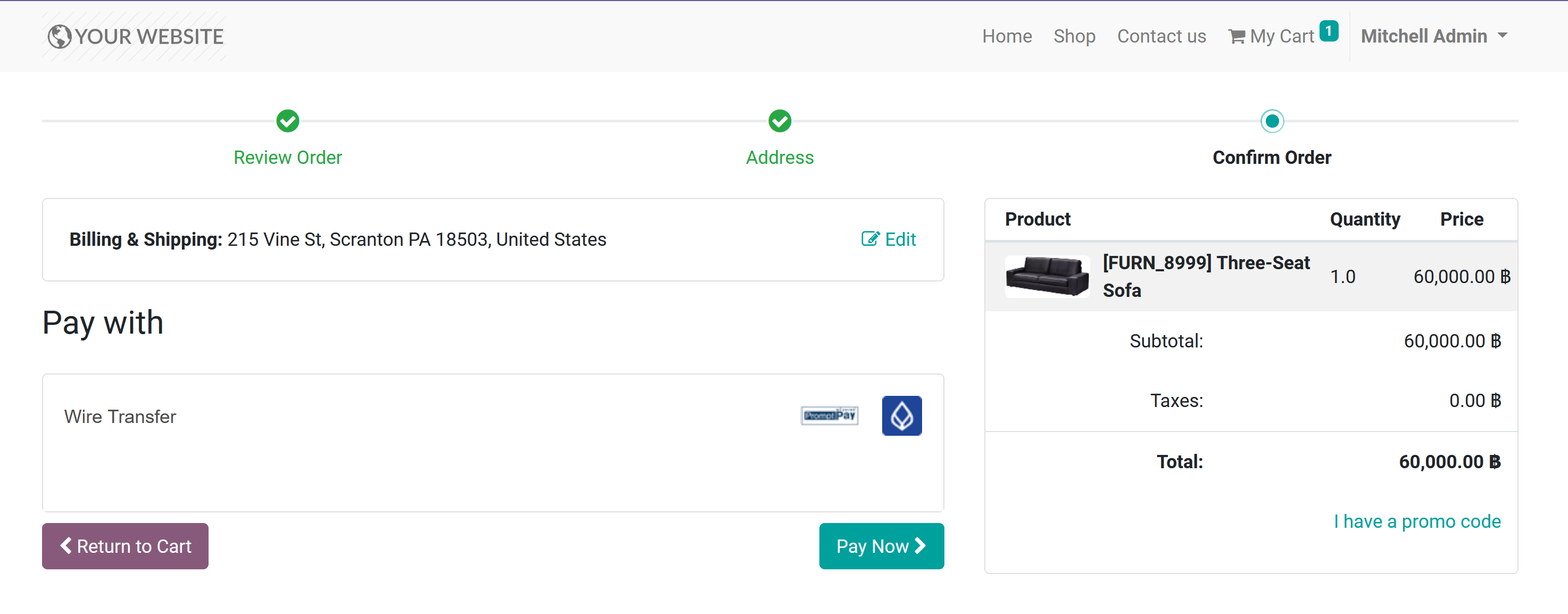
- This module also provides banks logo, PromptPay logo and Thai QR code payment logo.
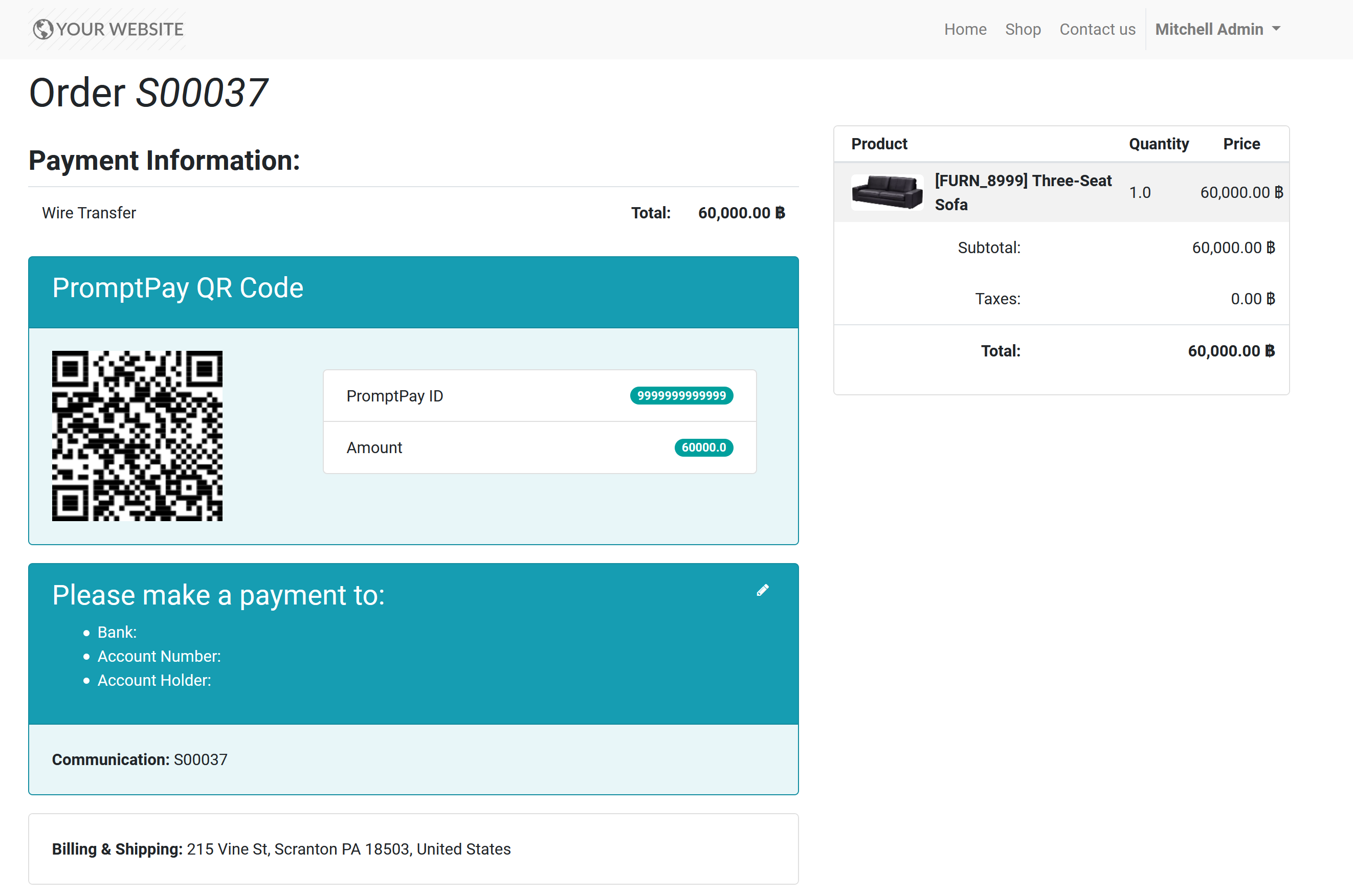
- After checking out, the PromptPay QR code will display along with the wire transfer information.
Changelog
15.0.1.0.0 (2022-08-18)
Migrate from 14.0
14.0.1.0.0 (2021-05-24)
Migrate from 13.0
13.0.3.0.1 (2020-11-17)
Features
Display PromptPay QR code along with a wire tranfer information when making a payment.
Bug Tracker
Bugs are tracked on GitHub Issues. In case of trouble, please check there if your issue has already been reported. If you spotted it first, help us to smash it by providing a detailed and welcomed feedback.
Do not contact contributors directly about support or help with technical issues.
Credits
Contributors
Poonlap V. <poonlap@tanabutr.co.th>
Kitti U. <kittiu@ecosoft.co.th>
Phanupong Janthapoon <panupong.jtp@gmail.com>
Other credits
Maintainers
This module is maintained by the OCA.

OCA, or the Odoo Community Association, is a nonprofit organization whose mission is to support the collaborative development of Odoo features and promote its widespread use.
This module is part of the OCA/l10n-thailand project on GitHub.
You are welcome to contribute. To learn how please visit https://odoo-community.org/page/Contribute.
Release history Release notifications | RSS feed


Download files
Download the file for your platform. If you're not sure which to choose, learn more about installing packages.
Source Distributions
Built Distribution
Filter files by name, interpreter, ABI, and platform.
If you're not sure about the file name format, learn more about wheel file names.
Copy a direct link to the current filters
File details
Details for the file odoo_addon_l10n_th_promptpay-16.0.1.0.0.2-py3-none-any.whl.
File metadata
- Download URL: odoo_addon_l10n_th_promptpay-16.0.1.0.0.2-py3-none-any.whl
- Upload date:
- Size: 795.8 kB
- Tags: Python 3
- Uploaded using Trusted Publishing? No
- Uploaded via: twine/5.1.1 CPython/3.12.3
File hashes
| Algorithm | Hash digest | |
|---|---|---|
| SHA256 |
977fecd7bcdd3ba05562e05f5a8dcc3d1a0ef788767a425c0e9d5dfd2fddd660
|
|
| MD5 |
f4c7f200f947f8cc879590db6662cd98
|
|
| BLAKE2b-256 |
3ec4295ed7664e2216d205b1be738222f631c30efaf13d432758fff03b08494d
|






