

Email tracking





This module shows email notification tracking status for any messages in mail thread (chatter). Each notified partner will have an intuitive icon just right to his name.
Table of contents
Installation
If you’re using a multi-database installation (with or without dbfilter option) where /web/databse/selector returns a list of more than one database, then you need to add mail_tracking addon to wide load addons list (by default, only web addon), setting --load option. For example, --load=web,mail,mail_tracking
Configuration
As there can be scenarios where sending a tracking img in the email body is not desired, there is a global system parameter “mail_tracking.tracking_img_disabled” that can be set to True to remove the tracking img from all outgoing emails. Note that the Opened status will not be available in this case.
Usage
When user sends a message in mail_thread (chatter), for instance in partner form, then an email tracking is created for each email notification. Then a status icon will appear just right to name of notified partner.
These are all available status icons:


If you want to see all tracking emails and events you can go to
Settings > Technical > Email > Tracking emails
Settings > Technical > Email > Tracking events
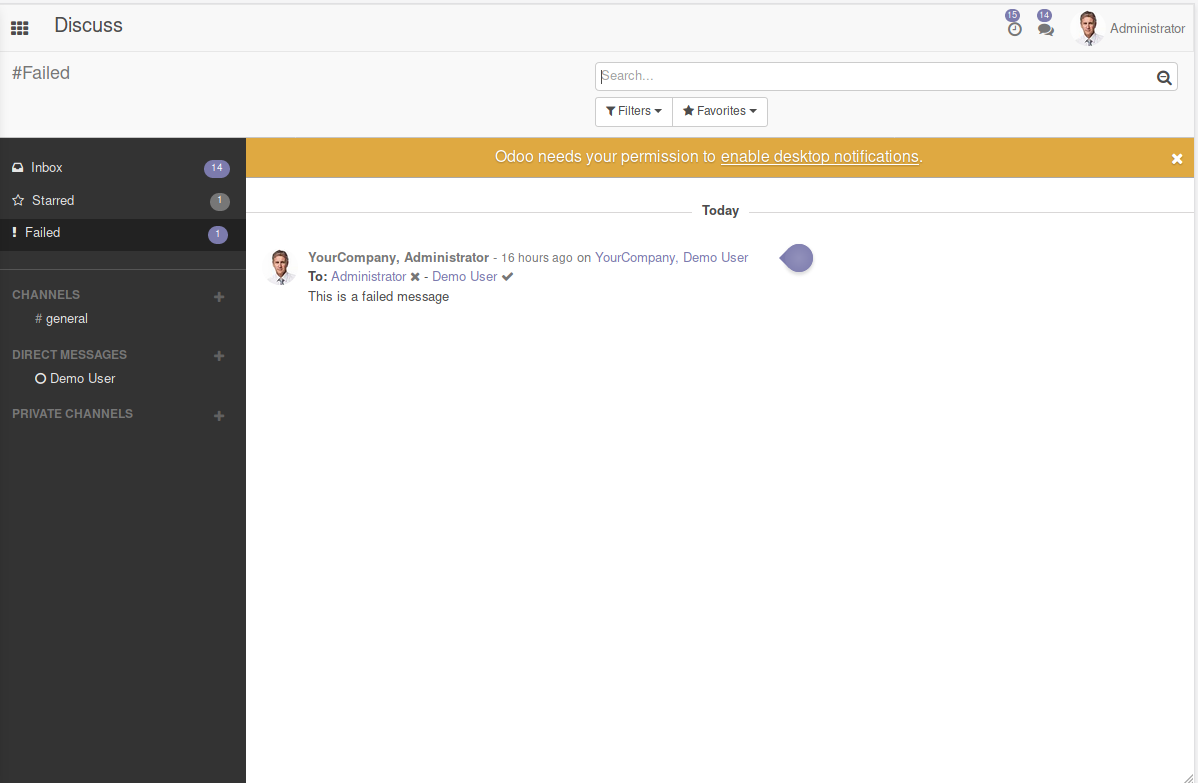
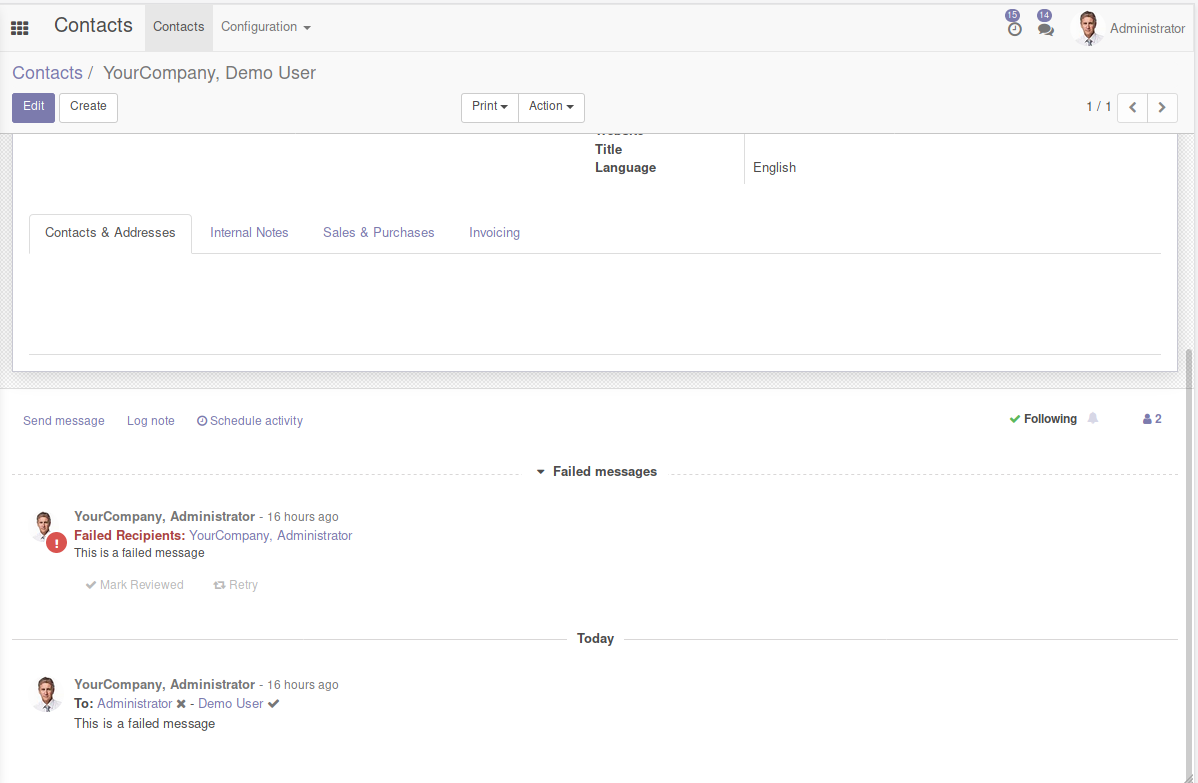
When the message generates an ‘error’ status, it will apear on discuss ‘Failed’ channel. Any view with chatter can show the failed messages too.
Discuss
Chatter
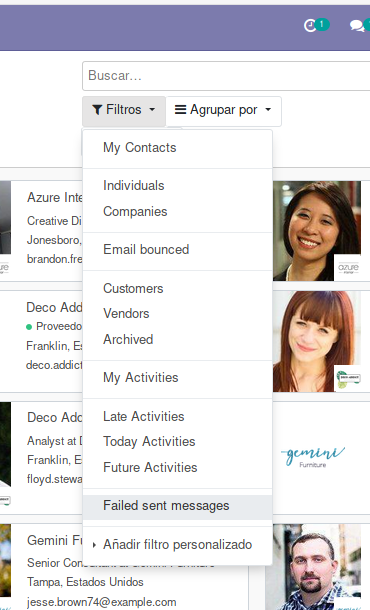
You can use “Failed sent messages” filter present in all views to show records with messages in failed status and that needs an user action.
Filter
Known issues / Roadmap
Integrate with the core mail.notification model as it overlaps with what the mail.tracking model does. We could add the existing features on top of that model and save lots of code lines.
Bug Tracker
Bugs are tracked on GitHub Issues. In case of trouble, please check there if your issue has already been reported. If you spotted it first, help us to smash it by providing a detailed and welcomed feedback.
Do not contact contributors directly about support or help with technical issues.
Credits
Contributors
Other credits
The migration of this module from 17.0 to 18.0 was financially supported by Camptocamp.
Maintainers
This module is maintained by the OCA.

OCA, or the Odoo Community Association, is a nonprofit organization whose mission is to support the collaborative development of Odoo features and promote its widespread use.
This module is part of the OCA/mail project on GitHub.
You are welcome to contribute. To learn how please visit https://odoo-community.org/page/Contribute.
1 maintainer

Release files for odoo-addon-mail-tracking 19.0.1.0.5
For a detailed explanation of source distributions (sdists) and built distributions (wheels), please see the package formats documentation.
Built distribution (wheel)
| File | Interpreter | ABI | Platform | Reset |
|---|---|---|---|---|
| odoo_addon_mail_tracking-19.0.1.0.5-py3-none-any.whl | Python 3 | none | any | Details |
Release files / odoo_addon_mail_tracking-19.0.1.0.5-py3-none-any.whl
| Download URL | odoo_addon_mail_tracking-19.0.1.0.5-py3-none-any.whl |
|---|---|
| Size | 548.0 kB |
| Tags | Python 3 |
|
SHA-256 checksum How to use checksums |
566d4d6a94296f3b88b0a3d58d34451a76acc954c67b8445b2f50f348e9de04f
|
|
BLAKE2b-256 checksum How to use checksums |
6d7ec5e9a579894aa2c8000bd93854307429249e0fa0818b0535c0d94d1be116
|
| Upload date | |
|
Uploaded using Trusted Publishing? What is trusted publishing? |
No |
| Uploaded via |
twine/6.2.0 CPython/3.12.3
|














