

Purchase billing address





This module allows you to add a billing address to purchase orders.
Table of contents
Usage
Purchase billing contact
Go to Purchase > Orders > Vendors
Select or create a supplier.
Go to the Contacts and Addresses tab, add a new one, select the Purchase invoice address type, and fill in the email field.
Save the contact.
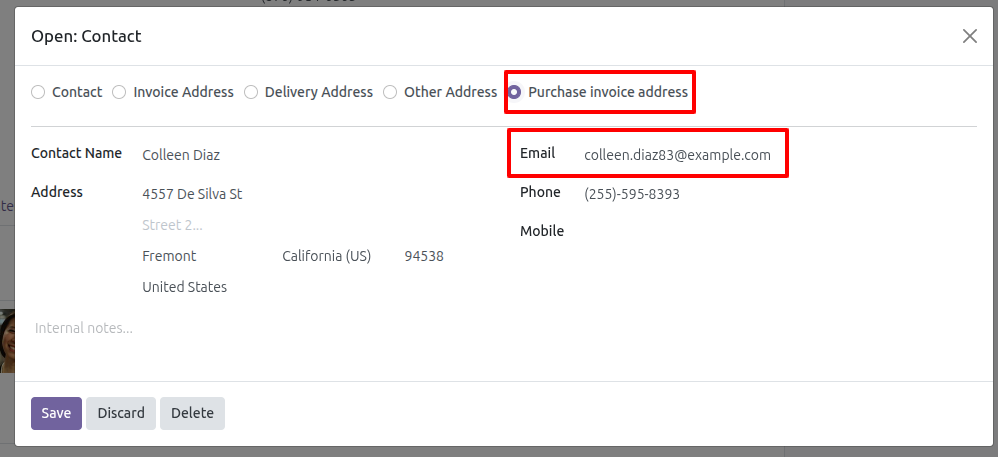
Select a billing address on purchase orders
Go to Purchase > Orders > Request for Quotation
Select or create a purchase order.
Select a supplier. If they have a Purchase invoice address, the first option will be displayed, but you can change the default.
Complete all other fields in the order.
Confirm the order.
When creating the invoice, check whether a billing address is selected and assign it to the invoice. If not, follow the normal Purchase Order process.
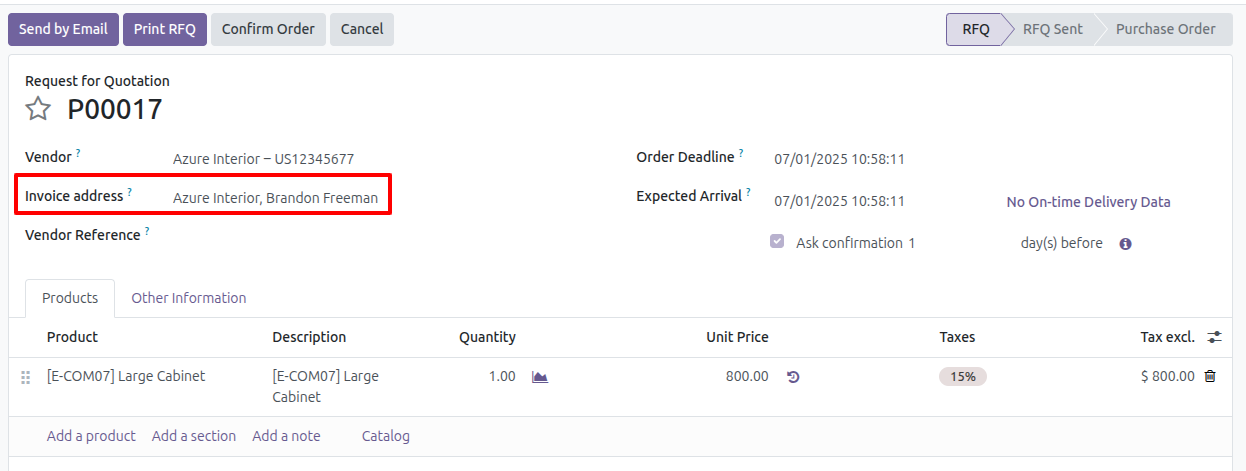
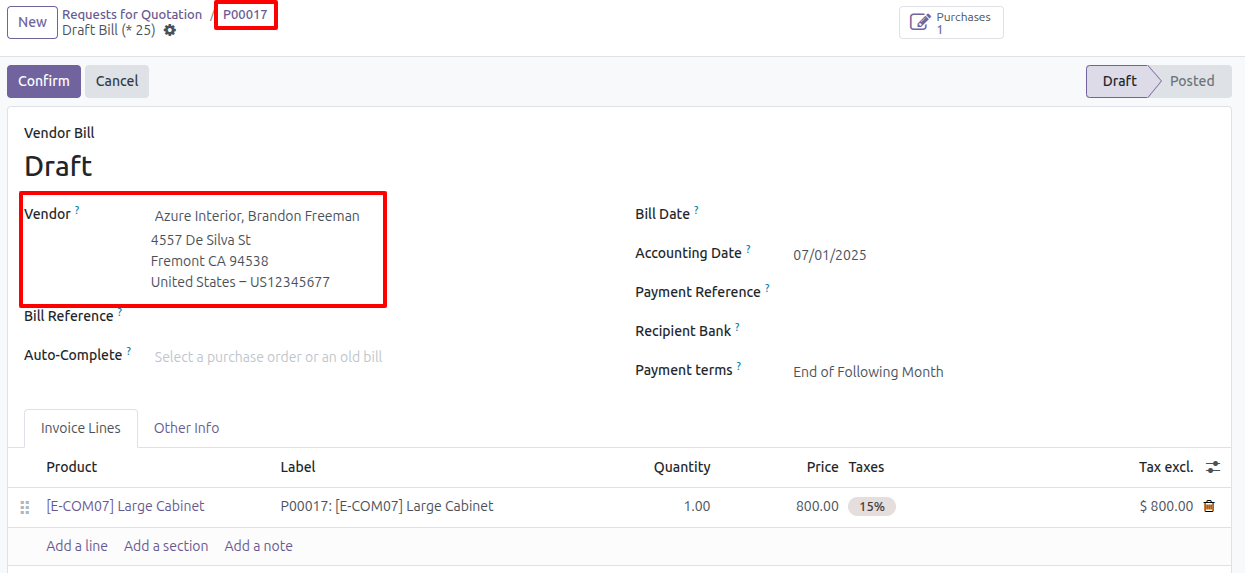
Billing address selection order.
First, we search to see if there is a Purchase invoice address type contact among the selected supplier’s contacts.
If none exist in the previous step, the supplier’s contacts, i.e., secondary contacts, are searched using the same criteria as above.
If none are met, the same supplier is selected.
Bug Tracker
Bugs are tracked on GitHub Issues. In case of trouble, please check there if your issue has already been reported. If you spotted it first, help us to smash it by providing a detailed and welcomed feedback.
Do not contact contributors directly about support or help with technical issues.
Credits
Contributors
[Binhex] (https://www.binhex.cloud):
Edilio Escalona Almira e.escalona@binhex.cloud
Maintainers
This module is maintained by the OCA.

OCA, or the Odoo Community Association, is a nonprofit organization whose mission is to support the collaborative development of Odoo features and promote its widespread use.
This module is part of the OCA/purchase-workflow project on GitHub.
You are welcome to contribute. To learn how please visit https://odoo-community.org/page/Contribute.
1 maintainer

Release files for odoo-addon-purchase-billing-address 17.0.1.0.0.4
For a detailed explanation of source distributions (sdists) and built distributions (wheels), please see the package formats documentation.
Built distribution (wheel)
| File | Interpreter | ABI | Platform | Reset |
|---|---|---|---|---|
| odoo_addon_purchase_billing_address-17.0.1.0.0.4-py3-none-any.whl | Python 3 | none | any | Details |
Release files / odoo_addon_purchase_billing_address-17.0.1.0.0.4-py3-none-any.whl
| Download URL | odoo_addon_purchase_billing_address-17.0.1.0.0.4-py3-none-any.whl |
|---|---|
| Size | 162.2 kB |
| Tags | Python 3 |
|
SHA-256 checksum How to use checksums |
a8a407e26495e9bd696e02907cb25b953ec222dc3c47b57e252bd3b53fe0a556
|
|
BLAKE2b-256 checksum How to use checksums |
c81ae4efb0e769c3b7209eeafbca3affb62e1d0ebd5802a9004f4645befa3920
|
| Upload date | |
|
Uploaded using Trusted Publishing? What is trusted publishing? |
No |
| Uploaded via |
twine/6.2.0 CPython/3.12.3
|














