
Sale Product Identification Numbers

Project description

Sale Product Identification Numbers





Sometimes, when selling a product, it is necessary to require documentation (authorization, ID, etc.) from the customer to justify the sale. Examples: Sale of a corrosive product: A document authorizing its handling is required. To control this process, we configure a Corrosive category in the product listing.
Sale of alcohol: In this case, sales to minors are not permitted. To control this process, we configure a Minor category in the product listing.
This module allows you to control these processes through identifications in the product listing.
Please note that this functionality depends on the partner_identification module. For detailed setup and configuration, please refer to that addon’s documentation.
Table of contents
Usage
Add identifications to the product
Go to Sales -> Products -> Products
Create a new product
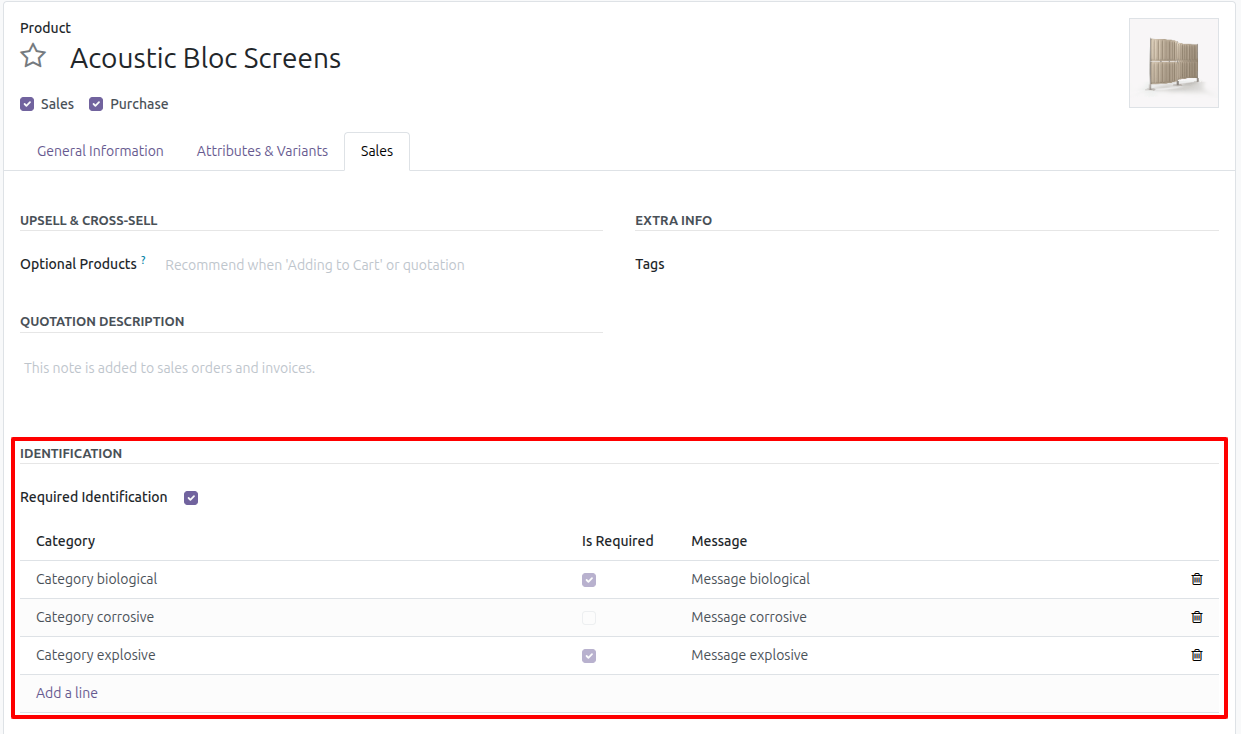
Go to the Sales tab and select the Required Identification option.
A tree will be enabled in which you must configure the required identification category (ies) for the product without repeating them.
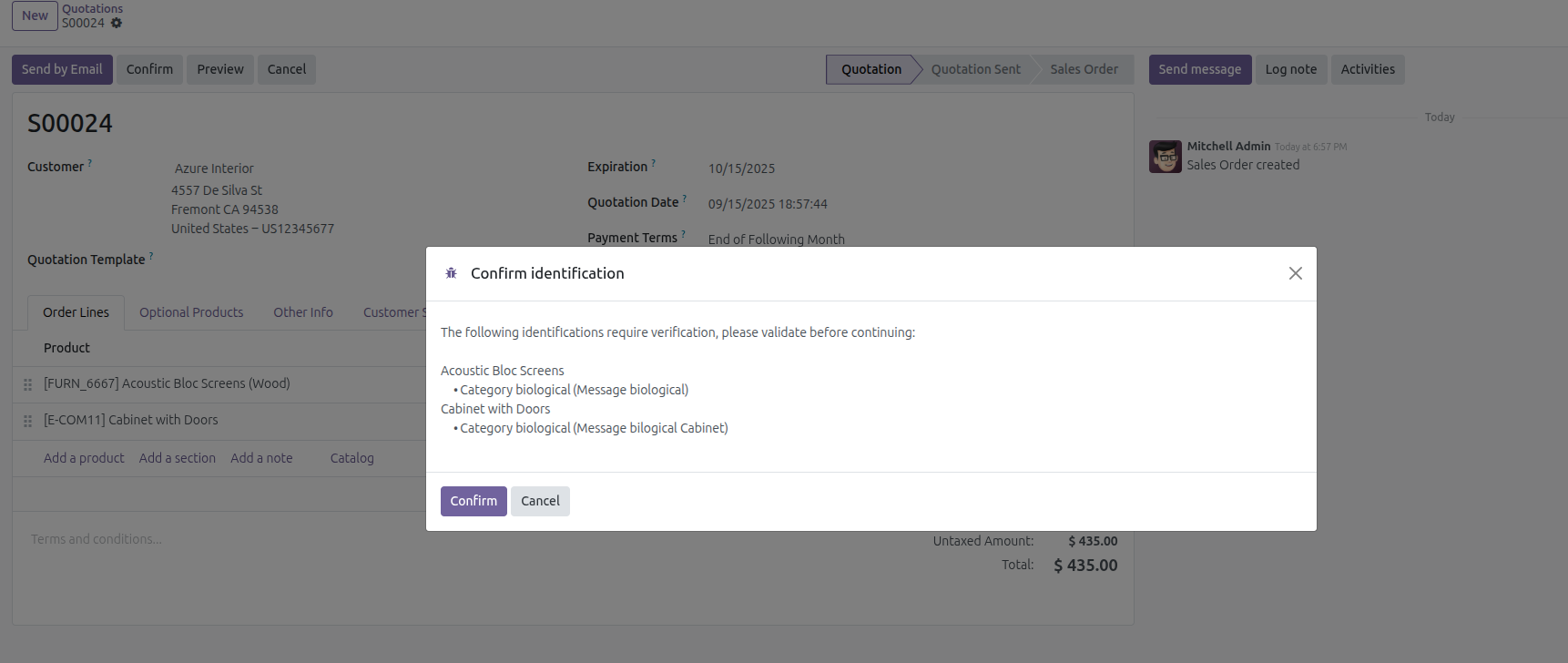
If you define any category as optional, a wizard will appear when confirming the order to confirm whether the identifications are correct and continue with the process.
Save
Validate order with identification products
Go to Sales -> Orders -> Quotations
Create a new order and add any products that require identification to the lines.
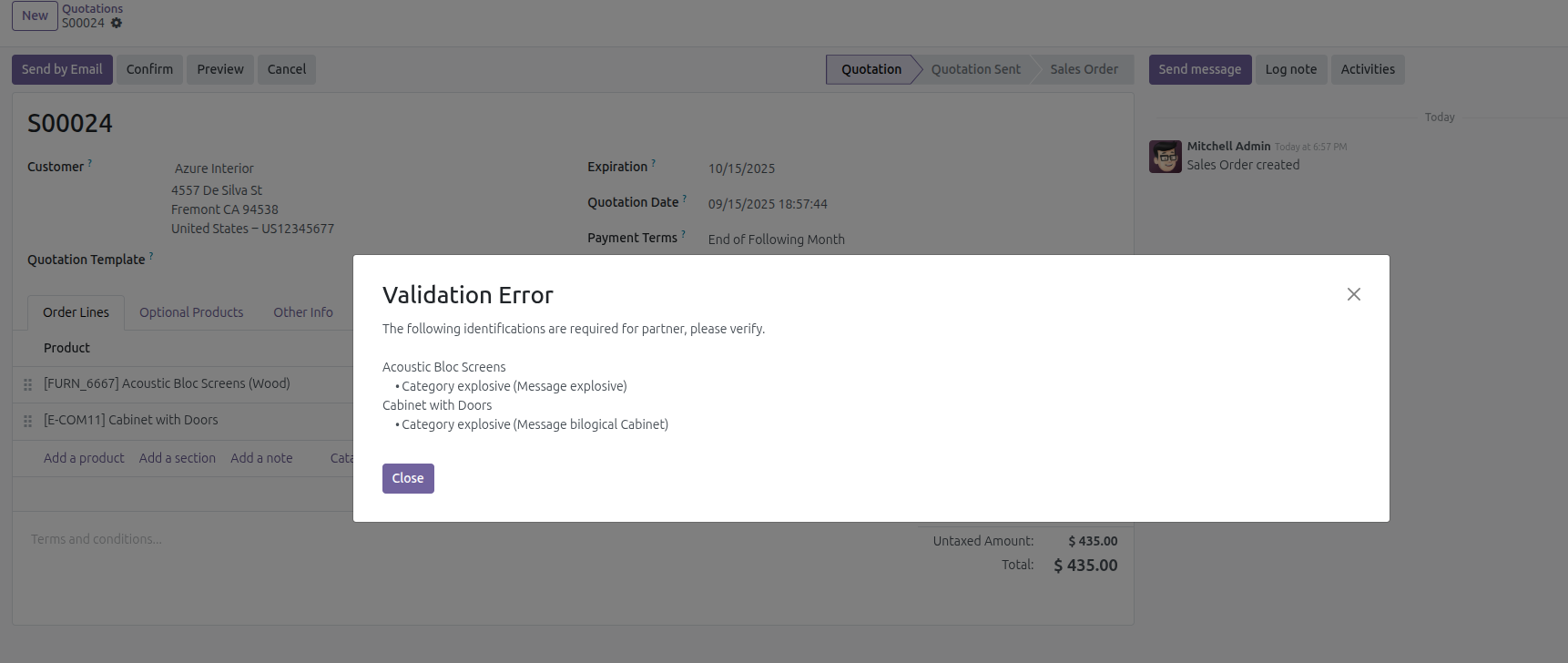
Once the order is confirmed, the selected customer’s ID numbers will be validated to see if they have the categories required for the added product(s).
If the partner does not have all the categories in their valid identification number (Validity Date), a message will be displayed with the missing categories (and their message defined in the product) to validate.
When validating the required categories, the optional ones are validated, for which a wizard will be displayed to confirm.
If the customer has all the correct identifications, then the order confirmation follows its normal flow.
Bug Tracker
Bugs are tracked on GitHub Issues. In case of trouble, please check there if your issue has already been reported. If you spotted it first, help us to smash it by providing a detailed and welcomed feedback.
Do not contact contributors directly about support or help with technical issues.
Credits
Contributors
-
Edilio Escalona Almira e.escalona@binhex.cloud
Maintainers
This module is maintained by the OCA.

OCA, or the Odoo Community Association, is a nonprofit organization whose mission is to support the collaborative development of Odoo features and promote its widespread use.
This module is part of the OCA/sale-workflow project on GitHub.
You are welcome to contribute. To learn how please visit https://odoo-community.org/page/Contribute.
Release history Release notifications | RSS feed


Download files
Download the file for your platform. If you're not sure which to choose, learn more about installing packages.
Source Distributions
Built Distribution
Filter files by name, interpreter, ABI, and platform.
If you're not sure about the file name format, learn more about wheel file names.
Copy a direct link to the current filters
File details
Details for the file odoo_addon_sale_product_identification-18.0.1.0.0.2-py3-none-any.whl.
File metadata
- Download URL: odoo_addon_sale_product_identification-18.0.1.0.0.2-py3-none-any.whl
- Upload date:
- Size: 254.4 kB
- Tags: Python 3
- Uploaded using Trusted Publishing? No
- Uploaded via: twine/5.1.1 CPython/3.12.3
File hashes
| Algorithm | Hash digest | |
|---|---|---|
| SHA256 |
408d01e57d3fb2410942cc6f7422965acea08653dbe4bb87a412dce950ef3225
|
|
| MD5 |
681905e40321567466df3a3d4dd0a3e0
|
|
| BLAKE2b-256 |
779c75a11a2071a6995413e44839ac34e5e88d6a16a4a636ac849aa42a2550a4
|






