

Mass Editing





This module allows to edit several records at the same time in any Odoo model.
Table of contents
Use Cases / Context
Context
Difference in comparison to the Odoo Feature**
Since Odoo V13, a limited Mass Editing feature is available in Odoo CE.
In the list view, when selecting multiple records, you can edit a field.
Then, the system will ask you if you want to apply those changes on all
selected records. 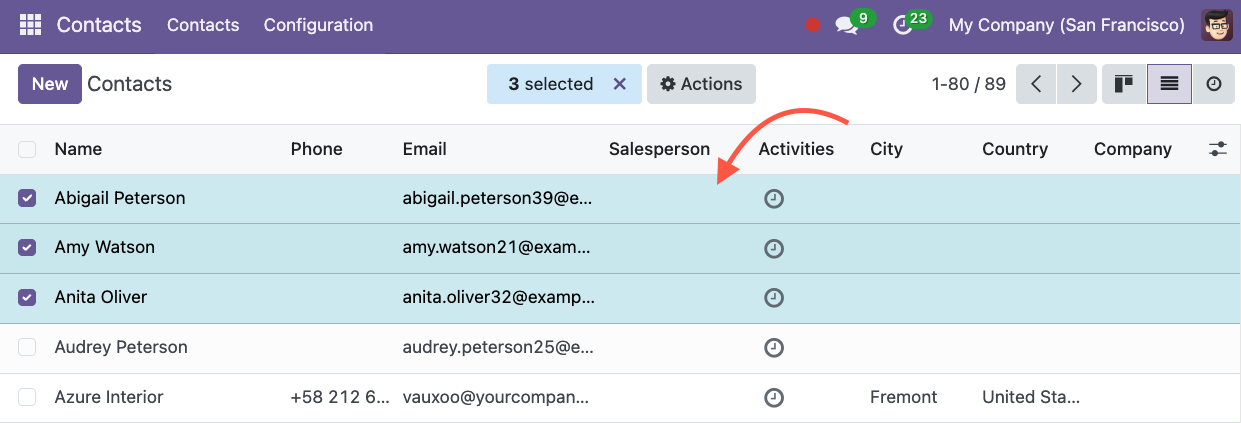
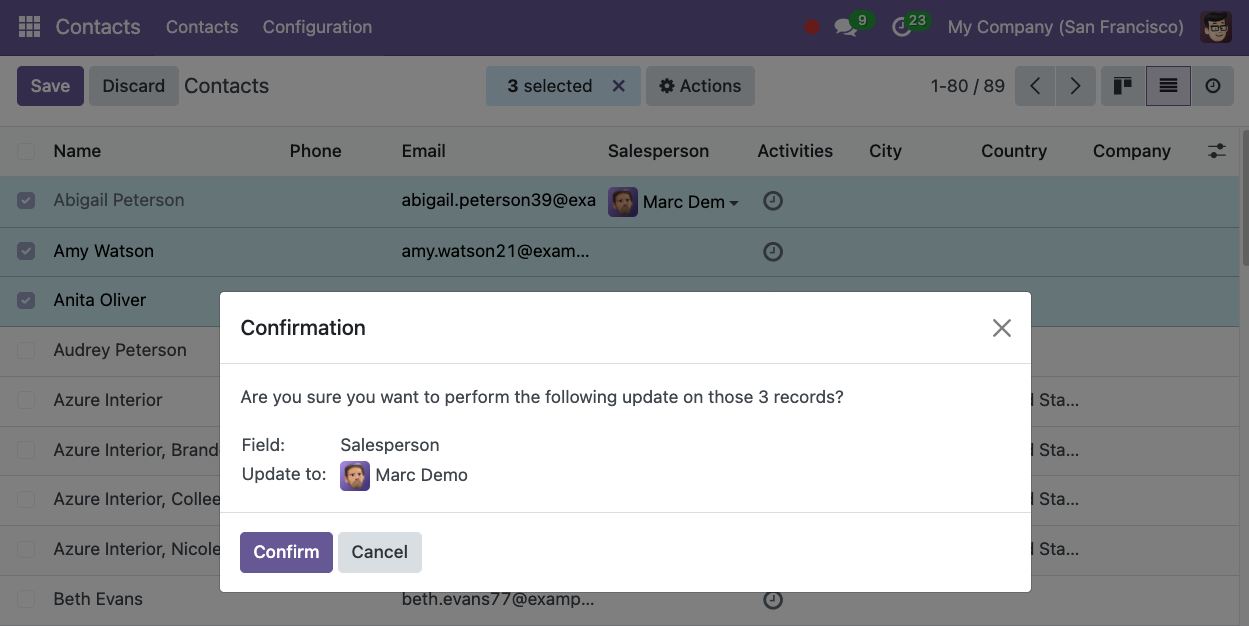
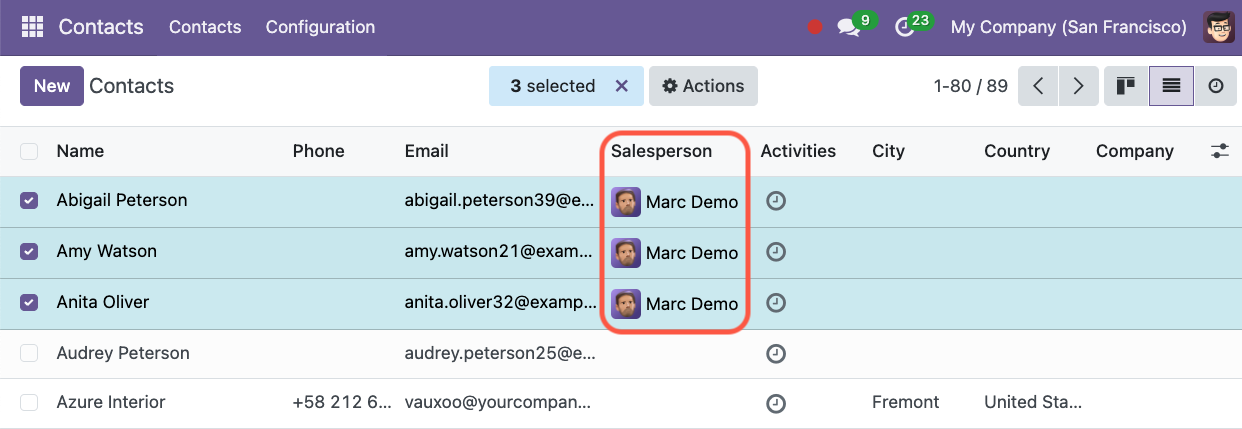
This module provides the following extra features :
Mass edit many fields in a single action
Add an access group to the Mass Edit Action to limit the usage of this action to specific users.
Filter the records the user can mass update
Mass edit any fields with any widget. (For example color fields, image fields, etc…)
Use Case
It can be useful to be able to edit the value of one or more fields on multiple records at the same time easily.
For example, if I want to identify some contacts as Customers, I need to change the value of the field customer_rank from 0 to 1. This field is not visible on the form view of a Contact so the only way to do it (without this module) would be to export the list and import the edited file.
Another example would be to give access to specific users, using access groups, to mass edit some fields on the invoices.
Configuration
As a user from the access group Administration / Settings, in debug
mode, go to Settings / Technical / Actions / Server Actions and create
a new Server Action.
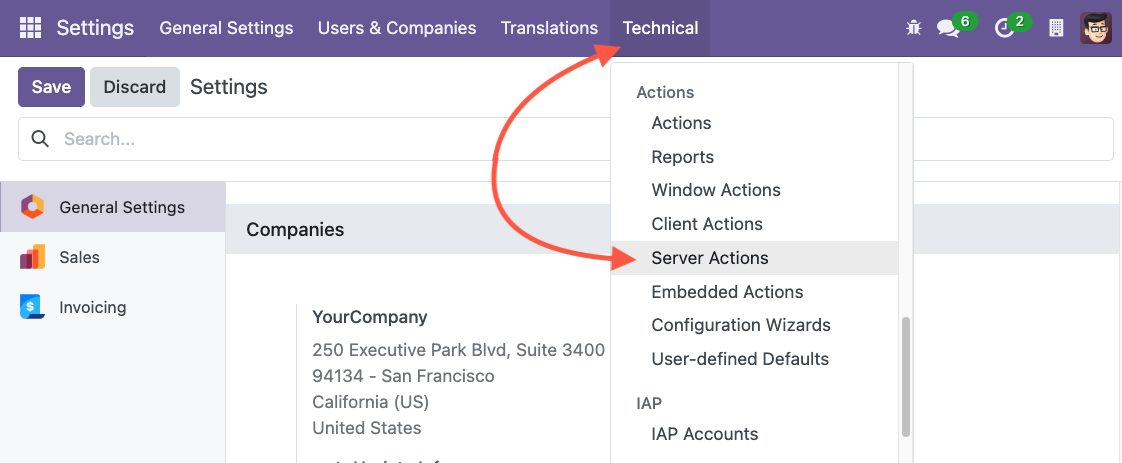
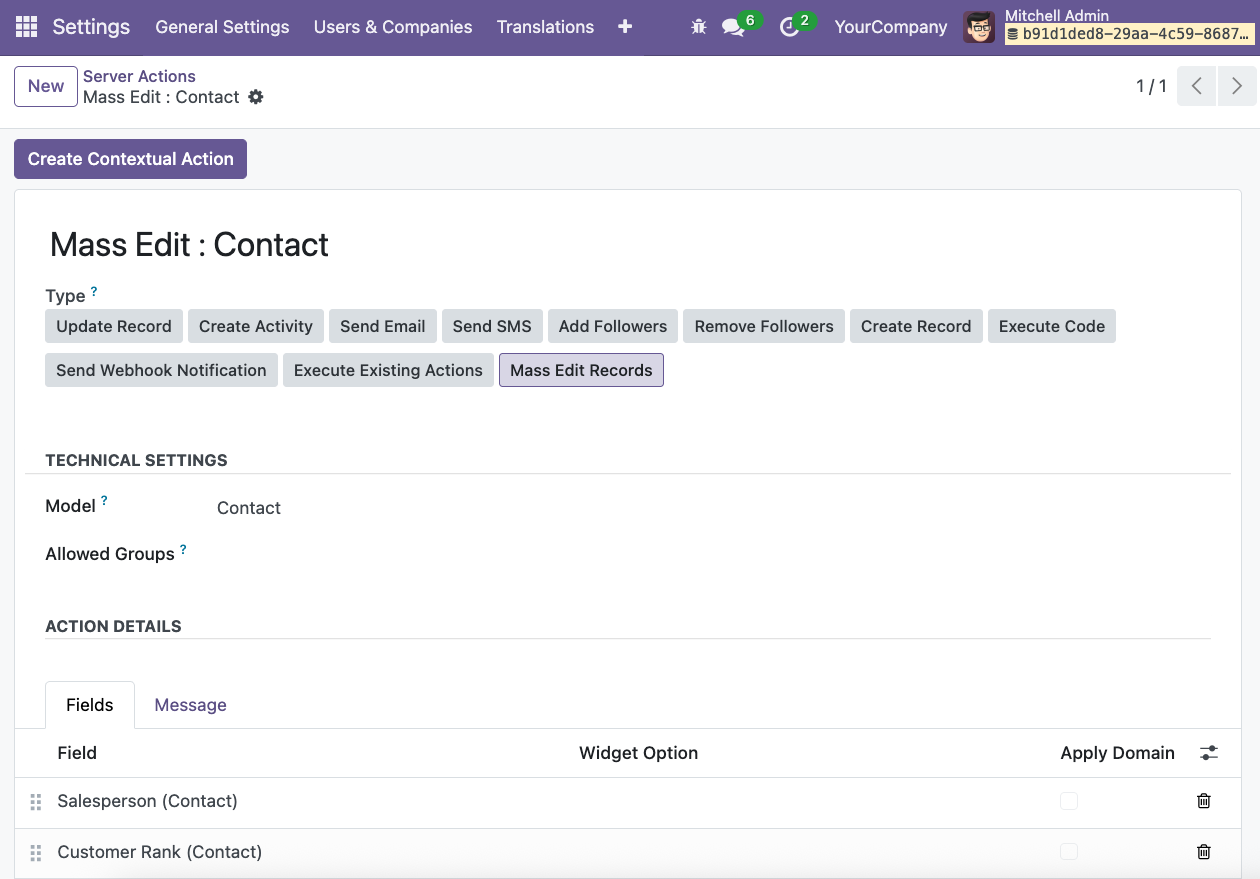
In the field Type, choose the new option Mass Edit Records.
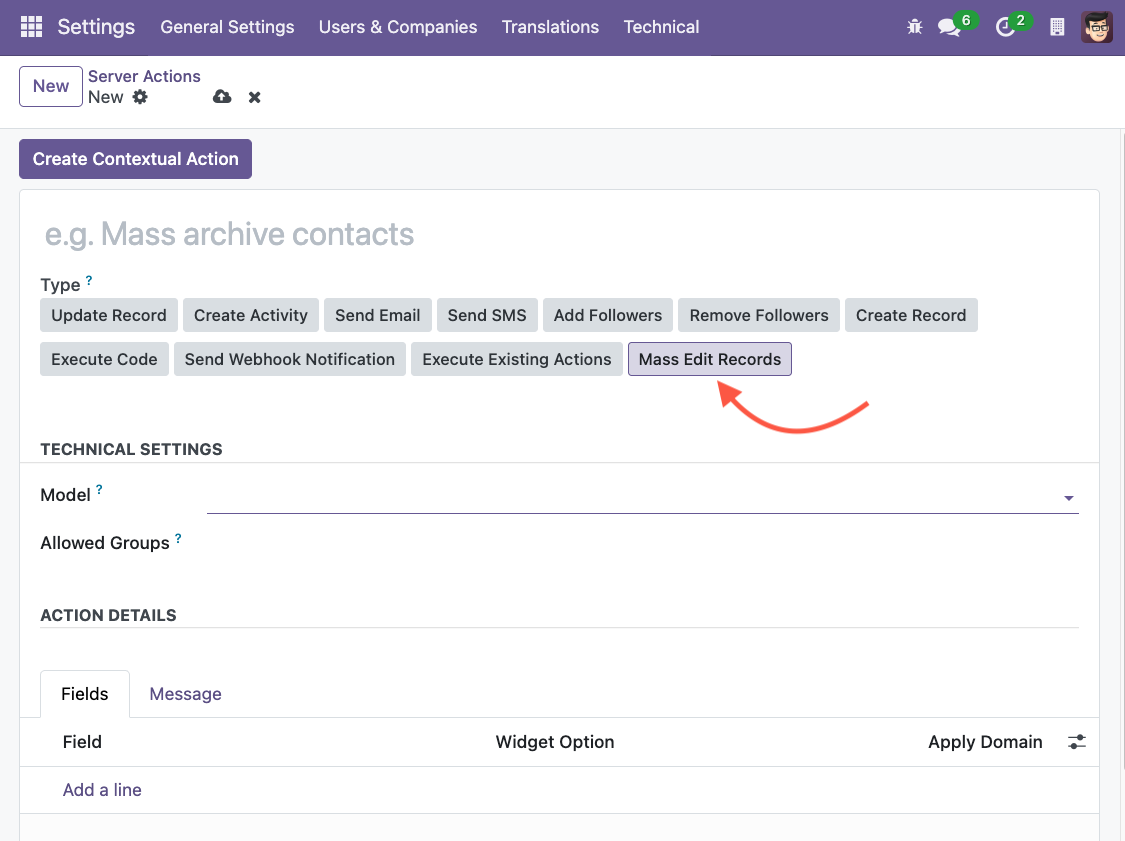
Select the model on which you want to configure this action and give a name to your server action.
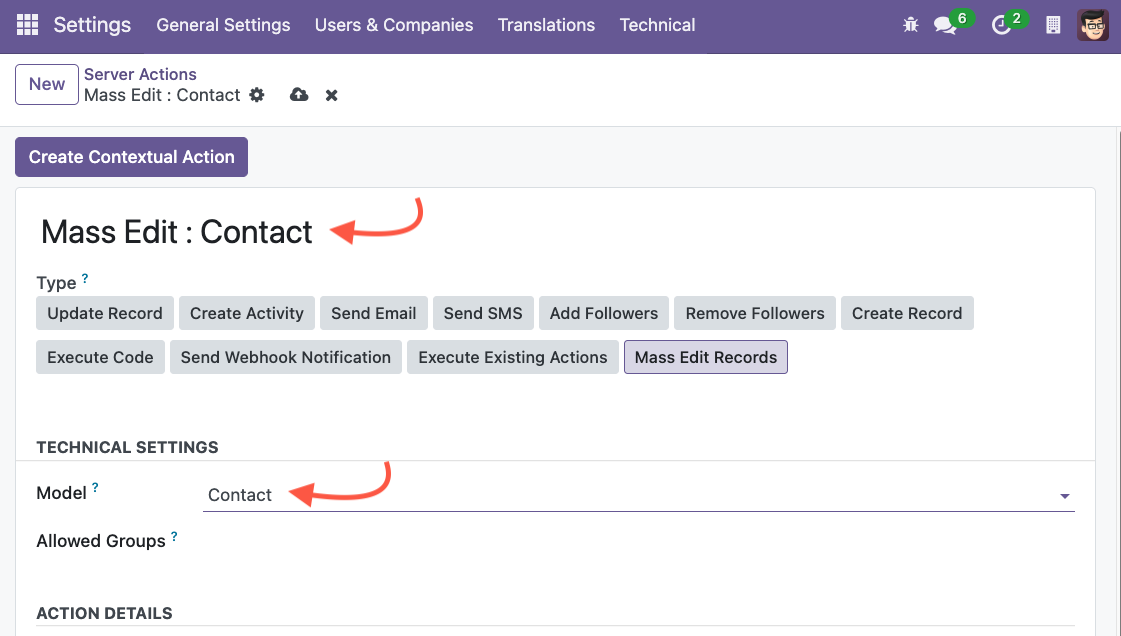
Add the fields you want to be able to edit.
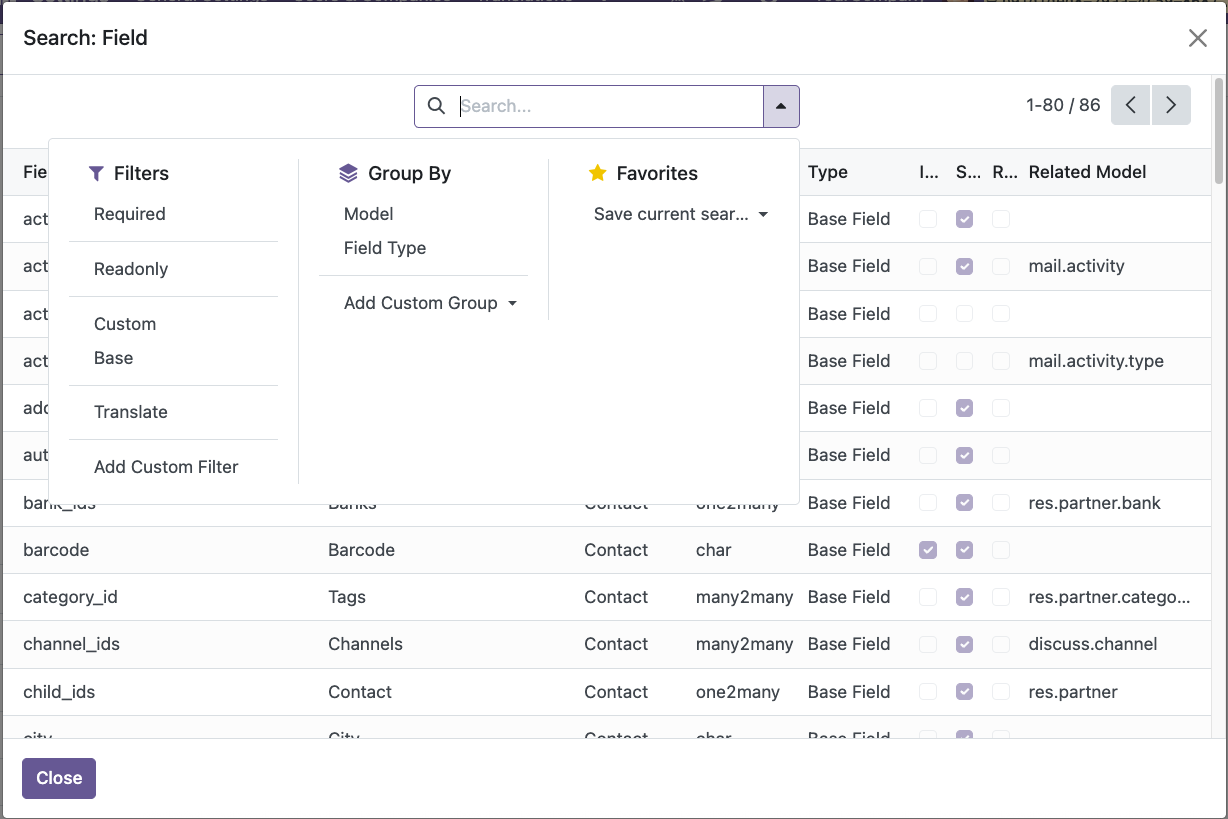
You can search and filter all the fields available by clicking on
Search more. 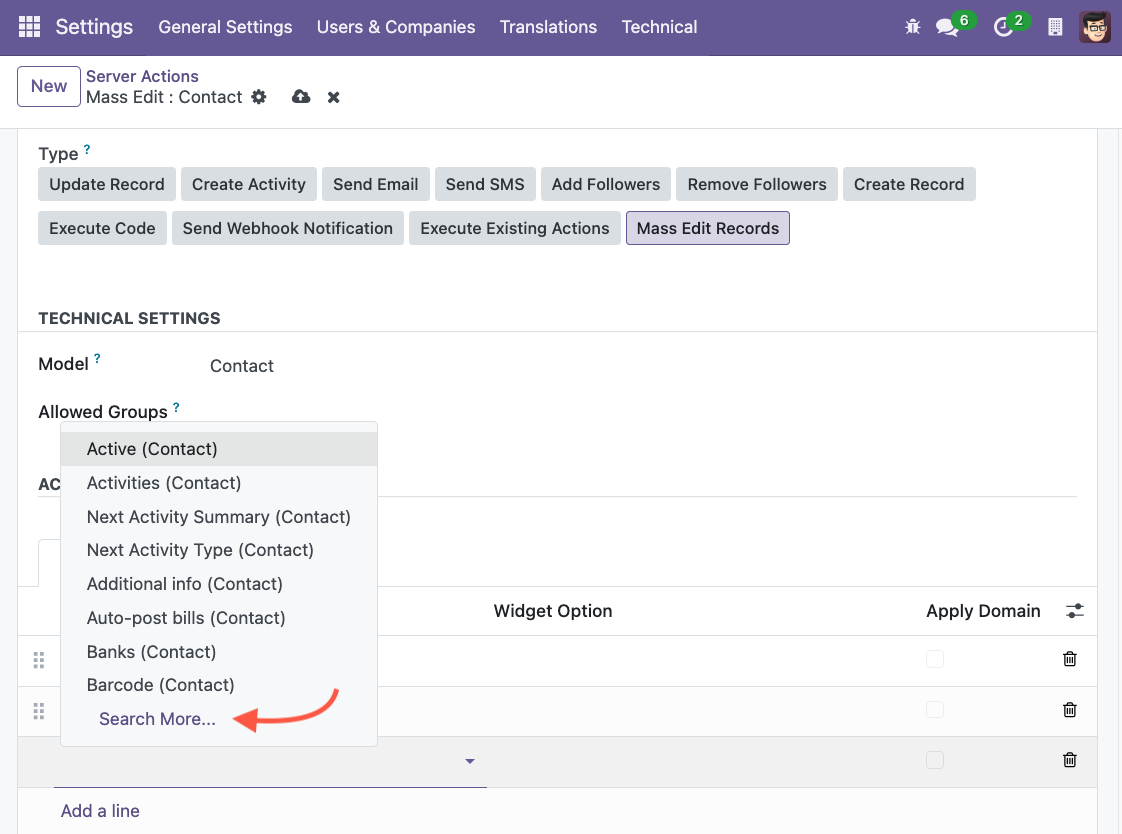
Click on Create Contextual Action to add the Mass Editing action in
the Action menu.
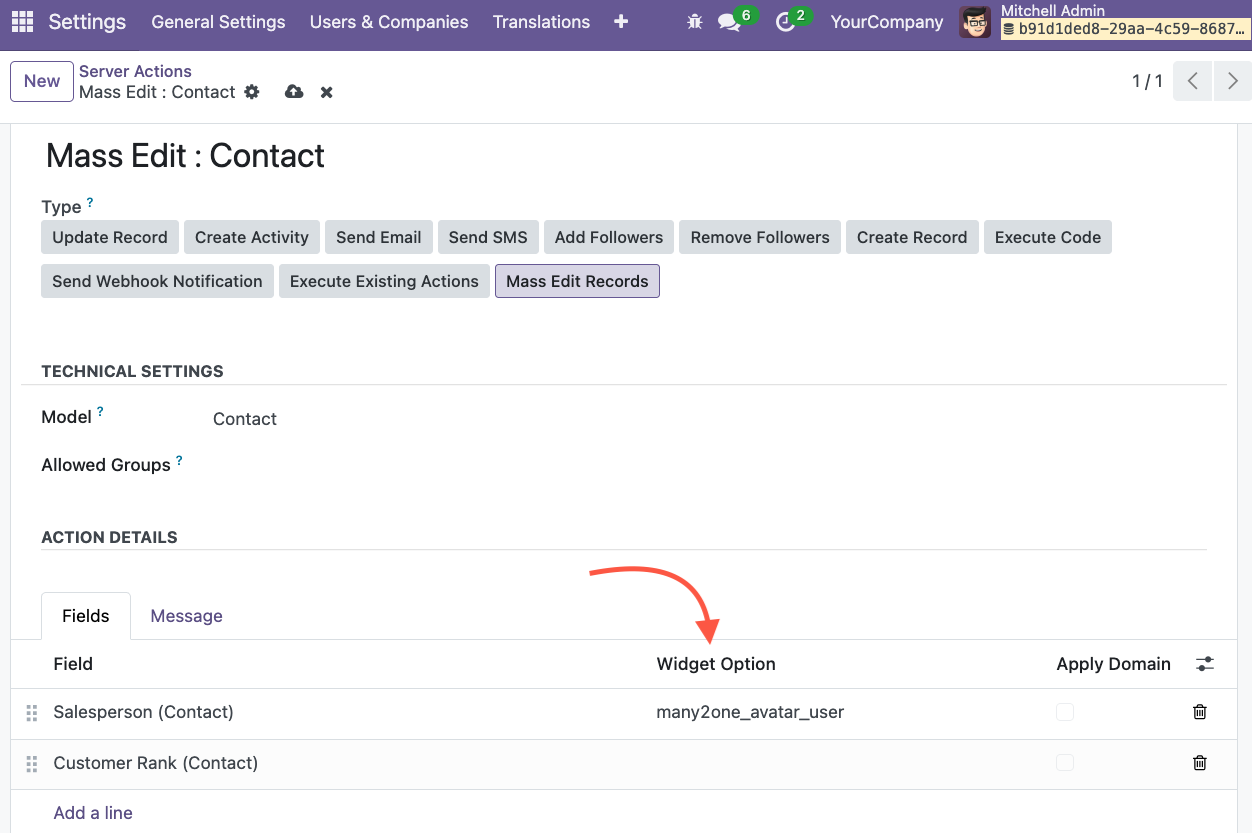
Widget Option
This option allows you to choose the widget to be used in the Mass
Editing Action Window.
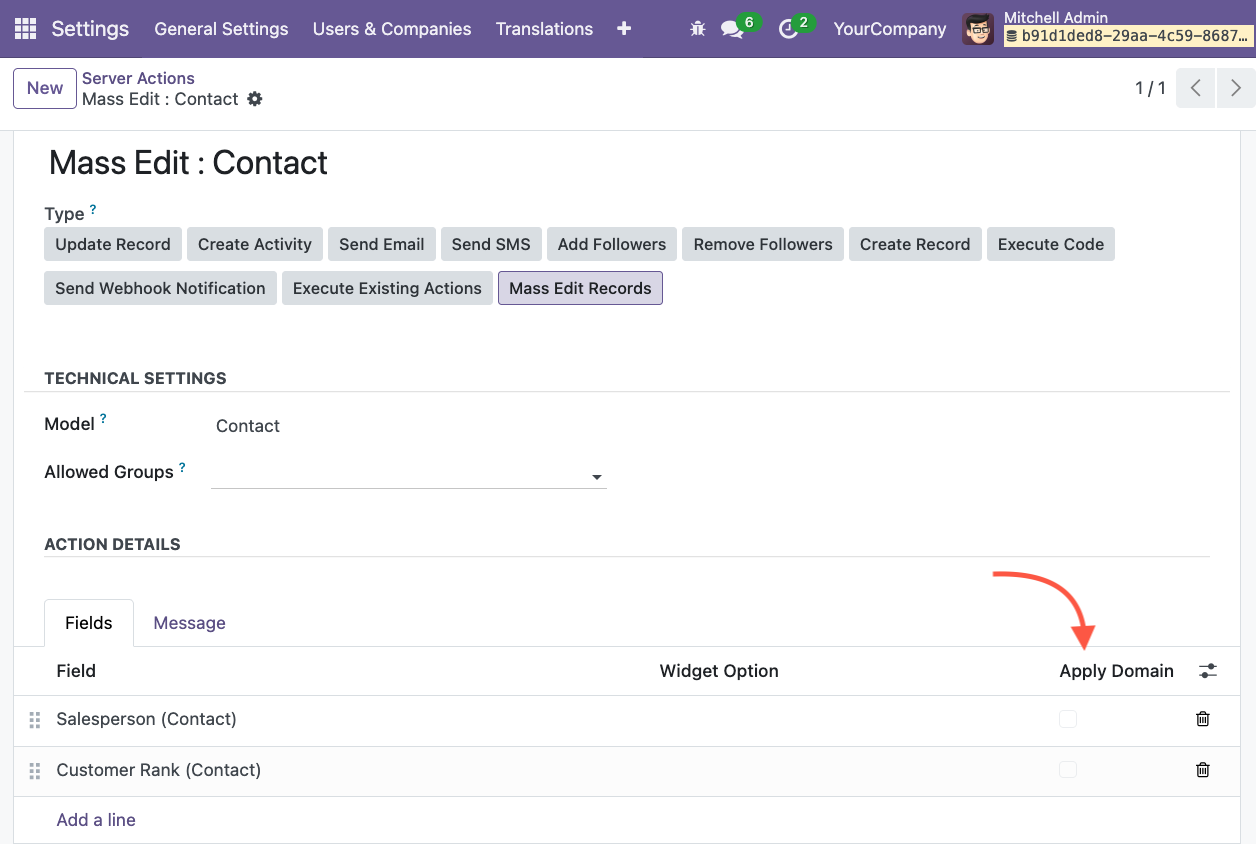
Apply Domain
This option allows you to apply the default Domain related to the
selected field.
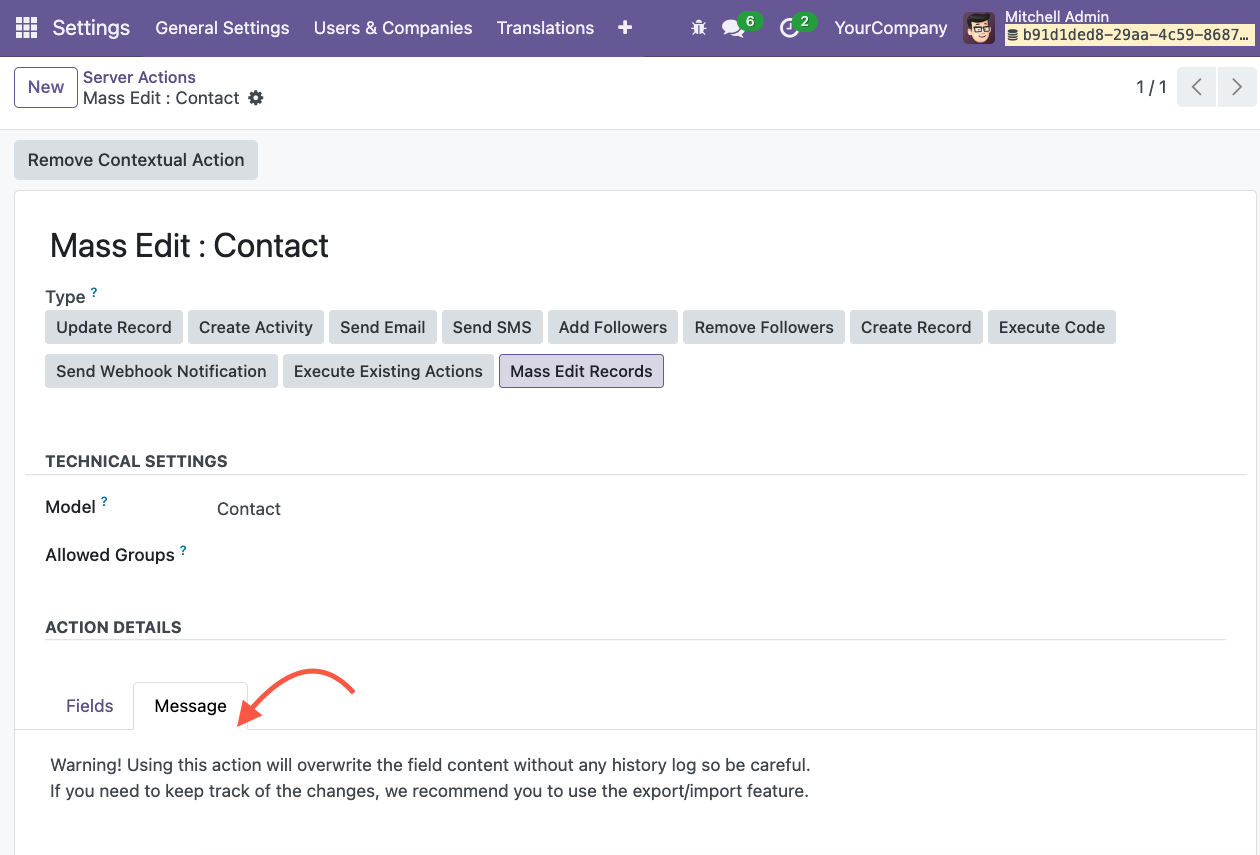
Adding a Message
You can add a “Message” to guide the users when using this action.
Adding security access group
Go to the field Allowed Groups and add the Access Group(s) who can use
this action. 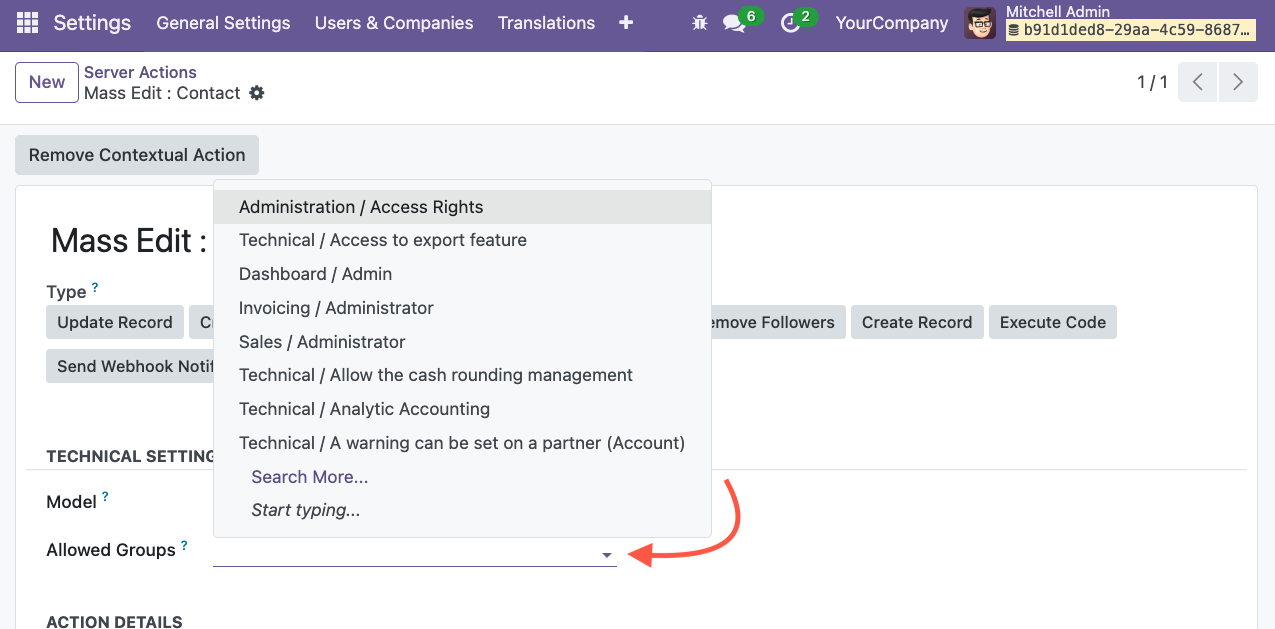
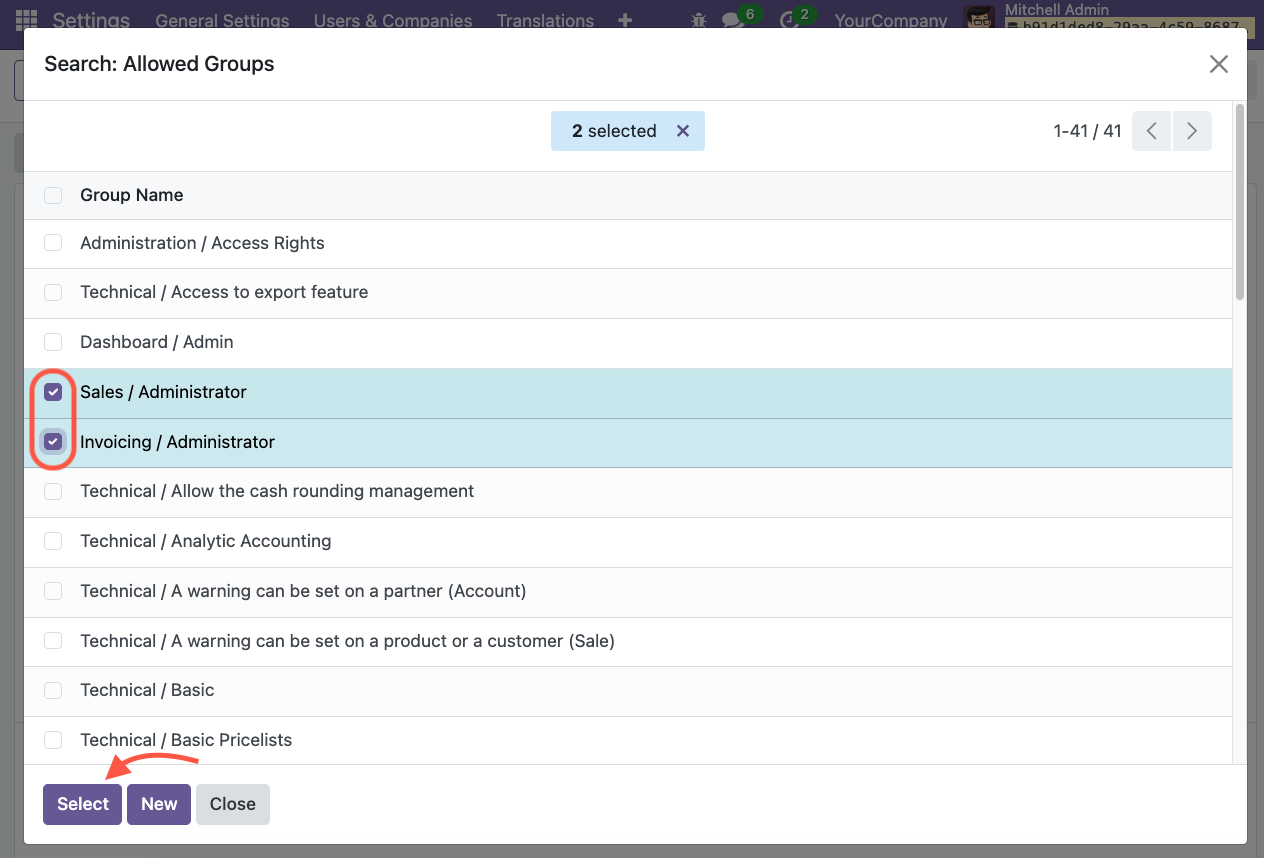
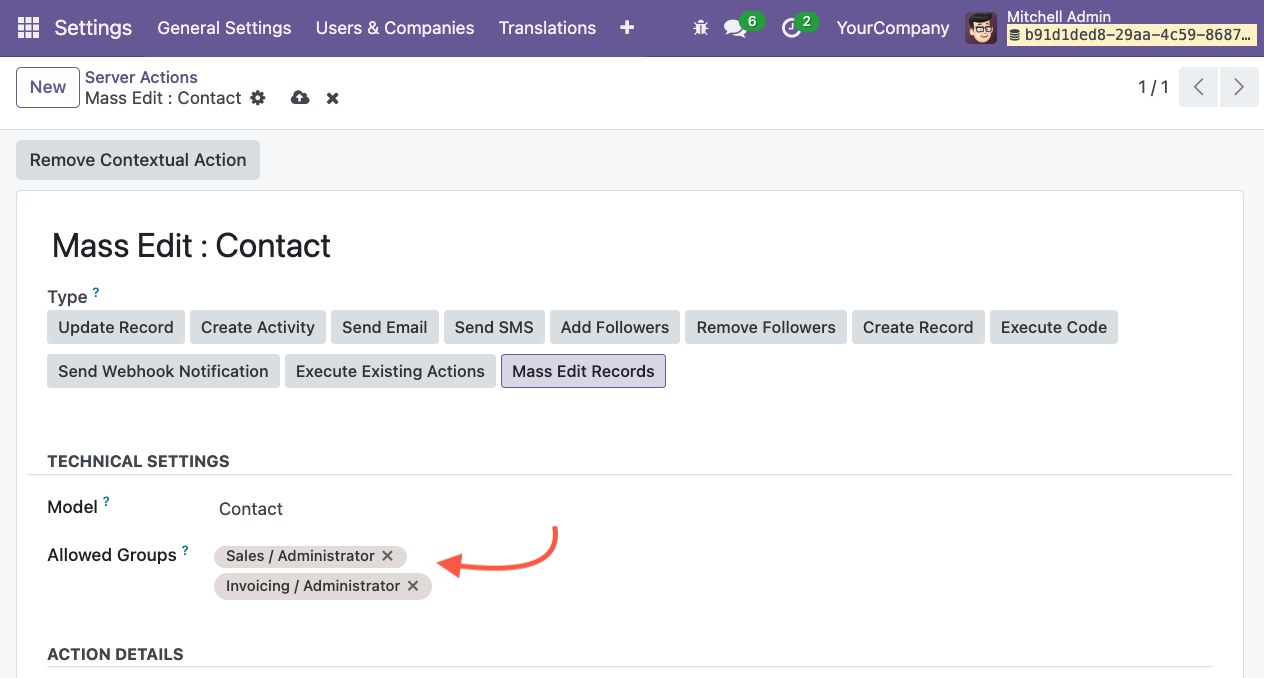
Now, only users from those groups will be able to see and use this action.
Usage
Go for Mass Editing: select the records which you want to modify and click on Action to open mass editing popup.
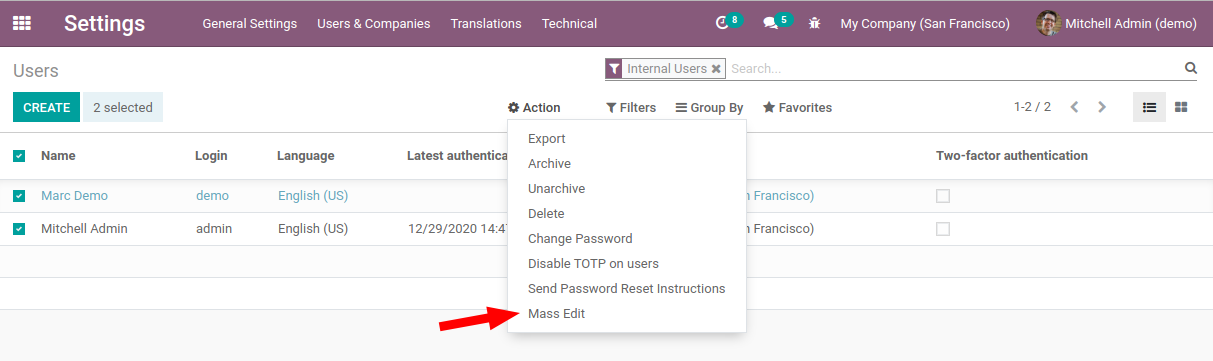
Select Set / Remove action and write down the value to set or remove the value for the given field.
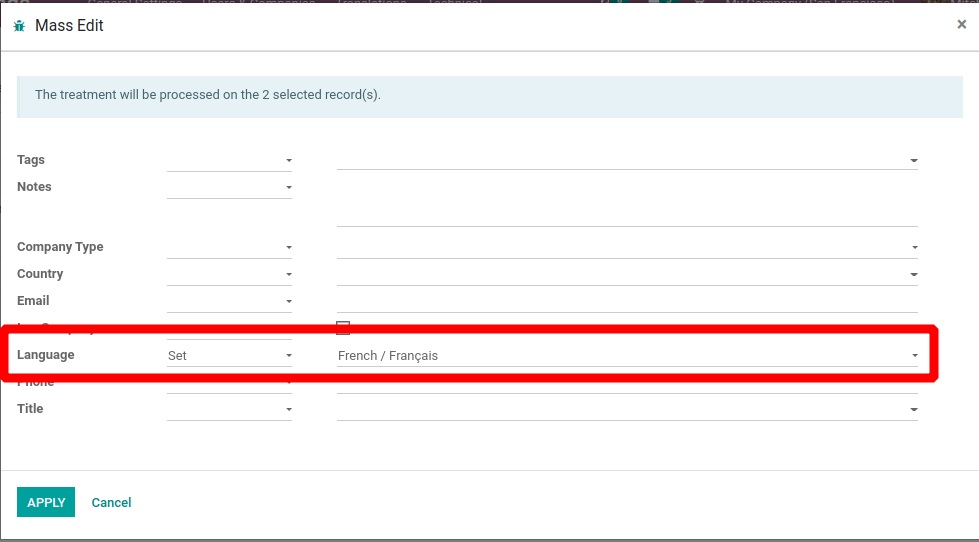
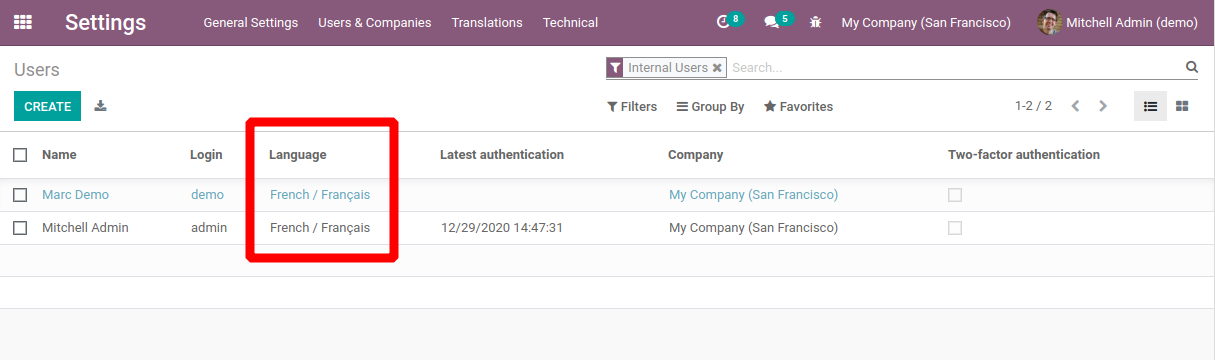
This way you can set / remove the values of the fields.
Known issues / Roadmap
Auto add fields that are used in related domains if apply_domain=True
Changelog
V11 to V13 Access
The module was previously named mass_editing (from v6.1 to version 15) See : https://odoo-community.org/shop/mass-editing-1568?search=mass_editing#attr=5526
From version 16+, it is named server_action_mass_edit See: https://odoo-community.org/shop/mass-editing-11388?search=server_action_mass_edit#attr=22115
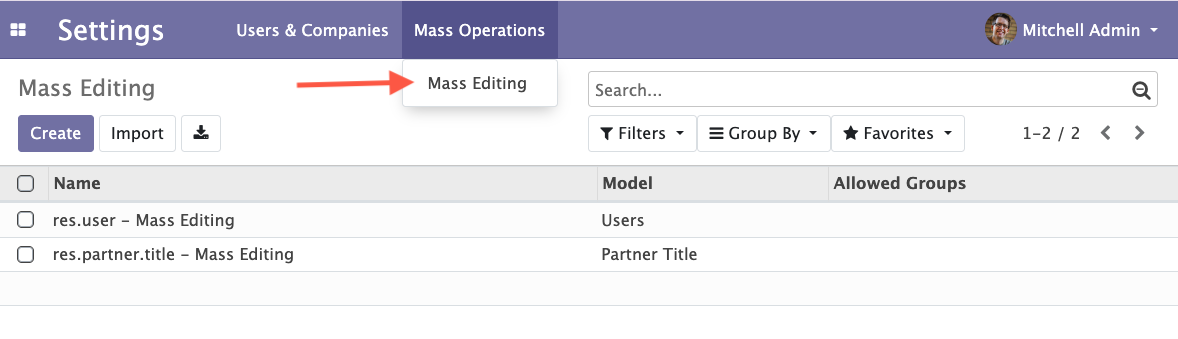
Access to the feature in V11 to V13
As a user from the access group Administration / Settings, go to
Settings / Mass Operations / Mass Editing.
Bug Tracker
Bugs are tracked on GitHub Issues. In case of trouble, please check there if your issue has already been reported. If you spotted it first, help us to smash it by providing a detailed and welcomed feedback.
Do not contact contributors directly about support or help with technical issues.
Credits
Contributors
Oihane Crucelaegui <oihanecrucelaegi@gmail.com>
Serpent Consulting Services Pvt. Ltd. <support@serpentcs.com>
Jay Vora <jay.vora@serpentcs.com>
Juan Negrete <jnegrete@casasalce.com>
Raul Martin <raul.martin@braintec-group.com>
Aitor Bouzas <aitor.bouzas@adaptivecity.com>
Sylvain LE GAL (https://twitter.com/legalsylvain)
Iván Todorovich <ivan.todorovich@gmail.com>
-
Jairo Llopis
Víctor Martínez
Eduardo Ezerouali
Tatiana Deribina <tatiana.deribina@spritnit.fi>
Tris Doan <tridm@trobz.com>
Maintainers
This module is maintained by the OCA.

OCA, or the Odoo Community Association, is a nonprofit organization whose mission is to support the collaborative development of Odoo features and promote its widespread use.
This module is part of the OCA/server-ux project on GitHub.
You are welcome to contribute. To learn how please visit https://odoo-community.org/page/Contribute.
1 maintainer

Release files for odoo-addon-server-action-mass-edit 19.0.1.0.0.5
For a detailed explanation of source distributions (sdists) and built distributions (wheels), please see the package formats documentation.
Built distribution (wheel)
| File | Interpreter | ABI | Platform | Reset |
|---|---|---|---|---|
| odoo_addon_server_action_mass_edit-19.0.1.0.0.5-py3-none-any.whl | Python 3 | none | any | Details |
Release files / odoo_addon_server_action_mass_edit-19.0.1.0.0.5-py3-none-any.whl
| Download URL | odoo_addon_server_action_mass_edit-19.0.1.0.0.5-py3-none-any.whl |
|---|---|
| Size | 2.0 MB |
| Tags | Python 3 |
|
SHA-256 checksum How to use checksums |
0d6a4e72a4ebe6391ce27cab2b95f26179888547e54bdb8325a6b6860bf6ee9d
|
|
BLAKE2b-256 checksum How to use checksums |
e227eefe41a4bfc00152c32e96a0aba3a0a1d0e72252f75fb82b8d182793172e
|
| Upload date | |
|
Uploaded using Trusted Publishing? What is trusted publishing? |
No |
| Uploaded via |
twine/6.2.0 CPython/3.12.3
|














