
Python library to communicates with devices used by Odoo.(Mainly Point of Sale application)Alternative to Iot Box Odoo solution or Pywebdriver community solution.


Project description





Odoo Drivers
This tools is intented to be used with the Odoo Point of sale application. It replaces the Odoo IoT Box or the Community pywebdriver library.
Once installed locally in the cashier computer, devices will be discovered by the tool, once plugged, and communication can be done with the Odoo Point of Sale module.
Table of contents
- Run
- Usage
- Installation
- Related Odoo Modules
- Compatible Devices
- How to Contribute
- Development
- Roadmap and Known Issues
- Credits
Run
odoo-driver\
  --address 0.0.0.0\
  --port 8069\
  --secure\
  --refresh-devices-delay 1\
  --log-level INFO\
  --log-folder false\
  --options EXTRA_OPTIONS
(The values displayed above are the default values.
-
-a / --address: address where the web service will be available -
-p / --port: port where the web service will be available -
--secure/--unsecure: expose webservice with https (or http, if--unsecureis selected). -
-r / --refresh-devices-delay: interval in seconds between two checks of devices connected to usb ports. -
-l / --log-level: Possible values:TRACE/DEBUG/INFO/SUCCESS/WARNING/ERROR/CRITICAL. Note:TRACEwill log all the http call.DEBUGwill log all the data received, including images received by the printer device.- Use
INFOlevel or higher in production outside a debugging situation.
-
-f / --log-folder: Optional directory that will contains logs. If defined, it should exist and be writable. -
--options: Json formatted data to pass to devices. Ex:'{"scale": {"polynomial": 123456}}'That will pass the polynomial value to the scale device. Note: don't forget the simple quote at the beginning and the end of the dictionnary.
Usage
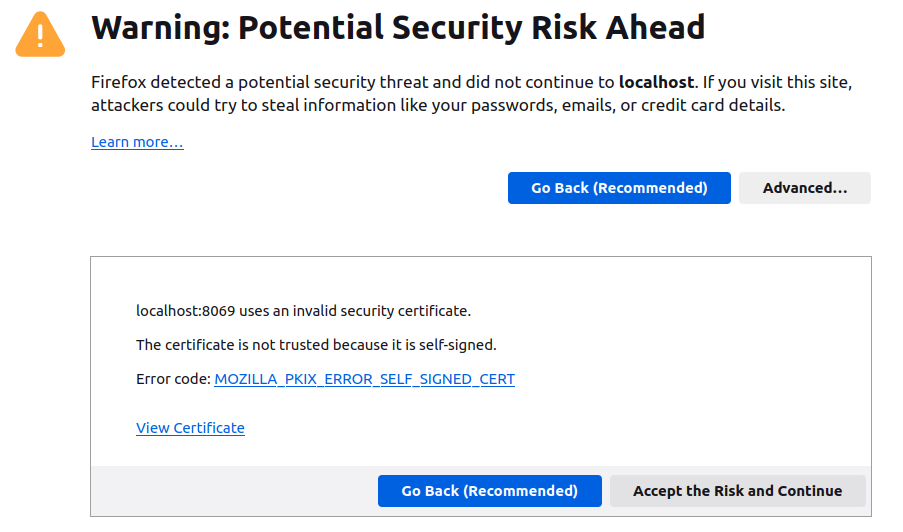
Go the home page of the tool, via https://localhost:8069.
If you choose https deployment, you should accept the first time a security exception in your browser.
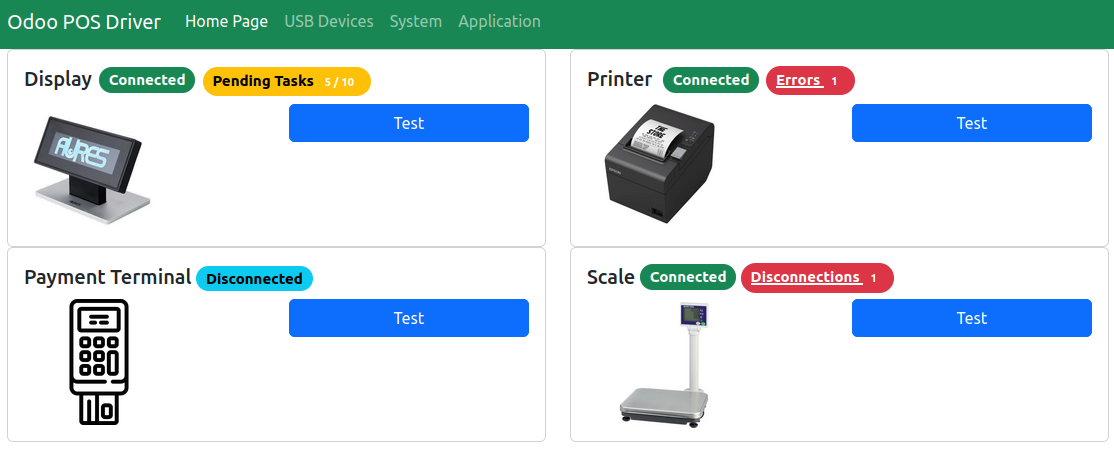
Pages are available to test connections, see errors, etc.
Installation
Installation (to run it manually)
- install the latest released version:
pipx install odoo-driver
```odoo

* _or_ Install the latest version:

```shell
pipx install git+https://gitlab.com/grap-rhone-alpes/odoo-driver.git
Note: use --python python3.9 (or higher) option, if your default python environment is under python 3.9 version.
Installation (as a service)
This will create a service (via systemd) that will execute odoo-driver in the background and launches at startup.
wget https://gitlab.com/grap-rhone-alpes/odoo-driver/-/raw/main/debian_install.sh
# (OPTIONAL) adapt the installation script before execution
# adding specific argument in the call of odoo-driver in the .service file
sudo sh debian_install.sh
Once installed, you can run the following system command.
# Get status of the service
sudo systemctl status odoo-driver.service

# Follow the logs of the service
sudo journalctl -fu odoo-driver.service
Compatibility of the library with Odoo Modules, depending on the version.
V16
-
Printer (+ Cashbox):
point_of_sale(Odoo CE) -
Display:
pos_odoo_driver_display -
Payment:
pos_odoo_driver_payment -
Scale:
point_of_sale(Odoo CE)
Compatible Devices
Printers |
|
|---|---|
|
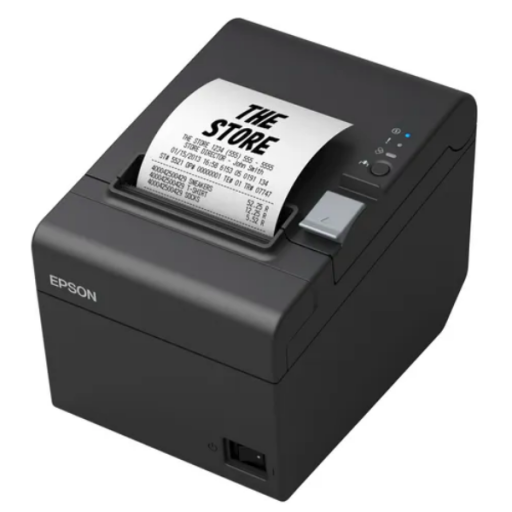
Epson - TM-T20III |
|
Display |
|
| Aures - OCD 300 |

|
Payment Terminal |
|
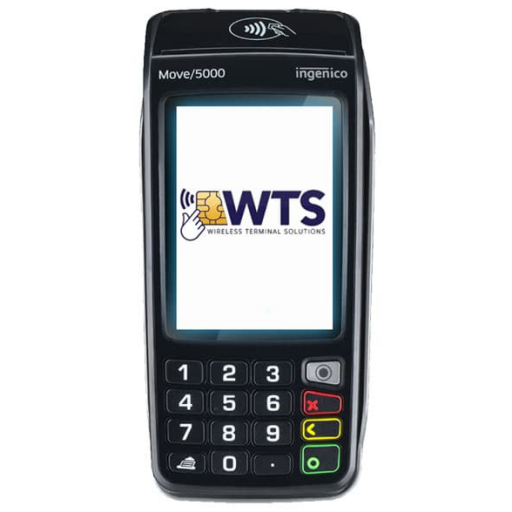
| Ingenico - Move/5000 |
|
Scale |
|
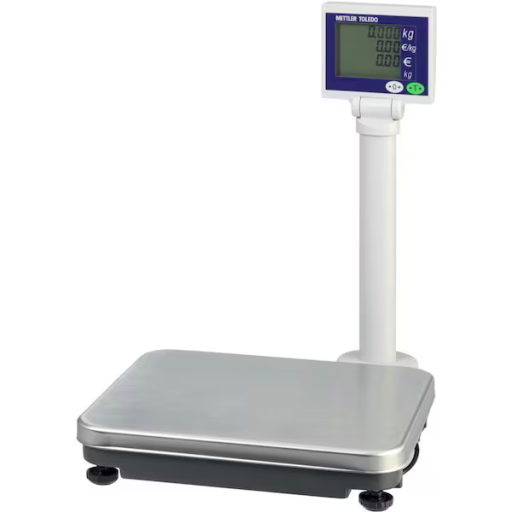
| Mettler Toledo - Ariva S |
|
How to Contribute
Welcome contributions
-
If the project is not translated into your language, you can propose a translation.
-
If you've encountered a problem or bug that you've solved, the patch will be very welcome !
Unwelcome contributions
Please do not propose a Merge Request before opening first an issue on gitlab, if you want to add new feature, new devices, etc.
Maintaining a driver library is an impossible task if you don't own the device. If the device or the feature you propose is not in the Roadmap of the GRAP company, it will be refused, to avoid rising technical debt.
In that case, do not hesitate to fork the project, to implement your change in a dedicated branch.
Development
See the dedicated section here.
Roadmap and Known Issues
See the dedicated section here.
Credits
Authors
Contributors
- Sylvain LE GAL sylvain.legal@grap.coop
Extra authorship
Part of the code in this project comes from the following projects, including:
-
Pywebdriver (AGPL-3.0), by GRAP. Main contributors are:
- Sylvain LE GAL sylvain.legal@grap.coop
- Sylvain CALADOR sylvain.calador@akretion.com
- Sébastien BEAU sebastien.beau@akretion.com
- Carmen BIANCA BAKKER carmen@coopiteasy.be
- Alexis DE LATTRE alexis.delattre@akretion.com
- Quentin DUPONT quentin.dupont@grap.coop
- Pierrick BRUN pierrick.brun@akretion.com
- Hugues DE KEYZER hugues@coopiteasy.be
-
hw_dialog06_scale (AGPL-3.0), by Coop It Easy. Main contributors are:
- Vincent Van Rossem vincent.vanrossem@camptocamp.com
-
pyposdisplay (AGPL-3.0), by Akretion. Main contributors are:
- Alexis DE LATTRE alexis.delattre@akretion.com
- Sébastien BEAU sebastien.beau@akretion.com
The following projects were also useful and were studied to realize this library.
- Odoo (AGPL-3.0 up to version 8.0, and then LGPL-3.0 from version 9.0 onwards), by Odoo SA, specially "hw_" modules.
Images
-
Main Application icon, by AbtoCreative (Flaticon).
-
Credit Card Payment Terminal Icon, created by ToZ Icon (Flaticon).
-
LCD Customer Display Icon, created by Iconic Panda (Flaticon).
-
Thermal Receipt Printer Icon, created by Icongeek26 (Flaticon).
-
Scale Icon, created by itim2101 (Flaticon).
Release history Release notifications | RSS feed


Download files
Download the file for your platform. If you're not sure which to choose, learn more about installing packages.
Source Distribution
Built Distribution
Filter files by name, interpreter, ABI, and platform.
If you're not sure about the file name format, learn more about wheel file names.
Copy a direct link to the current filters
File details
Details for the file odoo_driver-0.9.10.tar.gz.
File metadata
- Download URL: odoo_driver-0.9.10.tar.gz
- Upload date:
- Size: 1.2 MB
- Tags: Source
- Uploaded using Trusted Publishing? No
- Uploaded via: poetry/1.5.1 CPython/3.7.17 Linux/5.15.0-126-generic
File hashes
| Algorithm | Hash digest | |
|---|---|---|
| SHA256 |
ccd9b27baea9e2adcec461fa7bc9eedcf7a611ba9b164fb3ea9adf5b7375c3d3
|
|
| MD5 |
9df58bee31332295624a8adaab2a9f38
|
|
| BLAKE2b-256 |
b874c2eb61e62c7ac68afbeb43a2122609e0ab9b16a0e4b620e093310c17983b
|
File details
Details for the file odoo_driver-0.9.10-py3-none-any.whl.
File metadata
- Download URL: odoo_driver-0.9.10-py3-none-any.whl
- Upload date:
- Size: 1.2 MB
- Tags: Python 3
- Uploaded using Trusted Publishing? No
- Uploaded via: poetry/1.5.1 CPython/3.7.17 Linux/5.15.0-126-generic
File hashes
| Algorithm | Hash digest | |
|---|---|---|
| SHA256 |
e9e454ae9e27a33d4b58cae54e1e2c06d5a2d153b6fea29d038af53e6269e4f0
|
|
| MD5 |
f082f22613cc92f615ab01c02bb7f7bc
|
|
| BLAKE2b-256 |
a372bba3eaf2943ce1ee11fbeb79ebcac8947d8131e4dce76d956b2218141db7
|






