
MCP server for Odoo — connect Claude, Cursor, VS Code and Antigravity to multiple Odoo instances via Model Context Protocol

Project description
odoo-mcp-multi
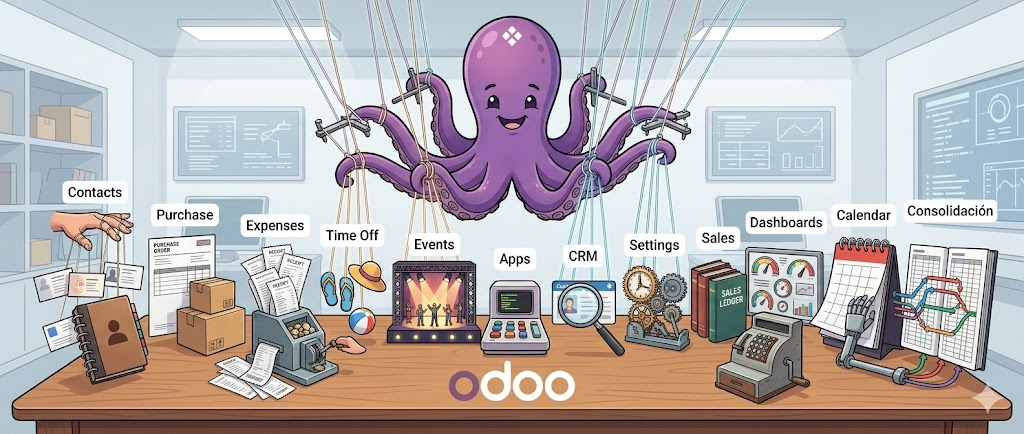





MCP server and CLI that connects AI clients (Antigravity, Claude Desktop, Cursor, VS Code) to one or more Odoo instances. It exposes 11 tools for searching, creating, updating, deleting, exporting, and importing records through the Model Context Protocol. No Odoo module installation required. Works with Odoo 8.0 through 19.0+.
What Problem Does This Solve
Other Odoo MCP servers require you to set environment variables for a single Odoo instance. When you work with multiple environments (production, staging, development, client instances), you must stop the server, change the variables, and restart.
odoo-mcp-multi solves this with named profiles stored in a local config
file. Each profile holds its own URL, database, and credentials. Any tool call
or CLI command can target a different profile with a single --profile / -p
flag — no server restart, no env var juggling. The server auto-detects which
RPC protocol to use (XML-RPC for Odoo 8–18, JSON-RPC, or JSON/2 REST for
Odoo 19+) based on the target instance version.
Every MCP tool is also available as a CLI command with identical logic and
output format. This means you can script Odoo operations in bash, pipe JSON
through jq, and automate workflows without writing Python.
Features
- Multi-profile management — store credentials for
prod,staging,dev(or any name) and switch with-p - Auto protocol detection — XML-RPC (8.0+), JSON-RPC, JSON/2 REST (19.0+) selected automatically per profile
- Secure credential storage —
~/.config/odoo-mcp/profiles.jsonwith Unix600permissions (owner-read-only) - 11 MCP tools —
search_read,write,unlink,create,export_records,import_records,execute_kw,list_models,list_fields,list_available_profiles,get_version - Full CLI parity — every MCP tool works as a terminal command with JSON output, composable with
jqand shell scripts - Agentic skills — ships two installable skill files for AI agents (
odoo-mcp skills install <agent>) - No Odoo module required — connects through standard XML-RPC or the native
/json/2REST API
How It Differs From Other Odoo MCP Servers
| Capability | odoo-mcp-multi |
mcp-odoo (tuanle96) |
mcp-server-odoo (ivnvxd) |
|---|---|---|---|
| Multiple Odoo instances in one session | Named profiles, switch per-call | One instance per env-var set | One instance per env-var set |
| Credential storage | Persistent file, 600 perms |
Environment variables | Environment variables / .env |
| Protocol detection | Automatic (XML-RPC / JSON-RPC / JSON/2) | Manual ODOO_TRANSPORT flag |
XML-RPC only (YOLO mode) |
| Odoo-side module required | No | No | Optional (recommended for prod) |
| CLI with identical logic | Full parity (all 11 operations) | No CLI | No CLI |
Native export_data / load |
export_records / import_records |
No | No |
| Agentic skills shipped | 2 installable skills | No | No |
| Odoo 19+ JSON/2 REST support | Automatic with API key | Manual config | No |
| Package distribution | PyPI (pip install odoo-mcp-multi) |
PyPI (pip install odoo-mcp) |
PyPI (pip install mcp-server-odoo) |
1-Minute Setup (Copy-Paste Prompts)
Paste the blocks below into your AI client (Antigravity, Claude, Cursor) to get started.
1. Install the Package
Please install the `odoo-mcp-multi` package. Use the best method for my OS:
- macOS: `brew install pipx && pipx install odoo-mcp-multi`
- Linux: `pip install pipx && pipx install odoo-mcp-multi`
- Windows: `winget install Python.Python.3.12`, then `pip install pipx && pipx ensurepath`, then `pipx install odoo-mcp-multi`
- Or simply use `pip install odoo-mcp-multi` if a python environment is already managed.

After installing, please run `odoo-mcp add-profile` to configure my credentials interactively, and then run `odoo-mcp test` to verify the connection.
2. Configure MCP
Please configure the `odoo-mcp` server in my MCP client settings.
Add the following block to my configuration file (e.g. `mcp_config.json` for Antigravity, or `claude_desktop_config.json` for Claude):

{
  "mcpServers": {
    "odoo": {
      "command": "odoo-mcp",
      "args": ["run"]
    }
  }
}

Once added, remind me to restart my AI client so I can use the 11 Odoo tools available.
3. Install Agentic Skills
Please install the agentic skills bundled with the `odoo-mcp` package.
Run the command `odoo-mcp skills install <agent_name>` where `<agent_name>` is your own identity (e.g., `gemini`, `antigravity`, `claude`, `codex`, or `opencode`).
This will automatically symlink the skills into my global skills directory so you can use them in future tasks.
Installation
pipx is the recommended installer for all platforms — it creates an
isolated virtual environment and exposes odoo-mcp globally.
macOS
brew install pipx
pipx install odoo-mcp-multi
odoo-mcp add-profile
odoo-mcp run
Linux
pip install pipx
pipx install odoo-mcp-multi
odoo-mcp add-profile
odoo-mcp run
Windows
Pre-requisite: Python must be installed before pipx. The recommended method is
winget(included in Windows 10 21H1+ and Windows 11):
# Step 1: Install Python via winget (opens a new PowerShell after install)
winget install Python.Python.3.12

# Step 2: Open a NEW PowerShell window, then install pipx
pip install pipx
pipx ensurepath

# Step 3: Open ANOTHER new PowerShell window (required for PATH to take effect)
pipx install odoo-mcp-multi
odoo-mcp add-profile
odoo-mcp run
Windows notes:
- Two terminal restarts required:
winget installandpipx ensurepathboth modifyPATH. Each change only takes effect in a new terminal session.- Credential file permissions: on Linux/macOS, credentials are stored with
600(owner-read-only) Unix permissions. On Windows,os.chmodis silently ignored — the file%USERPROFILE%\.config\odoo-mcp\profiles.jsonis created correctly but without restricted permissions. Ensure your user account is the only account with access to your machine.- Python from python.org: also works, but during installation you must check "Add Python to PATH" (unchecked by default). Without it,
pipwon't be found.- Microsoft Store Python: avoid it — it runs in an app sandbox that can cause issues with
pipx ensurepathand file system access.
Alternative: direct pip install (developer / existing venv)
pip install odoo-mcp-multi
odoo-mcp add-profile
odoo-mcp run
Uninstall
All platforms (pipx recommended install):
pipx uninstall odoo-mcp-multi
Credentials are not removed automatically. Delete the profile file manually if needed:
- macOS / Linux:
~/.config/odoo-mcp/profiles.json- Windows:
%USERPROFILE%\.config\odoo-mcp\profiles.json
If you used pip install directly instead:
pip uninstall odoo-mcp-multi
Profile Management
Profiles define how odoo-mcp connects to each Odoo instance. Each profile
stores a URL, database name, and authentication credentials (user/password for
Odoo < 19, or an API key for Odoo 19+).
# Interactive wizard (prompts for all fields)
odoo-mcp add-profile

# Non-interactive — Odoo < 19 (XML-RPC / JSON-RPC, user + password)
odoo-mcp add-profile --name prod --url https://odoo.example.com \
  --database mydb --user admin --password secret

# Non-interactive — Odoo 19+ (JSON/2 REST, API key)
odoo-mcp add-profile --name prod19 --url https://odoo19.example.com \
  --database mydb --api-key YOUR_API_KEY --protocol json2s
| Command | Description |
|---|---|
odoo-mcp add-profile |
Register a new Odoo instance |
odoo-mcp list-profiles |
Show all configured profiles |
odoo-mcp edit-profile NAME |
Modify an existing profile |
odoo-mcp remove-profile NAME |
Delete a profile |
odoo-mcp set-default NAME |
Set the default profile |
odoo-mcp test -p NAME |
Test live connection |
odoo-mcp run |
Start the MCP server process |
CLI Operations
All data commands support --profile / -p and output JSON for composability.
| Command | Description |
|---|---|
odoo-mcp search-read -m MODEL |
Search and read records (--domain, --fields, --limit, --offset, --order) |
odoo-mcp write -m MODEL -i IDS -v VALUES |
Update existing records |
odoo-mcp unlink -m MODEL -i IDS |
Delete records |
odoo-mcp create -m MODEL -v VALUES |
Create a new record |
odoo-mcp export-records -m MODEL |
Export via native export_data (--fields, --domain) |
odoo-mcp import-records -m MODEL -f FIELDS -r ROWS |
Import via native load |
odoo-mcp execute-kw -m MODEL --method METHOD |
Execute any model method (--args, --kwargs) |
odoo-mcp get-version |
Retrieve server version info |
odoo-mcp list-models |
List available models (--search to filter) |
odoo-mcp list-fields -m MODEL |
List all fields of a model |
MCP Client Configuration
The server handles multiple Odoo instances simultaneously. You only need to
declare one server definition in your AI client. To force a single default
profile, use ["run", "-p", "prod"].
{
  "mcpServers": {
    "odoo": {
      "command": "odoo-mcp",
      "args": ["run"]
    }
  }
}
Add the block above to your client's MCP config file. Paths vary by tool and OS:
| Client | macOS | Linux | Windows |
|---|---|---|---|
| Antigravity | ~/.gemini/antigravity/mcp_config.json |
same | %USERPROFILE%\.gemini\antigravity\mcp_config.json |
| Claude Desktop | ~/Library/Application Support/Claude/claude_desktop_config.json |
~/.config/Claude/claude_desktop_config.json |
%APPDATA%\Claude\claude_desktop_config.json |
| Cursor | .cursor/mcp.json (project root) |
same | same |
| VS Code | .vscode/mcp.json (project root) |
same | same |
Note: For Cursor and VS Code the config file is workspace-scoped — place it at the root of your project. For a user-level (global) config, check your client's own documentation.
Available MCP Tools
All tools accept an optional profile string parameter to select the target
Odoo environment dynamically.
| Tool | Description |
|---|---|
list_available_profiles |
Discover configured environments |
search_read |
Query records from any model based on domains |
write |
Update values on existing records |
unlink |
Delete records by ID |
create |
Create new records in a model |
export_records |
Native Odoo export_data returning dicts with External IDs |
import_records |
Native Odoo load bulk processor (upsert by External ID) |
execute_kw |
Execute arbitrary backend methods (action_confirm, send, etc.) |
list_models |
Discover available models (search filter) |
list_fields |
Inspect model schema (field names, types, metadata) |
get_version |
Retrieve server version and protocol info |
Usage Examples
"List all contacts containing 'John' in their name"
search_read(model="res.partner", domain="[('name', 'ilike', 'John')]", fields="name,email,phone")
"Create a new contact named Alice with email
alice@example.com"
create(model="res.partner", values='{"name": "Alice", "email": "alice@example.com"}')
"Delete archived partners"
unlink(model="res.partner", ids="[10, 11, 12]")
"Confirm the sales order with ID 42"
execute_kw(model="sale.order", method="action_confirm", args="[[42]]")
"What fields does the invoice model have?"
list_fields(model="account.move")
"Export the name and external ID of all active partners"
export_records(model="res.partner", domain="[('active', '=', True)]", fields="id,name")
"Update the phone number of the partner with external ID 'base.res_partner_1' and create a new partner"
import_records(model="res.partner", fields="id,name,phone", rows='[{"id": "base.res_partner_1", "name": "Existing Partner", "phone": "12345"}, {"name": "New Partner", "phone": "67890"}]')
Security and Development
- Credentials are written to
~/.config/odoo-mcp/profiles.jsonwith600Unix permissions (owner-read-only). Passwords and API keys use PydanticSecretStrto prevent accidental logging. - Development mode:
pip install -e ".[dev]". Code quality is enforced byruff(line length 119, mccabe complexity ≤ 15). - Tests:
pytestwith--cov(200+ tests, 78%+ coverage).

Release history Release notifications | RSS feed


Download files
Download the file for your platform. If you're not sure which to choose, learn more about installing packages.
Source Distribution
Built Distribution
Filter files by name, interpreter, ABI, and platform.
If you're not sure about the file name format, learn more about wheel file names.
Copy a direct link to the current filters
File details
Details for the file odoo_mcp_multi-0.7.0.tar.gz.
File metadata
- Download URL: odoo_mcp_multi-0.7.0.tar.gz
- Upload date:
- Size: 110.8 kB
- Tags: Source
- Uploaded using Trusted Publishing? No
- Uploaded via: twine/6.2.0 CPython/3.12.13
File hashes
| Algorithm | Hash digest | |
|---|---|---|
| SHA256 |
5686859b013656012a77a79f40d2ce40ad41ab5e5cab0cafe590d8d09e53b0da
|
|
| MD5 |
9273510115bc9b9801bc85ed1dde68e4
|
|
| BLAKE2b-256 |
6a38d919d350bceb0d192c413729d7f4c92154cad3de19ceaf6de3f0e119fa4f
|
File details
Details for the file odoo_mcp_multi-0.7.0-py3-none-any.whl.
File metadata
- Download URL: odoo_mcp_multi-0.7.0-py3-none-any.whl
- Upload date:
- Size: 40.1 kB
- Tags: Python 3
- Uploaded using Trusted Publishing? No
- Uploaded via: twine/6.2.0 CPython/3.12.13
File hashes
| Algorithm | Hash digest | |
|---|---|---|
| SHA256 |
2b4cdb384ebc66fece853f65b0a1e1a0198c9637daeb25ab70b1a4d9a9402631
|
|
| MD5 |
7b7232bc7770d209f9b87373901fdc80
|
|
| BLAKE2b-256 |
0fd057f3309f6bebe7d456f2dd59f6201c12b0d82b23243f9a38bf8aac7f3d1a
|






