
Payment PagSeguro





Payment Acquirer: PagSeguro Implementation
This module extends the payment module to add a new payment method: Pagseguro.
There are three ways to integrate the Pagseguro API, in this module we use the checkout transparent approach.
You can learn more about that on this youtube video.
If you wish to use Pagseguro on production environment you need to get an approval from pagseguro, more on that here.
Table of contents
Installation
This module depends on:
payment
web_tour
Configuration
This module will require registering in eCommerce PagSeguro https://acesso.pagseguro.uol.com.br/
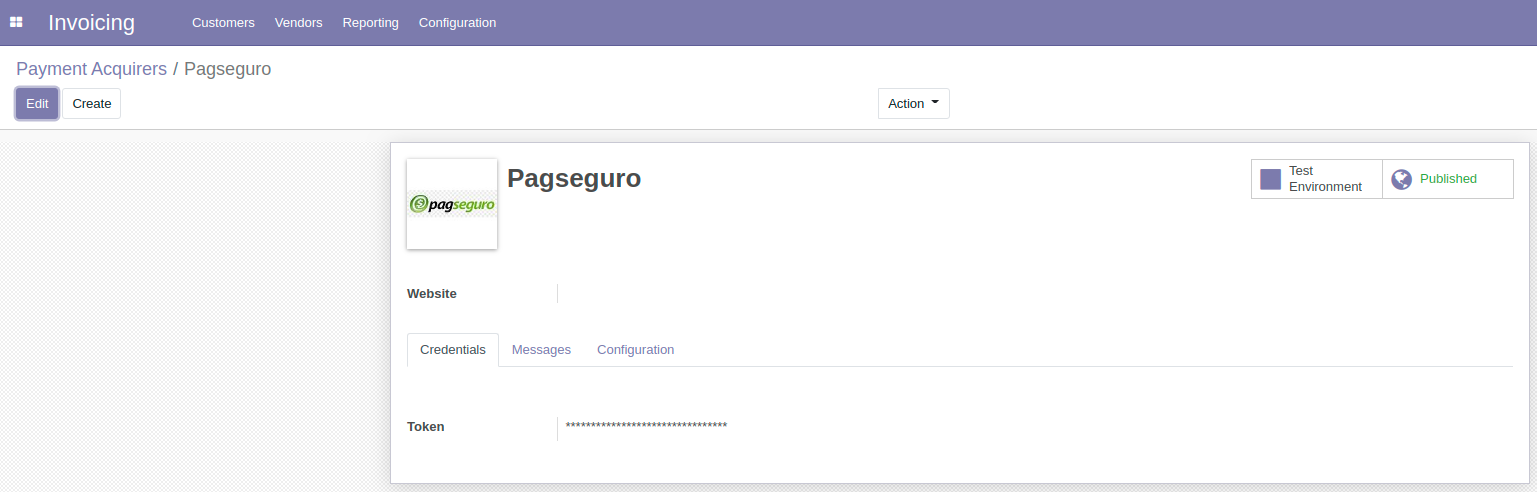
To configure your API keys go to Invoicing -> Configuration -> Payment Acquirers -> PagSeguro. Then insert your token on the credentials page, as shown below:
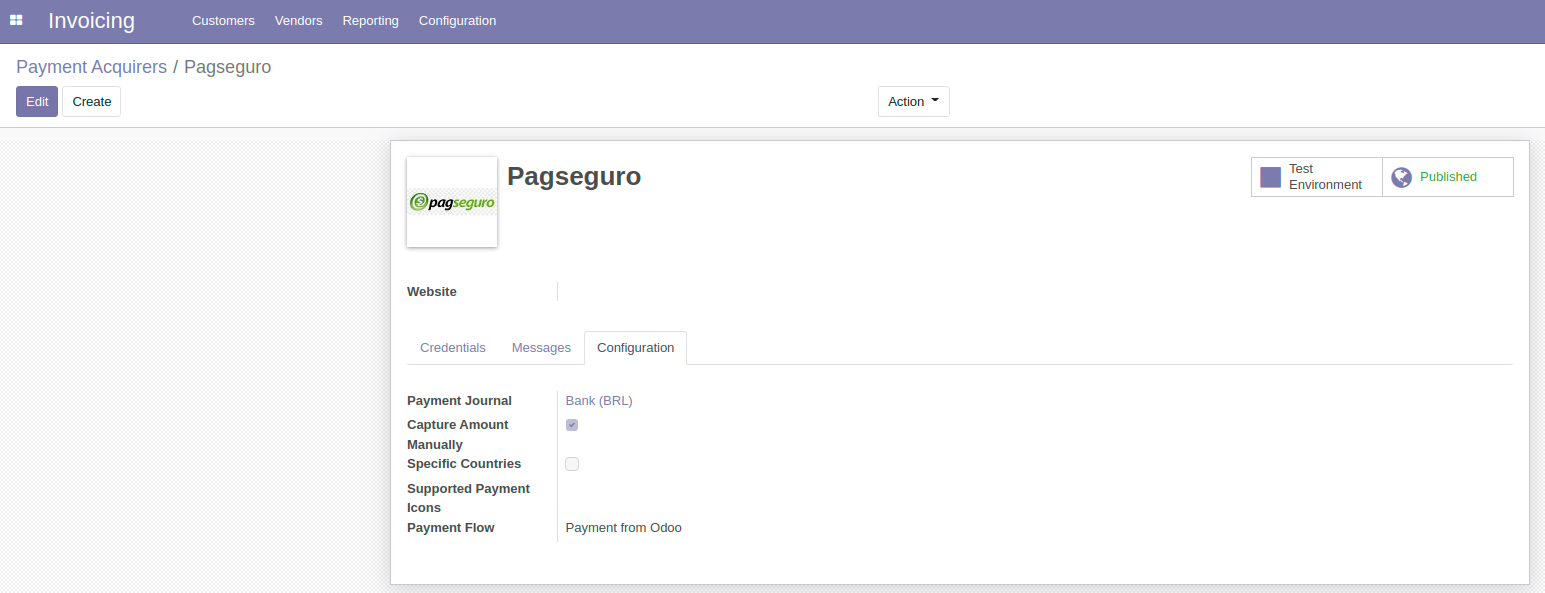
Under the configuration page, select your payment journal. On the upper right corner buttons you can publish on your website and change the environment.
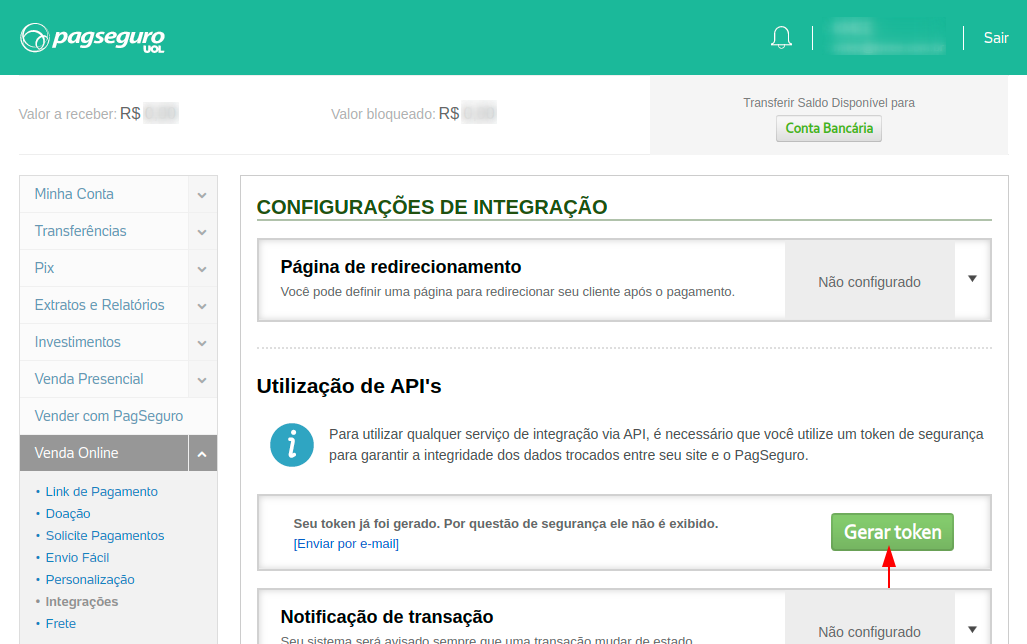
The credential Token and can only be acquired via the PagSeguro user account. On your account, go to “Venda Online” > “Integrações”. Then, click on “Gerar Token”.
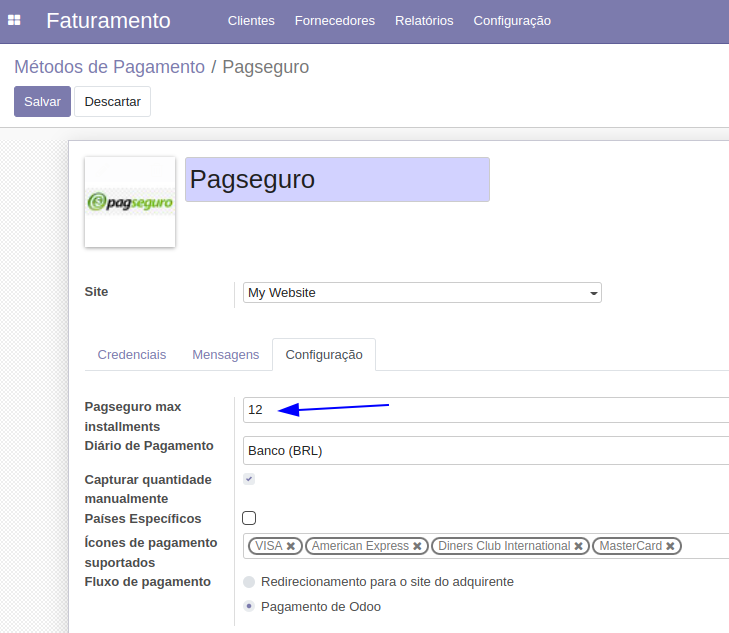
Still on the configuration tab, you can configure the maximum amount of installments available for your clients to select at the payment.
So far, we only support up to 12 installments, setting a value higher than that will lead to possible errors on payment.
full manual for API:
https://dev.pagseguro.uol.com.br/reference/pagseguro-reference-intro
Usage
After the configuration, you can go to the website module, and buy a product in your website shop by selecting the Pagseguro payment method.
- Here you can select:
Payment form (there is only credit card so far).
Amount of installments you want to pay (notice than the maximum value you can select is based on your acquirer configuration).
When selecting the installments you can see the value of each installment on the input field on the right.
After that, insert you Card number, name, expiration date and security code. Then, click on the pay now button.
So far, we support only VISA, MasterCard, American Express and Diners brands.
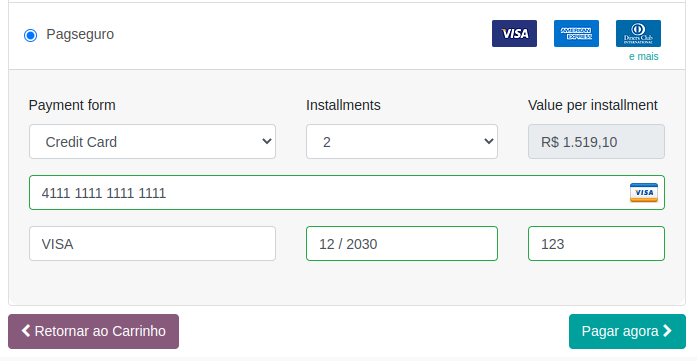
notice: The credentials that we use in this image are not from a real card, instead this is a test card given by the Pagseguro for test purposes. You can find more tests cards here https://dev.pagseguro.uol.com.br/reference/testing-cards.
Known issues / Roadmap
- Issues
To support more brands we need to overwrite the focusout event from the card number field
Selecting installments should also change the total price
- Roadmap
Add bill payment form
Add debit card payment form
Add PIX payment form
Bug Tracker
Bugs are tracked on GitHub Issues. In case of trouble, please check there if your issue has already been reported. If you spotted it first, help us smashing it by providing a detailed and welcomed feedback.
Do not contact contributors directly about support or help with technical issues.
Credits
Contributors
Luis Felipe Miléo <mileo@kmee.com.br>
Cristiano Rodrigues <cristiano.rodrigues@kmee.com.br>
Kilian Macedo <kilian.macedo@kmee.com.br>
Other credits
The development of this module has been supported by:
Maintainers
This module is maintained by the OCA.

OCA, or the Odoo Community Association, is a nonprofit organization whose mission is to support the collaborative development of Odoo features and promote its widespread use.
This module is part of the OCA/l10n-brazil project on GitHub.
You are welcome to contribute. To learn how please visit https://odoo-community.org/page/Contribute.
1 maintainer

Metadata
1 maintainer
Release files for odoo12-addon-payment-pagseguro 12.0.2.0.1
For a detailed explanation of source distributions (sdists) and built distributions (wheels), please see the package formats documentation.
Built distribution (wheel)
| File | Interpreter | ABI | Platform | Reset |
|---|---|---|---|---|
| odoo12_addon_payment_pagseguro-12.0.2.0.1-py3-none-any.whl | Python 3 | none | any | Details |
Release files / odoo12_addon_payment_pagseguro-12.0.2.0.1-py3-none-any.whl
| Download URL | odoo12_addon_payment_pagseguro-12.0.2.0.1-py3-none-any.whl |
|---|---|
| Size | 460.9 kB |
| Tags | Python 3 |
|
SHA-256 checksum How to use checksums |
283f15c1dab3abf69e3609d3eaa369616505629db15147ee0bf025e30e424da2
|
|
BLAKE2b-256 checksum How to use checksums |
f6205ab2144f011d34d2649e789f68369dbbe5660a3872a3499f7533538108e2
|
| Upload date | |
|
Uploaded using Trusted Publishing? What is trusted publishing? |
No |
| Uploaded via |
twine/4.0.1 CPython/3.8.5
|














