
Module Analysis





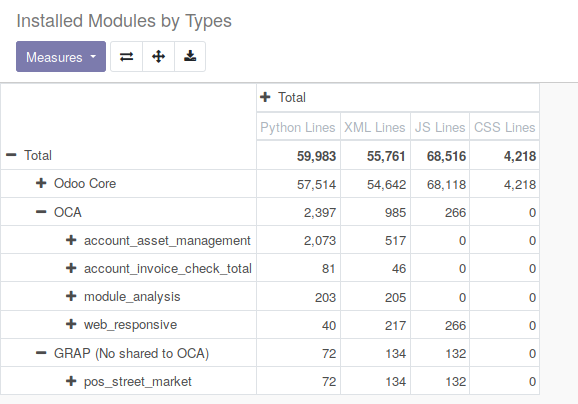
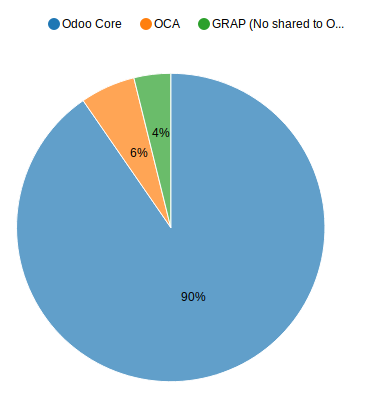
This module allows you to know ‘how much code’ is running on your Odoo instance, group by ‘Type’ (Odoo Core, OCA, other…)
This module can be usefull in the following cases :
To analyse the size of your technical debt, regarding your Custom modules
To know the ratio between Odoo / OCA and Custom modules
To evaluate the amount to pay to odoo to upgrade your custom code, or the induced workload
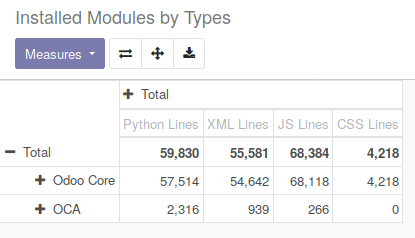
For that purpose, it adds new concepts
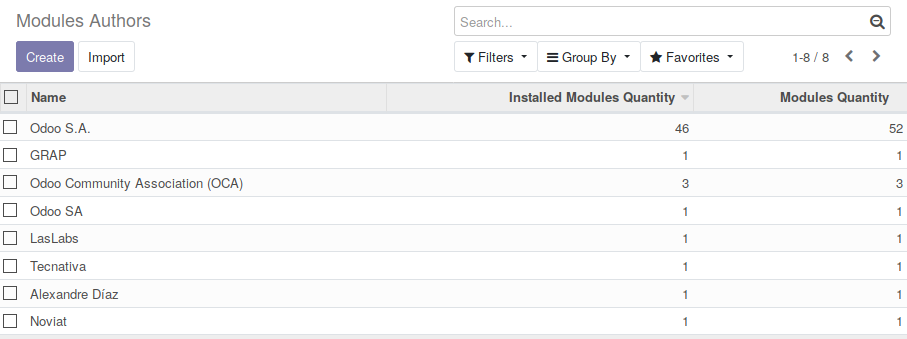
ir.module.author, based on the value author present in the manifest file.
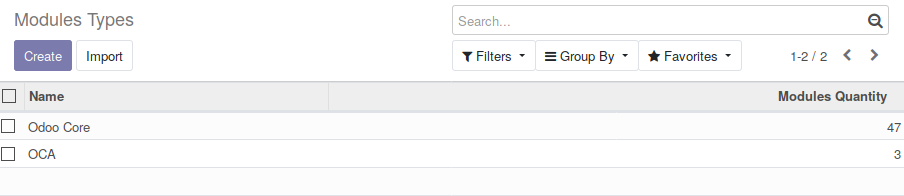
ir.module.type, populated by default with Odoo and OCA values.
Each installed modules have extra data in the ‘Technical Data’ tab :
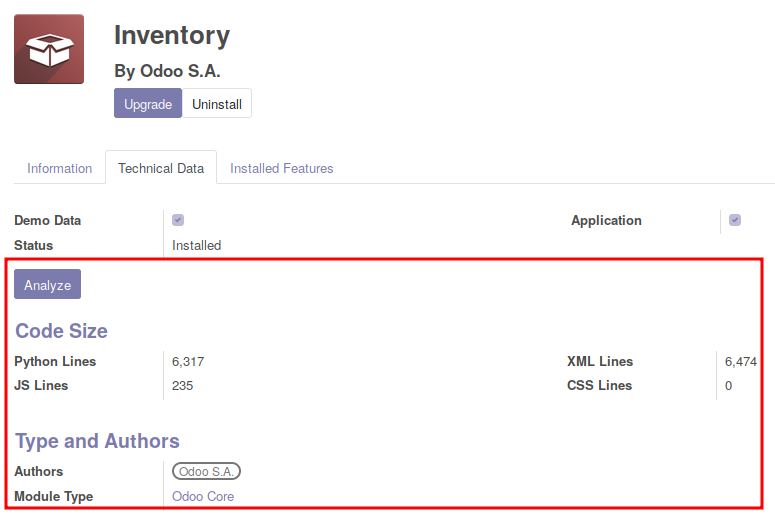
Table of contents
Installation
To use this module, you have to install the pygount python librairy.
pip install pygount
Configuration
Go to Apps / Module Analysis / Modules Types Rules
The Module types Rules are usefull to get the Type of a module, based on it information.
This module comes with default rules.
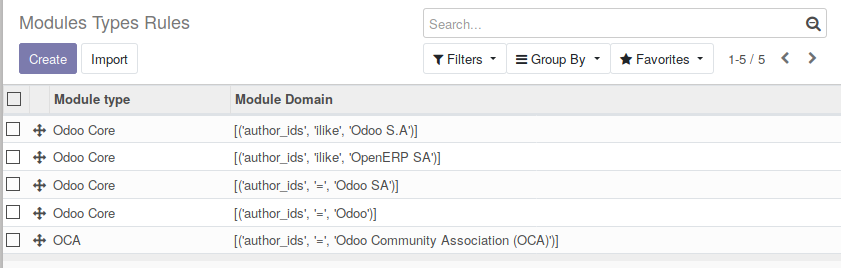
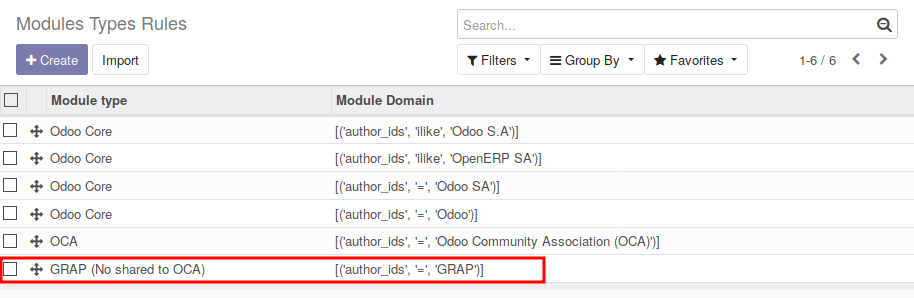
You can add your custom rules to identify the modules your team have developped for exemple,
to update the data manually, you have to :
Go to ‘Apps’ / ‘Update Apps List’
Check the box ‘Analyse Installed modules’
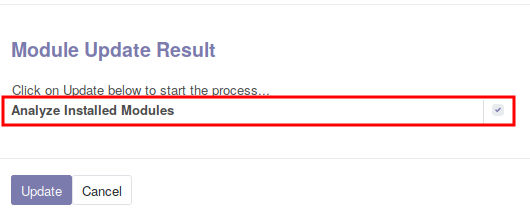
This will update analysis of your installed modules.
to update the data automatically, you have to :
Go to ‘Settings’ / ‘Technical’ / ‘Scheduled Actions’
Configure the action ‘Update Module Analysis’. (By default, the analysis will be done nightly)
Adding Extra data
If you want to analyse other data, (for exemple, having the number of HTML files), create a custom modules and overload the module model :
from odoo import api, fields, models

class IrModuleModule(models.Model):
   _inherit = 'ir.module.module'

   xml_documentation_qty = fields.Integer(
      string='Quantity of Comments in XML Files')

  @api.model
  def _get_analyse_settings(self):
      res = super()._get_analyse_settings()
      if not '.html' in res:
          res['.html'] = {}
      res['.html']['documentation'] 'xml_documentation_qty'
      return res
Exclude files and directories
Two parameters are availaible in ‘Settings’ / ‘Technical’ / ‘Parameters’ ‘System Parameters’ :

The list of folders and filename will be exclude from the analysis. You can change the default settings.
Usage
Go to ‘Apps’ / ‘Module Analysis’ / ‘Installed module by Types’
Open the stats to analyse the detail of the code installed
Bug Tracker
Bugs are tracked on GitHub Issues. In case of trouble, please check there if your issue has already been reported. If you spotted it first, help us to smash it by providing a detailed and welcomed feedback.
Do not contact contributors directly about support or help with technical issues.
Credits
Contributors
Sylvain LE GAL (https://twitter.com/legalsylvain)
Maintainers
This module is maintained by the OCA.

OCA, or the Odoo Community Association, is a nonprofit organization whose mission is to support the collaborative development of Odoo features and promote its widespread use.
Current maintainer:

This module is part of the OCA/server-tools project on GitHub.
You are welcome to contribute. To learn how please visit https://odoo-community.org/page/Contribute.
1 maintainer

Metadata
1 maintainer
Release files for odoo13-addon-module-analysis 13.0.1.1.3
For a detailed explanation of source distributions (sdists) and built distributions (wheels), please see the package formats documentation.
Built distribution (wheel)
| File | Interpreter | ABI | Platform | Reset |
|---|---|---|---|---|
| odoo13_addon_module_analysis-13.0.1.1.3-py3-none-any.whl | Python 3 | none | any | Details |
Release files / odoo13_addon_module_analysis-13.0.1.1.3-py3-none-any.whl
| Download URL | odoo13_addon_module_analysis-13.0.1.1.3-py3-none-any.whl |
|---|---|
| Size | 260.0 kB |
| Tags | Python 3 |
|
SHA-256 checksum How to use checksums |
683d57fc0d5ee87d245c52cbb9113290a738ef80aae7874ca66953f9e79fc97d
|
|
BLAKE2b-256 checksum How to use checksums |
8669d5bb9a6b765d3db24b922361c692c4278bcc27b74e7a4f76fe418b5cab85
|
| Upload date | |
|
Uploaded using Trusted Publishing? What is trusted publishing? |
No |
| Uploaded via |
twine/5.1.1 CPython/3.12.3
|














