
This release is a pre-release and may not be stable for production use.





This module extends the functionality of the PoS by allowing the issuance of discount vouchers (both fronted and backend) when a return is made. This means that the customer receives a ticket with a barcode that can be redeemed for the amount of the return during the time configured in the POS (in days).
Table of contents
Configuration
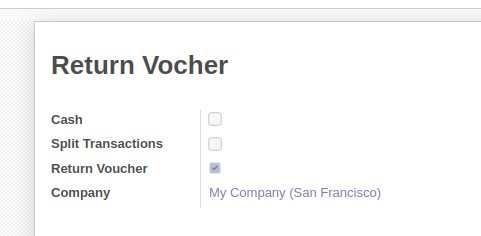
After install, to configure this module, you need to go to Point of Sale > Configuration > Payment methods and create new payment method with flag “Return voucher” enabled:
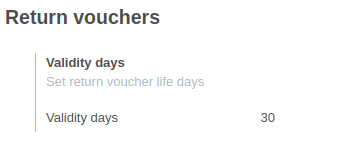
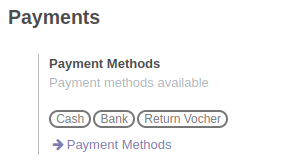
In addition, yo need to go to Point of Sale > Configuration > Point of Sale and indicate the time (in days) of validity of the return vouchers issued ( you can leave this option empty and the vouchers will have an indefinite date, i.e. they will never expire.). And add previous payment method created.
Usage
Emitt Return Voucher
Once the PoS is loaded, you’ll find a magnifying glass icon (🔎) in the top bar that grants access to the order list screen. here you can find the number of past orders loaded according to your configuration (see pos_order_mgmt module).
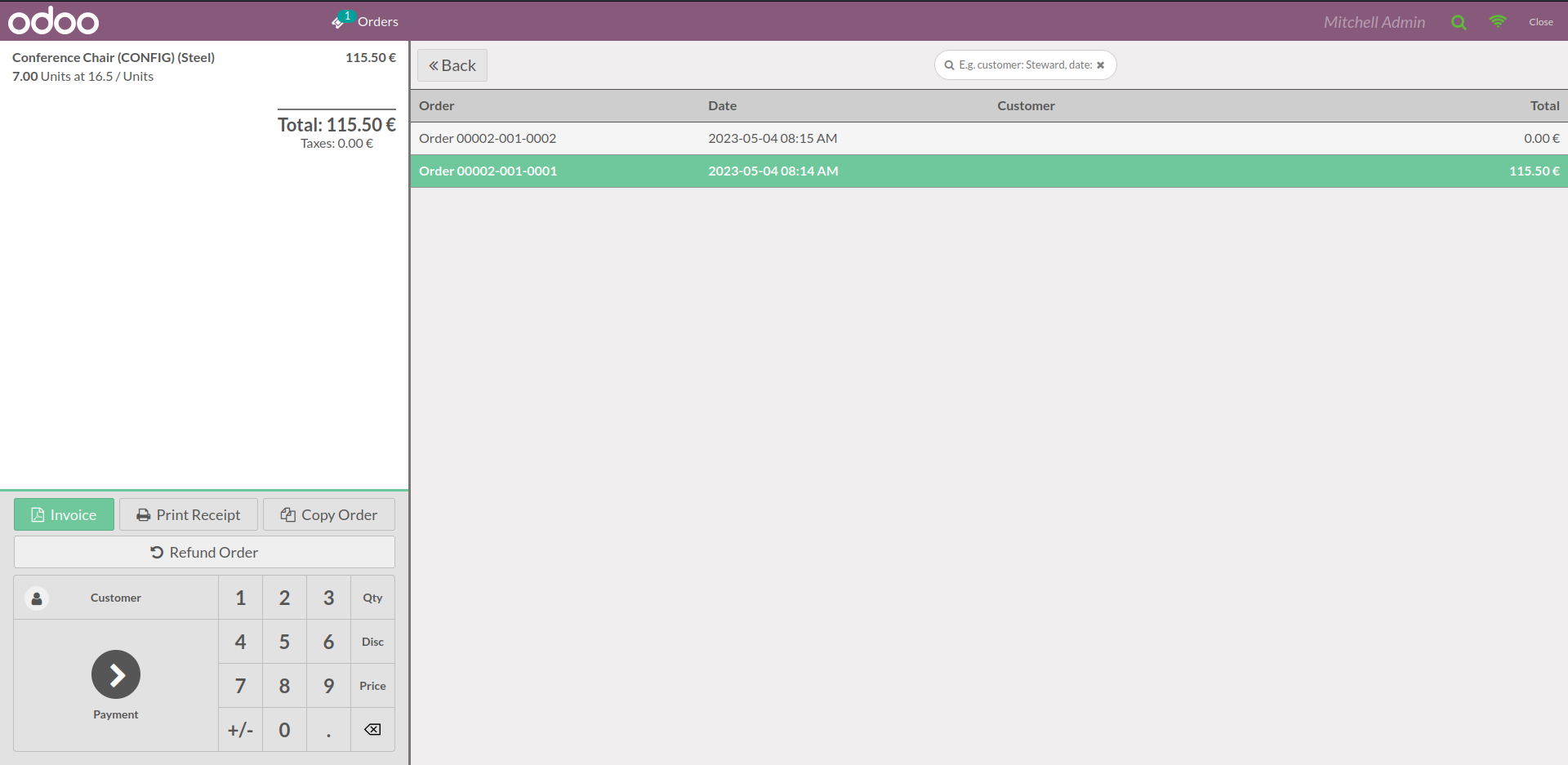
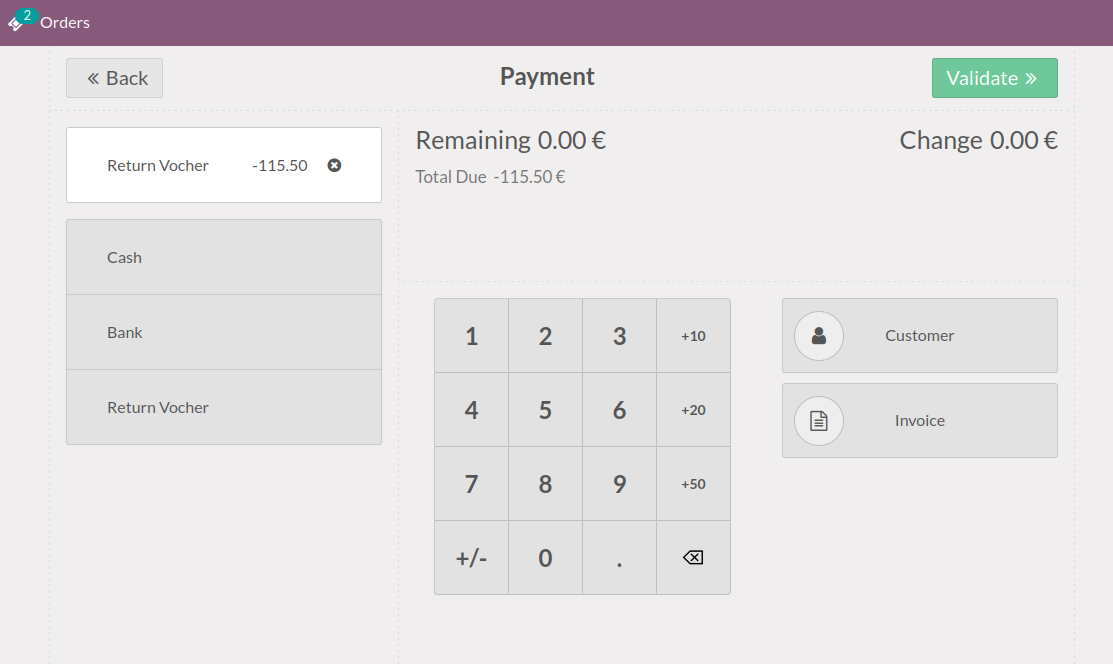
Once in the return payment screen, select the payment method configured with the “Return Voucher” flag.
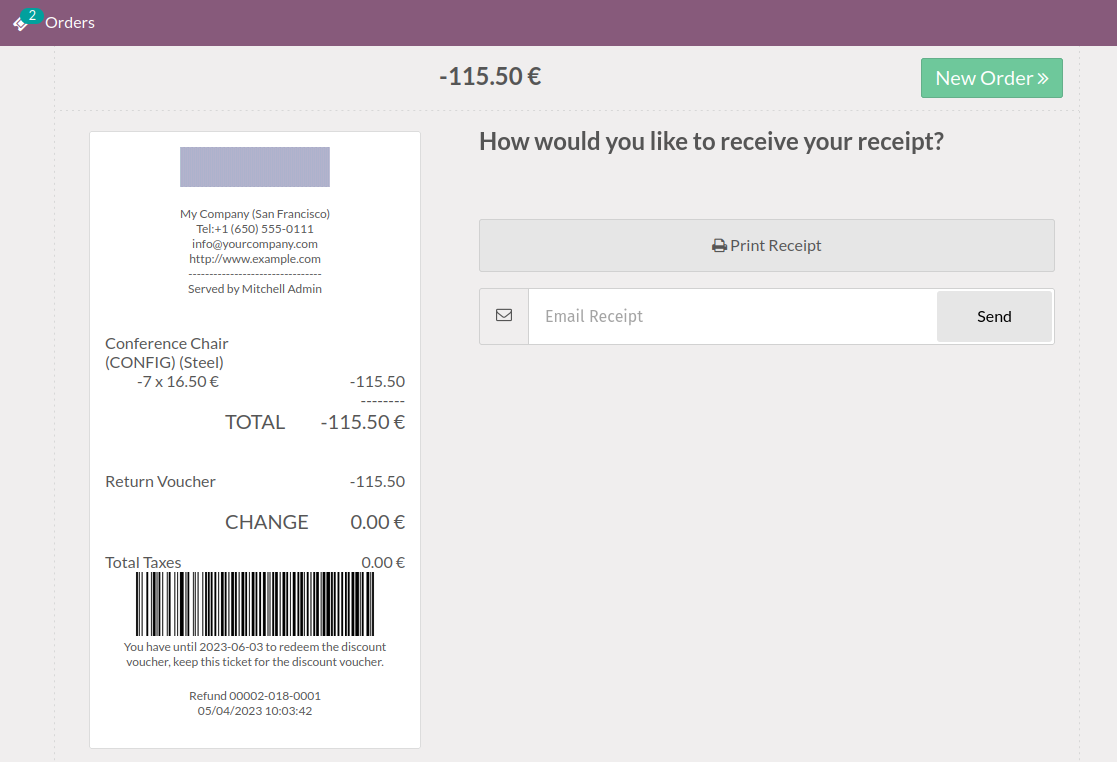
When the payment is validated, the ticket will appear together with a barcode that the customer can use for his next purchase.
Redeem Return Voucher
Once the POS has loaded, when the customer places a new order, on the payment screen the payment method marked with the “Return Voucher” flag can be selected, when this is selected the user must scan the barcode. Once read, the discount voucher info will be displayed.
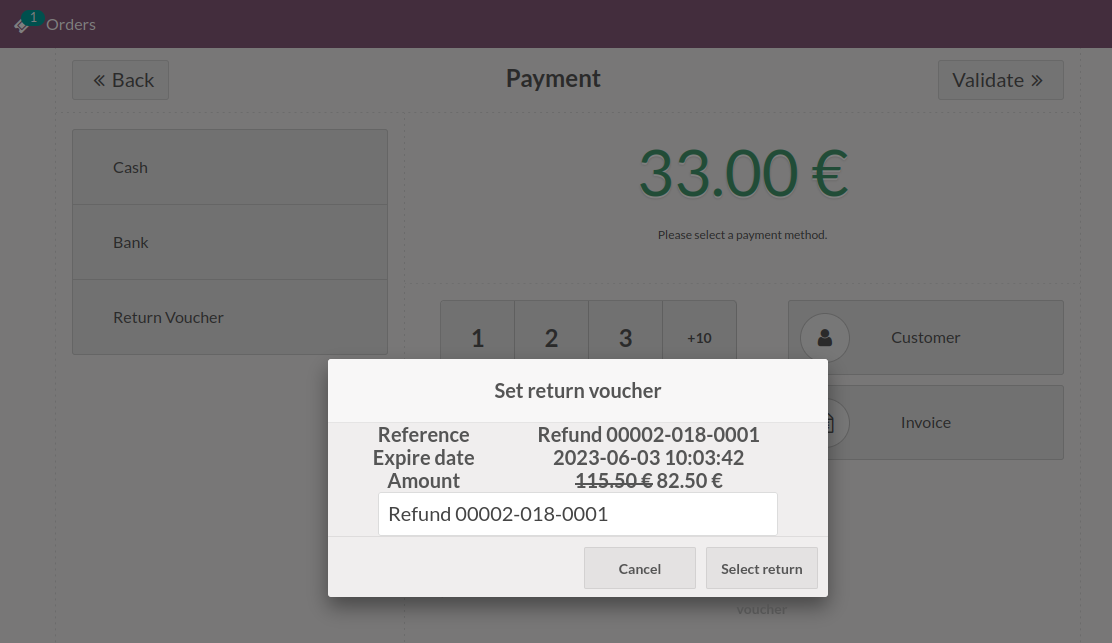
When accepted, the POS will count the discount voucher as payment.
Backend
You need to go to Point of Sale > Orders > Return vouchers to see return vouchers createds or from pos order on Payments tab
Bug Tracker
Bugs are tracked on GitHub Issues. In case of trouble, please check there if your issue has already been reported. If you spotted it first, help us to smash it by providing a detailed and welcomed feedback.
Do not contact contributors directly about support or help with technical issues.
Credits
Contributors
Jose Zambudio <https://twitter.com/zamberjo>
Maintainers
This module is maintained by the OCA.

OCA, or the Odoo Community Association, is a nonprofit organization whose mission is to support the collaborative development of Odoo features and promote its widespread use.
This module is part of the OCA/pos project on GitHub.
You are welcome to contribute. To learn how please visit https://odoo-community.org/page/Contribute.
1 maintainer

Metadata
1 maintainer
Release files for odoo14-addon-pos-return-voucher 14.0.1.0.1.dev7
For a detailed explanation of source distributions (sdists) and built distributions (wheels), please see the package formats documentation.
Built distribution (wheel)
| File | Interpreter | ABI | Platform | Reset |
|---|---|---|---|---|
| odoo14_addon_pos_return_voucher-14.0.1.0.1.dev7-py3-none-any.whl | Python 3 | none | any | Details |
Release files / odoo14_addon_pos_return_voucher-14.0.1.0.1.dev7-py3-none-any.whl
| Download URL | odoo14_addon_pos_return_voucher-14.0.1.0.1.dev7-py3-none-any.whl |
|---|---|
| Size | 437.0 kB |
| Tags | Python 3 |
|
SHA-256 checksum How to use checksums |
a6f7f189ef1ad43195f81c3965e3ee6408d5d9dc1bdd2c17f70f13bdb39434a0
|
|
BLAKE2b-256 checksum How to use checksums |
ab335e0ebac20925272759e331804c73367652ef8165427bad6a539cd4961371
|
| Upload date | |
|
Uploaded using Trusted Publishing? What is trusted publishing? |
No |
| Uploaded via |
twine/5.1.1 CPython/3.12.3
|














