





This module import in Odoo, Supplier Stock informations in dedicate places to mainly avoid sold out
These stock informations comes from UBL InventoryReport-2.1
A report on the quantities of each item that are, or will be, in stock. This document is sent by a Buyer (for example a retailer) to a Seller (for example a producer).
UBL organisation
for details see http://docs.oasis-open.org/ubl/os-UBL-2.2/mod/summary/reports/UBL-InventoryReport-2.2.html
Table of contents
Configuration
Mandatory
You must set concerned suppliers on each product screen in procurement tab.
Ensure your Internal References are unique by company: you may install product_code_unique OCA for this purpose (product-attribute repository)
Optionnally
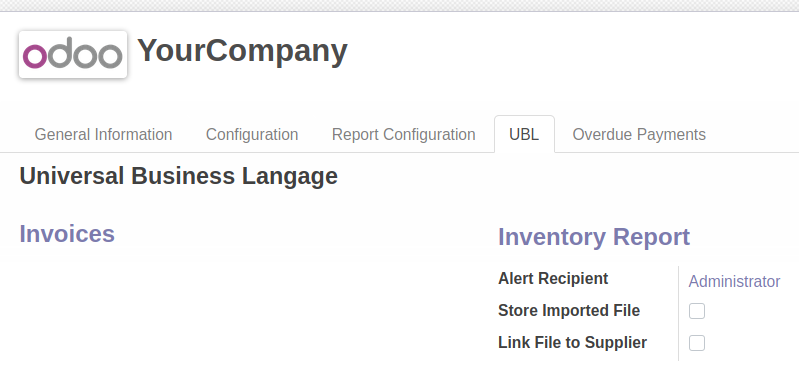
To synchronise with barcode you need to fill StandardItemIdentification attributes of your xml file with ean13
To automate file import, check code in unit tests as example.
Usage
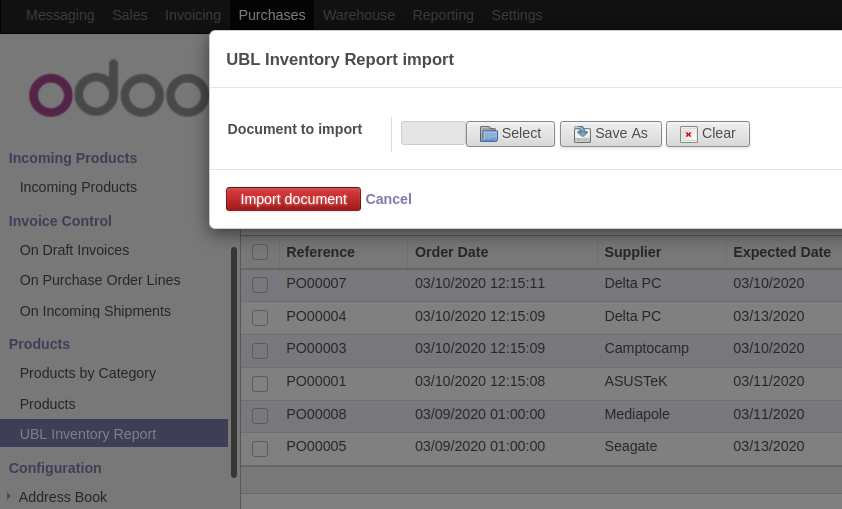
Here is the wizard to import your UBL Inventory Report
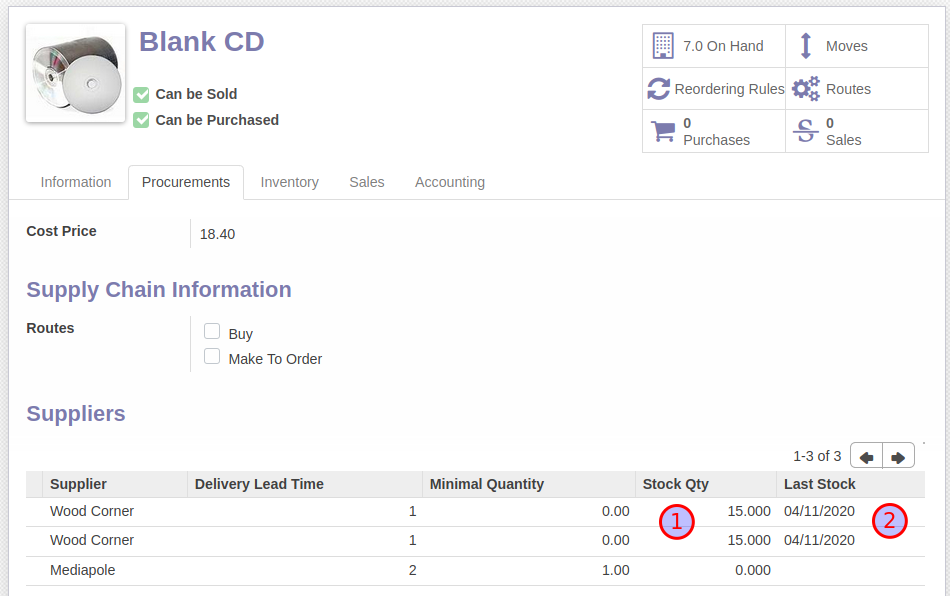
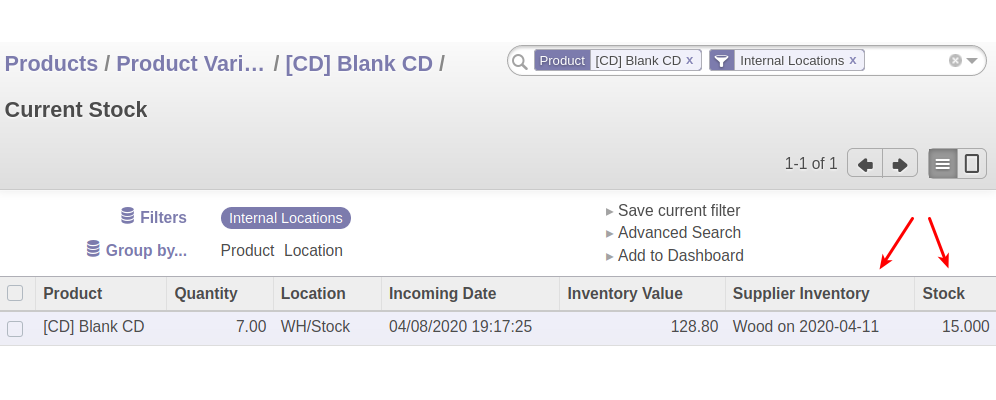
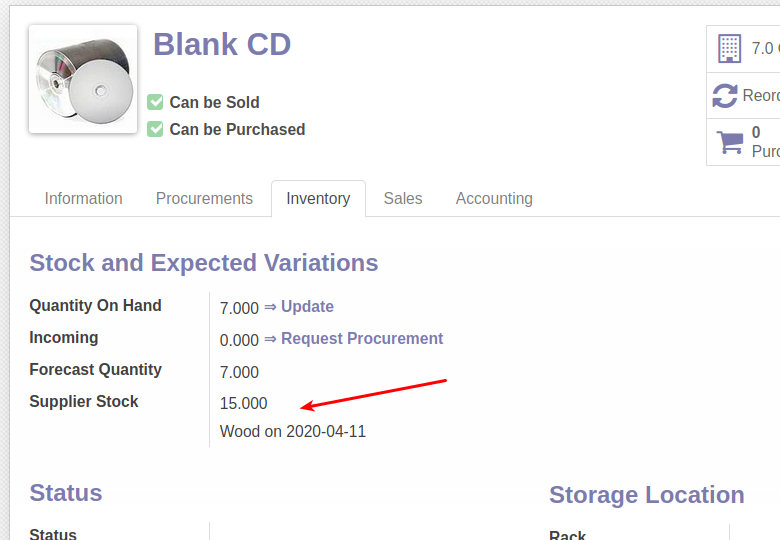
Supplier stock level and date complete vendors informations
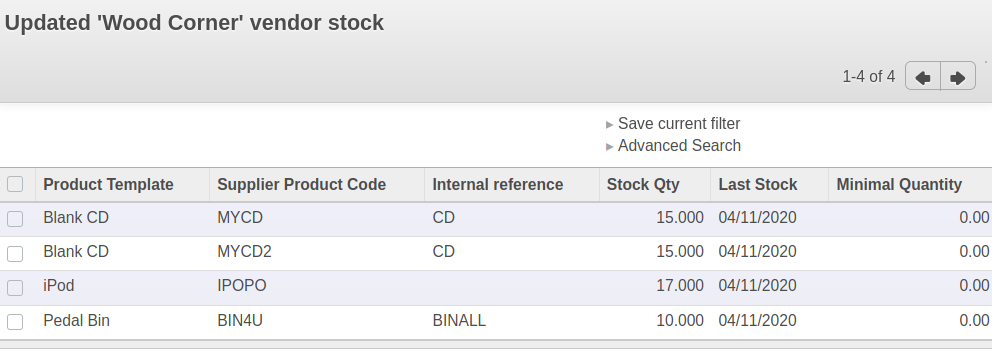
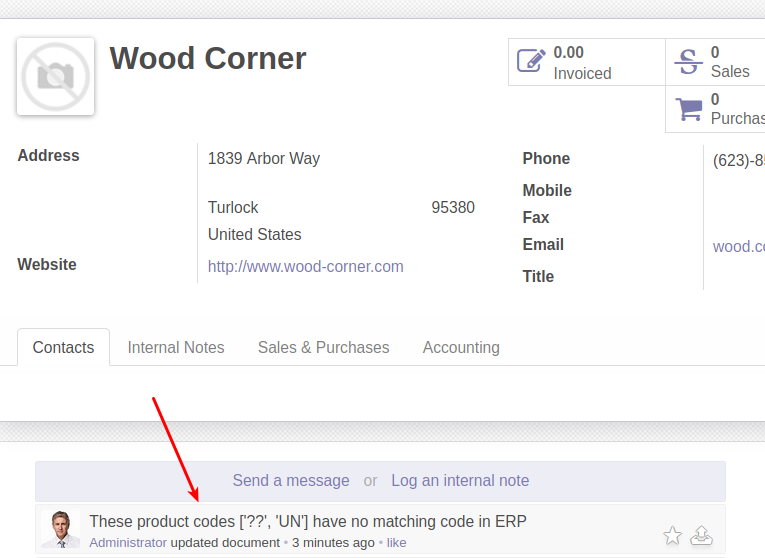
Report on updated data when wizard is closed
Missing data or false data are set on supplier
Supplier stock on quants
Supplier stock on product: from the last imported file
This module match products between UBL file and ERP on product screen with these fields:
Supplier Product Code in supplier/procurement page
Internal Reference
EAN13
Known issues / Roadmap
in multicompany environment, we could use InventoryReportingParty to guess in which company import data. In this case this xml element should match with the partner linked on company.
according used keys and their cardinalities many different use cases can be discovered. A subset of these cases are managed. Check unit tests to discover which are. You can add more flows with matching tests.
Bug Tracker
Bugs are tracked on GitHub Issues. In case of trouble, please check there if your issue has already been reported. If you spotted it first, help us smashing it by providing a detailed and welcomed feedback.
Do not contact contributors directly about support or help with technical issues.
Credits
Contributors
Akretion
David Beal <david.beal@akretion.com>
Other credits
The development of this module has been financially supported by:
Oskab
Maintainers
This module is maintained by the OCA.

OCA, or the Odoo Community Association, is a nonprofit organization whose mission is to support the collaborative development of Odoo features and promote its widespread use.
Current maintainer:

This module is part of the OCA/edi project on GitHub.
You are welcome to contribute. To learn how please visit https://odoo-community.org/page/Contribute.
1 maintainer

Metadata
1 maintainer
Release files for odoo8-addon-supplier-inventory-import-ubl 8.0.1.2.0
For a detailed explanation of source distributions (sdists) and built distributions (wheels), please see the package formats documentation.
Built distribution (wheel)
| File | Interpreter | ABI | Platform | Reset |
|---|---|---|---|---|
| odoo8_addon_supplier_inventory_import_ubl-8.0.1.2.0-py2-none-any.whl | Python 2 | none | any | Details |
Release files / odoo8_addon_supplier_inventory_import_ubl-8.0.1.2.0-py2-none-any.whl
| Download URL | odoo8_addon_supplier_inventory_import_ubl-8.0.1.2.0-py2-none-any.whl |
|---|---|
| Size | 667.5 kB |
| Tags | Python 2 |
|
SHA-256 checksum How to use checksums |
59bf9de85ebae97bc96c0f610f7ebc9817396f06b903b68e742ad2986c982f26
|
|
BLAKE2b-256 checksum How to use checksums |
a5ef55fc03e12ca2b71e4b15545268ad6442f42099a11d00daacfa030de89eb3
|
| Upload date | |
|
Uploaded using Trusted Publishing? What is trusted publishing? |
No |
| Uploaded via |
twine/1.11.0 pkginfo/1.4.2 requests/2.19.1 setuptools/30.4.0 requests-toolbelt/0.8.0 tqdm/4.24.0 CPython/3.5.3
|














