
Python library for controlling an Ohbot Robot

Project description
Ohbot for Python
More information about Ohbot can be found on ohbot.co.uk
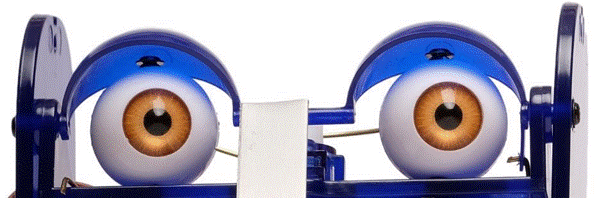
This package is a starting point for people wanting to use Python 3 to control Ohbot. Choose your platform and click the links to get started!
| macOS | Getting Started | Examples | Text to speech documentation |
| Windows | Getting Started | Examples | Text to speech documentation |
| Pi | Getting Started | Examples | Text to speech documentation |
If you are new to Python here is a short guide explaining some of the key concepts: Programming Ohbot in Python
To be expanded soon!
ohbotData Folder
The first time you run an Ohbot program a new folder called ohbotData is created in your working directory. This folder is used to store various files that you can read from within your Ohbot programs, these include a SpeechDatabase file, motor definitions and a Sounds folder.
There are a various tools you can use to help edit these data files. When using a tool please download it and save it in the same folder as the your Ohbot program file, this will ensure it is reading and writing to the correct folder.
The data files include:
-
ohbotspeech.csv - Holds phrases for Ohbot to say. Edit using the Speech Database Tool. Phrases are accessed using ohbot.getPhrase(), see below for more information.
-
MotorDefinitionsv21.omd - Holds motor minimums, maximums and ranges.
-
Sounds/... - A folder that can be accessed using the ohbot.playSound() function. See the lightAndSounds example for more information. The ohbot library copies 5 sounds to get you started, add your own by putting move sound files in the sounds folder. .wav's only for now. Preloaded sounds are: 'spring', 'smash', 'loop', 'ohbot' and 'fanfare'
If you delete a file in ohbotData (or the whole folder) the default files will be copied back over from the ohbot library folder.
You can share the ohbotData folder between multiple programs by saving them in the same folder.
For example:
ohbotProgramsFolder
│   ohbotTest1.py
|   ohbotTest2.py
|   SpeechDatabse.py
|
└───ohbotData (Created Automatically)
    |   MotorDefinitionsv21.omd
    |   ohbotspeech.csv
    └───Sounds/...
Alternatively you can have seperate ohbotData folders by saving your programs in different folders, you will need a copy of the tools you want to use in the folder as well:
ohbotProgramsFolder
└───folderOne
│   │   ohbotTest1.py
|   |   SpeechDatabase.py
|   |
│   └───ohbotData (Created Automatically)
│       |   MotorDefinitionsv21.omd
│       |   ohbotspeech.csv
|       └───Sounds/...
|
└───folderTwo
    │   ohbotTest2.py
    |   SpeechDatabase.py
    |
    └───ohbotData (Created Automatically)
        |   MotorDefinitionsv21.omd
        |   ohbotspeech.csv
        └───Sounds/...
Functions
ohbot.init(portName)
Called internally looking for a port with name containing "USB Serial Device" but if your port is different you can call it and override this port name. It returns True if the port is found and opened successfully, otherwise it returns false. This is likely with Operating Systems in languages other than English.
ohbot.move(m, pos, speed=5)
| Name | Range | Description | Default |
|---|---|---|---|
| m | 0-6 (int) | Motor Number | - |
| pos | 0-10 (int) | Desired Position | - |
| speed | 0-10 (int) | Motor Speed | 5 |
For Example:
ohbot.move(1,7)
or
ohbot.move(2,3,speed=1)
or you can use a constant from the library to specify the motor:
ohbot.move(ohbot.EYETURN,speed=3)
Motor index reference:
| m | 0 | 1 | 2 | 3 | 5 | 6 |
|---|---|---|---|---|---|---|
| constant | HEADNOD | HEADTURN | EYETURN | LIDBLINK | BOTTOMLIP | EYETILT |
ohbot.say(text, untilDone=True, lipSync=True, hdmiAudio=False, soundDelay=0)
| Name | Range | Description | Default |
|---|---|---|---|
| text | 'A string with no punctuation' | Words to say | - |
| untilDone | bool | Return when finished speaking | True |
| lipSync | bool | Move lips in time with speech | True |
| hdmiAudio | bool | Fixes missing start of phrase when HDMI audio output is being used | False |
| soundDelay | float | Set to positive if lip movement is lagging behind sound and negative if sound is lagging behind lip movement | 0 |
For Example:
ohbot.say('Hello I am Ohbot')

ohbot.say('Goodbye',False,False)

ohbot.say('Goodbye',False,False,True)

ohbot.say('Goodbye',soundDelay = 0.3)
More info on speech
Platform specific documentation for setting voices and languages:
ohbot.wait(seconds)
Seconds - float or int required wait time. ohbot.wait(1.5)
| Name | Range | Description |
|---|---|---|
| seconds | float or int | Length of wait in seconds |
For Example:
ohbot.wait(2)

ohbot.wait(0.5)
Note: It is important to use ohbot.wait() commands between motor sequential commands for the same motor.
For Example:
ohbot.move(1,7,2)

ohbot.wait(2)

ohbot.move(1,4,2)
ohbot.getPhrase(set,variable)
set: Int - The desired set for phrase. variable: Int - The desired variable for phrase.
Use ohbot.getPhrase() to retrieve a phrase from Ohbot's speech database.
You can view and edit the speech database using the Speech Databse tool. Each entry in the speech database has a set and a variable associated with it. When you use getPhrase() you can choose to get phrases with specific values for set and/or variable.
If more than one phrase matches the set and variable provided a random match is returned.
To see available phrases and write your own see the Speech Database Tool.
For Example:
ohbot.say(ohbot.getPhrase(1,2))
or get a random phrase from a specific set:
ohbot.say(ohbot.getPhrase(set=1)))
# Ohbot will say a random phrase from set 1.

ohbot.say(ohbot.getPhrase(variable=2))
# Ohbot will say a random phrase with variable = 2.
or get a random phrase from the whole database:
ohbot.say(ohbot.getPhrase())
ohbot.eyeColour(r, g, b)
Set the colour of Ohbot’s eyes. (This feature requires the Illuminating Eyes Ohbot accessory.)
| Name | Range | Description | Default |
|---|---|---|---|
| r | 0-10 (int) | Red | - |
| g | 0-10 (int) | Green | - |
| b | 0-10 (int) | Blue | - |
For Example:
ohbot.eyeColour(2,3,8)
ohbot.reset()
Resets Ohbot's motors back to rest positions and turns off Ohbot's eye LEDs. Useful to start programs with this. You may need an ohbot.wait() after this to give time for the motors to move.
For Example:
ohbot.reset()
ohbot.move(1,7,2)
ohbot.wait(1)
ohbot.move(1,1)
...
ohbot.close()
Call to detach all Ohbot's motors which stops them using power, you can call ohbot.attach(m) or ohbot.detach(m) for individual motors.
For Example:
ohbot.move(1,7,2)
ohbot.wait(1)
ohbot.move(1,1)

ohbot.close()
ohbot.readSensor(sensorNumber)
| Name | Range | Description |
|---|---|---|
| sensorNumber | 0-6 (int) | the pin the sensor is connected to |
returns the value as a float 0 - 10.
For Example:
reading = ohbot.readSensor(3)
ohbot.move(ohbot.HEADTURN, reading)
ohbot.playSound(sound,untilDone = True)
sound - string name of sound.
untilDone - wait till sound has finished before moving to next line in your program. Defaults to True. Set this to False to play the sound on a seperate thread, allowing your program to continue while it is playing.
Sounds are read from ohbotData/Sounds/ add new sound files to this folder to access them. .wav files only for the moment. When writing the file name in your program please do not include the .wav file extension.
Some demo sounds will be pre installed:
- fanfare
- loop
- ohbot
- smash
- spring
For Example:
ohbot.playSound('fanfare')
or
ohbot.playSound('spring',False)
Release history Release notifications | RSS feed


Download files
Download the file for your platform. If you're not sure which to choose, learn more about installing packages.
Source Distribution
Built Distribution
Filter files by name, interpreter, ABI, and platform.
If you're not sure about the file name format, learn more about wheel file names.
Copy a direct link to the current filters
File details
Details for the file ohbot-4.0.18.tar.gz.
File metadata
- Download URL: ohbot-4.0.18.tar.gz
- Upload date:
- Size: 2.9 MB
- Tags: Source
- Uploaded using Trusted Publishing? No
- Uploaded via: twine/6.1.0 CPython/3.10.4
File hashes
| Algorithm | Hash digest | |
|---|---|---|
| SHA256 |
4b3fbdccce7840dd99ac7280f6eb765dd4c5d97df96095853a07426f11c736d7
|
|
| MD5 |
e263abd6af1ca15c0be59e714f17c34c
|
|
| BLAKE2b-256 |
311904e2afe7c2d5617d7fbb7984e0346588024cda14c465a5f0cb2098abb8a4
|
File details
Details for the file ohbot-4.0.18-py3-none-any.whl.
File metadata
- Download URL: ohbot-4.0.18-py3-none-any.whl
- Upload date:
- Size: 2.9 MB
- Tags: Python 3
- Uploaded using Trusted Publishing? No
- Uploaded via: twine/6.1.0 CPython/3.10.4
File hashes
| Algorithm | Hash digest | |
|---|---|---|
| SHA256 |
25840a2b2727f12cdd9710af9143d479e9bc6fa5ae8d7910b58855baef2d0b0a
|
|
| MD5 |
26c1d2b6131f748f4835dec459599584
|
|
| BLAKE2b-256 |
ea95190ea9688cca66ac417e34fff7ae022efb2a222c2e566bedb4412d59d7dd
|






