
oi
python library for writing long running processes with a cli interface

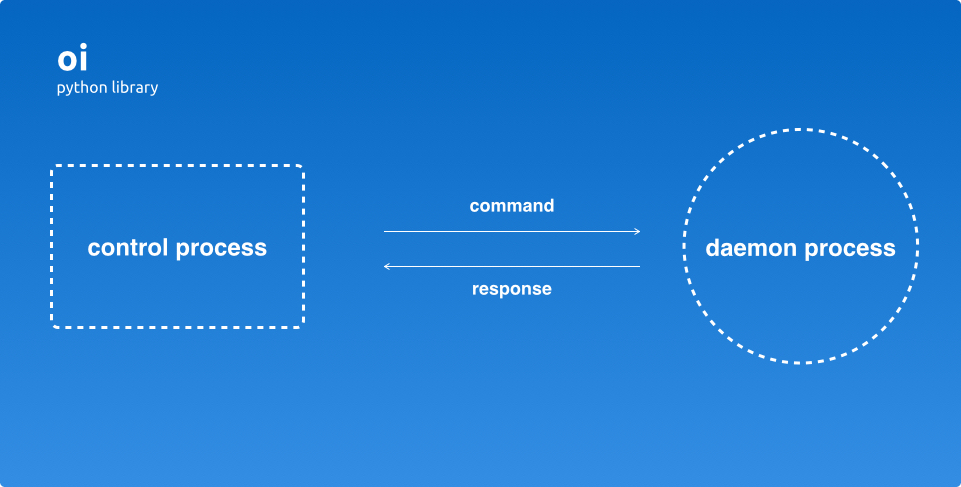
oi image
Install
Note: You need nanomsg installed on your system:
$ git clone git@github.com:nanomsg/nanomsg.git
$ cd nanomsg
$ ./configure
$ make
$ make check
$ sudo make install
Then install oi
$ pip install oiUsage
1. Write your long running program
# programd.py

import oi

program = oi.Program('my program', 'ipc:///tmp/program.sock')
program.add_command('ping', lambda: 'pong')
program.add_command('state', lambda: program.state)
program.run()  # program will run forever
2. Add a ctl interface
# programctl.py

import oi

ctl = oi.CtlProgram('ctl program', address='ipc:///tmp/program.sock')
ctl.run()
3. Run program, then connect to it via ctl
# Run process
$ python programd

# OR with a configuration file
$ python programd --config /etc/program.conf

$ python programctl  # enter ctl loop
programctl > ping
pong

# OR ping end exit
$ python programctl ping
Quickly get started with a new project
$ mkdir xprogram
$ cd xprogram

$ oi init
$ make install

# Start your program
$ xprogramd

# Start ctl program
$ xprogramctl
ctl > ping
pong

# Upload to pypi (Edit setup.py before distributing)
$ make distribute
Now the interesting bit. Are you ready?
Run your program on one computer, then control it from another with a single line change (actually two).
Just change the address ipc:///tmp/program.sock to a tcp address, such as tcp://192.168.1.100:5000 in both your programd.py and programctl.py. That’s it! (:
TODO
[ ] Add more testing
License
MIT License
1 maintainer

Release files for oi 0.4.2
For a detailed explanation of source distributions (sdists) and built distributions (wheels), please see the package formats documentation.
Source distribution (sdist)
| File | Size | Uploaded | |
|---|---|---|---|
| oi-0.4.2.tar.gz | 8.8 kB | Details |
Release files / oi-0.4.2.tar.gz
| Download URL | oi-0.4.2.tar.gz |
|---|---|
| Size | 8.8 kB |
| Tags | Source |
|
SHA-256 checksum How to use checksums |
c24f222c347d38b4f3a4c1e8048615c3dac08280a67e4ccbac9f41be46b12b71
|
|
BLAKE2b-256 checksum How to use checksums |
276cff41ede99380c6f0f88f986b74c043fde3308d4b6b0068c6bf811880b01d
|
| Upload date | |
|
Uploaded using Trusted Publishing? What is trusted publishing? |
No |














